This thread has been locked.

If you have a related question, please click the "Ask a related question" button in the top right corner. The newly created question will be automatically linked to this question.

SmartRF Flash Programmer 2 (v1.7.1). Problem flashing .out files

Other Parts Discussed in Thread: CC2640

Hi,

When using FP2 to flash my app.out file in my CC2640 what is happening is that CCFG area is always reset to default values. No matter if I use the check option "Keep CCFG" the result is always the same. Moreover, I see the following message in the logs: "Overlapping flash area in page: 31, offset address 0x0fac" corresponding to the CCFG memory zone. Is that normal? Is there any way to keep CCFG using a .out and FP2? In any case, what I don't understand is that CCFG values are not the ones selected by app, but the default ones (I have used .out file generated in CCS using the "Keep CCFG" option in debug settings and also without using this option, but the results are always the same). 

Thank you very much. BR

José Antonio Martínez.

  • Hi,

    Are you changing the CCFG? Can you give a screenshot of the CCFG memory before and after downloading the program? You can read CCFG in FP2 by going to Edit -> CCFG -> Read

    Best wishes
  • Hi,

    Yes, in my program I am changing the CCFG from the default values which appear after a "Forced Mass Erase". For example, I am using pin IOID_9 as backdoor enable.

    Regarding the problem, I have found it is still a little more tricky. These are the conclussions of my tests (always flashing a .out file with FP2 1.7.1):

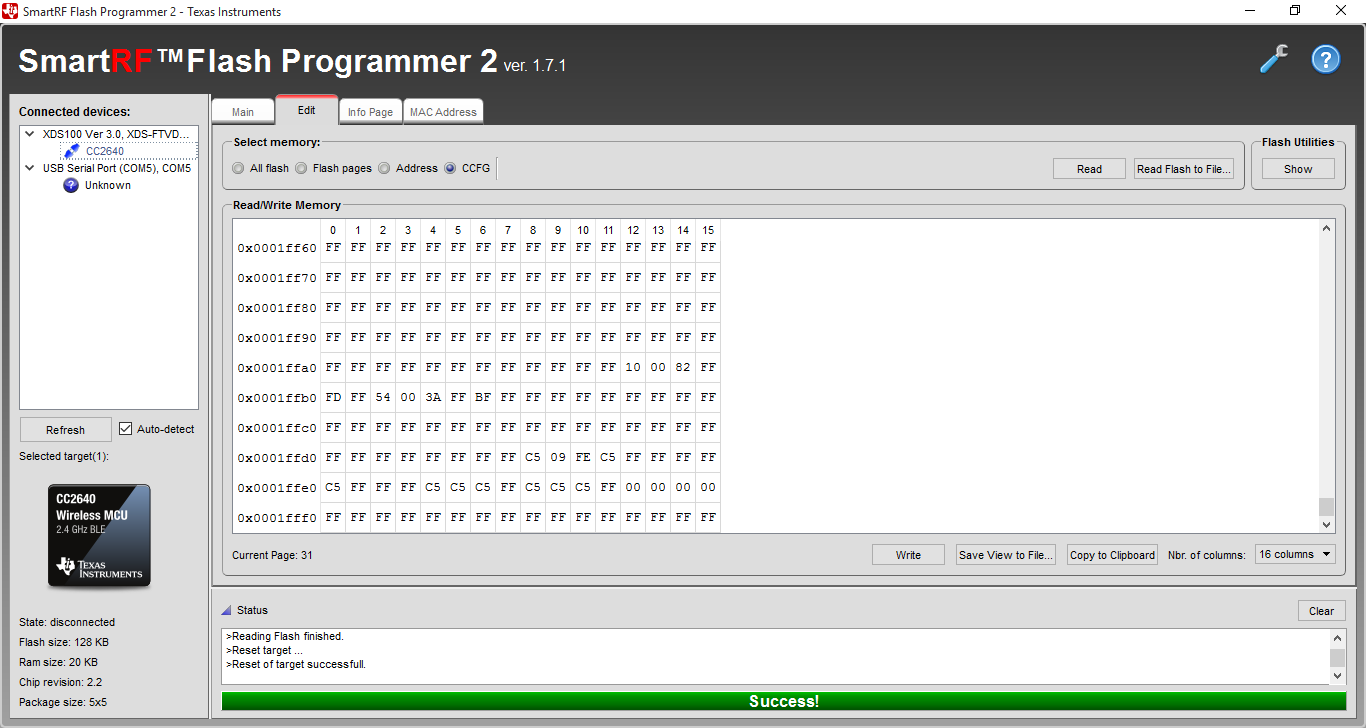
    1. If "Keep CCFG" option is left unmarked then CCFG is always reset to default values (the same values as appear after a "Forced Mass Erase"). I would expect that CCFG was altered, but not to put default values, but to put the values configured by my program (in the same way as occurs when using the .hex file).
    2. If "Keep CCFG" option is marked, then I have found a very weird behaviour:
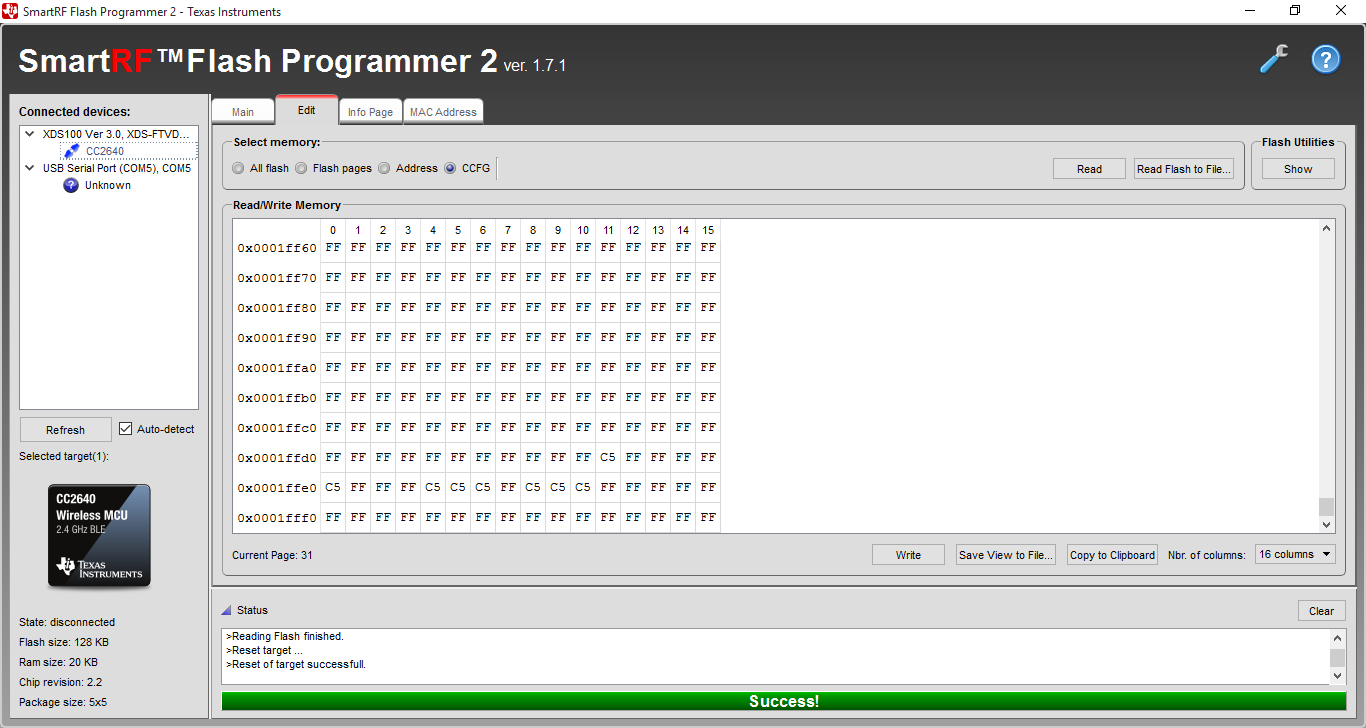
      1. If I made a "Forced Mass Erase" , and then edit CCFG using directly the "Write" button in FP2 (Edit tab) to change, for example, the value in dir 0x0001ffda from "FF" to "C4", then after flashing .out file with "Keep CCFG" marked, this edited value is lost, and all CCFG is reset to default values.
      2. If I flash my app.hex, and then flash app.out with "Keep CCFG" marked, then, in this case, the FP2 behaviour is the expected: CCFG values are kept untouched as they were after flashing .hex.

    These are the screenshots for each case:

    Situation 1:

    CCFG before flashing .out:

    CCFG after flashing .out with "Keep CCFG" option unmarked:

    Situation 2:

    a) CCFG after "Forced Mass Erase" and edited 0x0001ffda value (from FF to C4):

    CCFG after flashing .out with "Keep CCFG" option marked:

    b) CCFG after flashing .hex:

    CCFG after flashing .out with "Keep CCFG" option marked:

    By the way, this is a zip with my .hex and my .out used in these tests:

    app.zip

    I hope this info can help us to clarify what is happening.

    Thank you very much. BR

    José Antonio Martínez

  • Hello,
    I have localized the bug when programming .out files, and will make sure it gets fixed in version 1.7.2 (release in December).

    Regarding 2a, please note that the "keep CCFG" option only will take effect if the CCFG contains a valid size. After a mass erase, the size is FFFF, and thus it is expected that the CCFG will be programmed with the content of the file (not default values as in your case, so this is still a bug).


    BR,
    Ida