Part Number: CC2652R
Hi Team,
Our customer encountered a similar error with the other thread after he installed simplelink_cc13x2_26x2_sdk_3_20_00_68.exe and CCS10.3.1.00003_win64.zip. Below is the error message,
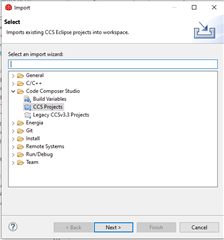
An error occurred when importing my project after installation:
Description Resource Path Location Type
Product com.ti.SIMPLELINK_CC13X2_26X2_SDK v3.20.0.68 is not currently installed and no compatible version is available. Please install this product or a compatible version. bpoint_cc2642lp_peripheral_app bpoint_cc2642lp_peripheral_app Problem
We received this feedback after sharing the link to our customer,
I just bought this computer recently, only for my personal use.
You said that the SDK needs to be "discovered" by the CCS installation. How do I do it?
The paths I installed code composer studio and simplelink_cc13x2_26x2_sdk_3_20_00_68 are the default. No changes.
The paths I installed code composer studio and simplelink_cc13x2_26x2_sdk_3_20_00_68 are the default. No changes.
So how do I correctly import simplelink_cc13x2_26x2_sdk_3_20_00_68 into the code composer studio?
Regards,
Danilo