This thread has been locked.

If you have a related question, please click the "Ask a related question" button in the top right corner. The newly created question will be automatically linked to this question.

Compiler/CC1310: Error compiled cc1310 project with IAR v8.30.1

Part Number: CC1310
Other Parts Discussed in Thread: CC1312R, CC1350STK, SYSBIOS

Tool/software: TI C/C++ Compiler

Hi ,

I work with CC1310 with IAR v7.5 with no problems .

Now I try to move to CC1310R . For that I need to move IAR v8.xx .

I compiled the same project with IAR 8.30.1 and get this errors :

Linking
Error[Li060]: module "xdc_init.orm3(iar.targets.arm.rts.arm3)" contains C++ code built for use with the (E)C++98 library. This code is not link compatible with the new (C++14) library.
Fatal Error[Li001]: could not open file "C:\Program Files (x86)\IAR Systems\Embedded Workbench 8.1\arm\lib\dlpp7M_tl_ne.a" (failed opening file: The system cannot find the file specified.
: iostream stream error)
Error while running Linker

How I can solve it  ? 

Thanks in advance 

Yaki

  • What is CC1310R? Do you mean CC1312R?
  • CC1312R,
    But my correctly problem is compile code with IAR 8.30.1 that run with IAR 7.5 . In both cases i use with CC1310
  • I couldn’t understand your descriptions. Can you elaborate?
  • My project run on cc1310

    Step 1 : The project run on IAR v7.5 with no problems
    Step 2 : I install IAR v8.30.1 and run the same project with same chip(cc1310)
    I got this errors :
    Error[Li060]: module "xdc_init.orm3(iar.targets.arm.rts.arm3)" contains C++ code built for use with the (E)C++98 library. This code is not
    link compatible with the new (C++14) library.
    Fatal Error[Li001]: could not open file "C:\Program Files (x86)\IAR Systems\Embedded Workbench 8.1\arm\lib\dlpp7M_tl_ne.a" (failed
    opening file: The system cannot find the file specified.
    : iostream stream error)
    Error while running Linker
  • Every SDK uses specific IAR version. Can you elaborate which SDK version you use?
  • tirtos_cc13xx_cc26xx_setupwin32_2_20_00_06
  • I suggest you to check release under installation folder to see which IAR version it specifies to use and recommend you to stick with it.

  • I sounds like you are using a 2 year old release of TI RTOS. Have you considered moving to the newest SDK?
  • Hi Yes. I consider . But first I want to run my existing project on the IAR version and then change the RTOS.
  • 1. Do you know which version of IAR support both chip cc1310 and cc1312r with no problems ?

    2.1 I install the simplelink_cc13x2_sdk_2_20_00_71 on IAR 8.22
    2.2 In Protect -> Option -> General Options -> Target ->device -> I change to TexasInstruments CC1312R1F3
    result :
    Variable expansion failed for Pre-Build command line.
    Offending text: ""$XDCROOT$/xs" --xdcpath="$XDCPATH$" iar.tools.configuro -c "$TOOLKIT_DIR$" --cc "$COMPILER_PATH$" --device "$DEVICE$" --compileOptions $COMPILER_ARGS_ROOT_QUOTED$ --linkOptions
    $LINKER_ARGS_QUOTED$ --profile release --projFile "$PROJ_PATH$""

    Please advice
  • Hi Yaki,

    I think the error message already says it:

    Yaki Fleishman said:

    Error[Li060]: module "xdc_init.orm3(iar.targets.arm.rts.arm3)" contains C++ code built for use with the (E)C++98 library. This code is not link compatible with the new (C++14) library. 

    TI-RTOS 2.20 and the corresponding XDC version was precompiled with IAR 7.xx. Those are not binary compatible with IAR 8.xx.

    Yaki Fleishman said:

    Fatal Error[Li001]: could not open file "C:\Program Files (x86)\IAR Systems\Embedded Workbench 8.1\arm\lib\dlpp7M_tl_ne.a" (failed opening file: The system cannot find the file specified. 
    : iostream stream error) 

    I don't know if that is your IAR installation folder and I don't know which file tries to link this library in. There might be a way to make TI-RTOS 2.20 work with IAR 8.xx, but I don't think it's worth the effort to even start research. Instead, I strongly advice you to upgrade to the new SimpleLink SDK eco system.

    • You may try to port your project with these instructions. It should work even though those instructions are for SDK 1.60.
    • Porting the project is cumbersome and contains pitfalls. As an alternative: you may create a new project based upon one of the TI-RTOS kernel examples (not the driver examples because they separate kernel and application and are unnecessary complicated). Once you have that running, copy your old source files over to the new project. You also have to replace the board files and the linker command file.

    I hope that helps.

  • For CC1312 and the SDK, have you followed dev.ti.com/.../tidrivers-quick-start.html when trying to import?
  • Thanks Richard I will try it .

    Meantime, I try to run example code according the instruction in : /simplelink_cc13x2_sdk_2_20_00_71/docs/simplelink_mcu_sdk/html/quickstart-guide/tidrivers-quick-start.html->TI Drivers Quick Start

    I run empty project example and got :

    Variable expansion failed for Pre-Build command line.
    Offending text: "iarbuild.exe $COM_TI_SIMPLELINK_CC13X2_SDK_INSTALL_DIR$/kernel/tirtos/builds/CC1352R1_LAUNCHXL/release/iar/tirtos_builds_CC1352R1_LAUNCHXL_release.ewp Debug -log all"

    I use with IAR v8.22.1
  • I try again to run the empty example and got :
    Error while running iarbuild.exe c:/ti/simplelink_cc13x2_sdk_2_20_00_71/kernel/tirtos/builds/CC1352R1_LAUNCHXL/release/iar/tirtos_builds_CC1352R1_LAUNCHXL_release.ewp Debug -log all

    I must solve this issue ,at least to be able run example code .

    Thanks
  • I get the same as you with the same IAR version but Richard tested with a 8.2 version and that worked. We have to dig some to see what is going on.
  • I try again with IAR v8.20.1 and
    1. simplelink cc13x0 sdk 2.20.0.38
    2.simplelink cc13x2 sdk 2.20.0.71

    I got the same error :
    Error while running iarbuild.exe c:/ti/simplelink_cc13x0_sdk_2_20_00_38/kernel/tirtos/builds/CC1350STK/release/iar/tirtos_builds_CC1350STK_release.ewp Debug -log all

    If you have some progress please advice
  • I have seen the same issue as you but a couple of other engineers here did not see any issues. I seems that I managed to fix the issue by deleting the xdctools folder and reinstall the same version.
  • Hi ,
    I remove all my TIRTOS installation.
    Install only simplelink_cc13x2_sdk_2_20_00_71 and I see in c:\ti the simplelink_cc13x2_sdk_2_20_00_71 and xdctools_3_50_07_20_core.

    I open the empty example and still get :

    Error while running iarbuild.exe c:/ti/simplelink_cc13x2_sdk_2_20_00_71/kernel/tirtos/builds/CC1352R1_LAUNCHXL/release/iar/tirtos_builds_CC1352R1_LAUNCHXL_release.ewp Debug -log all

    There any debuging tests that I can do ?
    Do you have any more suggestion ?
  • Was the xds folder re-installed? In my case I had to delete in and reinstall this independently of the SDK install.
  • Yes the xds folder is re-installed .
    What to you mean "independently of the SDK install" ?
    I installed - simplelink_cc13x2_sdk_2_20_00_71 from Ti wab .
  • When I reinstalled the SDK, the XDC tools (typo in my last post) was not re installed (not sure why but it was clear from the last modified data that no changed had been done) so I deleted the folder and downloaded the latest from downloads.ti.com/.../
  • Hi Yaki,

    Let me see if I understand correctly:
    - You removed all previous installations of TI SDKs
    - You installed the CC13x2 SDK version 2.20 from the web
    - You open the empty project in IAR 8.20
    - Compilation fails

    Is that correct?

    Cheers,
    Fredrik
  • Yes ,
    I work with IAR v8.30.1
  • Ok. Can you try with 8.20 as this is the recommended IAR version?

    It would be interesting if you could download CCS and try that also.
  •  I test it with 8.20.1 and see the same problem

  • Hi Yaki,

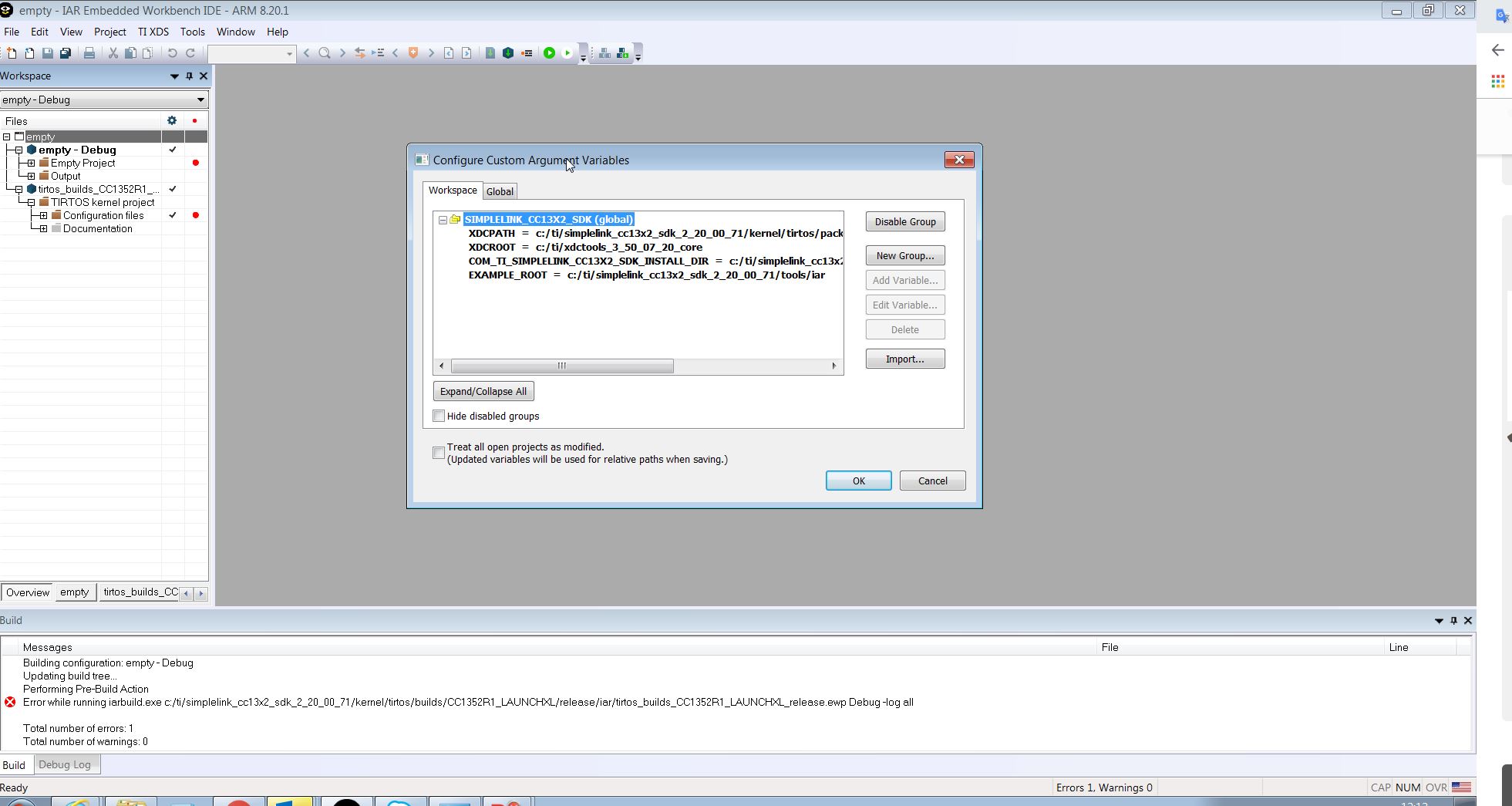
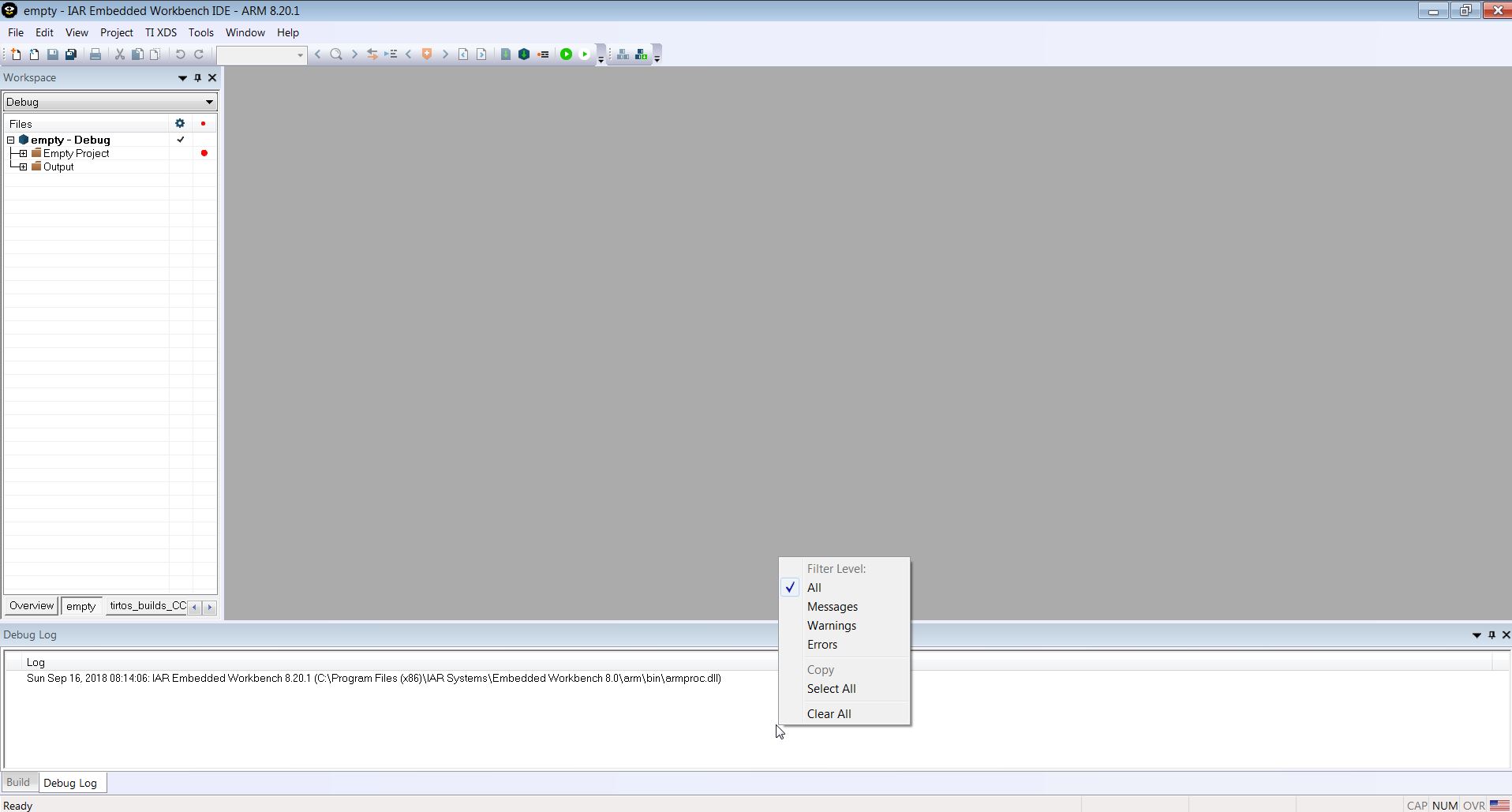
    Can you please right click in the message field and select "all" and show me all the error messages? Also, can you show the Global tab in Configure Custom Argument Variables?

    Regards,
    Fredrik
  • Hi Yaki,

    After changing to "all" can you build and show me the error log?

    Regards,
    Fredrik
  • Hi Fredrik,
    Currently I remover the the IAR v8.20.1 and TI-RTOS sdk 2_20_00_71.
    I do it because I want to verify that my old setup work properly .
    I install IAR v7.50 and TI-RTOS tirtos_cc13xx_cc26xx_2_20_00_06 , xdctools_3_32_00_06_core.
    When I compile it on my old project (Note: This installation work for long time on my computer ) I got :

    *********************************************************************

    Building configuration: modems - Release
    Updating build tree...
    Performing Pre-Build Action
    Error while running "c:/ti/xdctools_3_32_00_06_core/xs"
    --xdcpath="c:/ti/tirtos_cc13xx_cc26xx_2_20_00_06/packages;c:/ti/tirtos_cc13xx_cc26xx_2_20_00_06/products/tidrivers_cc13xx_cc26xx_2_20_00_08/packages;c:/ti/tirtos_cc13xx_cc26xx_2_20_00_06/products/bios_6_46_00_23/pack
    ages;c:/ti/tirtos_cc13xx_cc26xx_2_20_00_06/products/uia_2_00_06_52/packages" iar.tools.configuro -c "C:\Program Files (x86)\IAR Systems\Embedded Workbench 7.3\arm" --cc "C:\Program Files (x86)\IAR Systems\Embedded
    Workbench 7.3\arm\bin\iccarm.exe" --device "CC1310F128" --compileOptions "-D NDEBUG -o C:\p4Client\Workspace\13xx_CO\RF\PowerCode2\CC13xx_Platform\coordinator_source\application\modems\_project\Release\Obj
    --no_cse --no_unroll --no_inline --no_code_motion --no_tbaa --no_clustering --no_scheduling --debug --endian=little --cpu=Cortex-M3 -f C:\p4Client\Workspace\13xx_CO\RF\PowerCode2\CC13xx_Platform\coordinator_source\
    application\modems\_project/configPkg/compiler.opt.defs --diag_suppress=Pa050 -Ic:/ti/tirtos_cc13xx_cc26xx_2_20_00_06/products/cc13xxware_2_04_02_17240 -Dewarm --debug --silent -e --fpu=None --dlib_config \"C:\Program
    Files (x86)\IAR Systems\Embedded Workbench 7.3\arm\INC\c\DLib_Config_Normal.h\" -I C:\p4Client\Workspace\13xx_CO\RF\PowerCode2\CC13xx_Platform\coordinator_source\application\modems\_project\..\..\..\common\
    hardFault\ -I C:\p4Client\Workspace\13xx_CO\RF\PowerCode2\CC13xx_Platform\coordinator_source\application\modems\_project\..\..\..\common\power\ -I C:\p4Client\Workspace\13xx_CO\RF\PowerCode2\CC13xx_Platform\
    coordinator_source\application\modems\_project\..\..\..\common\sce\ -I C:\p4Client\Workspace\13xx_CO\RF\PowerCode2\CC13xx_Platform\coordinator_source\application\modems\_project\..\..\..\common\sysTimer\ -I C:\
    p4Client\Workspace\13xx_CO\RF\PowerCode2\CC13xx_Platform\coordinator_source\application\modems\_project\..\..\..\common\ti_config\ -I C:\p4Client\Workspace\13xx_CO\RF\PowerCode2\CC13xx_Platform\
    coordinator_source\application\modems\_project\..\..\..\common\watchdog\ -I C:\p4Client\Workspace\13xx_CO\RF\PowerCode2\CC13xx_Platform\coordinator_source\application\modems\_project\..\..\..\common\cross_os\ -I
    C:\p4Client\Workspace\13xx_CO\RF\PowerCode2\CC13xx_Platform\coordinator_source\application\modems\_project\..\..\..\PG_network_task\ -I C:\p4Client\Workspace\13xx_CO\RF\PowerCode2\CC13xx_Platform\
    coordinator_source\application\modems\_project\..\..\..\PG_host_stack\ -I C:\p4Client\Workspace\13xx_CO\RF\PowerCode2\CC13xx_Platform\coordinator_source\application\modems\_project\..\..\..\UART_Interface\ -I C:\
    p4Client\Workspace\13xx_CO\RF\PowerCode2\CC13xx_Platform\coordinator_source\application\modems\_project\..\ -I C:\p4Client\Workspace\13xx_CO\RF\PowerCode2\CC13xx_Platform\coordinator_source\application\
    modems\_project\..\..\..\common\ -I C:\p4Client\Workspace\13xx_CO\RF\PowerCode2\CC13xx_Platform\coordinator_source\application\modems\_project\..\..\..\common\eventQ\ -Ol" --linkOptions "-o C:\p4Client\Workspace\
    13xx_CO\RF\PowerCode2\CC13xx_Platform\coordinator_source\application\modems\_project\Release\Exe\modem.out --map C:\p4Client\Workspace\13xx_CO\RF\PowerCode2\CC13xx_Platform\coordinator_source\
    application\modems\_project\Release\List\modem.map --config C:\p4Client\Workspace\13xx_CO\RF\PowerCode2\CC13xx_Platform\coordinator_source\application\modems\_project/modems_CC1310DK.icf -f C:\p4Client\
    Workspace\13xx_CO\RF\PowerCode2\CC13xx_Platform\coordinator_source\application\modems\_project/configPkg/linker.cmd
    c:/ti/tirtos_cc13xx_cc26xx_2_20_00_06/products/cc13xxware_2_04_02_17240/driverlib/bin/iar/driverlib.lib --silent --cpu=Cortex-M3 --entry=__iar_program_start --redirect _Printf=_PrintfSmall --redirect _Scanf=_ScanfSmall --semihosting
    --entry __iar_program_start --inline --vfe" --profile release --projFile "C:\p4Client\Workspace\13xx_CO\RF\PowerCode2\CC13xx_Platform\coordinator_source\application\modems\_project\modems.ewp"

    Total number of errors: 1
    Total number of warnings: 0
    ************************************************************************
    I don't know if it the same problem that I have with the new versions on IAR and TI-RTOS but this problem must to solve because we have released devices working with that .

    Please advice
    Yaki
  • In additional,

    I already remove all the installation and reinstall

    Do clear project  before  "rebuild allI verify that Custom Argument .... is OK.

    The build log :

    Building configuration: modems - Release
    Updating build tree...

    Performing Pre-Build Action
    "c:/ti/xdctools_3_32_00_06_core/xs"
    --xdcpath="c:/ti/tirtos_cc13xx_cc26xx_2_20_00_06/packages;c:/ti/tirtos_cc13xx_cc26xx_2_20_00_06/products/tidrivers_cc13xx_cc26xx_2_20_00_08/packages;c:/ti/tirtos_cc13xx_cc26xx_2_20_00_06/products/bios_6_46_00_23/pack
    ages;c:/ti/tirtos_cc13xx_cc26xx_2_20_00_06/products/uia_2_00_06_52/packages" iar.tools.configuro -c "C:\Program Files (x86)\IAR Systems\Embedded Workbench 7.3\arm" --cc "C:\Program Files (x86)\IAR Systems\Embedded
    Workbench 7.3\arm\bin\iccarm.exe" --device "CC1310F128" --compileOptions "-D NDEBUG -o C:\p4Client\Workspace\13xx_CO\RF\PowerCode2\CC13xx_Platform\coordinator_source\application\modems\_project\Release\Obj
    --no_cse --no_unroll --no_inline --no_code_motion --no_tbaa --no_clustering --no_scheduling --debug --endian=little --cpu=Cortex-M3 -f C:\p4Client\Workspace\13xx_CO\RF\PowerCode2\CC13xx_Platform\coordinator_source\
    application\modems\_project/configPkg/compiler.opt.defs --diag_suppress=Pa050 -Ic:/ti/tirtos_cc13xx_cc26xx_2_20_00_06/products/cc13xxware_2_04_02_17240 -Dewarm --debug --silent -e --fpu=None --dlib_config \"C:\Program
    Files (x86)\IAR Systems\Embedded Workbench 7.3\arm\INC\c\DLib_Config_Normal.h\" -I C:\p4Client\Workspace\13xx_CO\RF\PowerCode2\CC13xx_Platform\coordinator_source\application\modems\_project\..\..\..\common\
    hardFault\ -I C:\p4Client\Workspace\13xx_CO\RF\PowerCode2\CC13xx_Platform\coordinator_source\application\modems\_project\..\..\..\common\power\ -I C:\p4Client\Workspace\13xx_CO\RF\PowerCode2\CC13xx_Platform\
    coordinator_source\application\modems\_project\..\..\..\common\sce\ -I C:\p4Client\Workspace\13xx_CO\RF\PowerCode2\CC13xx_Platform\coordinator_source\application\modems\_project\..\..\..\common\sysTimer\ -I C:\
    p4Client\Workspace\13xx_CO\RF\PowerCode2\CC13xx_Platform\coordinator_source\application\modems\_project\..\..\..\common\ti_config\ -I C:\p4Client\Workspace\13xx_CO\RF\PowerCode2\CC13xx_Platform\
    coordinator_source\application\modems\_project\..\..\..\common\watchdog\ -I C:\p4Client\Workspace\13xx_CO\RF\PowerCode2\CC13xx_Platform\coordinator_source\application\modems\_project\..\..\..\common\cross_os\ -I
    C:\p4Client\Workspace\13xx_CO\RF\PowerCode2\CC13xx_Platform\coordinator_source\application\modems\_project\..\..\..\PG_network_task\ -I C:\p4Client\Workspace\13xx_CO\RF\PowerCode2\CC13xx_Platform\
    coordinator_source\application\modems\_project\..\..\..\PG_host_stack\ -I C:\p4Client\Workspace\13xx_CO\RF\PowerCode2\CC13xx_Platform\coordinator_source\application\modems\_project\..\..\..\UART_Interface\ -I C:\
    p4Client\Workspace\13xx_CO\RF\PowerCode2\CC13xx_Platform\coordinator_source\application\modems\_project\..\ -I C:\p4Client\Workspace\13xx_CO\RF\PowerCode2\CC13xx_Platform\coordinator_source\application\
    modems\_project\..\..\..\common\ -I C:\p4Client\Workspace\13xx_CO\RF\PowerCode2\CC13xx_Platform\coordinator_source\application\modems\_project\..\..\..\common\eventQ\ -Ol" --linkOptions "-o C:\p4Client\Workspace\
    13xx_CO\RF\PowerCode2\CC13xx_Platform\coordinator_source\application\modems\_project\Release\Exe\modem.out --map C:\p4Client\Workspace\13xx_CO\RF\PowerCode2\CC13xx_Platform\coordinator_source\
    application\modems\_project\Release\List\modem.map --config C:\p4Client\Workspace\13xx_CO\RF\PowerCode2\CC13xx_Platform\coordinator_source\application\modems\_project/modems_CC1310DK.icf -f C:\p4Client\
    Workspace\13xx_CO\RF\PowerCode2\CC13xx_Platform\coordinator_source\application\modems\_project/configPkg/linker.cmd
    c:/ti/tirtos_cc13xx_cc26xx_2_20_00_06/products/cc13xxware_2_04_02_17240/driverlib/bin/iar/driverlib.lib --silent --cpu=Cortex-M3 --entry=__iar_program_start --redirect _Printf=_PrintfSmall --redirect _Scanf=_ScanfSmall --semihosting
    --entry __iar_program_start --inline --vfe" --profile release --projFile "C:\p4Client\Workspace\13xx_CO\RF\PowerCode2\CC13xx_Platform\coordinator_source\application\modems\_project\modems.ewp"
    Using RTSC configuration file: C:/p4Client/Workspace/13xx_CO/RF/PowerCode2/CC13xx_Platform/coordinator_source/application/modems/_project/modems.cfg...
    A previous project clean has been detected. Cleaning the generated source libraries before building...
    c:/ti/xdctools_3_32_00_06_core/gmake -f C:\p4Client\Workspace\13xx_CO\RF\PowerCode2\CC13xx_Platform\coordinator_source\application\modems\_project/src/makefile.libs clean
    cleaning C:/p4Client/Workspace/13xx_CO/RF/PowerCode2/CC13xx_Platform/coordinator_source/application/modems/_project/src/sysbios ...
    making package.mak (because of package.bld) ...
    configuring modems.xrm3 from package/cfg/modems_prm3.cfg ...
    warning: ti.tirtos.TIRTOS: "C:/ti/tirtos_cc13xx_cc26xx_2_20_00_06/packages/ti/tirtos/TIRTOS.xs", line 49: ti.tirtos.TIRTOS : ti.tirtos.TIRTOS module is no longer required to configure driver instrumentation. Please use the
    ti.drivers.Config and ti.mw.Config modules instead.
    warning: ti.tirtos.TIRTOS: "C:/ti/tirtos_cc13xx_cc26xx_2_20_00_06/packages/ti/tirtos/TIRTOS.xs", line 117: ti.tirtos.TIRTOS : TI-RTOS driver modules have been deprecated and replaced by the ti.drivers.Config module. Please
    remove TIRTOS.useWatchdog from the .cfg.
    generating custom ti.sysbios library makefile ...
    Starting build of library sources ...
    making C:/p4Client/Workspace/13xx_CO/RF/PowerCode2/CC13xx_Platform/coordinator_source/application/modems/_project/src/sysbios/sysbios.arm3 ...
    gmake[1]: Entering directory `C:/p4Client/Workspace/13xx_CO/RF/PowerCode2/CC13xx_Platform/coordinator_source/application/modems/_project/src/sysbios'
    clrm3 C:/ti/tirtos_cc13xx_cc26xx_2_20_00_06/products/bios_6_46_00_23/packages/ti/sysbios/BIOS.c ...
    Fatal error[LMS001]: License check failed. Use the IAR License Manager to
    IAR ANSI C/C++ Compiler V7.50.1.10123/W32 for ARM
    Copyright 1999-2015 IAR Systems AB.
    resolve the problem.
    Failed to obtain feature: "ARM.EW.COMPILER_STD" version: "1.14".
    Feature cannot run anymore because the license expiration date is reached.
    Status code 0xc800100d. [LicenseCheck:2.14.2.842, RMS:8.5.2.0015,
    Feature:ARM.EW.COMPILER, Version:1.07]
    Fatal error detected, aborting.
    gmake[1]: *** [BIOS.o] Error 2
    gmake[1]: Leaving directory `C:/p4Client/Workspace/13xx_CO/RF/PowerCode2/CC13xx_Platform/coordinator_source/application/modems/_project/src/sysbios'
    gmake: *** [C:/p4Client/Workspace/13xx_CO/RF/PowerCode2/CC13xx_Platform/coordinator_source/application/modems/_project/src/sysbios/sysbios.arm3] Error 2
    Build of libraries failed.
    error: xdc.cfg.SourceDir: "C:/ti/xdctools_3_32_00_06_core/packages/xdc/cfg/SourceDir.xs", line 209: xdc.cfg.SourceDir : Build of generated source libraries failed: exit status = 2:
    js: "C:/ti/xdctools_3_32_00_06_core/packages/xdc/cfg/Main.xs", line 160: Error: Configuration failed!
    gmake.exe: *** [package/cfg/modems_prm3.xdl] Error 1
    gmake.exe: *** Deleting file `package/cfg/modems_prm3.xdl'
    gmake.exe: *** [package/cfg/modems_prm3.xdl] Deleting file `package/cfg/modems_prm3.h'
    gmake.exe: *** [package/cfg/modems_prm3.xdl] Deleting file `package/cfg/modems_prm3.c'
    js: "C:/ti/tirtos_cc13xx_cc26xx_2_20_00_06/products/bios_6_46_00_23/packages/iar/tools/configuro/Main.xs", line 133: Error: xdc.tools.configuro: configuration failed due to earlier errors (status = 2); 'linker.cmd' deleted.
    Error while running "c:/ti/xdctools_3_32_00_06_core/xs"
    --xdcpath="c:/ti/tirtos_cc13xx_cc26xx_2_20_00_06/packages;c:/ti/tirtos_cc13xx_cc26xx_2_20_00_06/products/tidrivers_cc13xx_cc26xx_2_20_00_08/packages;c:/ti/tirtos_cc13xx_cc26xx_2_20_00_06/products/bios_6_46_00_23/pack
    ages;c:/ti/tirtos_cc13xx_cc26xx_2_20_00_06/products/uia_2_00_06_52/packages" iar.tools.configuro -c "C:\Program Files (x86)\IAR Systems\Embedded Workbench 7.3\arm" --cc "C:\Program Files (x86)\IAR Systems\Embedded
    Workbench 7.3\arm\bin\iccarm.exe" --device "CC1310F128" --compileOptions "-D NDEBUG -o C:\p4Client\Workspace\13xx_CO\RF\PowerCode2\CC13xx_Platform\coordinator_source\application\modems\_project\Release\Obj
    --no_cse --no_unroll --no_inline --no_code_motion --no_tbaa --no_clustering --no_scheduling --debug --endian=little --cpu=Cortex-M3 -f C:\p4Client\Workspace\13xx_CO\RF\PowerCode2\CC13xx_Platform\coordinator_source\
    application\modems\_project/configPkg/compiler.opt.defs --diag_suppress=Pa050 -Ic:/ti/tirtos_cc13xx_cc26xx_2_20_00_06/products/cc13xxware_2_04_02_17240 -Dewarm --debug --silent -e --fpu=None --dlib_config \"C:\Program
    Files (x86)\IAR Systems\Embedded Workbench 7.3\arm\INC\c\DLib_Config_Normal.h\" -I C:\p4Client\Workspace\13xx_CO\RF\PowerCode2\CC13xx_Platform\coordinator_source\application\modems\_project\..\..\..\common\
    hardFault\ -I C:\p4Client\Workspace\13xx_CO\RF\PowerCode2\CC13xx_Platform\coordinator_source\application\modems\_project\..\..\..\common\power\ -I C:\p4Client\Workspace\13xx_CO\RF\PowerCode2\CC13xx_Platform\
    coordinator_source\application\modems\_project\..\..\..\common\sce\ -I C:\p4Client\Workspace\13xx_CO\RF\PowerCode2\CC13xx_Platform\coordinator_source\application\modems\_project\..\..\..\common\sysTimer\ -I C:\
    p4Client\Workspace\13xx_CO\RF\PowerCode2\CC13xx_Platform\coordinator_source\application\modems\_project\..\..\..\common\ti_config\ -I C:\p4Client\Workspace\13xx_CO\RF\PowerCode2\CC13xx_Platform\
    coordinator_source\application\modems\_project\..\..\..\common\watchdog\ -I C:\p4Client\Workspace\13xx_CO\RF\PowerCode2\CC13xx_Platform\coordinator_source\application\modems\_project\..\..\..\common\cross_os\ -I
    C:\p4Client\Workspace\13xx_CO\RF\PowerCode2\CC13xx_Platform\coordinator_source\application\modems\_project\..\..\..\PG_network_task\ -I C:\p4Client\Workspace\13xx_CO\RF\PowerCode2\CC13xx_Platform\
    coordinator_source\application\modems\_project\..\..\..\PG_host_stack\ -I C:\p4Client\Workspace\13xx_CO\RF\PowerCode2\CC13xx_Platform\coordinator_source\application\modems\_project\..\..\..\UART_Interface\ -I C:\
    p4Client\Workspace\13xx_CO\RF\PowerCode2\CC13xx_Platform\coordinator_source\application\modems\_project\..\ -I C:\p4Client\Workspace\13xx_CO\RF\PowerCode2\CC13xx_Platform\coordinator_source\application\
    modems\_project\..\..\..\common\ -I C:\p4Client\Workspace\13xx_CO\RF\PowerCode2\CC13xx_Platform\coordinator_source\application\modems\_project\..\..\..\common\eventQ\ -Ol" --linkOptions "-o C:\p4Client\Workspace\
    13xx_CO\RF\PowerCode2\CC13xx_Platform\coordinator_source\application\modems\_project\Release\Exe\modem.out --map C:\p4Client\Workspace\13xx_CO\RF\PowerCode2\CC13xx_Platform\coordinator_source\
    application\modems\_project\Release\List\modem.map --config C:\p4Client\Workspace\13xx_CO\RF\PowerCode2\CC13xx_Platform\coordinator_source\application\modems\_project/modems_CC1310DK.icf -f C:\p4Client\
    Workspace\13xx_CO\RF\PowerCode2\CC13xx_Platform\coordinator_source\application\modems\_project/configPkg/linker.cmd
    c:/ti/tirtos_cc13xx_cc26xx_2_20_00_06/products/cc13xxware_2_04_02_17240/driverlib/bin/iar/driverlib.lib --silent --cpu=Cortex-M3 --entry=__iar_program_start --redirect _Printf=_PrintfSmall --redirect _Scanf=_ScanfSmall --semihosting
    --entry __iar_program_start --inline --vfe" --profile release --projFile "C:\p4Client\Workspace\13xx_CO\RF\PowerCode2\CC13xx_Platform\coordinator_source\application\modems\_project\modems.ewp"

    Total number of errors: 1
    Total number of warnings: 0

  • Hi Yaki,

    You said earlier that you re-installed 7.50 to get it to working, your build logs seems to suggest you are running 7.30:

    iar.tools.configuro -c "C:\Program Files (x86)\IAR Systems\Embedded Workbench 7.3\arm" --cc "C:\Program Files (x86)\IAR Systems\Embedded
    Workbench 7.3\arm\bin\iccarm.exe" --device "CC1310F128"


    The path to the tools are picked up by the $TOOLS_DIR$ environmental path variable in IAR, it should represent the IAR version in used so I would expect this to be IAR 7.5 (unless your IAR 7.5 installed under the IAR 7.3 folder for some reason).

    In the latest log, the problem seem to be your IAR licence:

    Fatal error[LMS001]: License check failed. Use the IAR License Manager to

    IAR ANSI C/C++ Compiler V7.50.1.10123/W32 for ARM

    Copyright 1999-2015 IAR Systems AB.

    resolve the problem.

    Failed to obtain feature: "ARM.EW.COMPILER_STD" version: "1.14".

    Feature cannot run anymore because the license expiration date is reached.

    Status code 0xc800100d. [LicenseCheck:2.14.2.842, RMS:8.5.2.0015,

    Feature:ARM.EW.COMPILER, Version:1.07]

    Fatal error detected, aborting.


    I recommend you double check which IAR version you are running and if your licence for it is active.

  • Thanks M-W.
    The problem was in the licence .
    I test also the IAR v8.20.01 with tirtos_cc13xx_cc26xx_2_20_00_06 and currently it seems that the issue solved .
    Tanks