Part Number: CC3220S
Other Parts Discussed in Thread: UNIFLASH, CC3200, CC3120, ,
Hi Experts,
Seeking your assistance on this query from Cx:
Originally, the customer is having an error:
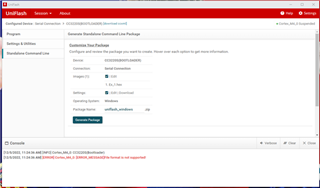
FATAL: Error loading the bootloader. Error code: -3
How can we use UniFlash 4 to program a CC3220 over the serial interface using an existing hardware platform (i.e. without using a modified, wire-strapped Launchpad)?
Our situation is that we have existing hardware using CC3200 and want to simply replace the processor with a CC3220. Our process is to use the serial programming mode in UniFlash connected through an on-board FTDI USB-serial converter and a manual reset switch on platform. This works absolutely fine with UniFlash 3 and CC3200 because UniFlash prompts for a reset. However with CC3220 and Uniflash 4 it would appear that it is expected that the reset of the processor is somehow automated!
We have connected the hardware in exactly the same way and in UniFlash 4 selected 'CC3120/CC3220 [serial]' at the bottom of the device list but when we click connect we get 'Operation Failed: Unhandled exception: Auto detect failure'. Out of interest what is UniFlash trying to detect to 'Auto detect',
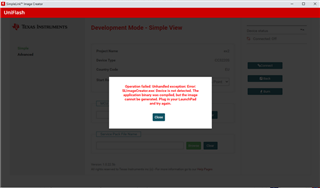
also this is the error in uniflash 4x
Operation failed: Unhandled exception: Error: SLImageCreator.exe: Device is not detected. The application binary was compiled, but the image cannot be generated. Plug in your LaunchPad and try again.
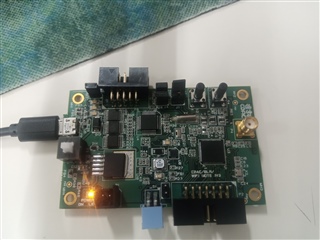
Also we are facing the problem in flash the code using uniflash, i am not getting the steps .one more this the board is custom board so as per we say we just replay the chip cc3200 to cc3220.now just guide me how we can do.
---
For your assistance please.
Regards,
Archie A.