This thread has been locked.

If you have a related question, please click the "Ask a related question" button in the top right corner. The newly created question will be automatically linked to this question.

LAUNCHCC3220MODASF: Need Guidance on Implementing HTTPS Functionality on CC3220MODASF

Part Number: LAUNCHCC3220MODASF

HI,

I work with HTTPS on CC3220MODASF. The TI SDK provides an HTTP GET sample for testing HTTP functionality. How can I get the HTTPS sample code or enable HTTPS functionality on CC3220MODASF? Our specific need is to create text on our cloud platform (Azure IoT Blob Storage) and append data to accomplish this. What steps should I follow?

  • Hi,

    Let me connect you with an expert who can provide some guide on HTTPS support. 

  • Hi,
    Any update today?

  • In the SDK, check the HTTP Client Documentation (see <SDK>/docs/ns/html/group__ti__net__http__HTTPClient.html).

    Basically you will need to program the TLS certificates (server's root CA certificate and optionally client's private key and certificate chain) to the CC32xx file system. Then fill the  HTTPClient_extSecParam structure as needed by HTTPClient_connect()

    You will also need to use "https://...." in the HOSTNAME definition to trigger the HTTPS.

  • hi,
    I have modified my HTTPClient_connect() function according to your instructions.


    https://onesensedevicelogs.blob.core.windows.net/devicelogs-2/TestProdDevice2?sv=2020-04-08&se=2024-11-22T03%3A51%3A28Z&sr=d&sp=w&sdd=1&sig=0c1gJJUk7OsiVveDmUzr1dyq50IgDClXXXXXXXXXXXXX

    Here is my blob SAS URL and my configurations are attached below.

    #define HOSTNAME              "">onesensedevicelogs.blob.core.windows.net"
    #define REQUEST_URI        "/devicelogs-2/TestProdDevice2?sv=2020-04-08&se=2024-11- 
                                                  22T03%3A51%3A28Z&sr=d&sp=w&sdd=1&sig=0c1gJJUk7OsiVveDmUzr1dyq50IgDClIBZxxxxxxx"

    #define USER_AGENT "HTTPClient (ARM; TI-RTOS)"


       HTTPClient_extSecParams secParams;

    secParams.rootCa ="-----BEGIN CERTIFICATE-----\r\n"
    "MIIDjjCCAnagAwIBAgIQAzrx5qcRqaC7KGSxHQn65TANBgkqhkiG9w0BAQsFADBh\r\n"
    "MQswCQYDVQQGEwJVUzEVMBMGA1UEChMMRGlnaUNlcnQgSW5jMRkwFwYDVQQLExB3\r\n"
    "d3cuZGlnaWNlcnQuY29tMSAwHgYDVQQDExdEaWdpQ2VydCBHbG9iYWwgUm9vdCBH\r\n"
    "MjAeFw0xMzA4MDExMjAwMDBaFw0zODAxMTUxMjAwMDBaMGExCzAJBgNVBAYTAlVT\r\n"
    "MRUwEwYDVQQKEwxEaWdpQ2VydCBJbmMxGTAXBgNVBAsTEHd3dy5kaWdpY2VydC5j\r\n"
    "b20xIDAeBgNVBAMTF0RpZ2lDZXJ0IEdsb2JhbCBSb290IEcyMIIBIjANBgkqhkiG\r\n"
    "9w0BAQEFAAOCAQ8AMIIBCgKCAQEAuzfNNNx7a8myaJCtSnX/RrohCgiN9RlUyfuI\r\n"
    "2/Ou8jqJkTx65qsGGmvPrC3oXgkkRLpimn7Wo6h+4FR1IAWsULecYxpsMNzaHxmx\r\n"
    "1x7e/dfgy5SDN67sH0NO3Xss0r0upS/kqbitOtSZpLYl6ZtrAGCSYP9PIUkY92eQ\r\n"
    "q2EGnI/yuum06ZIya7XzV+hdG82MHauVBJVJ8zUtluNJbd134/tJS7SsVQepj5Wz\r\n"
    "tCO7TG1F8PapspUwtP1MVYwnSlcUfIKdzXOS0xZKBgyMUNGPHgm+F6HmIcr9g+UQ\r\n"
    "vIOlCsRnKPZzFBQ9RnbDhxSJITRNrw9FDKZJobq7nMWxM4MphQIDAQABo0IwQDAP\r\n"
    "BgNVHRMBAf8EBTADAQH/MA4GA1UdDwEB/wQEAwIBhjAdBgNVHQ4EFgQUTiJUIBiV\r\n"
    "5uNu5g/6+rkS7QYXjzkwDQYJKoZIhvcNAQELBQADggEBAGBnKJRvDkhj6zHd6mcY\r\n"
    "1Yl9PMWLSn/pvtsrF9+wX3N3KjITOYFnQoQj8kVnNeyIv/iPsGEMNKSuIEyExtv4\r\n"
    "NeF22d+mQrvHRAiGfzZ0JFrabA0UWTW98kndth/Jsw1HKj2ZL7tcu7XUIOGZX1NG\r\n"
    "Fdtom/DzMNU+MeKNhJ7jitralj41E6Vf8PlwUHBHQRFXGU7Aj64GxJUTFy8bJZ91\r\n"
    "8rGOmaFvE7FBcf6IKshPECBV1/MUReXgRPTqh5Uykw7+U0b6LJ3/iyK5S9kJRaTe\r\n"
    "pLiaWN0bfVKfjllDiIGknibVb63dDcY3fe0Dkhvld1927jyNxF1WW6LZZm6zNTfl\r\n"
    "MrY=\r\n"
    "-----END CERTIFICATE-----\r\n";

     HTTPClient_connect(httpClientHandle,HOSTNAME,&secParams,0);

    Please confirm if my configurations are accurate.


  • Hi,
    Any update today?

  • The hostname should start with "https://".

    The secParams.rootCa - should be the full path to the root CA file (on the CC32xx file system) and not the actual certificate content.

    If there is still an error - please send the return code of HTTPClient_connect.

  • Hi,

    I have already changed the hostname to start with "https://", but I cannot paste the hostname here with "https://"

    I updated my root certificate "DigiCertGlobalRootG2.crt.pem" to the name "/cert/ms.pem" using the sl_FsOpen and sl_FsWrite functions, then verified it by retrieving file information with the "sl_FsGetInfo" function. Afterwards, I set secParams.rootCa to "/cert/ms.pem". However, my code becomes unresponsive when attempting to call HTTPClient_connect.


    Please find my code snippets shared below.

    #define HOSTNAME "">onesensedevicelogs.blob.core.windows.net"
    #define REQUEST_URI "/devicelogs-2/TestProdDevice2?sv=2020-04-08&se=2024-11-          
    22T03%3A51%3A28Z&sr=d&sp=w&sdd=1&sig=0c1gJJUk7OsiVveDmUzr1dyq50IgDClIBZ%2BYnja6TVk%3D"
    #define USER_AGENT              "application/json"

    const char certificates[] = "-----BEGIN CERTIFICATE-----\r\n"
    "MIIDdzCCAl+gAwIBAgIEAgAAuTANBgkqhkiG9w0BAQUFADBaMQswCQYDVQQGEwJJ\r\n"
    "RTESMBAGA1UEChMJQmFsdGltb3JlMRMwEQYDVQQLEwpDeWJlclRydXN0MSIwIAYD\r\n"
    "VQQDExlCYWx0aW1vcmUgQ3liZXJUcnVzdCBSb290MB4XDTAwMDUxMjE4NDYwMFoX\r\n"
    "DTI1MDUxMjIzNTkwMFowWjELMAkGA1UEBhMCSUUxEjAQBgNVBAoTCUJhbHRpbW9y\r\n"
    "ZTETMBEGA1UECxMKQ3liZXJUcnVzdDEiMCAGA1UEAxMZQmFsdGltb3JlIEN5YmVy\r\n"
    "VHJ1c3QgUm9vdDCCASIwDQYJKoZIhvcNAQEBBQADggEPADCCAQoCggEBAKMEuyKr\r\n"
    "mD1X6CZymrV51Cni4eiVgLGw41uOKymaZN+hXe2wCQVt2yguzmKiYv60iNoS6zjr\r\n"
    "IZ3AQSsBUnuId9Mcj8e6uYi1agnnc+gRQKfRzMpijS3ljwumUNKoUMMo6vWrJYeK\r\n"
    "mpYcqWe4PwzV9/lSEy/CG9VwcPCPwBLKBsua4dnKM3p31vjsufFoREJIE9LAwqSu\r\n"
    "XmD+tqYF/LTdB1kC1FkYmGP1pWPgkAx9XbIGevOF6uvUA65ehD5f/xXtabz5OTZy\r\n"
    "dc93Uk3zyZAsuT3lySNTPx8kmCFcB5kpvcY67Oduhjprl3RjM71oGDHweI12v/ye\r\n"
    "jl0qhqdNkNwnGjkCAwEAAaNFMEMwHQYDVR0OBBYEFOWdWTCCR1jMrPoIVDaGezq1\r\n"
    "BE3wMBIGA1UdEwEB/wQIMAYBAf8CAQMwDgYDVR0PAQH/BAQDAgEGMA0GCSqGSIb3\r\n"
    "DQEBBQUAA4IBAQCFDF2O5G9RaEIFoN27TyclhAO992T9Ldcw46QQF+vaKSm2eT92\r\n"
    "9hkTI7gQCvlYpNRhcL0EYWoSihfVCr3FvDB81ukMJY2GQE/szKN+OMY3EU/t3Wgx\r\n"
    "jkzSswF07r51XgdIGn9w/xZchMB5hbgF/X++ZRGjD8ACtPhSNzkE1akxehi/oCr0\r\n"
    "Epn3o0WC4zxe9Z2etciefC7IpJ5OCBRLbf1wbWsaY71k5h+3zvDyny67G7fyUIhz\r\n"
    "ksLi4xaNmjICq44Y3ekQEe5+NauQrz4wlHrQMz2nZQ/1/I6eYs9HRCwBXbsdtTLS\r\n"
    "R9I4LtD+gdwyah617jzV/OeBHRnDJELqYzmp\r\n"
    "-----END CERTIFICATE-----\r\n";

     flashFile("/cert/ms.pem", (const uint8_t*)certificates, strlen(certificates));
    sl_FsGetInfo("/cert/ms.pem", 0, &fsFileInfo);
       secParams.rootCa = "/cert/ms.pem";


    httpClientHandle = HTTPClient_create(&statusCode,0);

    HTTPClient_setHeader(httpClientHandle,HTTPClient_HFIELD_REQ_CONTENT_TYPE,USER_AGENT,strlen(USER_AGENT)+1,HTTPClient_HFIELD_PERSISTENT);

     HTTPClient_connect(httpClientHandle,HOSTNAME,&secParams,0);

    HTTPClient_sendRequest(httpClientHandle, HTTP_METHOD_PUT, REQUEST_URI,
    body, bodyLen,
    0);


    Console output:

    Connecting to : Airtel_Airtel_Inthings_2.

    [NETAPP EVENT] IP Acquired: IP=192.168.1.31 , Gateway=192.168.1.1

    successfully wrote file /cert/ms.pem to flash
    File Info .....


    Flags: 8752

    Len: 1282

    MaxSize: 3656

    Token: 0 0 0 0

    StorageSize: 8192

    WriteCounter: 7

    Sending a HTTP request HOST name 'onesensedevicelogs.blob.core.windows.net'


  • have you made the certificiate a secure file? try to make it unsecure (at least for the test).

    Try to suspend the CPU and check where the code gets stuck. 

    I'm not familiar with the HttpClient_connect getting stuck - so maybe you have a stack issue (try to increase the stack size for the thread (if you are using the original the HTTPGET example - check the TASK_STACK_SIZE in "platform.c").

    If this will not help you can try to step into the HttpClient_connect to find the point of failure.

  • Hi,
     As per your instructions i modified the following section of code

    1) Increse the stack size of HTTP_Task from 2048 to 4096  >>>  #define TASK_STACK_SIZE                       (4096)
    2) Certificate made unsecure file  >>> from SL_FS_CREATE_SECURE  to   SL_FS_CREATE_FAILSAFE 

      sl_FsOpen((unsigned char *)path,
    SL_FS_CREATE | SL_FS_CREATE_FAILSAFE | SL_FS_CREATE_NOSIGNATURE
    | SL_FS_CREATE_PUBLIC_WRITE | SL_FS_OVERWRITE
    | SL_FS_CREATE_MAX_SIZE(len), NULL);

    but sill the code stuck on HttpClient_connect functions 

    console log :

    Connecting to : Airtel_Airtel_Inthings_2.

    [NETAPP EVENT] IP Acquired: IP=192.168.1.19 , Gateway=192.168.1.1

    successfully wrote file /cert/ms.pem to flash
    File Info .....


    Flags: 8704

    Len: 1282

    MaxSize: 3656

    Token: 0 0 0 0

    StorageSize: 8192

    WriteCounter: 1

    Sending a HTTP request HOST name 'onesensedevicelogs.blob.core.windows.net'


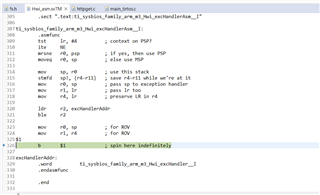
    Suspend the CPU where the code becomes unresponsive:


    Identified the failure point of HttpClient_connect using the step-into operation:


    Httpclientconnect without &secParams console log:(HTTPClient_connect(httpClientHandle,HOSTNAME,0,0);

    Connecting to : Airtel_Airtel_Inthings_2.

    [NETAPP EVENT] IP Acquired: IP=192.168.1.19 , Gateway=192.168.1.1

    successfully wrote file /cert/ms.pem to flash
    File Info .....


    Flags: 8704

    Len: 1282

    MaxSize: 3656

    Token: 0 0 0 0

    StorageSize: 8192

    WriteCounter: 4

    Sending a HTTP request HOST name 'onesensedevicelogs.blob.core.windows.net'

    Error! code = -2006, Description = httpTask: connect failed


  • So if i understand correctly, you ran it twice and got 2 different issues, is that right?

    The crash (the Exception Handler) probably means some kind of memory issue. if it is not related to the stack - please check exactly where in the http process this crashes.

    The -2006 means INVALID_INPUT - please check the SL API  (probably sl_Connect) that is called and verify that the parameters provided are correct.

  • hi,
    Yes, you are correct. I executed the code twice, both with and without using &secParams. When the Httpconnect got stuck while using &secParams, you mentioned that it's not a stack memory problem. How can I identify any other memory issue? Is it possible to make modifications to the http_client.c source file? Are there any previous threads available for referencing HTTPS on CC3220MODASF?

  • HI,

    Any Update Today?

  • Hi,

    Please see this video.

    Your images from debugger does not show anything useful. You only know that your code fall into error handler. You should to use call stack to determine origin of this failure.

    If you are interesting to other threads related to https with TI http library, you can use search feature at e2e forum.

    Jan

  • hi,

    I resolved the code crash issue by setting the private key and client certificate to NULL instead of leaving them undeclared. Below are the modified security parameters.

    secParams.rootCa = "/cert/ms.pem";
    secParams.privateKey = NULL;
    secParams.clientCert = NULL;
    HTTPClient_connect(httpClientHandle,HOSTNAME,&secParams,0);


    Currently encountering a 400 error when attempting to connect using HTTPClient_sendRequest.


    #define REQUEST_URI           "/devicelogs-2/TestProdDevice2?sv=2020-04-08&se=2024-11-22T03%3A51%3A28Z&sr=d&sp=w&sdd=1&sig=0c1gJJUk7OsiVveDmUzr1dyq50IgDClIBZ%2BYnja6TXXXX"

    const char *body = "hello world";
    uint32_t bodyLen = strlen(body);
    ret = HTTPClient_sendRequest(httpClientHandle, HTTP_METHOD_PUT, REQUEST_URI,
    body, bodyLen,
    0);


    console out:

    Connecting to : Airtel_Airtel_Inthings_2.

    [NETAPP EVENT] IP Acquired: IP=192.168.1.35 , Gateway=192.168.1.1

    successfully wrote file /cert/ms.pem to flash
    File Info .....


    Flags: 8704

    Len: 1294

    MaxSize: 3656

    Token: 0 0 0 0

    StorageSize: 8192

    WriteCounter: 35

    Sending a HTTP request HOST name 'onesensedevicelogs.blob.core.windows.net'

    Error! code = 400, Description = httpTask: cannot get status


  • Hi,

    HTTP code 400 is a bad request. You should check your server why this server returning this code.

    Jan

  • HI,

    I believe there is an issue with the header settings on our server; it requires the following header.

    PUT /devicelogs-2/TestProdDevice2?sv=2020-04-08&se=2024-11-22T03%3A51%3A28Z&sr=d&sp=w&sdd=1&sig=0c1gJJUk7OsiVveDmUzr1dyq50IgDXXXX HTTP/1.1
    Host: onesensetestdevicelogs.blob.core.windows.net
    x-ms-blob-type: AppendBlob
    Content-Type: text/plain; charset=utf-8
    Content-Length: 0


    But I can only set the following header. Can I set a custom header request?


    ret = HTTPClient_setHeader(httpClientHandle,
    HTTPClient_HFIELD_REQ_HOST,
    "onesensetestdevicelogs.blob.core.windows.net",
    strlen("onesensetestdevicelogs.blob.core.windows.net"),
    HTTPClient_HFIELD_PERSISTENT);

    ret = HTTPClient_setHeader(httpClientHandle,
    HTTPClient_HFIELD_REQ_CONTENT_TYPE,
    "text/plain; charset=utf-8",
    strlen("text/plain; charset=utf-8"),
    HTTPClient_HFIELD_PERSISTENT);

    console log:

    Error! code = -3019, Description = httpTask: connect failed

    I want to set x-ms-blob-type: AppendBlob and Content-Length: 0. How can I achieve this?

  • Hi,

    Sorry, but I am not sure. But http library is available at source code. Nothing prevent you modify library if needed.

    Meaning of error code -3019 is HTTPClient_EHOSTHEADERALREADYEXIST /* Host header is already exist, having multiple Host headers is invalid. Remove the existing host Header.*/

    Jan

  • Hi,

    Can I use multiple headers?

    http_client.h

    #define HTTPClient_MAX_NUMBER_OF_HEADER_FIELDS           (46)

    Is the maximum number of headers 46? Why am I getting an error like "Host header already exists," when having multiple Host headers is invalid?

  • Hi,

    Yes, you can set multiple headers. But only one host header.

    Because you are settings multiple host header. See function sendRequest() inside httpclient.c.

    Jan

  • Hi,

    I have modified the host header and added 2 custom headers because the predefined header types are not found in the httpclient.h library. Is it possible to define them as mentioned below? If not, please suggest another way to add custom header types. I want to include content length and blob types.

    #define HTTPClient_HFIELD_REQ_CUSTOM_X_MS_BLOB_TYPE (1001 | HTTPClient_REQUEST_HEADER_MASK)
    #define HTTPClient_HFIELD_REQ_CUSTOM_CONTENT_LENGTH (1002 | HTTPClient_REQUEST_HEADER_MASK)

    #define content_type "Content-Type: text/plain; charset=utf-8\n"
    #define blob_type "x-ms-blob-type: AppendBlob"
    #define content_length "Content-Length: 0"


    HTTPClient_setHeader(httpClientHandle,
    HTTPClient_HFIELD_REQ_CUSTOM_X_MS_BLOB_TYPE,
    blob_type,
    strlen(blob_type) + 1,
    HTTPClient_HFIELD_PERSISTENT);

    // Set Content-Type header
    HTTPClient_setHeader(httpClientHandle,
    HTTPClient_HFIELD_REQ_CONTENT_TYPE,
    content_type,
    strlen(content_type) + 1,
    HTTPClient_HFIELD_PERSISTENT);

    //Set Content-Length header
    HTTPClient_setHeader(httpClientHandle,
    HTTPClient_HFIELD_REQ_CUSTOM_CONTENT_LENGTH,
    content_length,
    strlen(content_length) + 1,
    HTTPClient_HFIELD_PERSISTENT);


    console output:
    Error! code = 411, Description = httpTask: cannot get status


    I can add more data samples for an HTTP request to append a block to a blob in Azure Blob Storage using the REST API.

    Request Syntax:
    PUT myaccount.blob.core.windows.net/.../myblob HTTP/1.1

    Request Headers:
    x-ms-version: 2018-11-09
    x-ms-date: <date>
    x-ms-copy-source: myaccount.blob.core.windows.net/.../myblob
    x-ms-source-range: bytes=0-65535
    x-ms-blob-condition-appendpos: 2097152
    x-ms-blob-condition-maxsize: 4194304
    Authorization: SharedKey myaccount:J4ma1VuFnlJ7yfk/Gu1GxzbfdJloYmBPWlfhZ/xn7GI=
    Content-Length: 0
    If-Match: "0x8CB172A360EC34B"


  • you can use the following to add custom header without changing the httpclient stack:

    /*!
        \brief  Setting HTTP Client Header-field configurations by header name.
                Both standard (as defined by the HTTP RFC spec) and non-standard
                header names are supported.
                This API supports request and response headers.
    
                When a given standard HTTP header is set, it is important to
                consistently set it using one of HTTPClient_setHeaderByName() or
                HTTPClient_setHeader(). The ordering of the values may not be
                preserved if both APIs are used to set the same header.
    
        \param[in]     client   Instance of an HTTP client
    
        \param[in]     option   Options for setting could be one of the following:
                                #HTTPClient_REQUEST_HEADER_MASK - sets a header-field which will be used in requests.
                                #HTTPClient_CUSTOM_RESPONSE_HEADER  - sets a header-field which will be used when HTTP response retrieve. This option need to be used when
                                the user want to store custom response header by name.
        \param[in]     name     Name of header. Must be NULL-terminated.
    
        \param[in]     value    On request - Value for setting could be any related value for
                                the corresponding header.
                                On response - Must be NULL.
    
        \param[in]     len      On request - Length of the value.
                                On response - Must be 0.
    
        \param[in]     flags    On request - Flags for settings need be one of the following:
                                           - #HTTPClient_HFIELD_NOT_PERSISTENT - Header-Field is not persistent.
                                           - #HTTPClient_HFIELD_PERSISTENT - Header-Field is persistent.
                                On response - Flags should be 0.
                                              Currently, HTTP custom response header only supports persistent mode.
                                              No option right now, to set a custom response header for single request and clear it after the first response,
                                              not by sign it as non-persistent and not by clear it after one use.
                                              For clear custom response header after set only close the HTTPClient connection by "HTTPClient_destroy",
                                              and open a new one.
    
        \return 0 on success or error code on failure.
     */
    int16_t HTTPClient_setHeaderByName(HTTPClient_Handle client, uint32_t option, const char *name, void *value, uint32_t len, uint32_t flags);
    

  • Hi,

    Thank you for your valuable support. Now, I can create a text file in my blob. However, when I try to append some text data to the created text file, I am getting the following errors:

    console out:

    HTTP Response Status Code: 400

    <?xml version="1.0" encoding="utf-8"?><Error><Code>InvalidHeaderValue</Code><Message>The value for one of the HTTP headers is not in the correct format.
    RequestId:e6fea397-f01e-0096-19cd-a5b644000000
    Time:2024-05-14T07:10:17.7055843Z</Message><HeaderName>Content-Length</HeaderName><HeaderValue>11</HeaderValue></Error>

    Received 322 bytes of payload


    My code snippet:

    HTTPClient_setHeader(httpClientHandle,
    HTTPClient_HFIELD_REQ_ACCEPT,

    "Host: onesensetestdevicelogs.blob.core.windows.net\n"
    "x-ms-blob-type: AppendBlob\n"
    "Content-Type: text/plain; charset=utf-8\n"
    "Content-Length:11\n\n",
    strlen(
    "Host: onesensetestdevicelogs.blob.core.windows.net\n"
    "x-ms-blob-type: AppendBlob\n"
    "Content-Type: text/plain; charset=utf-8\n"
    "Content-Length:11\n\n") + 1,
    HTTPClient_HFIELD_PERSISTENT);

    ret = HTTPClient_connect(httpClientHandle,HOSTNAME,&secParams,0);
    //&secParams
    if(ret < 0)
    {
    printError("httpTask: connect failed", ret);
    }

    ret = HTTPClient_sendRequest(httpClientHandle, HTTP_METHOD_PUT, REQUEST_URI,
    "Hello world", strlen("Hello world"), 0);


    Are content length and body size the same?

  • content-length is the body size. It is added automatically.

    Why aren't you using the standard setHeader() for standard header (such as Content-Type) and HTTPClient_setHeaderByName() for the non-supported ones?

  • Hi,

    Thank you for your valuable support.

    I have modified my header settings using HTTPClient_setHeaderByName(). Now, I can create and append a log file to my Azure Blob Storage.