This thread has been locked.

If you have a related question, please click the "Ask a related question" button in the top right corner. The newly created question will be automatically linked to this question.

RTTT on WL1837: Error: Failed to get MAC Firmware version. Calling_GetFW_Version() returned -13108

Other Parts Discussed in Thread: WL1837MOD

Host platform: Custom Android platform
Operating system: Android
 WiLink™ flavor: WL1837MOD
 Module vendor: TI
 WiLink™ firmware version:

  File: wl18xx-fw-4.bin
CRC-32: 38df62e3
   MD4: c44f1cb0205de4efc4bb5b927ac3169c
   MD5: 7e59b96595688dfdff5e57cf3bc59a74
 SHA-1: 6b477a36f787781fb70db4042ef50c445559d7d5


INI file: WL1837MOD_INI_FCC_CE.ini
CRC-32: 8a49df2a
   MD4: ae83e1e32e4e8adf78f24b7e0ba936bc
   MD5: a113d9ab33af5cd1c2ef0a8c27725411
 SHA-1: ef688b6d7596258abcb1f8a8bb6bfa8d7e3bb305

I'm testing the RTTT tool for debugging the module on another board, so I start with a completely function module, the whole board is tested which can connect to an AP and access the internet in the OS.

I start with add a 10k resistor on the IRQ line to enter the debug mode, UART_DBG_BT and AUD_OUT_BT are floating. A USB-TTL(CP2102 chip, also tried FTDI), TXS0108 level shift for the TTL line.

The RTTT can connect without FW. After I load the FW, it gave me:

[16:12:33]  [WLAN 18xx FW]: ts18.Calling_ATE_DownloadFW(D:\\My Document\\Projects\\TI_debug\\Firmware\\wl18xx-fw-4.bin)
[16:12:49]  [WLAN 18xx FW]: ts18.Calling_IsConnected()
[16:12:49]  [WLAN 18xx FW]: ts18.Calling_IsFirmwareRunning()
[16:12:50]  [WLAN 18xx FW]: ts18gui.numOfAnt = 0
[16:12:50]  [WLAN 18xx FW]: ts18.Calling_GetFW_Version()
[16:13:05]  [WLAN 18xx FW]: ts18.Calling_ATE_DisconnectTarget()
[16:13:05]  [WLAN 18xx FW]: ts18.Calling_IsConnected()
[16:13:31]  [WLAN 18xx FW]: Error: Failed to get MAC Firmware version. Calling_GetFW_Version() returned -13108
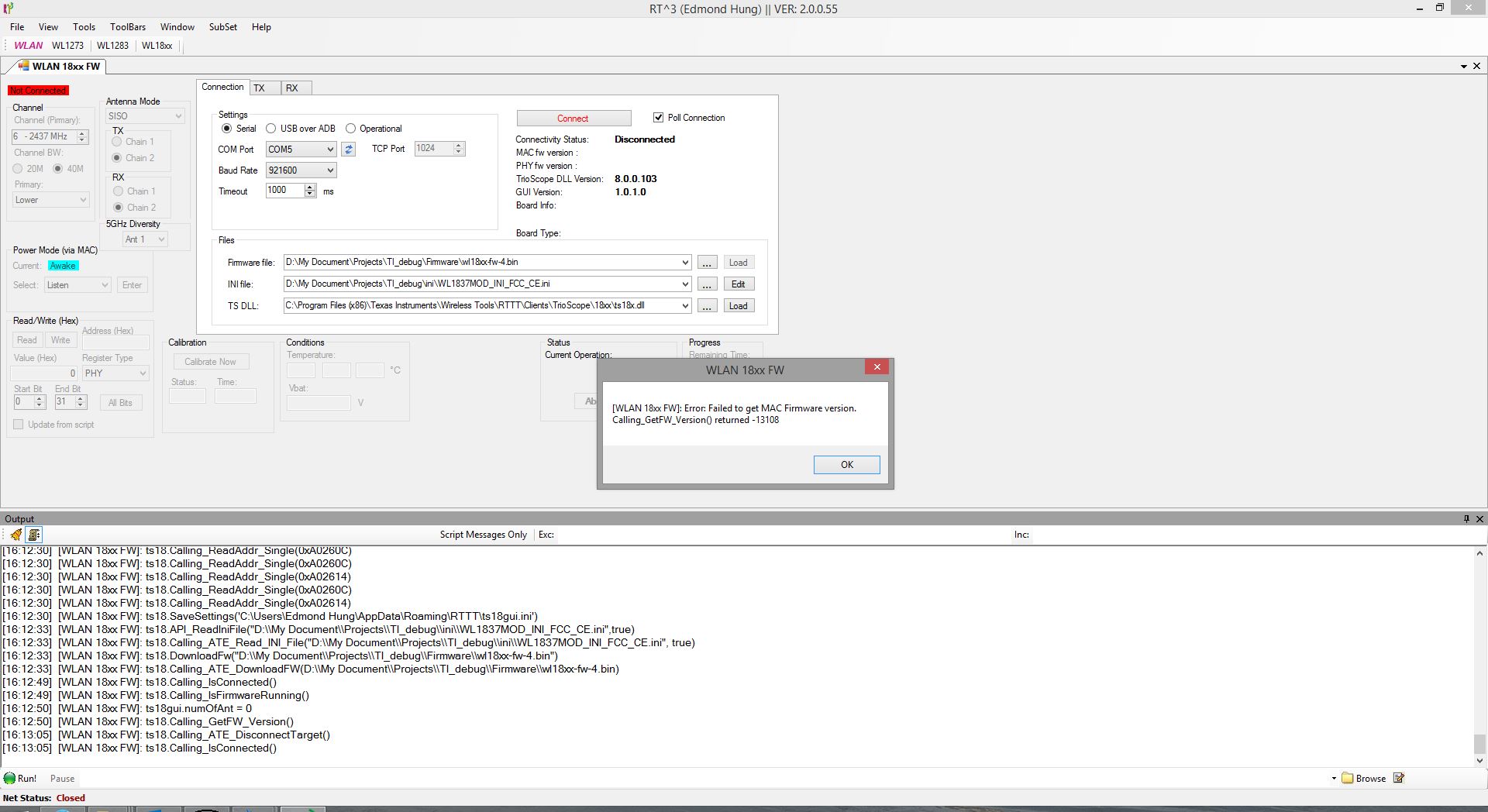
What is this error for and how can I solve it?

  • Hi,

    Can you confirm the below?

    ***
    • There is a need to pull up WL_IRQ (10k pull up) at power-on to enable this RS232 UART interface.
    ***

    Regards,
    Gigi Joseph.
  • Hi,

    Yes, WLAN_IRQ(Pin 14) have been pull-up to VIO1.8V via 10k

    Update: After I remove the level shifter between CPU GPIO and WLAN_IRQ, I can successfully load the firmware once. But it will disconnect after around one minute. No matter I edit the setting or not. When I click connect again, and load the FW once more, it show the same error again.

    Regards,

    Edmond

  • Hi,

    Can you please provide more help?
  • Hello Edmond,

    From what you are describing it seems you are trying to download the driver over and over again.
    It can only be downloaded once. please make sure the host doesn't download it before connecting with RTTT.

    When measuring things with RTTT the device should be in standalone mode. make sure the boot doesn't run and download the driver or disconnect physically the SDIO.
  • Chen Loewy said:
    Hello Edmond,

    From what you are describing it seems you are trying to download the driver over and over again.
    It can only be downloaded once. please make sure the host doesn't download it before connecting with RTTT.

    When measuring things with RTTT the device should be in standalone mode. make sure the boot doesn't run and download the driver or disconnect physically the SDIO.

    Hi Loewy,

    I don't notice that the module still accept the driver from SDIO even in the debug mode.
    Will try to bypass the driver download from host.

    Update: Problem solved after the host doesn't download the firmware through SDIO.

    Thanks for your help.

    Regards,

    Edmond