This thread has been locked.

If you have a related question, please click the "Ask a related question" button in the top right corner. The newly created question will be automatically linked to this question.

CC3220SF-LAUNCHXL: How to use Certificates

Part Number: CC3220SF-LAUNCHXL
Other Parts Discussed in Thread: UNIFLASH, SHA-256

Hi Community !

We have received our code signing certificates. It consists of a *.p7s file with 4 certificates in (see screenshot).

What's the procedure to replace the dummy certificates in UniFlash ?

Including:

- Trusted Root-Certificate Catalog

- Certificate in User Files

- Certificate keys used to write the image *.bin file

If I'm missing some documentation, please simply copy a link to it.

Thanks a lot !

Kind Regards, Vincent V.

  • Hi Vincent,

    In the Uniflash "Trusted Root-Certificate Catalog" tab - replace the dummy catalog (and signature) with the SDK's official catalog (which is found under <sdk-root>\tools\cc32xx_tools\certificate-catalog\).

    Next, add the entire chain (4 certificate files) to the file systems. The file names should comply exactly to the "Issued To" names (with spaces and without any suffix, e.g. "COMODO RSA Code Signing CA").

    The image should be signed with your private key and be linked to your certificate (i.e. "Trelleborg Marine Systems Denim Jacob Poulsen").
    The key should not be copied to the device, but should be used when you "Select MCU Image".

    Br,
    Kobi
  • Hi,

    Thanks for your reply. It has been quite a challenge to extract the private key from our certificates. Now it's done, but I get a ".pfx" file and UniFlash doesn't seem to support it. (-> "Invalid private key: RSA key format is not supported")

    May I ask what format (certificate + keys) does UniFlash support ?

    I can export my certificates in DER encoded binary X.509 (.CER) or Base-64 encoded X.509 (.CER) or Cryptographic Message (.P7B). And for the private key, only in ".pfx".

    Thanks !

    Br,
    Vincent

  • Both X.509 formats are supported (in our documentation: ,der - refers to binary, .pem - for base-64).

    Br,
    Kobi
  • ok.
    what about the private key and our ".pfx" file ?
  • You'll need to convert it, see for example:
    stackoverflow.com/.../convert-pfx-to-cer
  • I'll give it a try! Thanks
  • Hi Kobi,

    I have now converted our ".pfx" private key into a ".pem" private key. (by using the following command: "openssl pkcs12 -in myPrivateKey.pfx -out myPrivateKey.pem -nodes")

    UniFlash throws the same error message...

  • Hi Vincent,

    I'm not sure regarding the conversion command you use, but the format of the key in PEM should be as followed:
    -----BEGIN RSA PRIVATE KEY-----
    .... base64 text....
    -----END RSA PRIVATE KEY-----

    No other prefix or suffix can be used.

    It must be RSA based (and not Elliptic Curve).
    You can send us the PUBLIC key so we can look for other format errors.

    Br,
    Kobi
  • Thanks Kobi ! 

    I managed now to convert the .pfx to a valid RSA-based file. So UniFlash accepts my certificates when "Selecting the MCU".

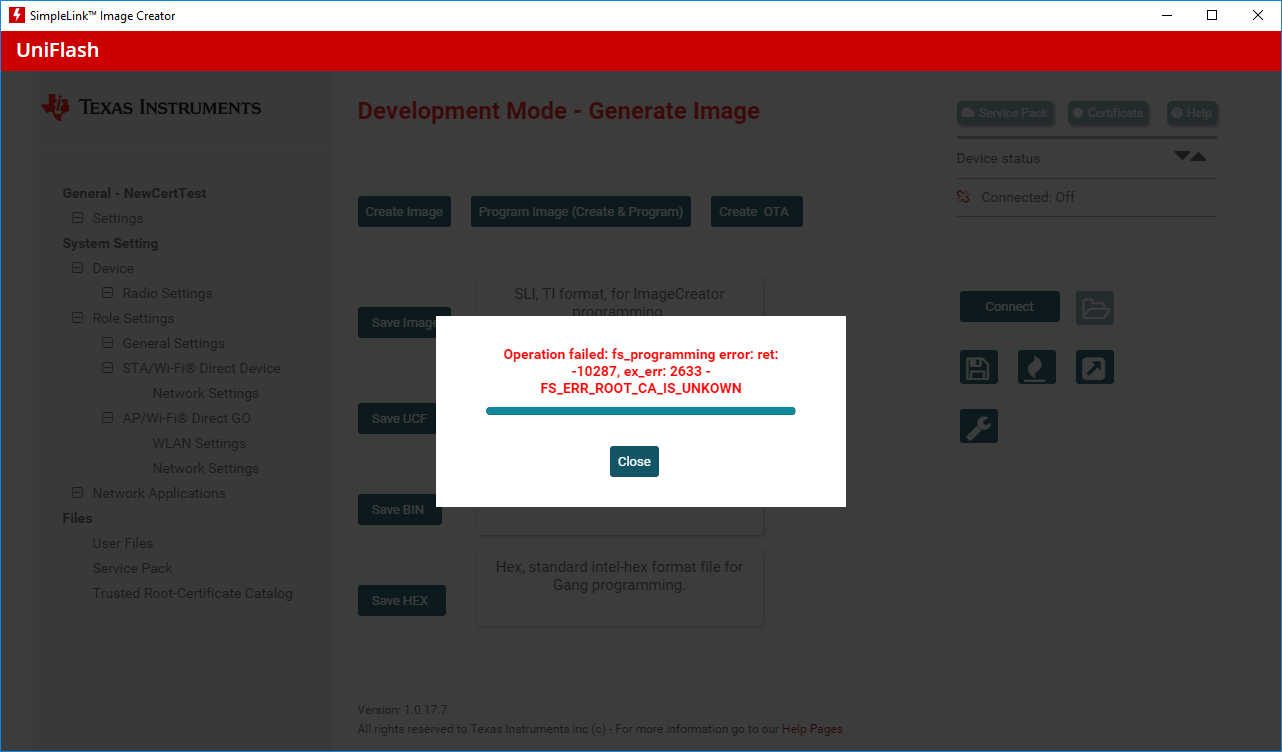
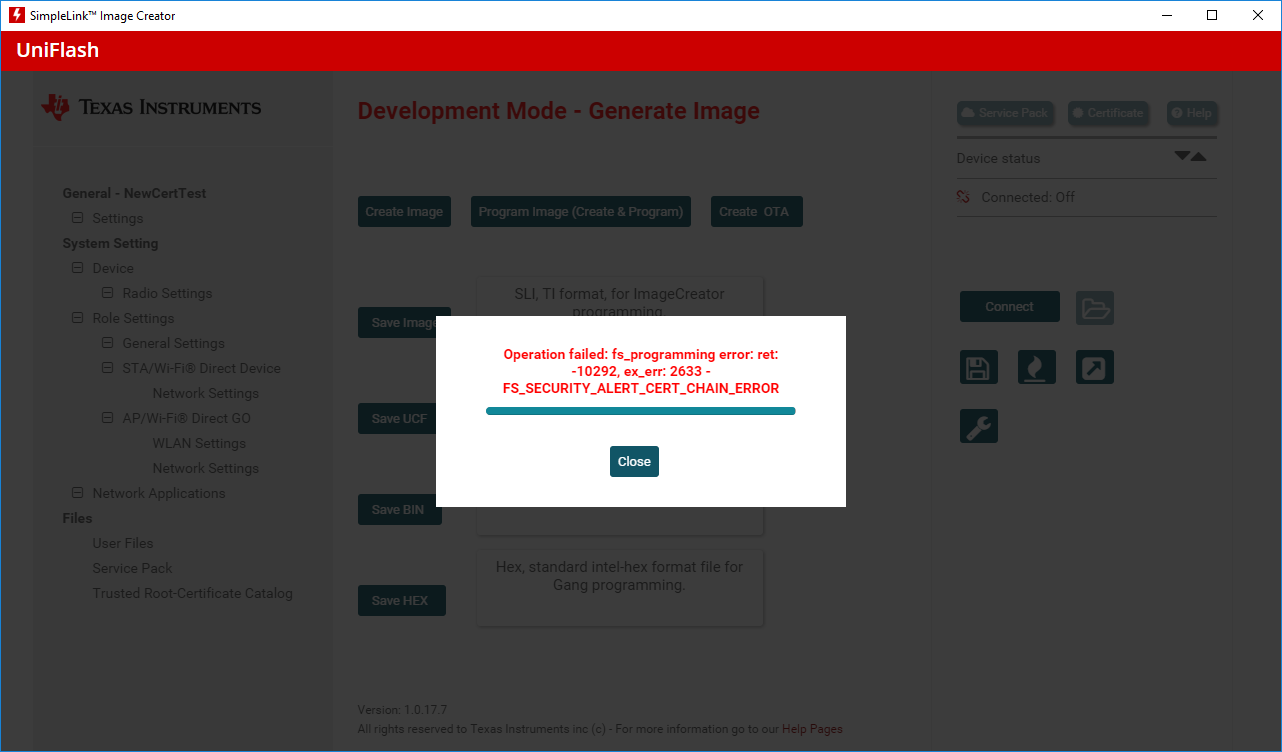
    Now, at the end of programming, I get one of the two following errors :

    I have bought the certificates from Comodo, I received 4 different files of the following format (.crt) : -----BEGIN CERTIFICATE-----   .....Base-64 stuff.....  -----END CERTIFICATE-----

    COMODORSACodeSigningCA.crt, COMODORSAAddTrustCA.crt, AddTrustExternalCARoot.crt, Trelleborg Marine Systems Denm Jakob Poulsen.crt  or cer when exporting from Internet Explorer.

    Any ideas ?

    Thanks !!!

    Br, Vincent.

  • The certificate should be in cer (same as der) format and their name in the FS should correspond to their "common name" - e.g. "COMODO RSA Code Signing CA" (without the ".der" extension).
    Please show me the User Files setting in the uniflash before you program the device.
    Also, I'll contact you directly to send me your public certificate so I can try to reproduce the issue.

    Br,
    Kobi
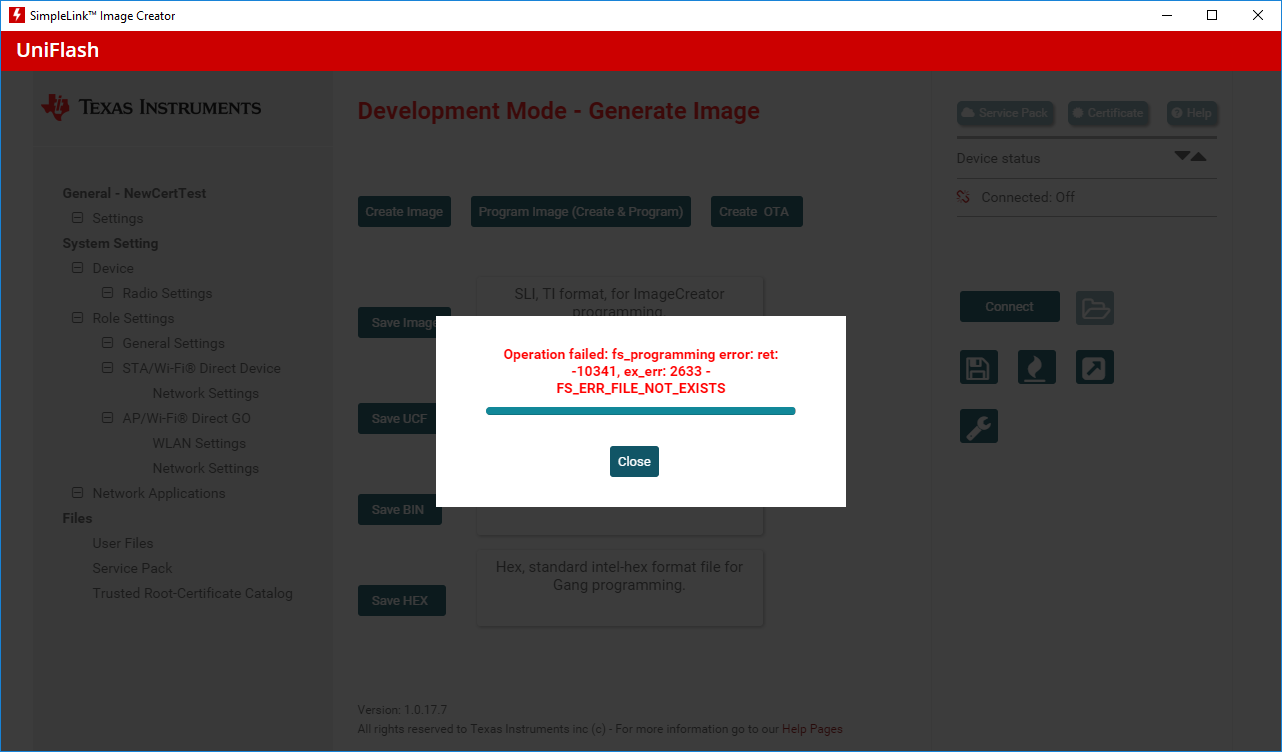
  • I have tried to remove the extension (.cer) like you said. Now I get this error :

    Here is UniFlash User Files that corresponds to the error above: 

    I have sent the public certificates directly to you.

    Thanks a lot for your time !!! 

  • Hi Vincent,

    The Uniflash works against the CC3220 boot (ROM) code which does not support SHA-384 as the signature (SHA) algorithm (see details of supported signature types in www.ti.com/.../swru455e.pdf, chapter 7.4.7).
    The Comodo intermediate certificate ("COMODO RSA Code Signing CA") uses the SHA-384 that causes the failure.

    Note that the SHA-384 is supported by the CC3220 service packs and can be used to verify the chain when written from the host (for example during OTA).

    Your options:
    1. Replace the certificate chain with one that only uses SHA-256 (or other supported method). This limitation is relevant for the user and intermediate certificates (the signature algorithm of the root CA certificate doesn't impact the chain verification, so any method will work).
    2. Prepare a production line environment that supports the SHA-384. This will include the following steps:
    - Using Uniflash, install a loader application with a dummy (Playground) certificate (using the Playground certificate store).
    - The loader application will be used to:
    - install the official certificate catalog and commit it.
    - load the application image (for example as an OTA tarball image). Uploading the image will be done over SPI or UART.
    - Install and commit the image (using the OTA library)
    3. Wait until we provide a solution that is based on option 2. We are planning to add such support in one of the coming SDK releases (we don't have a date yet).

    Br,
    Kobi
  • Hey Kobi,

    Thanks for investigating this issue.
    Do you have an issue tracker that I can subscribe to ? So I get notified when an SDK comes out with support to SHA-384 ?
    Will it be this year ?
    Thanks !
  • Hi Vincent,

    I hope it will be get to the Uniflash releases later this year but I don't have the exact date currently.

    You can register to "new releases" alerts for both the Uniflash and CC32xx SDK.

    Br,

    Kobi