This thread has been locked.

If you have a related question, please click the "Ask a related question" button in the top right corner. The newly created question will be automatically linked to this question.

CC3220SF-LAUNCHXL: Sensor integration with CC3220SF-LAUNCHXL

Part Number: CC3220SF-LAUNCHXL
Other Parts Discussed in Thread: CC3220SF

Hi,

I want to integrate a sensor with CC3220SF-LAUNCHXL. Are there any example projects which can help me in this or I can refer?

Does the SPI in CC3220 has a "Software controlled Slave Select"?

Any guidance would be most appreciated.

Also I have been working on SNTP with CC3220SF. I have local_time as my reference example and in that the interval between two time updates is set to 60sec. What happens if I make the interval time less say 10-15 sec? How does the efficiency and the accuracy of the protocol change with this change in the interval and also what happens to the parameters if the interval is widened to 90sec or 120sec?

Thanks.

Best Regards

Sudeep

  • Hi Sudeep,

    We have a hardware chip select. You can implement a software select in your application by using 3-wire SPI and writing a GPIO as your select.

    Typically in our examples, we use SNTP when creating a secure connection with the cloud. Based on your application, you may only need to make a SNTP request when you start a new connection. The clock_sync utils maintains this local time internally using the RTC. You can calculate the exact drift based on the RTC crystal, but this would not be noticeable over a 60-second period.

    Every time you make a request to the SNTP, you must wake up the application MCU and open a UDP socket. If you have a power-sensitive application, this could drain your battery if you are waking the MCU often. If you are doing a high-throughput application like video and audio streaming, you may also notice less efficiency. There's no technical reason why you can't request from the SNTP every second, but I don't know of a good reason why you would need to.

    Best regards,

    Sarah

  • Hi Sarah,

    Thanks for your detailed post. I do not have any need to call SNTP every second. I was just curious of what would happen if it is done.

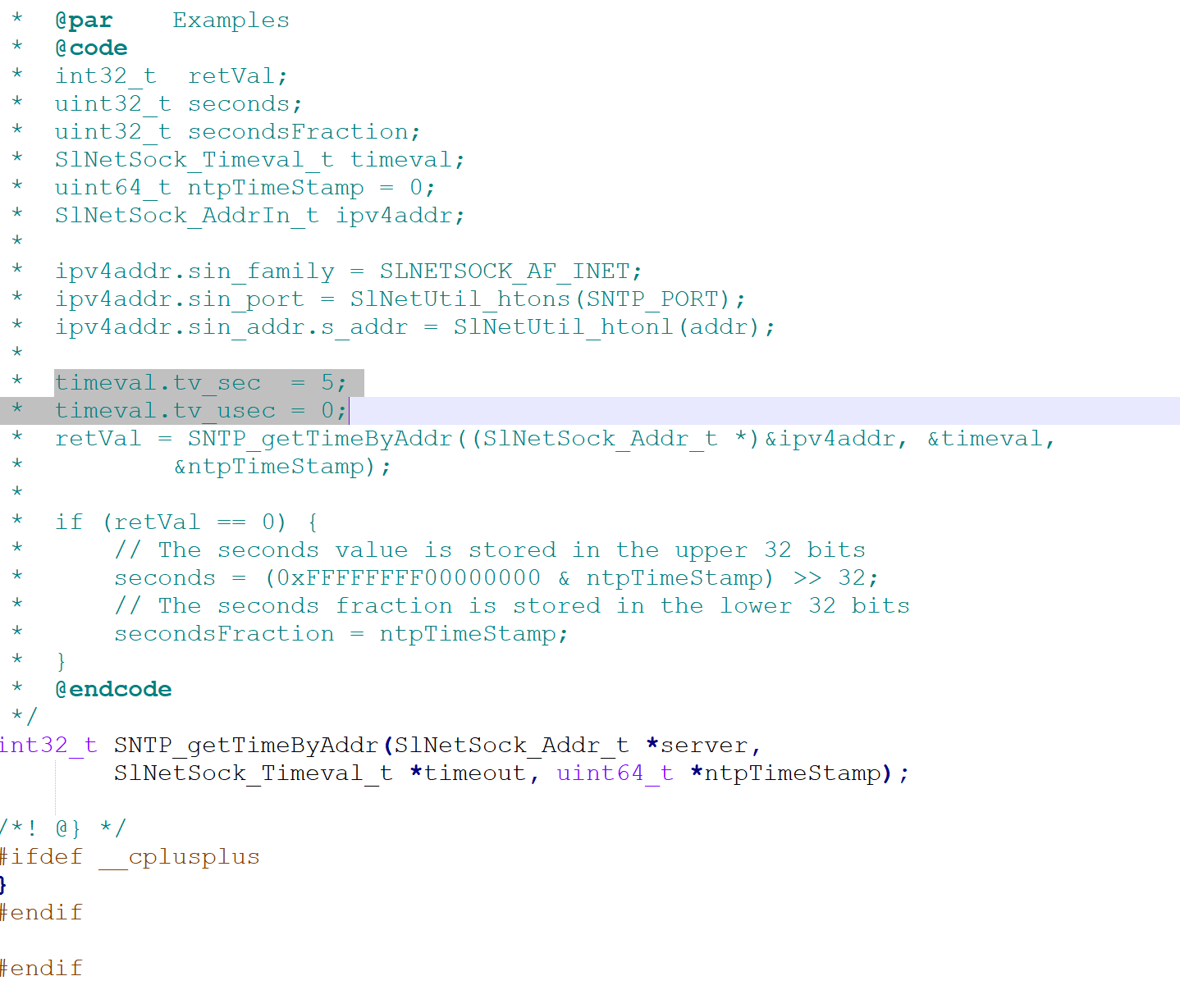
    I had a doubt, looking at the example given for STP_getTimeByAddr() API in sntp.h the following questions struck my mind. I tried to find answers to them but i did not get a complete clarity on this,

    1. What should be the SNTP_PORT value that is passed for ipv4addr.sin_port? I know that SNTP works on UDP 123. Should I assign SNTP_PORT with 123  directly?

    2. In ipv4addr.sin_addr.s_addr = SlNetUtil_htonl(addr); the address should be given directly? like  10.121.137.78? if not then how should address be assigned to addr?

    3. What are timeval.tv_sec = 5; and timeval.tv_usec = 0; signifying?

    I am attaching a screenshot of the example that I am referring to.

    Kindly clarify these things. 

    Thanks & Regards

    Sudeep R J

  • Hi Sudeep,

    1. SNTP_PORT is defined as 123 in source/ti/net/sntp/sntp.c. All APIs from sntp.h will use this definition. You are able to change it and rebuild the library, but you would have to confirm if your chosen server supports a different port.
    2. If you are using SNTP_getTime(), you do not need to call SlNetUtil_htonl() directly. That is handled in the library. You pass SNTP_getTime() a list of preferred servers or NULL to use the default list (defined in sntp.c). SNTP_getTime() will resolve the address.If you would like to pass an IP address directly, use SNTP_getTimeByAddr().
      1. Check out the API documentation for more details on formatting: http://dev.ti.com/tirex/explore/node?node=ALtHUPXIP0FkHfCwQuDweg__fc2e6sr__LATEST
    3. That timeval is the timeout to wait on the NTP server to reply. Please see the API documentation for more.

    Best regards,

    Sarah

  • Hi Sarah,


    I understood all your points,

    Thanks for clarifying the things.

    Regards

    Sudeep R J