This thread has been locked.

If you have a related question, please click the "Ask a related question" button in the top right corner. The newly created question will be automatically linked to this question.

LP-CC2652R7: Serial Log not visible on Putty Console

Part Number: LP-CC2652R7
Other Parts Discussed in Thread: UNIFLASH, CC2652R7

Hello 

I am working on the LP-CC2652R7 chipset. I have uploaded the binary of CLI-FTD compiled demo example of thread folder from TI SDK(simplelink_cc13xx_cc26xx_sdk_5_30_01_01).

Successfully upload by UniFlash tools into LP-cc2652R7, Trying to check debug log into Putty(BaudRate: 115200, Data Bits: 8, StopBits: 1, Parity: None, also select currect Com Port) console but not able to see any logs here, I can able to reset the LP-CC2652R7 by reset button and LED pattern can confirm the reset pattern as well.

Can anyone guide me how can I enable serial log again in console or what can be problem here?

Hardware looks ok to me, can we have any way by that we can factory reset the LP-CC2652R7 board?

Thanks in advance. 

Kaushik Parsana

  • Make sure you don't have Uniflash, CCS, or other TI tools opened at the same time. Only have Putty started to test again.

  • Hi,

    In addition to YK's point:

    Note that the CLI may not have output immediately, it is meant to respond to user-input commands.

    Have you tried entering any commands into the serial console?

    To check if HW is still useable, try one of these:

    https://e2e.ti.com/cfs-file/__key/communityserver-discussions-components-files/158/cli_5F00_ftd_5F00_LP_5F00_CC2652R7_5F00_tirtos_5F00_gcc.out

    Attached is built from 5.20 SDK, and it is working on my end (I can enter commands into serial terminal).

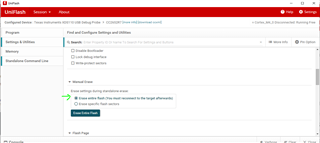
    If you need to reset the device, you should be able to erase all flash in Uniflash.

    Thanks,
    Toby