This thread has been locked.

If you have a related question, please click the "Ask a related question" button in the top right corner. The newly created question will be automatically linked to this question.

CC1352P: MT Commands OTA

Part Number: CC1352P
Other Parts Discussed in Thread: Z-STACK

Hello TI

I am developing a remote upload with OTA via mt commands, but I can't find documentation more specific about OTA with mt commands, I refer on the document "Z-Stack Monitor and Test API" and Zigbee Over-The-Air Firmware Upgrade.

If anyone has information about mt commands in ota it would help me a lot.

Thanks

  • Hello Jose,

    There are no specific OTA commands using the MT interface since OTA resides as a Zigbee cluster at the ZCL application layer.  Instead, you will use AF_DATA_REQUEST commands for which the data field represents the ZCL packets which contain OTA commands.

    Regards,
    Ryan

  • Hello Ryan,

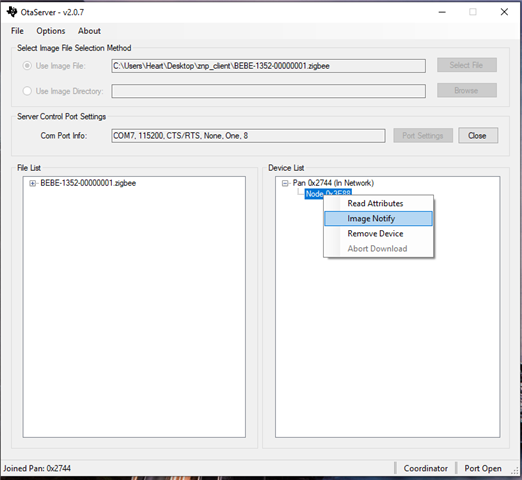
    I am having difficulty updating the device via ota server and mt commands. I add some images about what I have done.

    First

    Second

    Third

    I get the following response from the ota server on the device 

    This answer is for the MT Command  AF_INCOMING_MSG, 

    Fourth

    I send a message from the command AF DATA REQUEST about the data 09 01 00 00 64  in the previous message

    I don't know what else to do to update the device

    Regards,

    Jose

  • Z-Stack source does not automatically address OTA functionality as this resides on the application layer from the Zigbee Cluster Library (ZCL).  This is why certain Z-Stack examples specifically include OTA as part of the project, see the off-chip OAD switch examples.  There are also instuctions provided for adding client functionality to an application from the Z-Stack User's Guide

    My recommendation is to have a sniffer log capture the update process between a ZC OTA server and ZR/ZED OTA client and research the underlying OTA application code before attempting to replicate the process with MT commands.

    Regards,
    Ryan