This thread has been locked.

If you have a related question, please click the "Ask a related question" button in the top right corner. The newly created question will be automatically linked to this question.

CC2652PSIP: CC2652PSIP not recognized in SmartRF Studio 7 (shows “Unknown”)

Part Number: CC2652PSIP
Other Parts Discussed in Thread: , LP-CC2652RSIP, UNIFLASH, CC2652R7
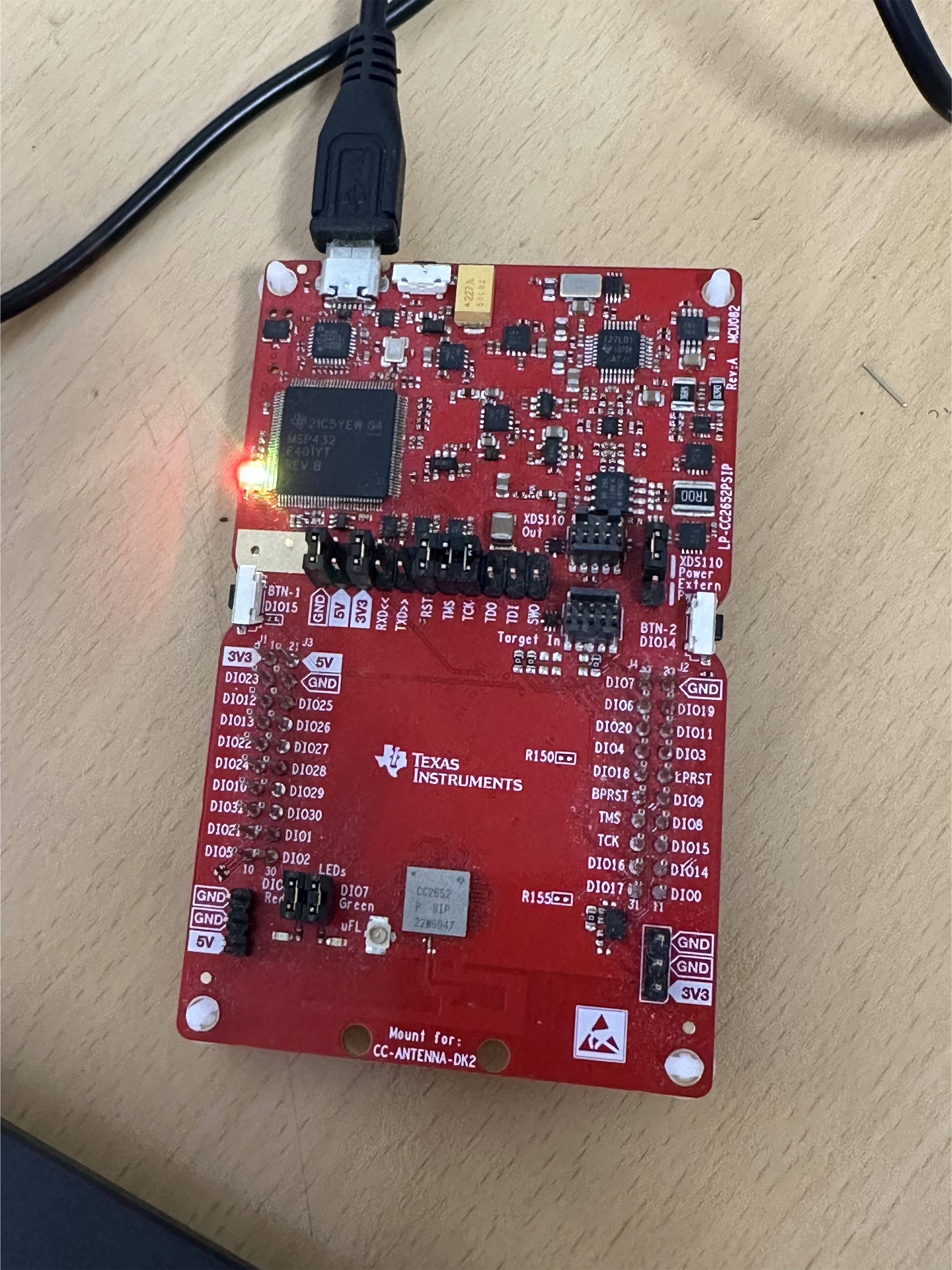
image.png

Hello TI Team,

I’m currently working with the CC2652PSIP Development Kit and attempting to perform RF testing using SmartRF Studio 7.
As shown in the attached image, the CC2652PSIP chip is connected through jumpers, but SmartRF Studio 7 displays the device as “Unknown” and does not recognize it.

The device is properly connected and powered, and other tools (such as Flash Programmer 2) seem to detect it correctly.

Could you please advise how I can make SmartRF Studio 7 recognize the CC2652PSIP device?
Is there any specific configuration, firmware, or jumper setting required for this setup?

Thank you in advance for your support.

Best regards,
Jaeseung Han

  • Hi Jaeseung,

    I don't have a LP-CC2652PSIP, but I do have a LP-CC2652RSIP and other similar LaunchPads.  I have confirmed that the VCC, GND, RST, TMS, and TCK pins are all that are necessary to connect to Smart RF Studio 7.  If you can program your LaunchPad using CCS, Uniflash, and Smart RF Programmer 2, you may try re-installing Smart RF Studio 7 or test with another computer.  If you have other LaunchPads which also cannot communicate to Smart RF Studio 7 then this is another indication that the installation is faulty, but if other LaunchPads succeed then you may further consider the condition of the LP-CC2652PSIP in question, and the Device Revision (Uniflash -> Settings & Utilities -> Read Device Info)

    Regards,
    Ryan

  • Hello Jaeseung,

    I concur with Ryan, I removed all Jumper cables from my CC2652R7 board (except for the GND, 3.3V, RESET, TWS, TCK) and SmartRF Studio 7 was able to recognize and connect to the device. 

    Thanks,
    Alex F