This thread has been locked.

If you have a related question, please click the "Ask a related question" button in the top right corner. The newly created question will be automatically linked to this question.

CC2745R10-Q1: OTBR startup failed after burning RCP firmware

Part Number: CC2745R10-Q1
Other Parts Discussed in Thread: LP-XDS110, ,

Hello, TI team
I downloaded the source code of ot-ti from GitHub and compiled the ot-rcp-ble-controller firmware for the otbr and CC2745R1-Q1 development boards according to the steps provided in the link(https://github.com/TexasInstruments/ot-ti/blob/thread-v1.4-ti/examples/apps/dmm/rcp_ble_controller/README.md). After flashing the firmware onto the development board, I tried to start otbr to build a Thread network on Linux, but found that otbr failed to start. Could you please give me some suggestions?

otbr startup log
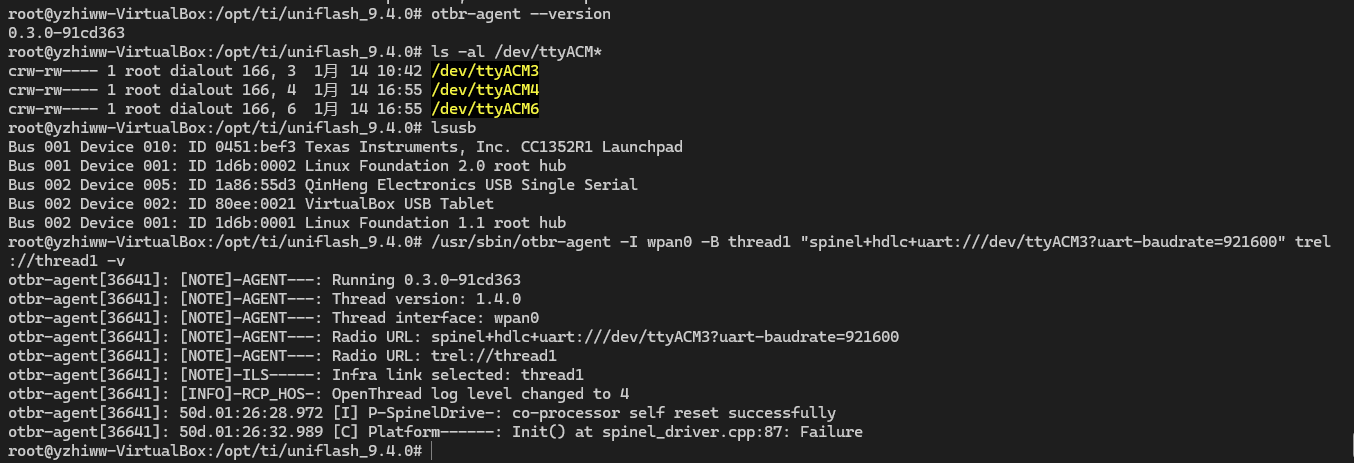
afa31498a8ede51438132f8f5dbc61aa.png

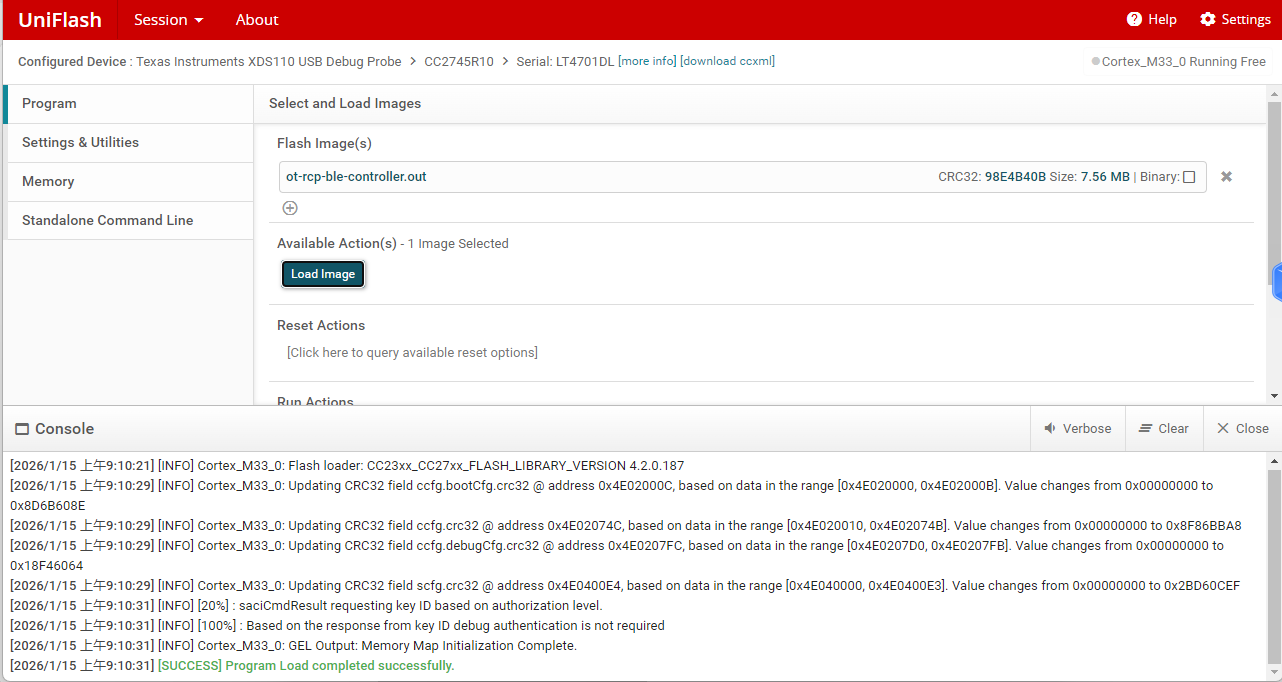
burning result
image.png

  • Hello Yu,

    It appears that you've done well to update the otbr-agent to a baud rate of 921600, however the COM port being referenced is likely incorrect.  You will find in the rcp_ble_controller.syscfg file that BLE uses the backchannel XDS110 UART whereas the RCP relies on the secondary UART which is to be connected to either an external separate XDS110 or with a UART FTDI cable

    UART2_THREAD.uart.txPin.$suggestSolution               = "boosterpack.2";
    UART2_THREAD.uart.rxPin.$suggestSolution               = "boosterpack.6";

    This means that the RCP UART TX is DIO21 and RX is DIO22 on the LaunchPad, and remember that the LP TX -> FTDI RX and FTDI TX -> LP RX.

    Regards,
    Ryan

  • Hello Ryan,
    I sincerely thank you for your suggestions. Now, otbr can start and run normally. But now I want to turn on the Bluetooth, and I'm following the method provided in the link(https://github.com/TexasInstruments/ot-ti/blob/thread-v1.4-ti/examples/apps/dmm/rcp_ble_controller/README.md) to do so. However, the Bluetooth device has not been correctly initialized (BD Address: 00:00:00:00:00:00). Could you please give me some suggestions?

    otbr startup log


    Bluetooth device initialization instructions and results


    Regards,
    Yu

  • Hi Yu,

    Make sure you have disabled previous adapters before attempting to attach.

    sudo hciconfig hci0 down

    You should have a LP-XDS110 (or ET version) connected to your LP-EM-CC2745R10-Q1.  Otherwise your setup appears to be correct.  Try resetting the LaunchPad as well as BlueZ, and further consider using a logic analyzer to scope the RX/TX lines if this is still unsuccessful.  

    Note: I will not be able to respond to further messages until 1/26

    Regards,
    Ryan

  • Hello Ryan,

    I have disabled the adapter and have successfully connected to LP-EM-CC2745R10-Q1 using LP−XDS110. After executing the Bluetooth initialization command, sometimes Bluetooth can start successfully, and sometimes it cannot. It's quite confusing for me as to whether Bluetooth can start based on luck. (Also attached is the wiring diagram of my development board.) You mentioned the methods for resetting the development board and Bluetooth. Could you please tell me how to reset the development board and Bluetooth?

    Regards,

    Yu

  • On the Thread side, you can call "sudo ot-ctl reset" to reset the CC2745R10-Q1 device.  Otherwise you can press the reset button on the XDS110 portion of the LaunchPad.  I'm not certain whether there is a Bluetooth command for resetting the CC2745R10-Q1.

    You can also attempt to restart the BlueZ service with "sudo systemctl restart bluetooth", otherwise we would need further characterization of when Bluetooth starts successfully or not to further debug the underlying cause.

    Regards,
    Ryan

  • Hi Ryan,
    Thank you very much for your advice and assistance. Currently, both otbr and Bluetooth can be started normally, and this issue has been resolved.

    Regards,
    Yu