This thread has been locked.

If you have a related question, please click the "Ask a related question" button in the top right corner. The newly created question will be automatically linked to this question.

Switch Router and End-Device function after download the code

Other Parts Discussed in Thread: PMP, TIMAC

Hi,

    we need to switch the Router and End-Device function AFTER we have already downloaded the code into chip, and wonder whether we can do as follow:

     1、modify the code on Router, such as :  add a devFlag, to indicate what the device type(router or end-device) shoule be now;  also modify the code to du end-device function in router, or do router funcion in end-device;

     2、coordinator send the commond over the air, the Router analysis the command and modify the devFlag, then swith between router and end-device.

     TKS in advance!

  • Take a look at the ZNP sample application and how it is built to be able to act as either RFD or FFD with the BUILD_ALL_DEVICES build flag.

    Take a look at the ZAP sample apps from the ZAP installer to see how to drive the ZNP "role change" behavior, and that is what you will imitate. Basically on command from your ZC, your device can just set the new device type, setup to do a new network join, and reset to effect the new device type and new network join:

          #include "OSAL_Nv.h"

          uint8 startUp = ZCD_STARTOPT_DEFAULT_NETWORK_STATE;
          uint8 newDeviceType = ZG_DEVICETYPE_ROUTER;
          //uint8 newDeviceType = ZG_DEVICETYPE_ENDDEVICE;

          (void)osal_nv_write(ZCD_NV_STARTUP_OPTION, 0, 1, &startUp);
          (void)osal_nv_write(ZCD_NV_LOGICAL_TYPE, 0, 1, &newDeviceType);

          SystemReset();     


  • ok,  I will try, tks very much!!

  • hi ,

    Can you please give the link. I am unable to find the ZNP sample application . is it ZNP SE sample application ?


    Thanks and Regards

    Lakshman,PMP.

  • C:\Texas Instruments\ZStack-CC2530-2.5.0\Projects\zstack\ZNP\CC253x


  • hi, harry:

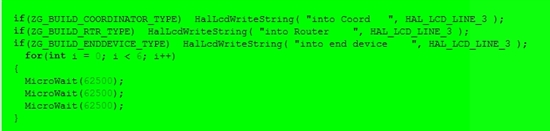
        I did what you suggested in ZNP->CC2530-Debug project, the device was restarted ,but still remain what type as it was, following is the screenshot:

  • Hi Alex,

     Please try the below code and configuration in Generic Apps. It working for me. I can change the coordinator/router/end device


    Compiler options --->preprocessor

    HAL_UART=TRUE
    xHAL_UART_ISR=FALSE
    LCD_SUPPORTED
    BUILD_ALL_DEVICES
    HOLD_AUTO_START
    NWK_AUTO_POLL

    Linker--->Extra Option
    -C $PROJ_DIR$\..\..\..\Libraries\TI2530DB\bin\AllDevice-Pro.lib
    -C $PROJ_DIR$\..\..\..\Libraries\TI2530DB\bin\Security.lib
    -C $PROJ_DIR$\..\..\..\Libraries\TIMAC\bin\TIMAC-CC2530.lib

    #define MY_LOGICAL_ROLE_ITEM_ID         0x0408

    void Generic_Init( byte task_id )
    {
    uint8 NvFlg = 0;
    //logical role
       (void)osal_nv_item_init(MY_LOGICAL_ROLE_ITEM_ID, 1, &NvFlg);
       (void)osal_nv_read(MY_LOGICAL_ROLE_ITEM_ID, 0, 1, &NvFlg);
        if(NvFlg)
        {
          #if defined ( BUILD_ALL_DEVICES )
              // The "ATCommand" target is setup to have BUILD_ALL_DEVICES and HOLD_AUTO_START
              //  we will start up a coordinator with 0 and Router with 1. Otherwise,
      
          if(NvFlg == 1)
           zgDeviceLogicalType = ZG_DEVICETYPE_COORDINATOR;
            else if(NvFlg == 2)
           zgDeviceLogicalType = ZG_DEVICETYPE_ROUTER; //ZG_DEVICETYPE_ENDDEVICE
           else if(NvFlg == 3)
             zgDeviceLogicalType = ZG_DEVICETYPE_ENDDEVICE;
         #endif // BUILD_ALL_DEVICES
          #if defined ( HOLD_AUTO_START )
            // HOLD_AUTO_START is a compile option that will surpress ZDApp
            //  from starting the device and wait for the application to
            //  start the device.
            ZDOInitDevice(0);
          #endif  
        }

    void Generic_HandleKeys( byte shift, byte keys )
    {
      uint8 Role_Value= 0;

       if ( keys & HAL_KEY_SW_1 )//up
       {
      Role_Value = 1; //Coord
      (void)osal_nv_write(MY_LOGICAL_ROLE_ITEM_ID, 0, 1, &Role_Value );
        SystemReset(); //reset to start the process again.
       }
       if ( keys & HAL_KEY_SW_2 )
       {
      Role_Value = 2; //Router
      (void)osal_nv_write(MY_LOGICAL_ROLE_ITEM_ID, 0, 1, &Role_Value );
        SystemReset(); //reset to start the process again.
       }
       if ( keys & HAL_KEY_SW_3 )
       {
      Role_Value = 3; //End device
      (void)osal_nv_write(MY_LOGICAL_ROLE_ITEM_ID, 0, 1, &Role_Value );
              SystemReset(); //reset to start the process again.
       }
    }

    do let me know if you find any issue.


    Thanks and Regards

    Lakshman,PMP

  • Dear Lakshman:

         TKS very very much!!!

          I modified but failed, I think something wrong I did, and will try it later.

          Thanks again!!

  • hi Lakshman:

          tks !

          It seems use "ZCD_NV_LOGICAL_TYPE" instead of "MY_LOGICAL_ROLE_ITEM_ID" is beeter~

  • hi 

    do you success?