This thread has been locked.

If you have a related question, please click the "Ask a related question" button in the top right corner. The newly created question will be automatically linked to this question.

Reg. Thingsquare chip connectivity from private secure network/Is it necessary to have Google DNS connection too?

Reg. Thingsquare chip connectivity from private secure network/Is it necessary to have Google DNS connection too?

Dear TI Engineers,

Sorry for re-posting

We are trying to work on the Thingsquare IoT cloud system based on CC2538 EM on the SmartRF06 EB from our secure university lab network (which has its own DNS)

We just had the following questions:

1. Is it sufficient if our University (Private secure network) merely opens up links for HTTP/HTTPS i.e. ports 80/443 for the Thingsquare chips to work?

2. Is the need for Google DNS connection (i.e. port 53) also necessary for the Thingsquare chip to work?

P.S. I am aware of the following statements mentioned in http://processors.wiki.ti.com/index.php/Contiki-6LOWPAN: ‘Proxy is not supported. Any standard home access point will work.’

It does work in my home network. However, we couldn’t get it up and running in our University lab ports despite obtaining dedicated IP addresses for theCC2538 chips and opening up links for ports HTTP/HTTPS i.e. 80/443. The cursor keeps rotating on the LCD screen of the CC2538 chip displaying the message ‘Waiting for Internet DNS’.

Also had the following general questions:

When it works perfectly, is it possible to log data from the Thingsquare Webpage?

What kind of data could be retrieved from the Thingaquare webpage?

Could any other .bin file (with our own additional coding part) apart from the one in the cc2538 foundation firmware (i.e. ti/cc2538dk/firmware/router-eth2538-20140130.bin) be dumped to the cc2538 chip to configure it as router?

Thanks a lot in advance for your cooperation,

Indrajit

  • Hi Indrajit,

    The simplest solution would be to use a dedicated network, which could be easily achieved by enabling WiFi tethering (access point) on a smartphone. If an Ethernet connection is required, then you may connect to this network a WiFi range extender that also has Ethernet ports, which will then act as a WiFi to Ethernet bridge.

    I forwarded your query to one of our Thingsquare experts.

    Best regards,
    OD
  • Hello Indrajit,

    1. Yes, it should be sufficient to have port 80 open. The websocket protocol is really just a socket over port 80, the first message is a HTTP message basically saying "let us switch to websocket". I am not sure but you can try to open port 8080 also. We have on one occasion seen that devices could not connect to the Thingsquare servers via particular proxies, since the HTTP header was modified on the proxy. A fix for this was implemented and included in the code you have.

    2. Yes, there is a need to use DNS, the device firmware in the demo code is using 8.8.8.8 (Google)

    On your general questions;

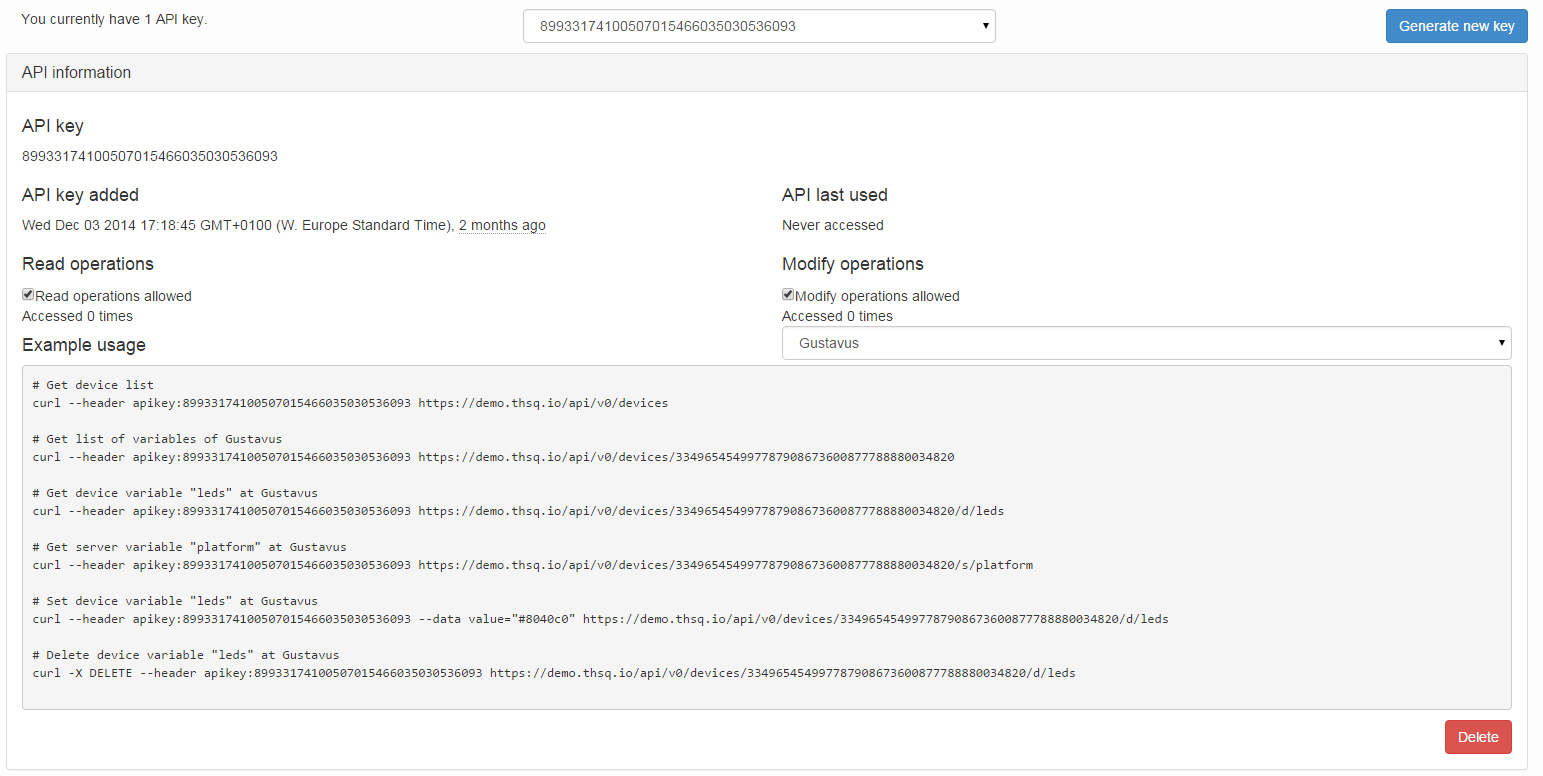
    1. Yes it is possible to use the API on the demo server. You need to generate a new key, also make sure to tick the "enable read and modify operations" check boxes. You have example code directly in the window on how to access the data via the REST API using e.g. curl.

    2. Thignsquare is about to lanuch a public version of the cloud server, where all your requests will be available. Please note that the demo server you are currently using will be replaced by the official cloud server. Please find more information on the Thignsquare cloud server here.

    Regards,

    Jonas