This thread has been locked.

If you have a related question, please click the "Ask a related question" button in the top right corner. The newly created question will be automatically linked to this question.

CC2531: 6lbr web interface not accessable. Seems to start correctly from logs

Part Number: CC2531

Following processors.wiki.ti.com/.../Cc26xx_sw_examples

Judging by the output of the 6lbr.log file I assume I should be able to access the 6lbr page, but I can't. I've followed the original demo and have made a few edits based on what I've read on this forum and others but cannot find the error.

Set up is BBB with cc2531 connected as slip radio

nothing is connected directly to the computer and the access point is ipv6 enabled

wrapsix running for NAT64

6lbr.conf:

MODE=ROUTER
#MODE=SMART-BRIDGE
#MODE=RPL-RELAY
#MODE=FULL-TRANSPARENT-BRIDGE
#MODE=NDP-ROUTER
#MODE=6LR
#MODE=RPL-ROOT

RAW_ETH=1
BRIDGE=0
DEV_BRIDGE=br0
DEV_TAP=tap0
DEV_ETH=eth0
RAW_ETH_FCS=1

DEV_RADIO=/dev/ttyACM0
BAUDRATE=115200

#Enable this line if radio device is not detected
#SCAN_DEVICE=/usr/lib/6lbr/bb-scan-usb.sh

LOG_LEVEL=3 #INFO and above only

interfaces:

auto lo
iface lo inet loopback

iface eth0 inet static
address 0.0.0.0

auto br0
iface br0 inet dhcp
    bridge_ports eth0
    bridge_stp off
    up echo 0 > /sys/devices/virtual/net/br0/bridge/multicast_snooping
    post-up ip link set br0 address `ip link show eth0 | grep ether | awk '{print $2}'`

iface usb0 inet static
    address 192.168.7.2
    netmask 255.255.255.0
    network 192.168.7.0
    gateway 192.168.7.1

6lbr.log:

Fri Jul 7 17:14:25 UTC 2017 : Starting 6LBR
/usr/lib/6lbr/bin/cetic_6lbr_router -c /etc/6lbr/nvm.dat -o /etc/6lbr/nvm.conf -s /dev/ttyACM0 -r -t eth0 -f -B 115200 -U /usr/lib/6lbr/6lbr-ifup -D /usr/lib/6lbr/6lbr-ifdown -w /usr/lib/6lbr/www -L 3  -W /var/log/6lbr.timestamp -P 60 -C /var/log/6lbr.ip  -m /usr/lib/6lbr/plugins
Contiki-contiki-base-develop-20170120-2374-gc1bd845 started with IPV6, RPL
Rime started with address 1.2.3.4.5.6.7.8
MAC multi-radio RDC br-rdc SEC llsec-wrapper NETWORK sicslowpan
2017-07-07 17:14:25.088047: NOTICE: 6LBR: Starting 6LBR version 1.5.x (Contiki-contiki-base-develop-20170120-2374-gc1bd845)
2017-07-07 17:14:25.090457: INFO: SLIP: Allocated slip device 0 -> 0
2017-07-07 17:14:25.090702: INFO: ETH: 6LBR watchdog started (interval: 60)
2017-07-07 17:14:25.094785: INFO: NVM: NVM Magic : 2009
2017-07-07 17:14:25.094917: INFO: NVM: NVM Version : 5
2017-07-07 17:14:25.094952: INFO: CONFIG: Loading configuration : /etc/6lbr/nvm.conf
2017-07-07 17:14:25.095052: WARN: CONFIG: Can not open /etc/6lbr/nvm.conf : No such file or directory
2017-07-07 17:14:25.095182: NOTICE: 6LBR: Log level: 30 (services: ffffffff)
2017-07-07 17:14:25.095215: INFO: MAC: Using 'csma' mac driver
2017-07-07 17:14:25.099389: INFO: SLIP: SLIP started on /dev/ttyACM0
2017-07-07 17:14:25.112190: INFO: SCMD: Started br-cmd process
2017-07-07 17:14:25.112329: INFO: BR-RDC: SLIP RADIO configured as RADIO
2017-07-07 17:14:25.112386: INFO: BR-RDC: Reset SLIP Radio
2017-07-07 17:14:25.112435: INFO: BR-RDC: Fetching MAC address
2017-07-07 17:14:25.115094: INFO: SLIP: cc2531: Reboot requested
2017-07-07 17:14:25.116506: INFO: SLIP: cc2531: Reverting to h/w MAC but not rebooting
2017-07-07 17:14:25.118004: INFO: BR-RDC: Got MAC 0 : 00:12:4b:00:07:68:ce:6d
2017-07-07 17:14:26.114349: INFO: SLIP: cc2531: Setting RF channel 0x19
2017-07-07 17:14:26.314049: ERROR: SLIP: Unknown command
2017-07-07 17:14:26.314300: ERROR: BR-RDC: Set PAN-ID failed
2017-07-07 17:14:26.314498: INFO: ETH: RAW Ethernet interface init
2017-07-07 17:14:26.314842: INFO: TAP: opened device /dev/eth0
2017-07-07 17:14:26.315120: INFO: TAP: Running 6lbr-ifup script '/usr/lib/6lbr/6lbr-ifup'
eth0      Link encap:Ethernet  HWaddr a8:1b:6a:1c:67:9e
          UP BROADCAST RUNNING MULTICAST  MTU:1500  Metric:1
          RX packets:226 errors:0 dropped:0 overruns:0 frame:0
          TX packets:234 errors:0 dropped:0 overruns:0 carrier:0
          collisions:0 txqueuelen:1000
          RX bytes:32648 (31.8 KiB)  TX bytes:28794 (28.1 KiB)
          Interrupt:40

2017-07-07 17:14:26.441988: INFO: TAP: Eth MAC address : a8:1b:6a:1c:67:9e
2017-07-07 17:14:26.442289: INFO: ETH: Eth MAC address : a8:1b:6a:1c:67:9e
2017-07-07 17:14:26.442471: INFO: LLSEC: Using 802.15.4 framer
2017-07-07 17:14:26.442596: INFO: LLSEC: Using 'nullsec' llsec driver
2017-07-07 17:14:26.443269: INFO: 6LBR: Tentative local IPv6 address fe80::212:4b00:768:ce6d
2017-07-07 17:14:26.443839: INFO: 6LBR: Tentative global IPv6 address (WSN) fd00::212:4b00:768:ce6d
2017-07-07 17:14:26.444376: INFO: 6LBR: Tentative global IPv6 address (ETH) bbbb::100
2017-07-07 17:14:26.444626: INFO: 6LBR: RA Daemon enabled
2017-07-07 17:14:26.444755: INFO: 6LBR: Checking addresses duplication
2017-07-07 17:14:37.452421: INFO: 6LBR: Configured as DODAG Root fd00::212:4b00:768:ce6d
2017-07-07 17:14:37.453935: INFO: 6LBR: Starting as RPL ROUTER
2017-07-07 17:14:37.457875: WARN: CONFIG: Can not open /etc/6lbr/nvm.conf : No such file or directory
2017-07-07 17:14:37.458571: INFO: HTTP: Starting webserver on port 80
2017-07-07 17:14:37.460593: INFO: NODECFG: Node Config init
2017-07-07 17:14:37.461176: INFO: NODECFG: No node_config.conf file specified
2017-07-07 17:14:37.461513: WARN: CONFIG: Can not open /etc/6lbr/nvm.conf : No such file or directory
2017-07-07 17:14:37.462113: INFO: UDPS: UDP server started
CoAP push started
CoAP server started
2017-07-07 17:14:37.462818: INFO: DNS: DNS proxy started
2017-07-07 17:14:37.463298: WARN: CONFIG: Can not open /etc/6lbr/nvm.conf : No such file or directory
2017-07-07 17:14:37.463501: INFO: 6LBR: CETIC 6LBR Started

RD client started

ifconfig

br0       Link encap:Ethernet  HWaddr a8:1b:6a:1c:67:9e
          inet addr:192.168.0.27  Bcast:192.168.0.255  Mask:255.255.255.0
          inet6 addr: fe80::aa1b:6aff:fe1c:679e/64 Scope:Link
          inet6 addr: 2604:6000:d9c4:8d00:aa1b:6aff:fe1c:679e/64 Scope:Global
          UP BROADCAST RUNNING MULTICAST  MTU:1500  Metric:1
          RX packets:5445 errors:0 dropped:0 overruns:0 frame:0
          TX packets:6786 errors:0 dropped:0 overruns:0 carrier:0
          collisions:0 txqueuelen:0
          RX bytes:545995 (533.1 KiB)  TX bytes:8381670 (7.9 MiB)

eth0      Link encap:Ethernet  HWaddr a8:1b:6a:1c:67:9e
          UP BROADCAST RUNNING MULTICAST  MTU:1500  Metric:1
          RX packets:5463 errors:0 dropped:3 overruns:0 frame:0
          TX packets:6800 errors:0 dropped:0 overruns:0 carrier:0
          collisions:0 txqueuelen:1000
          RX bytes:650759 (635.5 KiB)  TX bytes:8384520 (7.9 MiB)
          Interrupt:40

lo        Link encap:Local Loopback
          inet addr:127.0.0.1  Mask:255.0.0.0
          inet6 addr: ::1/128 Scope:Host
          UP LOOPBACK RUNNING  MTU:65536  Metric:1
          RX packets:22 errors:0 dropped:0 overruns:0 frame:0
          TX packets:22 errors:0 dropped:0 overruns:0 carrier:0
          collisions:0 txqueuelen:0
          RX bytes:2288 (2.2 KiB)  TX bytes:2288 (2.2 KiB)

usb0      Link encap:Ethernet  HWaddr a8:1b:6a:1c:67:91
          inet addr:192.168.7.2  Bcast:192.168.7.255  Mask:255.255.255.0
          UP BROADCAST MULTICAST  MTU:1500  Metric:1
          RX packets:0 errors:0 dropped:0 overruns:0 frame:0
          TX packets:0 errors:0 dropped:0 overruns:0 carrier:0
          collisions:0 txqueuelen:1000
          RX bytes:0 (0.0 B)  TX bytes:0 (0.0 B)

  • There's something wrong with latest 6lbr. You can go to /6lbr folder and run "git checkout ff69ae4214407eeec4c71f87589ac4bc7d3a8a49". You will get 6lbr version on 2016 Dec. 22th and you can rebuild 6lbr to test again.
  • I've changed my version to the one you linked. Ran make all plugins tools in the 6lbr directory, and then sudo make install. I started everything up again and seem to have the same problem. 6lbr.log looks the same and I'm not able to connect to [bbbb::100] from any computer connected to the same access point
  • According to your 6lbr.log, it works. Do you enable wrapsix on your 6lbr? If so, try not to run it and test again.

  • I am enabling wrapsix. Unless that's getting stuck somewhere, it just says its starting then doesn't print anything else to the console.
  • Try to disable it to test again. By the way, I know some anti-virus program would block IPv6 traffic so I suggest you to check your anti-virus program on you PC.
  • I feel like the routing isn't happening. Shouldn't I see some reference to "bbbb::101" on the beaglebone side in ifconfig or netstat? or does that all get taken care of. I can't ping6 bbbb::100 from the beaglebone itself either

    debian@beaglebone:~$ ifconfig
    br0 Link encap:Ethernet HWaddr a8:1b:6a:1c:67:9e
    inet addr:192.168.0.27 Bcast:192.168.0.255 Mask:255.255.255.0
    inet6 addr: fe80::aa1b:6aff:fe1c:679e/64 Scope:Link
    inet6 addr: 2604:6000:d9c4:8d00:aa1b:6aff:fe1c:679e/64 Scope:Global
    UP BROADCAST RUNNING MULTICAST MTU:1500 Metric:1
    RX packets:3163 errors:0 dropped:0 overruns:0 frame:0
    TX packets:3017 errors:0 dropped:0 overruns:0 carrier:0
    collisions:0 txqueuelen:0
    RX bytes:259562 (253.4 KiB) TX bytes:416907 (407.1 KiB)

    eth0 Link encap:Ethernet HWaddr a8:1b:6a:1c:67:9e
    inet addr:192.168.0.27 Bcast:192.168.0.255 Mask:255.255.255.0
    UP BROADCAST RUNNING MULTICAST MTU:1500 Metric:1
    RX packets:3205 errors:0 dropped:5 overruns:0 frame:0
    TX packets:3041 errors:0 dropped:0 overruns:0 carrier:0
    collisions:0 txqueuelen:1000
    RX bytes:330784 (323.0 KiB) TX bytes:422156 (412.2 KiB)
    Interrupt:40

    lo Link encap:Local Loopback
    inet addr:127.0.0.1 Mask:255.0.0.0
    inet6 addr: ::1/128 Scope:Host
    UP LOOPBACK RUNNING MTU:65536 Metric:1
    RX packets:0 errors:0 dropped:0 overruns:0 frame:0
    TX packets:0 errors:0 dropped:0 overruns:0 carrier:0
    collisions:0 txqueuelen:0
    RX bytes:0 (0.0 B) TX bytes:0 (0.0 B)

    usb0 Link encap:Ethernet HWaddr a8:1b:6a:1c:67:91
    inet addr:192.168.7.2 Bcast:192.168.7.255 Mask:255.255.255.0
    UP BROADCAST MULTICAST MTU:1500 Metric:1
    RX packets:0 errors:0 dropped:0 overruns:0 frame:0
    TX packets:0 errors:0 dropped:0 overruns:0 carrier:0
    collisions:0 txqueuelen:1000
    RX bytes:0 (0.0 B) TX bytes:0 (0.0 B)


    debian@beaglebone:~$ netstat -rn
    Kernel IP routing table
    Destination Gateway Genmask Flags MSS Window irtt Iface
    0.0.0.0 192.168.0.1 0.0.0.0 UG 0 0 0 br0
    192.168.0.0 0.0.0.0 255.255.255.0 U 0 0 0 br0
    192.168.0.0 0.0.0.0 255.255.255.0 U 0 0 0 eth0
    192.168.7.0 0.0.0.0 255.255.255.0 U 0 0 0 usb0

    debian@beaglebone:/etc/network$ netstat -rn6
    Kernel IPv6 routing table
    Destination                    Next Hop                   Flag Met Ref Use If
    ::1/128                        ::                         U    256 0     0 lo
    2604:6000:d9c4:8d00::/64       ::                         UAe  256 0     0 br0
    fe80::/64                      ::                         U    256 0     0 br0
    ::/0                           fe80::b27f:b9ff:fe6f:1c62  UGDAe 1024 0     0 br0
    ::/0                           ::                         !n   -1  1   109 lo
    ::1/128                        ::                         Un   0   1     6 lo
    2604:6000:d9c4:8d00:aa1b:6aff:fe1c:679e/128 ::                         Un   0   1    28 lo
    fe80::aa1b:6aff:fe1c:679e/128  ::                         Un   0   1     7 lo
    ff00::/8                       ::                         U    256 0     0 br0
    ::/0                           ::                         !n   -1  1   109 lo

  • I see no problem on all of the logs you provide. Do you check if you have anti-virus program blocking your IPv6 traffic?
  • Disabling anti-vuris didn't help. I can use ipv6 normally when it is on as well:

    from windos pc:
    ping -t -6 www.google.com

    Pinging www.google.com [2607:f8b0:4006:801::2004] with 32 bytes of data:
    Reply from 2607:f8b0:4006:801::2004: time=53ms
    Reply from 2607:f8b0:4006:801::2004: time=55ms
    Reply from 2607:f8b0:4006:801::2004: time=53ms
    Reply from 2607:f8b0:4006:801::2004: time=52ms

    from bbb:
    ping6 google.com

    PING google.com(ord37s07-in-x0e.1e100.net) 56 data bytes
    64 bytes from ord37s07-in-x0e.1e100.net: icmp_seq=1 ttl=55 time=37.5 ms
    64 bytes from ord37s07-in-x0e.1e100.net: icmp_seq=2 ttl=55 time=38.3 ms
    64 bytes from ord37s07-in-x0e.1e100.net: icmp_seq=3 ttl=55 time=38.5 ms
    64 bytes from ord37s07-in-x0e.1e100.net: icmp_seq=4 ttl=55 time=38.1 ms
    64 bytes from ord37s07-in-x0e.1e100.net: icmp_seq=5 ttl=55 time=38.2 ms
  • Do you use Firefox or Chrome to access to 6lbr web page on [bbbb::100]?
  • firefox, I just tried chrome and it didn't work as well
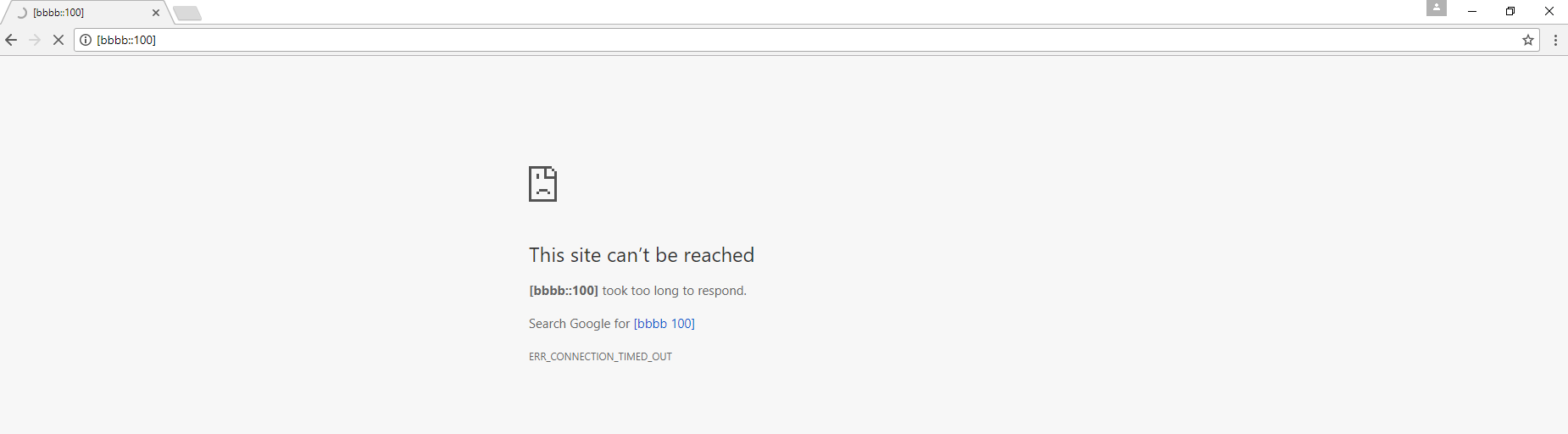
  • Can you do a screenshot of your chrome accessing to [bbbb::100]?
  • It just times out

  • Try to restart 6lbr and clear browser cache to access [bbbb::100] again.
  • no change. both browsers still time out
    Question
    should the beaglebone be able to ping bbbb::100 itself?
  • I never try to ping bbbb::100 itself. I can try it when I can access to my 6lbr setup. If you ping bbbb::100 from your desktop, does it reply?
  • Nope, bbbb::100 doesn't respond to ping form the pc. I don't think it have any knowledge of the bbbb/64 network. I feel like 6lbr has started correctly and is running, but idk if there is something wrong with the config of the beaglebone, or possibly even my router. There is a lot of conflicting info on whether wrapsix is needed and how that's configured as well. I feel like I'm so close, yet 1 magic command is missing from something
  • What Linux distribution do you run on BBB?
  • debian, here is the *-release output:

    PRETTY_NAME="Debian GNU/Linux 7 (wheezy)"
    NAME="Debian GNU/Linux"
    VERSION_ID="7"
    VERSION="7 (wheezy)"
    ID=debian
    ANSI_COLOR="1;31"
    HOME_URL="http://www.debian.org/"
    SUPPORT_URL="www.debian.org/.../"
    BUG_REPORT_URL="http://bugs.debian.org/"
  • I am not sure if this is related to Linux distribution version but I use bone-debian-7.8-lxde-4gb-armhf-2015-03-01-4gb when I test 6lbr on BBB. Maybe you can have a try.