This thread has been locked.

If you have a related question, please click the "Ask a related question" button in the top right corner. The newly created question will be automatically linked to this question.

CC1352P: CC2652 ZNP UART communication with RaspberryPi

Part Number: CC1352P
Other Parts Discussed in Thread: CC2538, SYSCONFIG, ,

Hello Community,

I am working on CC1352P-2 launch pad. using the znp example code.

I would like to replace the CC2538 ZNP device with the CC1352P-2 launch pad to interface with the ZNP-Host-Framework Application.

Will you help me to know following things.

1. Will CC1352 supports communication stack of ZNP-Host-Framework Application?

2. What are the znp configuration must be done on CCS.
3. UART Communication pins of CC1352P-2 launchpad.

Regards,

Shiv Patil.

  • Hello Shiv,

    We had a similar conversation two months ago: https://e2e.ti.com/support/wireless-connectivity/zigbee-and-thread/f/158/t/913562 

    You can check the LAUNCHXL-CC1352P hardware design or ZNP SysConfig file for backchannel XDS110 UART pins, they are DIO13 for TX and DIO12 for RX.

    Regards,
    Ryan

  • Hello ,

    I have debug the CC1352P-2 Launch Pad hardware & forund that backchannel XDS110 UART pins DIO13 and DIO12 are coneected to the RxD & TxD pins of the TM4C1294 using the jumpers.

    So if i used the debug usb probe to communicate CC1352 with the ZNP-Host-Framework Application, I am able to communicate with the device.
    I have also made a test case by removing the jumpers of RxD & TxD pins, But I am not able to communicate with the device using the DIO13 and DIO12.

    Will you please help me to know why this is happening?.. OR I need to do some more changes on hardware(i.e. CC1352P-2 Launch Pad).

    Also I would like to elobrate my question related to the configuration on CC1352 to understand you the problem in delatied.

    1. Like we add the flags ( NV_INIT, NV_RESTORE, ENABLE_UART etc... )in CC3538 ZNP device, is there any need to add the same flags for the CC1352 ZNP device?

    If So what are they?.

    Regards, 

    Shiv Patil

  • Hi Shiv,

    I did not understand your description of which setups worked and which did not.  You should probably use an oscilloscope or logic analyzer to confirm your connections.  CC2538 & CC1352P ZNP UART-enabled firmware should operate the same, but our previous conversation highlighted the differences in ZNP Specifications which could be important for your host.  Keep in mind that the CC1352P Zigbee 3.0 ZNP communicates at a baud rate of 115200.

    Regards,
    Ryan

  • Hello Ryan Brown1,

    There is no issue with the baudrate.
    I have tested the ZNP device with the 115200, 921600, even 1500000 baudrate communication over uart.


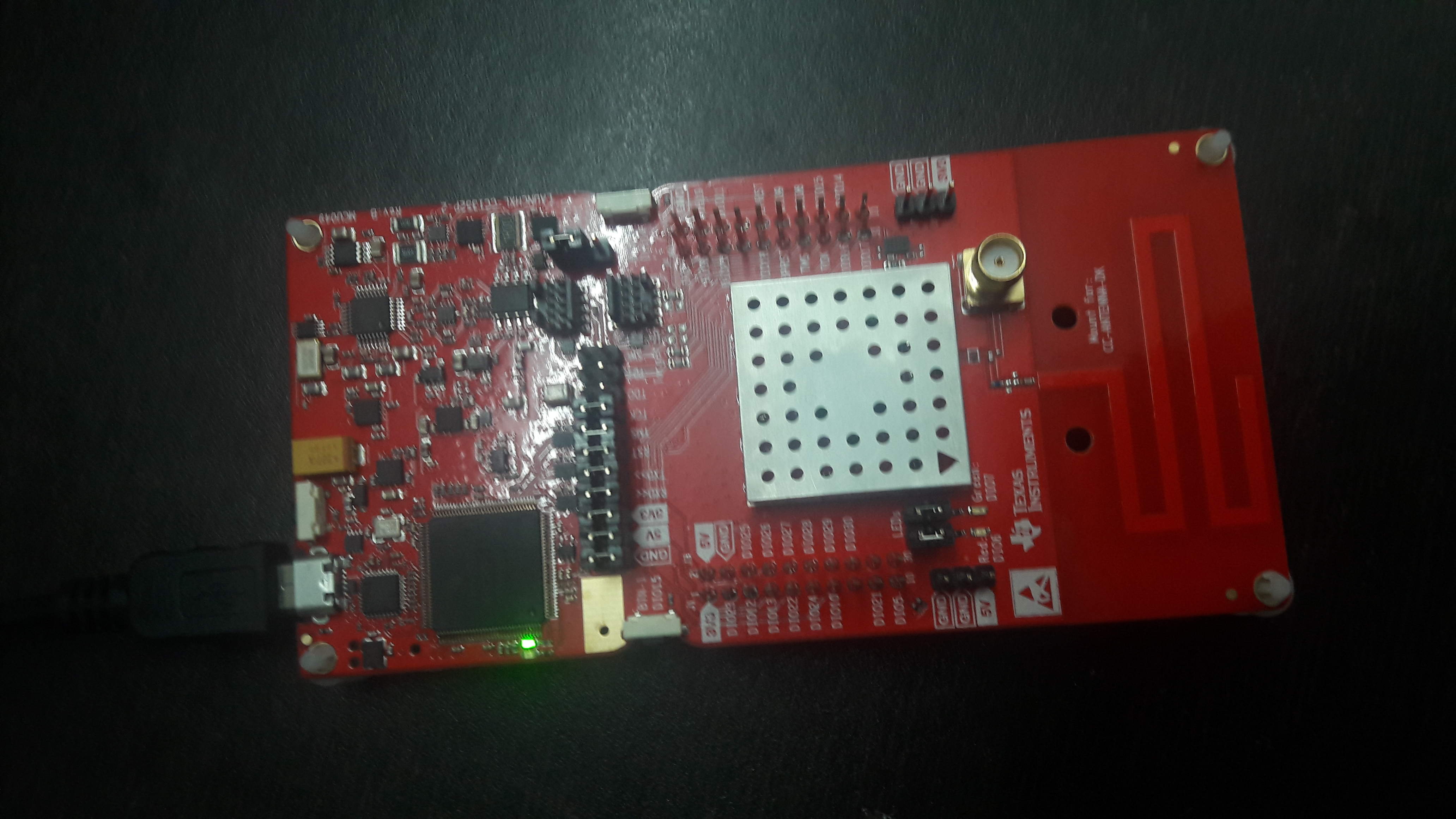
    The problem is, While I am connect the ZNP device (i.e. CC1352P-2 ZNP Launch Pad) to the raspberry pi using the debug usb port,

    As shown in following fig. I am able to communicate with the device over uart communication at any value of baud rate.

    But,

    While using the DIO12 & DIO13 pins as on the CC1352P-2 Launch pad. I am not able to communicate with the device. (even on default 115200 baudrate)

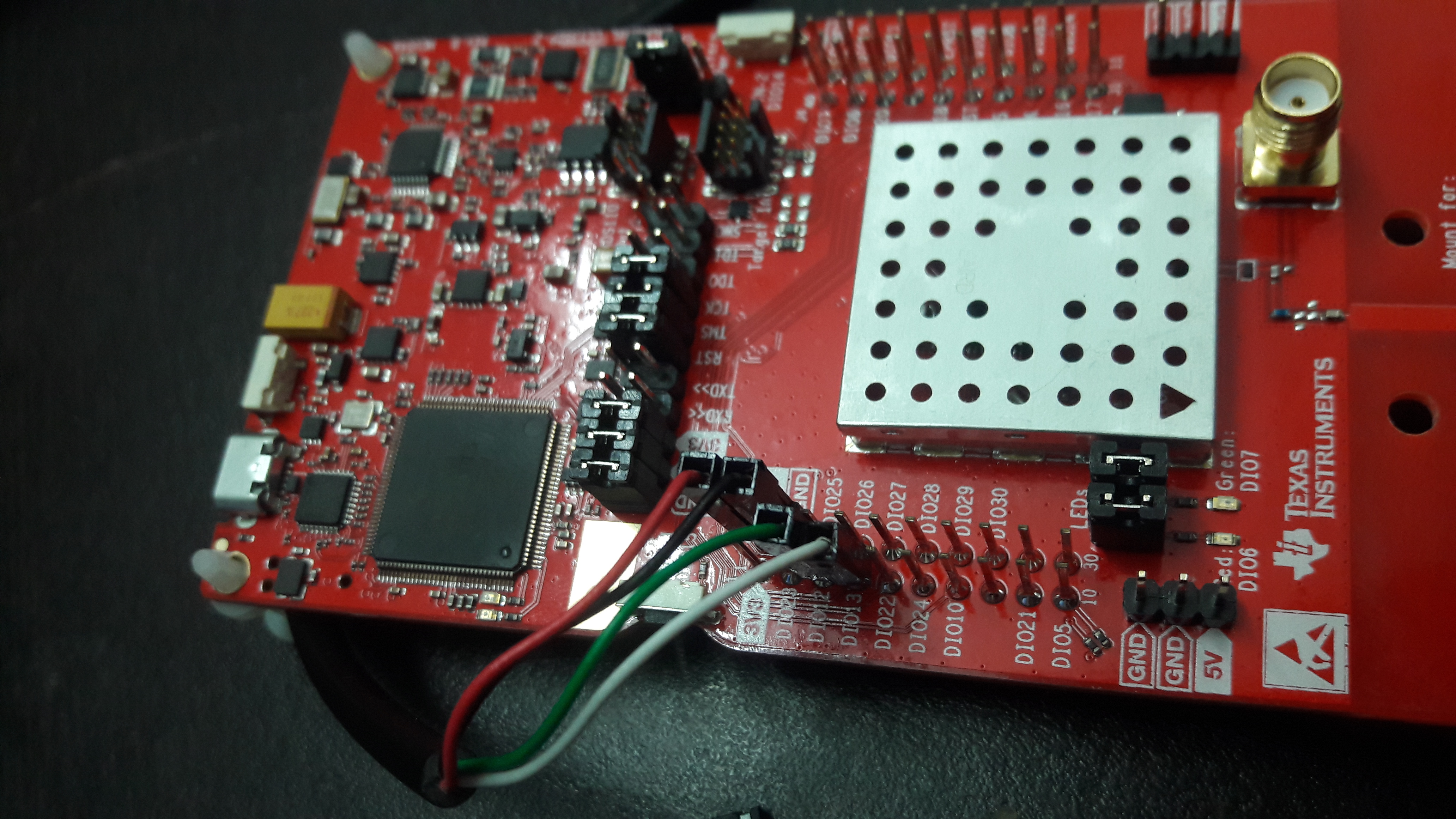
    After debugging the pins I found that the DIO12 & DIO13 pins on the left side of the bug-strip are shorted with the TXD & RXD pin which connected to the TM4C1294 debugger on the launch pad.
    So I just removed the devicated jumper pins from the launch pad to connect the CC1352P ZNP dvice directory using the DIO12 & DIO13 pins,
    Please see below image to understand the modifications.

    So I am just wants to know why I am not able to communicate with the ZNP device using the DIO12 & DIO13 pins?


    1. Like we add the flags ( NV_INIT, NV_RESTORE, ENABLE_UART etc... )in CC3538 ZNP device, is there any need to add the same flags for the CC1352 ZNP device?

    Ans :
    I am able to found the configurations at following path.
    Project -> properties->Build->ARM Compiler->Predefined Symbols.


    Regards,
    Shiv Patil.

  • There must be a physical connection issue or baud rate setting mistake between your TM4C1294 and CC1352P (flow control, baud rate, etc).

    Regards,
    Ryan