This thread has been locked.

If you have a related question, please click the "Ask a related question" button in the top right corner. The newly created question will be automatically linked to this question.

CCS/CC2652P: Unrecognizable characters in CCS console when there is Chinese in post-build steps.

Part Number: CC2652P


Tool/software: Code Composer Studio

Hi, I use CCS v10.1.

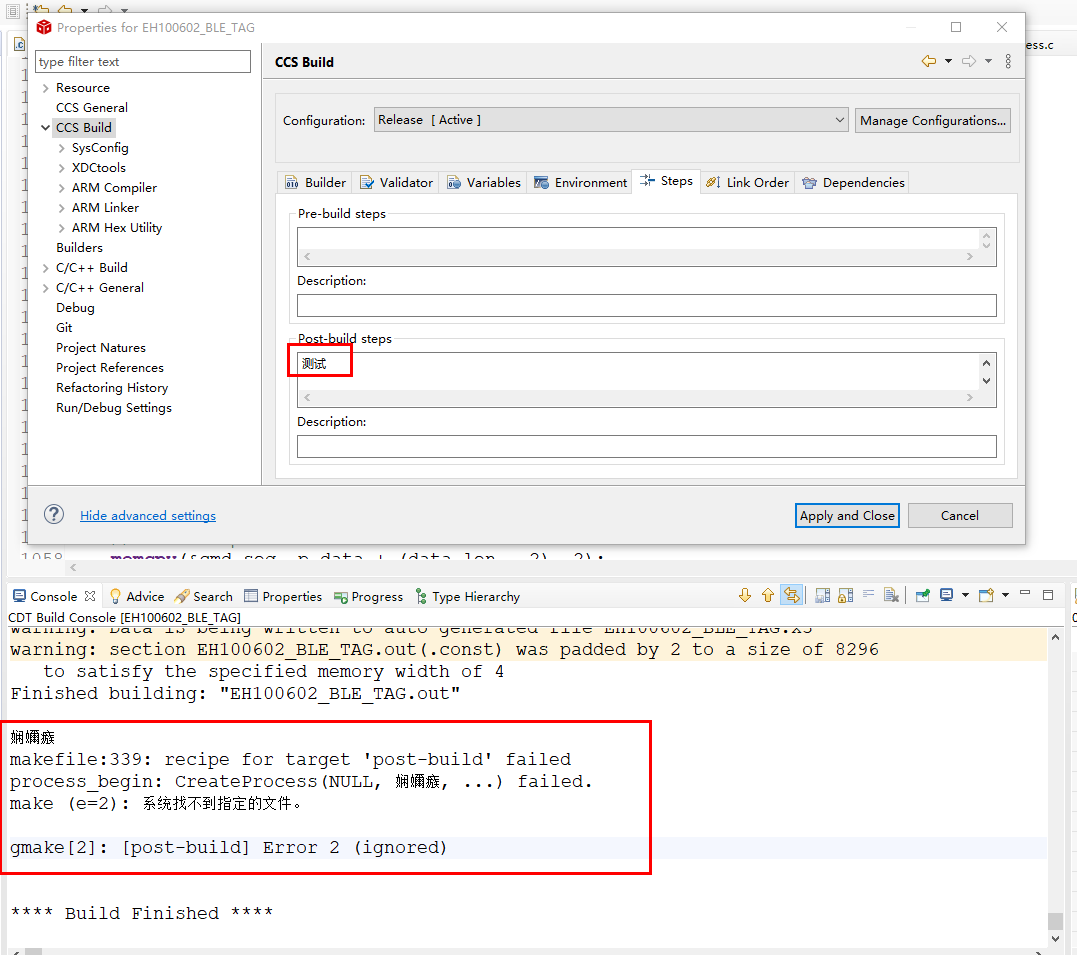
I have some Chinese parameters in post-build steps as below:
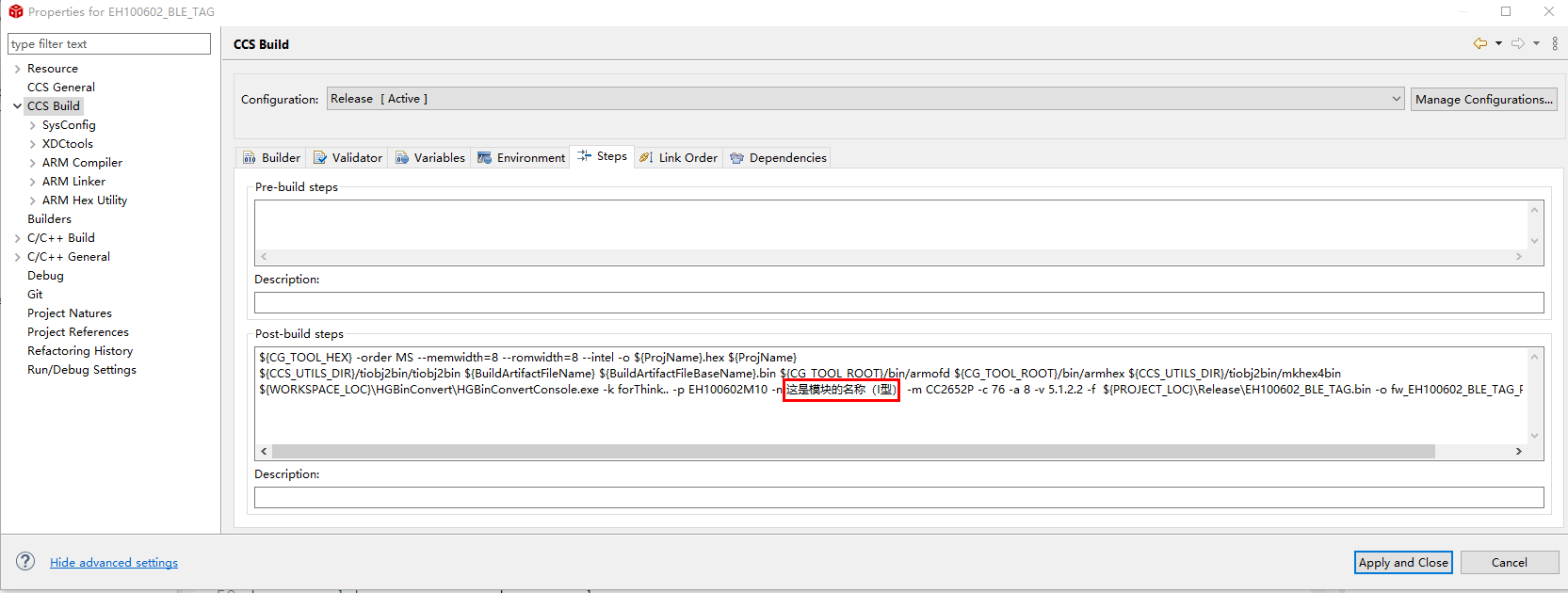
And then, I rebuild the project. After rebuild, the tool in post-build runs successfully. However, the Chinese parameter characters become unrecognizable characters in console as below:

So, how to make it display Chinese normally please?

  • I don’t think CCS is such flexible to use Chinese characters in post/pre build action and would like to suggest you to use Alphabet instead of Chinese characters.

  • I am tryng to test this out.  Could you paste the command being used in text and I can try that on my end.

    I did the following test and it worked ok.  The command was not valid but the characters look correct.

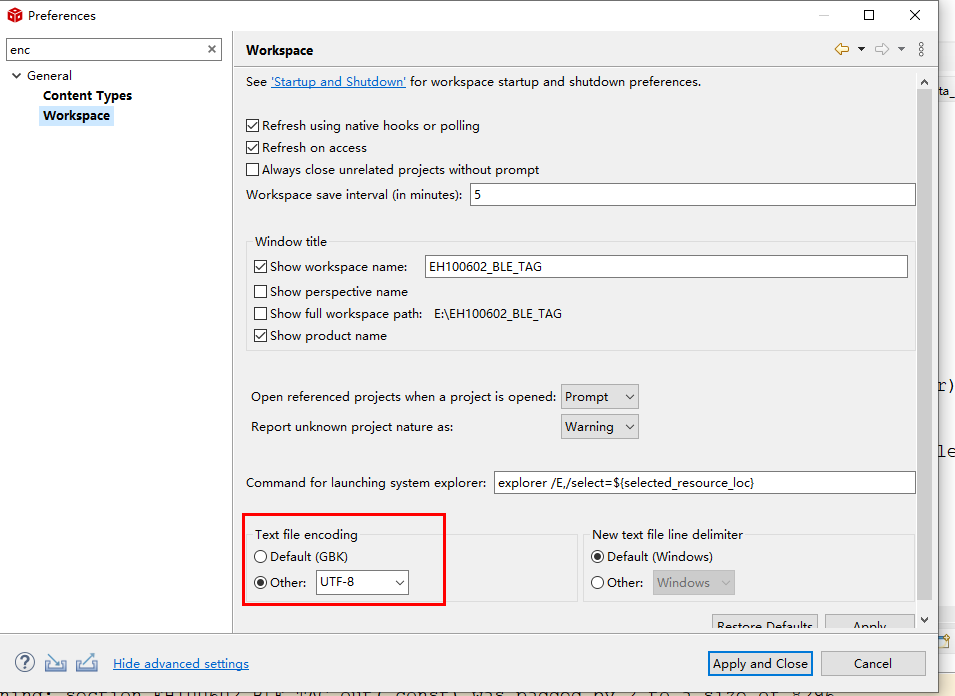
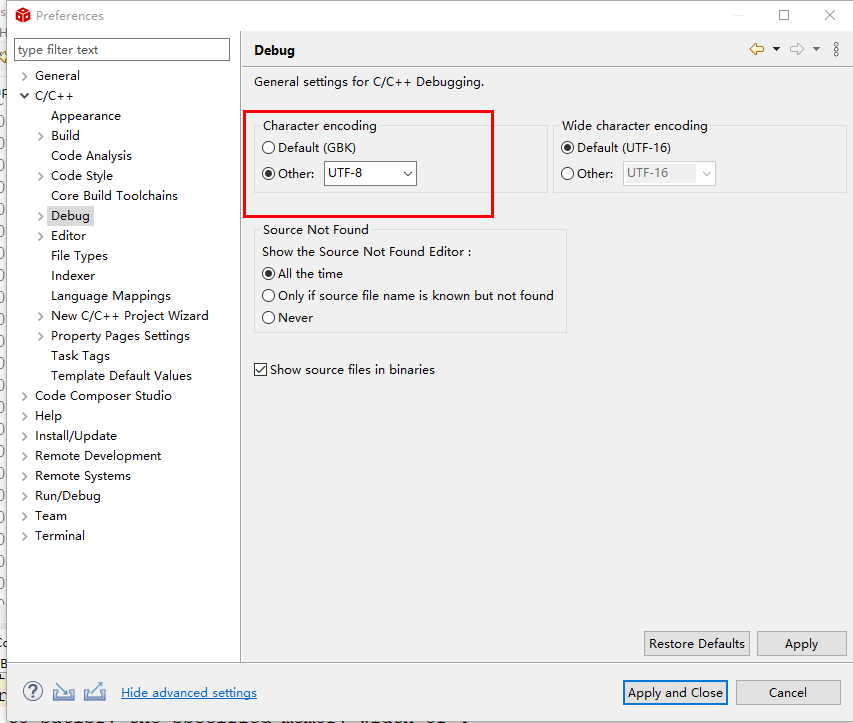
    My encoding is set as UTF-8 in these places:

    Regards,

    John

  • I deleted all my command and left only two Chinese characters as what you did, and I changed the two encoding setting to UTF-8(original is Default(GBK)).

    But still unrecognized characters in console.

    It seems that there is some encoding unmatched, leading to unrecognized characters in console.

  • I have asked soem others to try this on Windows to see if they see the same as you.  I am on mac.

    It could be an Eclipse console bug specific to Windows.  

    Regards,

    John

  • I have filed a bug to track this. It sure looks like it is using some sort of setting from the OS. On mac everything defaults to UTF-8 so it works for me.  The guys who tried on windows here see a differnet result from you but that makes sense as their Windows is not setup with Chinese language support so it is likely using a limited character set.  

    John