This thread has been locked.

If you have a related question, please click the "Ask a related question" button in the top right corner. The newly created question will be automatically linked to this question.

IAR stack outside of range and Application task does not create

Other Parts Discussed in Thread: CC2650, CC2640, CC3200

Hello,

I'm trying to debug the SimpleBLEperipheral example on my smartrf06eb board, but it gives me warning.

That is the error message :

"The stack pointer for stack 'CSTACK' (currently 0x20001918) is outside the stack range (0x20003FC0 to 0x200043C0) "

The firmware runs untill  ICall_createRemoteTasks(); and stops there.

In assembly debug it just goes between those:

0x1001bbd6: 0x2a00 CMP R2, #0
0x1001bbd8: 0xd0fd BEQ.N 0x1001bbd6

Snapshot : 

You can see the address of stack After BIOS start. When I break debugging it show me CSTACK warning with 0x20001918. And 

GAPRole_createTask();

SimpleBLEPeripheral_createTask();

Both tasks are pend in semaphore Its not invoked.

Any help would be appreciated.

Regards,

Rajneesh

  • It looks like you may not have built/flashed the Stack project. Try a clean start and erase the entire flash on the chip with flash programmer 2. Then build and load the application projects first then the stack project. If that does not solve your issue take alook at the following thread post:
    e2e.ti.com/.../1652144
  • Hi Eirik,

    Thanks for reply,

    I have clean my project and rebuild both Stack and Application. chip Erased with Flash Programmer-2 and Download and debug then debugging start but i am facing same issue. gapRole_taskFxn does not invoked after BIOS_START start.

    Regards,

    Rajneesh

  • Hello,
    Just to make sure: Did you also download the stack and not just rebuild it? Go to stack project then press CTRL+D. Then after that download and debug the application project again.

    If yes, what changes have you done to the project?
    Does it work if you simply run the original simpleBLEPeripheral code?
  • Hi Eirik,

    I have used original simpleBLEPeripheral example code without changing. As you suggest me Go to stack project then press CTRL+D. But when I debugging code Its goes in while loop.  

    In snapshot, you can see Program goes in while loop till debugging not stop.

    Why this happened? I have reinstalled BLE_stack and rebuild Application and stack both. Download stack and Application then Download and debug the application project but same issue. When I am debugging my code by putting break point at various place I have found ICall_createRemoteTasks called and return back to main.c but GAPRole_createTask, SimpleBLEPeripheral_createTask are in ready mode Its never comes in running mode.

    Same code testing in smartrf06eb with CC2650 its work and I have scan advertising. But same code does not work in my custom board. Custom board are connected with smartrf06eb 20-pin ARM JTAG Connector (20-pin to 10-pin jtag adapter). I have changed my board file Board.c/.h.

    Any settings are required to change relating to Debugger?  options > Debugger > Driver (TI XDS) used. I have read in many threads to look your linker files (.icf). I have read Software Developer’s Guide SWRU393 (3.11 Memory Management (RAM). 

    Please suggest me where I am wrong. 

  • I am not sure,

    Go through this list in search of the problem:

    • Connect to flash programmer 2 and test the connection.
    • If connected above, read out the PG version in the bottom left corner.
    • Connect to smartRFStudio and try to set up a packet test link.
    • Have you copied the ref deigns closely?
    • What kind of crystals and load cap have you used?
    • Try to disable power saving by changing the pre-processor define from POWER_SAVING to for example xPOWER_SAVING.

    If you want we can review your custom PCB design.

  • Hi Eirik,

    I have verified my custom board with flash programmer 2. What is PG version? I have used 48 MHZ crystal and 12PF cap used in my custom board. Same as CC2650 sensor Tag.

    I have create my application task successfully by two methods:

    1.  If comment ICall_createRemoteTasks debugger goes in GAPRole_createTask, SimpleBLEPeripheral_createTask functions. But not advertising. and wait ICALL_TIMEOUT_FOREVER.

    2. I remove main.c file and see attachment file I have used main function. LEDs becomes on state.

    #include "Board.h"
    #include "delay.h"
    #include <ti/sysbios/knl/Task.h>
    #include <ti/sysbios/BIOS.h>
    #include <ti/drivers/PIN.h>
    #include <ti/drivers/PIN/PINCC26XX.h>
    
    PIN_Handle pinHandle;
    PIN_State pinState;
    
    #define TASK_STACK_SIZE 512
    #define TASK_PRI        1
    
    char taskStack[TASK_STACK_SIZE];
    Task_Struct taskStruct;
    
    void taskFxn(UArg a0, UArg a1) {
    
      pinHandle = PIN_open(&pinState, BoardGpioInitTable);
      PIN_setOutputValue(pinHandle, PIN_ID(Board_LED1), 1);
      PIN_setOutputValue(pinHandle, PIN_ID(Board_LED2), 1);
      PIN_setOutputValue(pinHandle, PIN_ID(Board_LED3), 1);
      PIN_setOutputValue(pinHandle, PIN_ID(Board_LED4), 1);
    }
    
    int main(void) { 
      
      PIN_init(BoardGpioInitTable);
      
      Task_Params tp;
      Task_Params_init(&tp);
      tp.priority = TASK_PRI;
      tp.stackSize = TASK_STACK_SIZE;
      tp.stack = taskStack;
    
      Task_construct(&taskStruct, taskFxn, &tp, NULL);
    
      BIOS_start();
      
      return 0;
    }

    Then what happen in  ICall_createRemoteTasks. So Application task does not post from semaphore?

    In my custom board there are used CC2640 chip. So initially any firmware is needed to download (e.g. we are download firmware in CC3200 ).

    Regards,

    Rajneesh

  • Hi Eirik,

    I have solved this problem by download firmware in my custom board and rebuild application and stack then Download and debug. Application task invoked from main and I can debug SimpleBLEPeripheral code by putting breakpoint but when I scanning advertising in BLE scanner I can't capture advertise.

    Regards,
    Rajneesh

  • Hello,
    Please go through all the points in my list above to debug. Also you can for example try to run the simpleBLEBroadcaster code and run it standalone to verify if your board works correctly.
  • Hi Eirik,

    In my custom board there are not any Key buttons for event. So how can I run simpleBLEBroadcaster code. I have checked SimpleBLEPeripheral example code but its not advertise.

    Regards,

    Rajneesh

  • In simpleBLEBroadcaster you don't need buttons. It will just advertising right away.

    When you stepped thru the code, did you check if you managed to enter gaprole_started and gaprole_advertising?

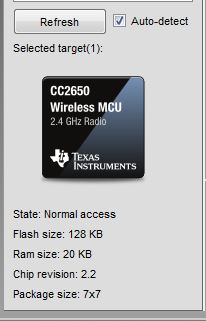
    FYI, here is where you found out chip revision when you use flash programmer 2

  • Hello Christin,

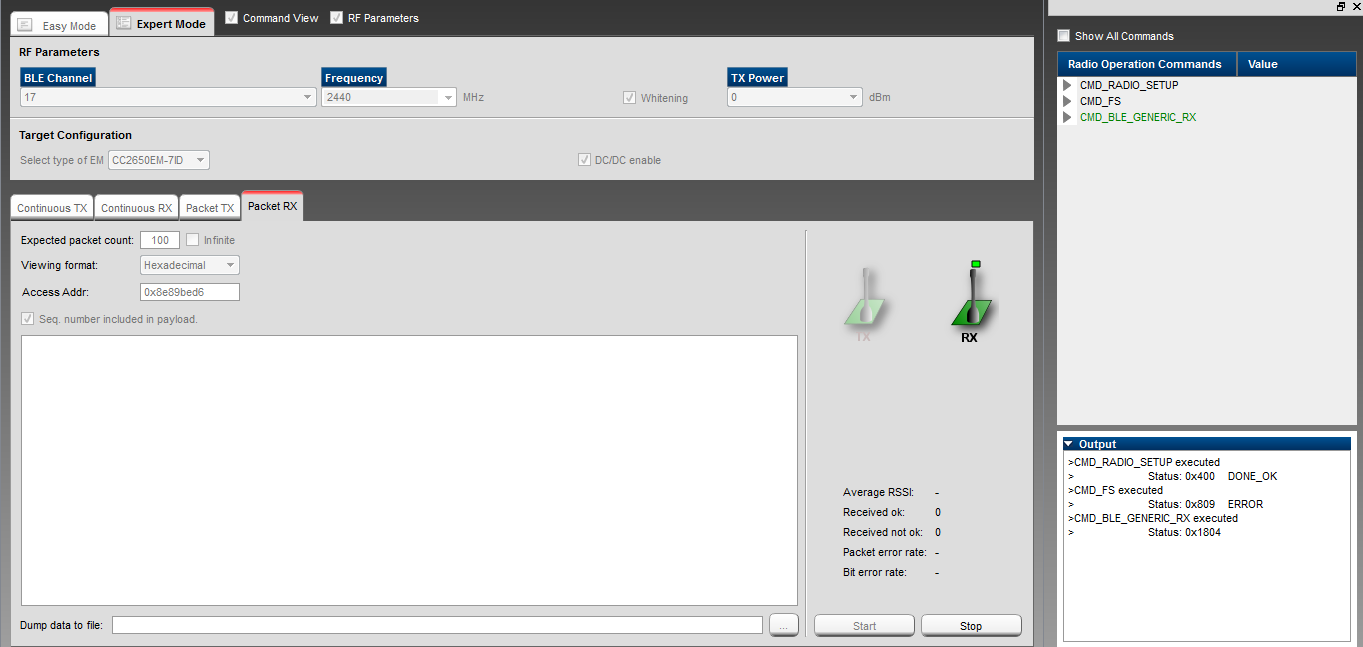
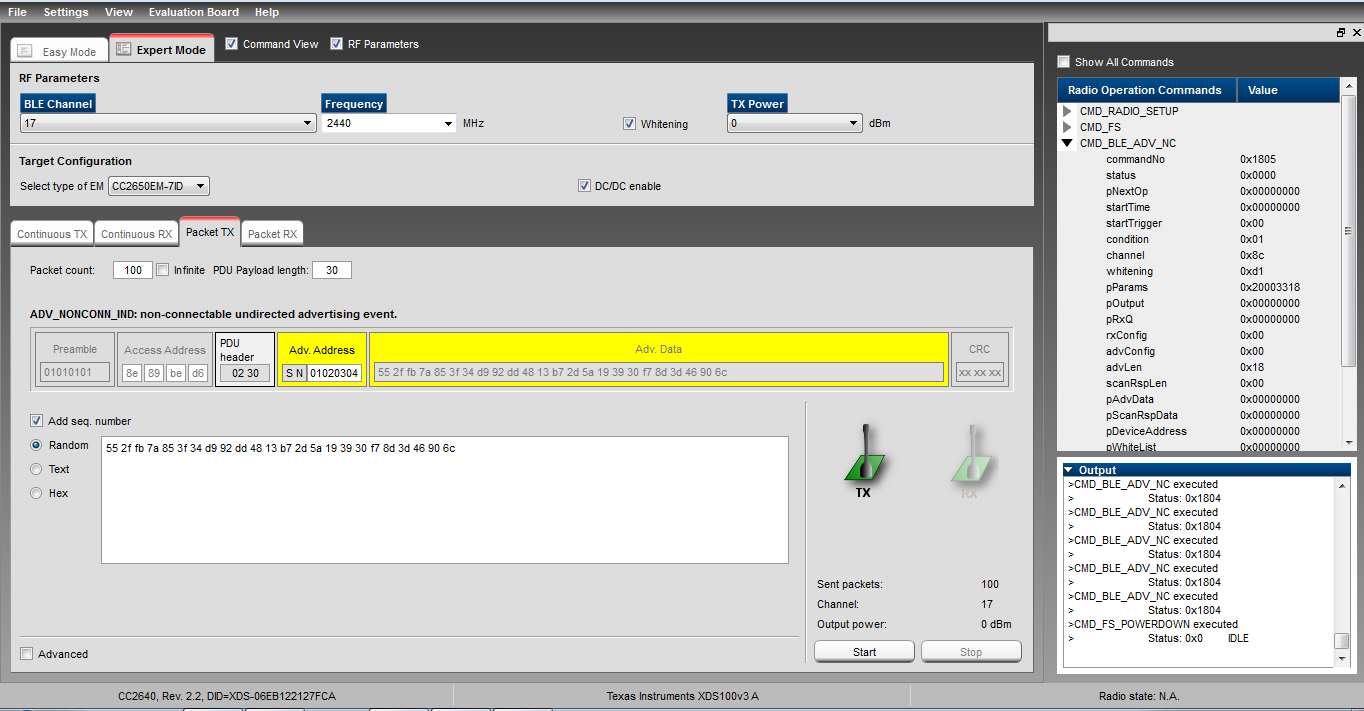
    When SimpleBLEPeripheral debugging on CC2640 (Custom Board) using SmartRF Studio 7. See bellow snapshot and error code. Same things debugging on CC2650 EM Its work fine. 

     When press Continous RX I have found following error: 

    >CMD_RADIO_SETUP executed

    > Status: 0x400 DONE_OK

    >CMD_FS executed

    > Status: 0x809 ERROR

    >CMD_RX_TEST executed

    > Status: 0x808 ERROR

    Press Packet RX Its shows me following error:

    >CMD_RADIO_SETUP executed

    > Status: 0x400 DONE_OK

    >CMD_FS executed

    > Status: 0x809 ERROR

    >CMD_BLE_GENERIC_RX executed

    > Status: 0x1804

    Press Packet TX Its shows me following error:

    >CMD_BLE_ADV_NC executed

    > Status: 0x1804

    >CMD_BLE_ADV_NC executed

    > Status: 0x1804

    >CMD_BLE_ADV_NC executed

    > Status: 0x1804

    >CMD_BLE_ADV_NC executed

    > Status: 0x1804

    >CMD_BLE_ADV_NC executed

    > Status: 0x1804

    >CMD_FS_POWERDOWN executed

    > Status: 0x0 IDLE

    What is solution of these error. Any help would be appreciated.

    Regards,

    Rajneesh 

  • Hi,

    When you mentioned CC2640 on custom board, but CC2650 on EM, do you meant that CC2650 were tested on your custom board? Can you try to use code composer studio and stepped thru the code?

    You can download ccs from here:

    www.ti.com/.../ccstudio