Tool/software: TI-RTOS
Hi ,
I am trying to flash my application in to QSPI flash and boot through SBL ,I have followed the SBL user guide steps and tried to load the images in to core A-15
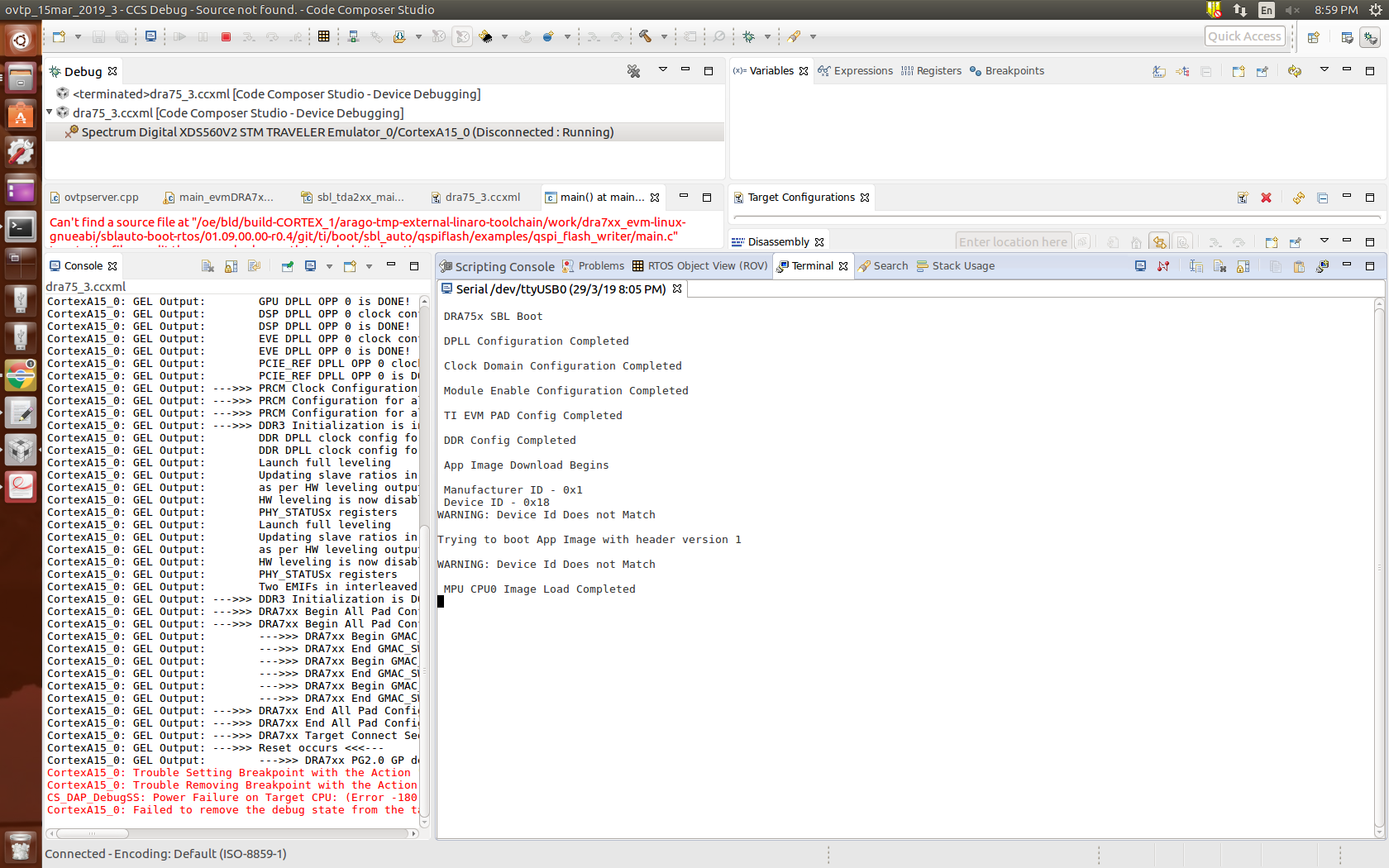
Please find the attached console and terminal logs and let me know why my application prints are not coming
steps I have followed
1. connect A15 and load the qspi flash writer binary from this location -- /ti/pdk_dra7xx_1_0_10/packages/ti/boot/sbl_auto/prebuilt_binaries/sbl/qspi_flash_writer/evmDRA75x/qspi_flash_writer_ipu1_0_release.xem4
2. After flashing to the qspi flash (please find the attached logs ) changed the switch setting to qspi mode
3 In terminal log i could see only sbl prints
==================SBL and App image generation steps===========================
1. SBL image from the default path- -/home/tstone10/ti/pdk_dra7xx_1_0_10/packages/ti/binary/sbl/qspi/opp_nom/evmDRA75x/sbl_qspi_opp_nom_a15_0_release.tiimage
2./out2rprc.exe NIMU_BasicExample_evmDRA75x_armExampleproject.out nimu.bin
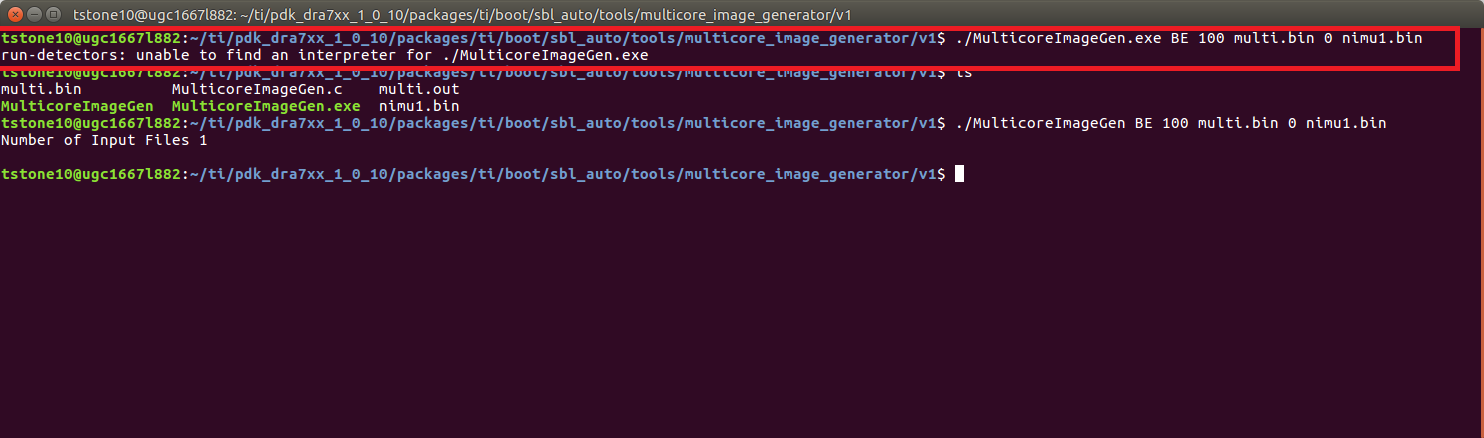
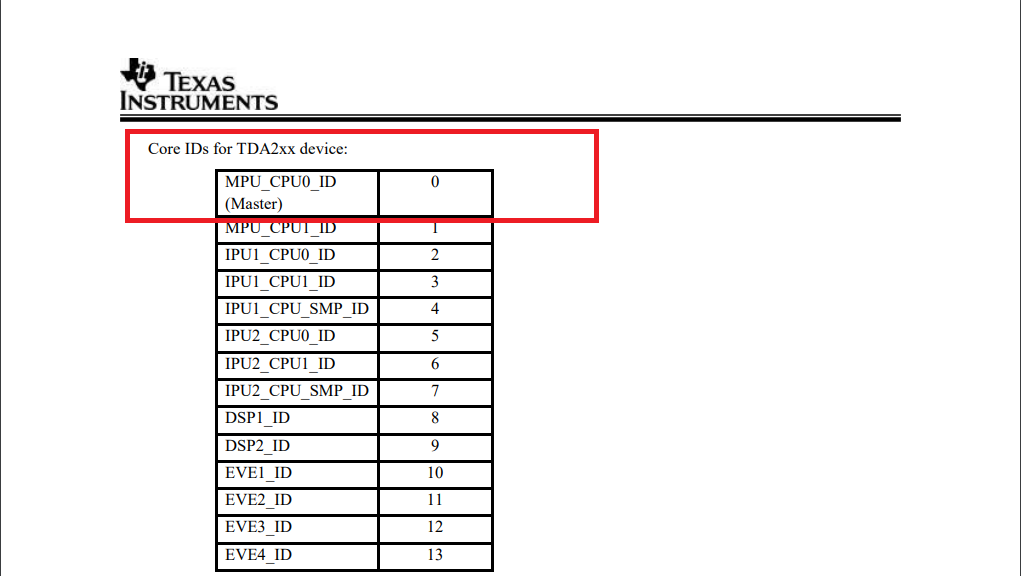
3 ./MulticoreImageGen BE 101 Multi.out 0 nimu.bin
[CortexA15_0]
QSPI Flash writer application
Enter Device type to use
1 - 1 bit read from flash
2 - 4 bit (Quad) read from flash
$ > 1

MID - 1
DID - 18
Enter 0 for Erase-Only (without flashing any image)
Note : File size should be less than 33554432 Bytes.
Enter the file path to flash: /home/tstone10/ti/pdk_dra7xx_1_0_10/packages/ti/binary/sbl/qspi/opp_nom/evmDRA75x/sbl_qspi_opp_nom_a15_0_release.tiimage
Enter the Offset in bytes (HEX): 0x00
Erase Options:
---------------
    0 -> Erase Only Required Region
    1 -> Erase Whole Flash
    2 -> Skip Erase
Enter Erase Option:
1
Load Options:
-------------
    0 -> fread using code (RTS Library)
    1 -> load raw using CCS (Scripting console)
Enter Load Option:
1
Use below command in CCS scripting console...
loadRaw(0x80500000, 0, "/home/tstone10/ti/pdk_dra7xx_1_0_10/packages/ti/binary/sbl/qspi/opp_nom/evmDRA75x/sbl_qspi_opp_nom_a15_0_release.tiimage", 32, false);
Kindly use '/' (forward slash) in the file path
Enter any alpha-numeric key once loadraw is complete...
1

 QSPI whole chip erase in progress

 QSPI Erase completed

 QSPI file write started
file size to write: 99720 Bytes

 QSPI file write completed. Verifying

 ************QSPI flash completed sucessfully**************

QSPI Flash writer application
Enter Device type to use
1 - 1 bit read from flash
2 - 4 bit (Quad) read from flash
$ > 1

MID - 1
DID - 18
Enter 0 for Erase-Only (without flashing any image)
Note : File size should be less than 33554432 Bytes.
Enter the file path to flash: /home/tstone10/ti_29mar/pdk_dra7xx_1_0_10/packages/ti/boot/sbl_auto/tools/multicore_image_generator/v1/multi.bin
Enter the Offset in bytes (HEX): 0x80000
Erase Options:
---------------
    0 -> Erase Only Required Region
    1 -> Erase Whole Flash
    2 -> Skip Erase
Enter Erase Option:
0
Load Options:
-------------
    0 -> fread using code (RTS Library)
    1 -> load raw using CCS (Scripting console)
Enter Load Option:
1
Use below command in CCS scripting console...
loadRaw(0x80500000, 0, "/home/tstone10/ti_29mar/pdk_dra7xx_1_0_10/packages/ti/boot/sbl_auto/tools/multicore_image_generator/v1/multi.bin", 32, false);
Kindly use '/' (forward slash) in the file path
Enter any alpha-numeric key once loadraw is complete...


12

 QSPI Erase started

 QSPI Erase completed

 QSPI file write started
file size to write: 971732 Bytes

 QSPI file write completed. Verifying

 ************QSPI flash completed sucessfully**************