This thread has been locked.

If you have a related question, please click the "Ask a related question" button in the top right corner. The newly created question will be automatically linked to this question.

PGA309: Not communicating in one wire protocol

Part Number: PGA309

Dear All,

I've tested the PGA309 with the evaluation board programming it by TI software.
Now I'm trying to do the next step: communicating directly in ONE WIRE Protocolol using a RS232 to ONE WIRE converter (DS9097U which has inside teh DS2480B) and sending commands directly by a simple serial software.
My problem now is that PGA 309 never answers my commands.
I'm sending:
SET REGISTER ADDRESS POINTER 0x55 0x01 0x01 followed by
READ REGISTER 0x55 0x10

as descripted in figure 4-6 of the PGA309 User's Guide .

Now my questions are:

-Is it possible that my 232 - ONE WIRE converter has a different standard wrt PGA309? I don't think so but since nothing is working it becomes a doubt.
-Are the commands correct? Is there an example of serial commands or other utilities?

Best Regards,

Mattia

  • Hello Mattia,

    Figure 4-6 in the PGA309 User's Guide gives you exactly what your waveform on the PRG pin should look like in order to achieve different communication transactions. How you create that waveform with any given microcontroller will vary depending on your particular hardware, and questions on that should be directed to the microcontroller manufacturer. 

    Remember that data should be transmitted LSB first! This is different than some protocols which transmit MSB first. 

    For example, if you wish to transmit the initialization byte 0x55, in binary LSB first this would look like 1010 1010, not 0101 0101.

    Best regards,

    Ian Williams
    Applications Engineer
    Precision Amplifiers

  • Dear Ian

    thank you for your fast reply. I've checked that I send LSB first as you indicated.
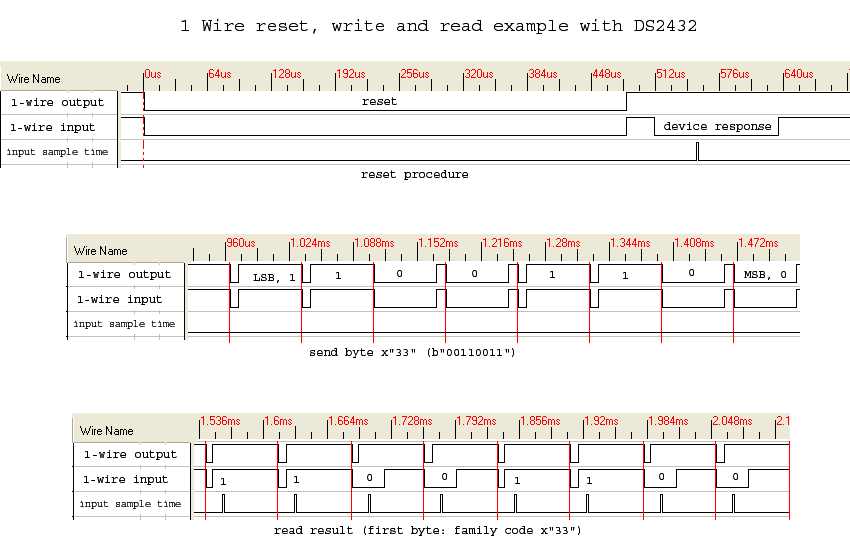
    I find a difference between my one wire signal and what indicated in figure 4-6 of PGA USER'S Guide: in my signal every high bit (1) is preceded by a brief low pulse that goes to zero (as shown here https://en.wikipedia.org/wiki/1-Wire#/media/File:1-Wire-Protocol.png), which there is not in figure 4-6 figure.
    May I'm not using the correct protocol?
    Can you advise me a correct 232 to one wire interface suitable for the PGA309 or other ways to communicate with a PC?
    Best regards,

    Mattia

  • Hello Mattia,

    Since you already have the PGA309EVM-USB, a good debugging step would be to experiment with our tioScript ScriptEditor software, which allows you to generate your own 1W commands using the EVM hardware. There is a User's Guide that describes the software and how to generate commands, even giving an example for the PGA309 over 1W in section 5.3.

    Download it at the links below:

    tio ScriptEditor software
    tio ScriptEditor User's Guide

    Best regards,

    Ian Williams
    Applications Engineer
    Precision Amplifiers

  • Dear IAN, thank you very much for your reply. I've built a homemade RS232 to ONE WIRE converter and now it works.
    I've another doubt: In my application I need to change often registers' value of the PGA using just PRG pin. According to page 70 of the user guide TEST pin must be set LOW or HIGH based on the operating mode. If I want to use in normal mode it must be LOW while if I want to modify registers pin must be set to HIGH. Is it correct? So, do I also need to drive Test PIN? Is there a way to avoid the usage?

    Best Regards
  • Hi Mattia,

    I'm glad your 1W is now working! 

    During normal operation when TEST = LOW, also called stand-alone mode, the PGA309 continuously reads the data in the EEPROM and updates its registers based on the EEPROM data. If you write directly to a PGA309 register, it will be automatically overwritten the next time the EEPROM is read.

    If you plan to make changes to the PGA309 registers, you should set TEST = HIGH. This disables the EEPROM readback and places the PGA309 in TEST mode, or direct control mode. Now if you write to the PGA309 registers, the values will remain as written.

    Another option is to write directly to the EEPROM while TEST = LOW. If you do this, then the PGA309 registers will update on the next EEPROM readback cycle.

    Best regards,

    Ian Williams

  • Dear Ian,

    thank you for your useful support.
    I've another question. In the EVB PGA309 is connected to a 16kbit memory (24LC16BT-I/OT).
    I'd like to use the 1kbit model. Is it possible?
    Is there a list of compatible memories?
    I'd like to use the 24LC01BHT-I/OT


    Best Regards,

    Mattia
  • Hello Mattia,

    The 1kb model will work, as long as it supports I2C/two-wire communication. You just won't have as many extra memory locations to write other information like serial number, calibration date, etc.

    Best regards,

    Ian Williams
  • Thank you Ian. Also the 1kbit E2prom works!

    Now I'm testing the EVB with a high precision tester and I've found that the Output voltage is not very stable: the last two digits.
    It doesn't drift but last it oscillates with an amplitude of 3mV (when signal is 3V). I'm using internal Vref - 4.096V.
    Do you have any advice?
    Should make a new "post" in the forum?
  • Hi Mattia,

    I'm glad the 1kb EEPROM is working for you! I do recommend creating a new post to address the output stability issue. However, I'll ask some questions and make some suggestions here:

    • Like any amplifier, the PGA309 has some amount of inherent voltage and current noise. The noise specs are referred to the input of the device, so if the PGA is configured for large gain, as it commonly is, this noise gets amplified and shows up as a significant component of the output signal. Art Kay wrote an excellent app report on how to filter the PGA309 noise, available here: http://www.ti.com/lit/an/sboa110a/sboa110a.pdf
    • Are you using an external temperature sensor or the built-in temperature sensor of the PGA309? In either case, is the temperature sensor in a stable thermal environment? Changes in ambient temperature will cause the PGA309 to adjust its fine gain and offset parameters, which can look like noise at the output.

    Best regards,

    Ian Williams