This thread has been locked.

If you have a related question, please click the "Ask a related question" button in the top right corner. The newly created question will be automatically linked to this question.

CDCEL9xx Programming EVM installation problem


I have just got my new CDC Programming EVM in order to program a CDCE925. I have severe problems in installing the software in a proper way. In the User Manual is said that there shall be an accompanying CD. There is no CD in the package.

The manual suggest those steps:

1. Connect the EVM with the PC with a 2.0 USB cable.    OK so far.

2. Install the driver software using the provided CD-ROM.    No CD or drivers found

3. The EVM is now running and completely powered through USB. The LED’s D2 (3.3 V) and D3 (1.8 V) 

indicate the availability of the supply voltages.     CHECK..

4. Programming the device is also possible using the TI ClockPro dedicated software.   Did ALSO mean, that there are other software(s) to use as well?

I tried to download TI CLOCK PRO and install. When I run it did not find the USB on the EVM.

I have tried to install different USB-drivers for TI3410 without any success. Can anyone give me some advice how to solve this?

Apart form this, the installation doesnt work at all on Windows 7.

I am using Win XP professional, with the latest updates in place.

Shakti

  • Hi,

    I did follow the steps mentioned to reprogram the EPROM from one of the post on the forum, but no success there.

    After selecting all the options and then hitting PROGRAM EEPROM...it gives me the following prompt "Choose a TI USB Device to Program"

    I have already chosen the device. I have a screen grab that I have shared.

    I hope the TI support is reading this.

    Thanks,

    Shakti

  • Hello Support,

    Can the TI Support please help me with this?

    shakti

  • Hello Shakti,

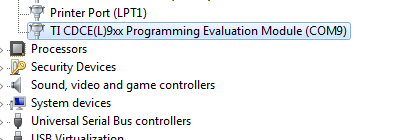
    if you attach the CDCE9xx Programming EVM (figure1) you should be able to see "CDCE(L)9xx Programming EVM (COMx)" in the device manager (figure2).

    Figure1:

    Figure2:

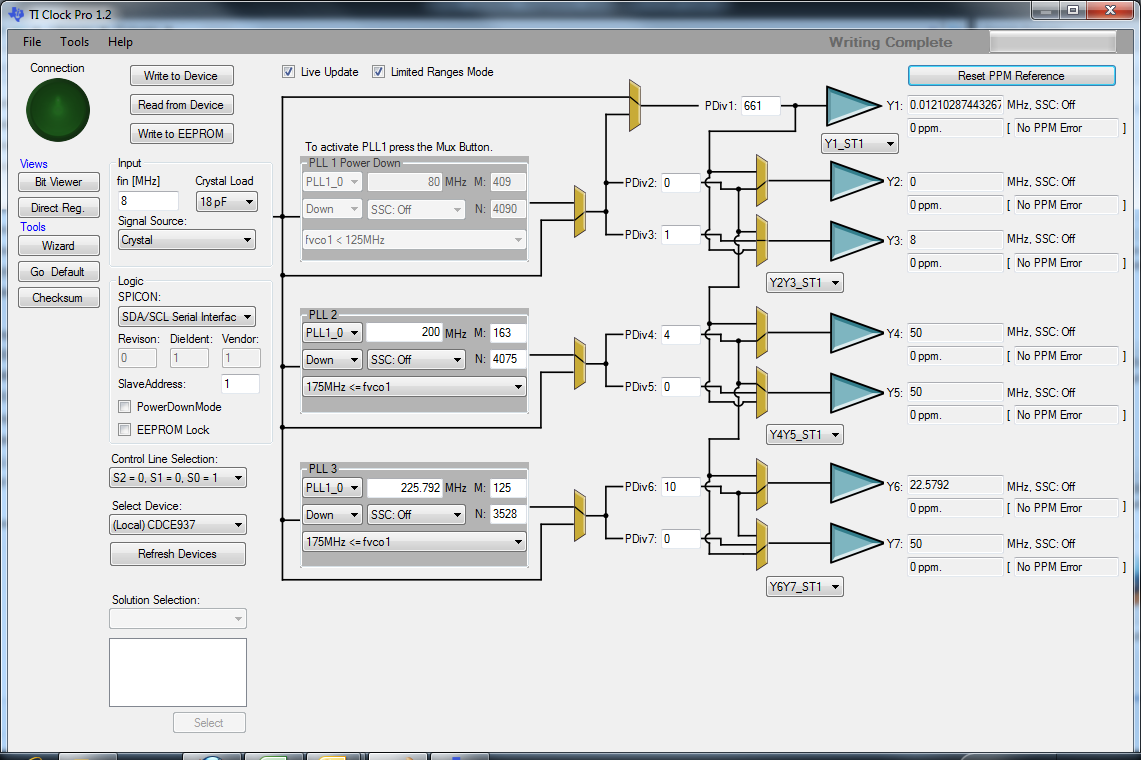
    If this is true, you can start TI Clock Pro. The software will not recognized the programming EVM in the main GUI screen (figure3). In that view you will need to work in "local" to generate the settings. those can be saved via the menu bar.

    figure3:

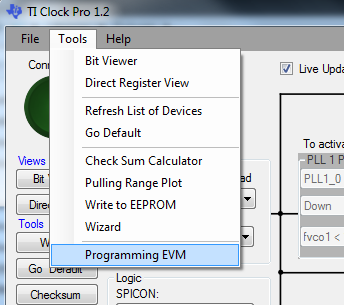
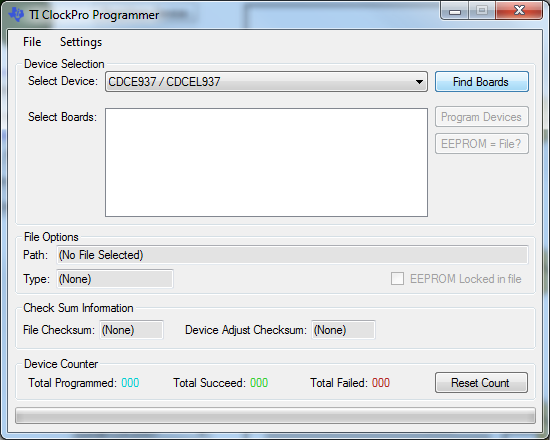
    After you have created the settings you need, you can go to "Tools" -> "Programming EVM" (figure4). This will open a new popup window, which will allow the communication between GUI and Programming EVM (figure5). Here you can select the device that you put into the programming EVM socket and click on find boards. That should allow you to program the previously generated settings (you need to browse to the seetings file).

    figure 4:

    figure5:

    Best regards,

    Julian