This thread has been locked.

If you have a related question, please click the "Ask a related question" button in the top right corner. The newly created question will be automatically linked to this question.

ADS7128: TI cloud agent installation error

Part Number: ADS7128

Hi, I am getting following error while installing TI cloud agent for ADS7128 evaluation.
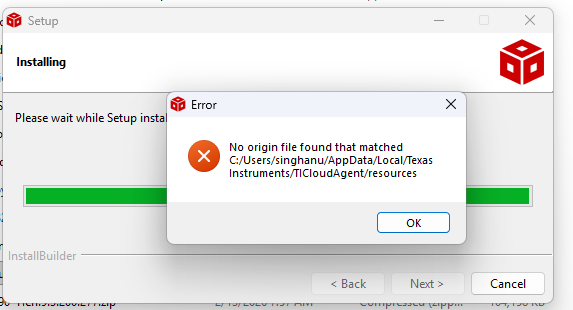
 

image.png

  • Hi ,

    May I know which environment you are running this application in. There is an online version that runs in the browser and an offline version that runs on the desktop; however, both versions require a runtime.

    Online Version: https://dev.ti.com/gallery/view/PADC/ADS7128/ 
    When launching the browser version, it will prompt you to download an install the TI cloud agent runtime.


    Offline version, downloaded from https://dev.ti.com/gallery/info/PADC/ADS7128/ (click the   icon).
    When downloading the offline version there are two package options: the application and the runtime. When downloading the application, it should prompt you to also download and install the runtime agent if you haven't already installed it separately.


    I hope that information helps, please let us know if you are still having issues after installing both the application and runtime or if you are unable to use the browser version after installing the runtime.


    Best regards,
    Chris