This thread has been locked.

If you have a related question, please click the "Ask a related question" button in the top right corner. The newly created question will be automatically linked to this question.

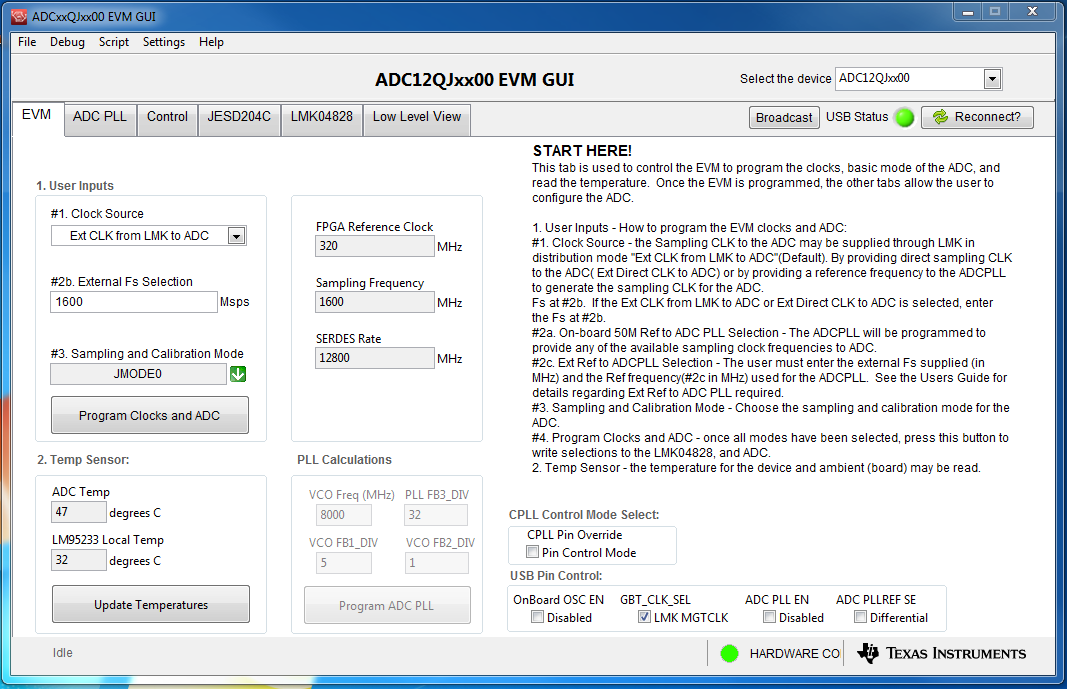
ADC12QJ1600EVM: Can't capture data

Part Number: ADC12QJ1600EVM
Other Parts Discussed in Thread: TSW14J57EVM, ADC12QJ1600

Hello,

I am trying to make the ADC12QJ1600EVM - TSW14J57 work! 

LMK CLK ADC12QJ1600EVM board is fed with 1.6GHz - 6dBm

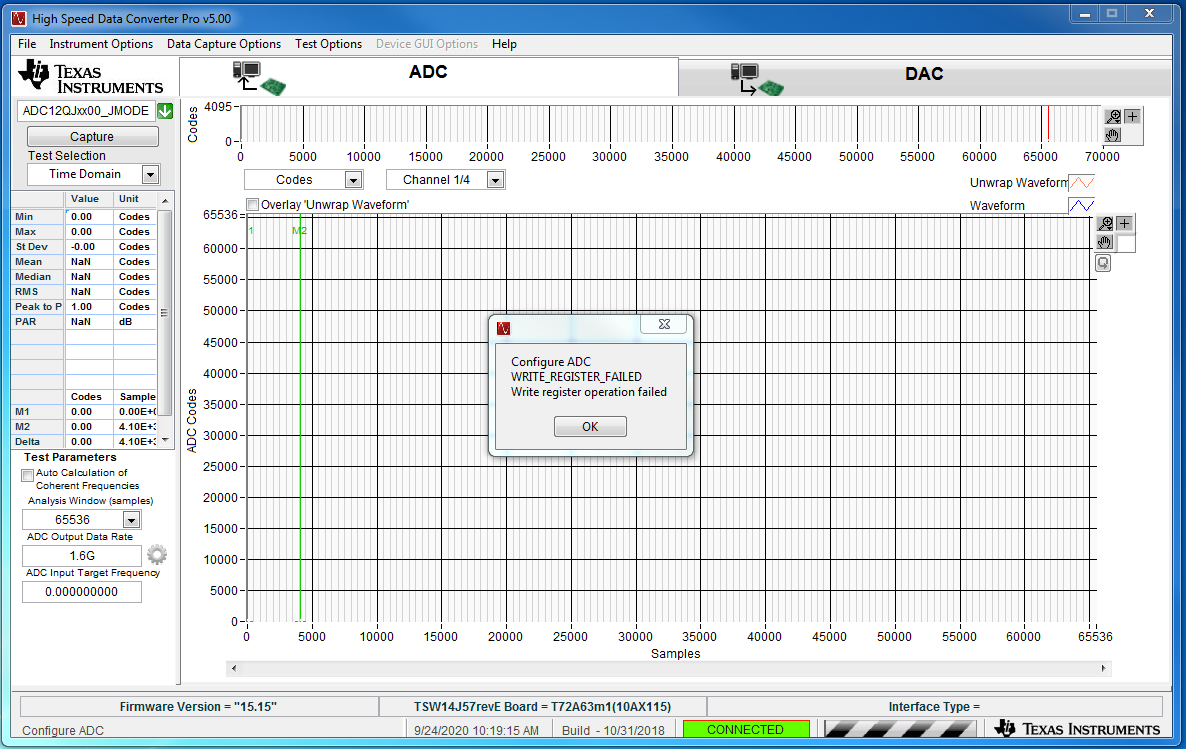
I want to capture a time domain trace but I get the following error message (see 2nd picture below)!

In advance thank you for your help

Nicolas
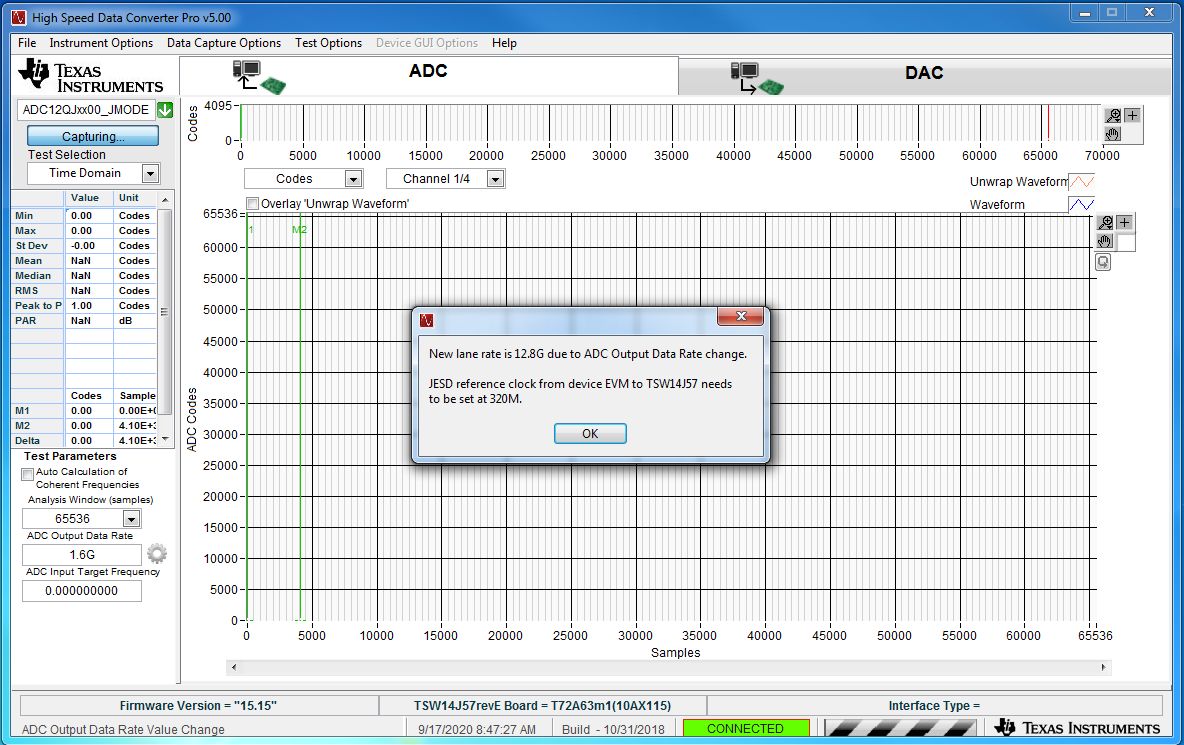
  • I do not see the problem.  The pop-up window in HSDC Pro software is not an error message; it is an informative message.  The set-up in the 'QJ3200 device looks like it is set-up up properly to match the FPGA reference clock and serdes rate.  I think that you are still good.

    --RJH

  • Hi RJ,

    Thank you for your reply!

    Glad to hear that my setup is probably good and that the message is informative! However, I can't see the sampled data!!! So for me there is still a problem!

    BR,

    Nicolas

  • Nicolas:

    Understood.  What is happening after you click OK and try to capture?  Do you get a different error message related to timing or Serdes error?  Here are a couple things to check:

    • Make sure capture card ('J57) power supply has sufficient current limit setting so that there is not a brown-out situation
    • Make sure the ini file in HSDC Pro matches the Jmode set-up from the GUI

    --RJH

  • Hello RJ,

    Thank you for your feedback!

    I have changed the power supply, I have now 12V/6A but I am still unable to capture data! When clicking on "capture" the error message is "ADC write register configuration has failed" although this was previously and successfully made in the GUI by clicking on "Program Clocks and ADC"!

    In the GUI, JMODE0 is selected as "Sampling and calibration mode". In the HSDC Pro Gui, the ADC12QJxx00_JMODE0 is selected. Is this ok?

    BR,

    Nicolas

  • Hmmm.  Your ini and GUI seem to match so no issue there.  The HSDC Pro error indicates a FW load issue.  This can happen if there is a power glitch or perhaps an ini file discrepancy.

    Usually my first thought is the power supply.  12V/6A should be enough.  Ensure the current limit (not just the supply capability) is sufficiently high.  You can also juice up the 12V to something like 12.5V to account for voltage loss in the cables.

    Power cycle the 'J57.  Then go to Instrument Options menu and select Disconnect from board and then reconnect to board.  It should find your device so you can connect to it.  Then you can load your ini file.  Once loaded, the FW will be loaded and ultimately you will see the FW name in the lower right after Interface Type =.  If this occurs smoothly, then the 'J57 is running and the FW is properly loaded.  There should be a few LEDs on the 'J57 illuminated.

    Next go through the procedure to set up the ADC device through the GUI.  Once done, hit capture.  Monitor the current before and after this operation to see if there are any clues.  Also monitor the LED status to see if there are any significant changes.  A power supply glitch that results in the error usually reduces the current and disengages the LEDs.

    --RJH

  • I checked that the power supply current limit was set to 5 Amp and adjusted the voltage to 12.4V!

    I did the power cycling of the 'J57 & disconnect + reconnect. The device TSW14J57revE was found. I selected the ADC12QJJxx000_JMODE0 to update the firmware for the ADC. I then set the ADC Output Data rate to 1.6G. Finally on the GUI, I program the Clocks and ADC and check that the temperatures are properly read. Everything seem to work fine. However, when I press the "capture" button, I instantly get the message "Configure ADC WRITE_REGISTER_FAILED Write register operation failed".

    Is there something else I could test?

    N.

  • TSW14J57 EVM rework instructions.docxNicolas,

    After looking at the picture you sent of the setup, it appears the TSW14J57EVM may not have the latest changes done to the board. Please see attached file. If this is the case, this could be the reason for the error you are getting. If your board has not been modified, you can do the changes yourself or request for a replacement board.

    Regards,

    Jim

  • Hello Jim,

    Thank you for your answer!

    I changed the resistances mentioned in the rework docx file but I don't have any XFL4020-222MEB or equivalent inductance.

    Please don't close the ticket, I ordered the inductances but I probably won't have them before Friday. So don't expect an answer from me before Wednesday next week.

    Regards,

    Nicolas

  • Nicolas,

    Ok. If these changes do not fix the issue I think you should request for a board replacement.

    Regards,

    Jim

  • Hello Jim,

    I changed all the components but I am still unable to capture data!

    I'll request a board replacement!

    Regards,

    N.

  • Nicolas,

    I approve of this replacement request. Sorry for the inconvenience.

    Regards,

    Jim

  • Hello,

    I have received a brand new acquisition board TSW14J57 and a brand new ADC12QJ1600 EVM.

    I still have exactly the same error message (Configure ADC WRITE_REGISTER_FAILED - Write register operation failed)

    Is there something I am completely missing? 

    Regards,

    N.

  • Hi N,

    Can you please let me know the amplitude of the clock signal you are using? I did notice the ADC temp sensor is not reporting high temperature around 60 degree C. Which means some think in not getting programed correctly or the clock signal is not applied. 

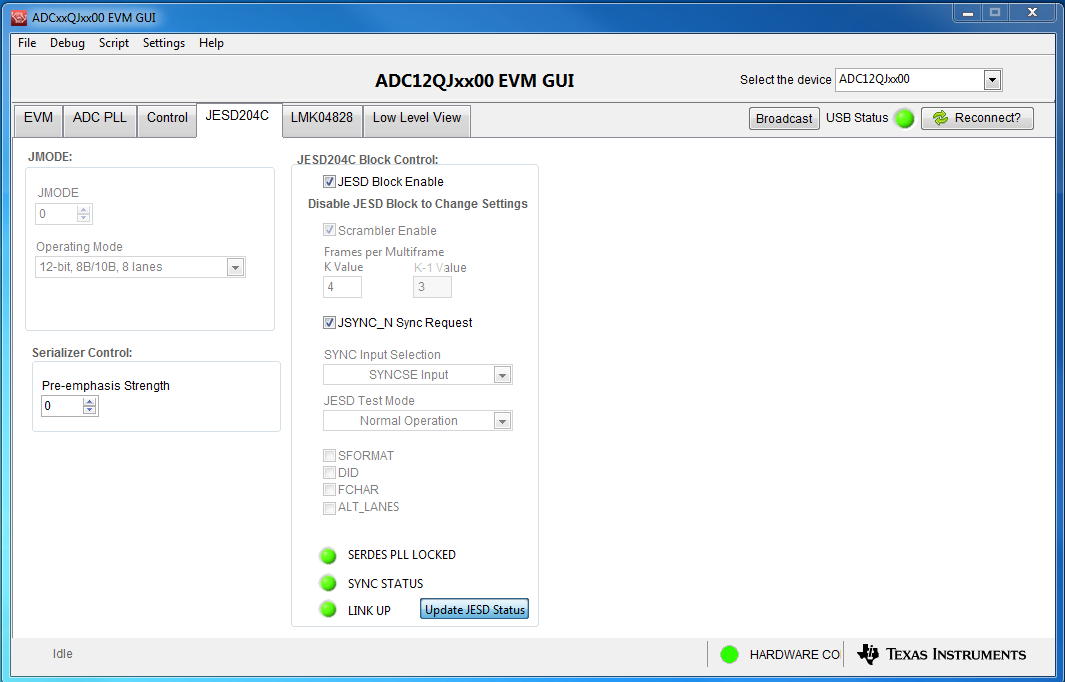
    Can you also check the JESD status by clicking the update status button shown in picture below. This will tell us if the clock signal is getting programmed and reaching the ADC. 

    Regards,

    Neeraj

  • Hi Neeraj,


    The 1.6GHz clock has 6dBm ! (12dBm doesn’t change anything)

    After clicking Update JESD status, I get the same as you (see picture below)!


    BR,

    N.

  • Hello,

    Weird, I think that part of this thread has disappeared, I can't find the 2 last conversations!

    To summarize, I got from TI a brand new EVM and a brand new TSW14J57 but I still have exactly the same issue, it is not possible to acquire any signal!

    N.

  • Hi Nicolas,

    Lets talk offline out email.

    Regards,

    Neeraj