This thread has been locked.

If you have a related question, please click the "Ask a related question" button in the top right corner. The newly created question will be automatically linked to this question.

DS320PR1601: DS320PR1601 speed cannot up to Gen5

Part Number: DS320PR1601

Hi Team,

Customer design DS320PR1601 and now the speed cannot up to Gen5.

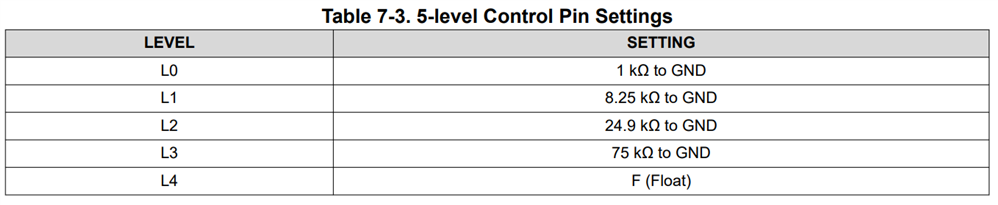
After set B_ADDR0_7-0, B_ADDR0_15-8, B_ADDR1_7-0, and B_ADDR1_15-8 to L3 level(75kohm), the speed can up to Gen4/Gen5, but the Gen5 output power still fail and smaller than Gen4.

The test result as attached.

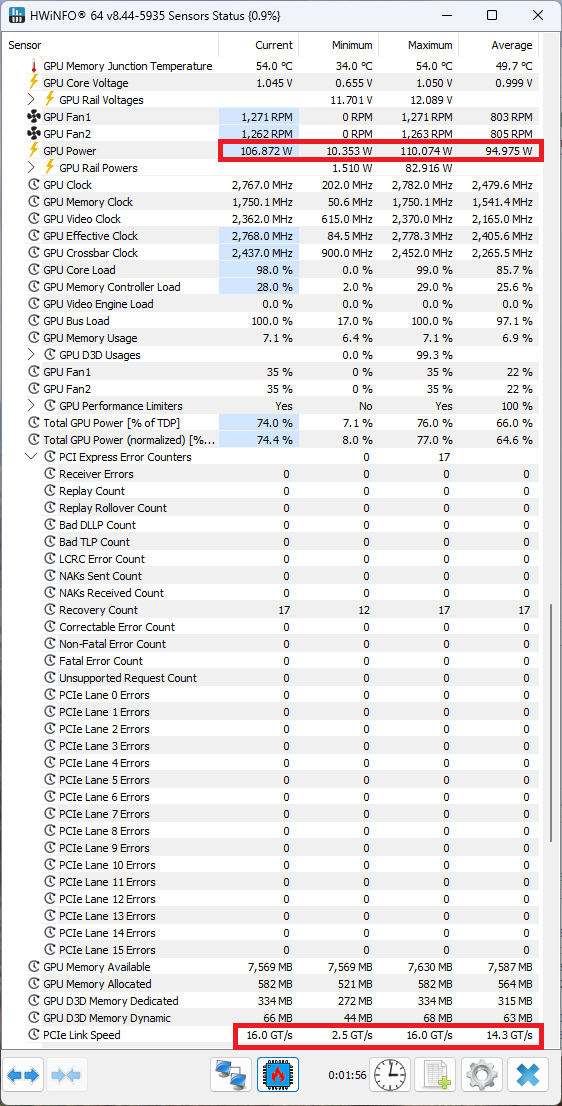
Gen5 x8:
PCIE X8 GEN5 f.png

Gen4 x8:

PCIE X8 GEN4 pass.png


Please help to give me the suggestion and send mail to me then I can provide the schematics and layout for checking.

Please mail to me: peter.tseng@arrow.com

Thanks.

  • Hi Peter,
    I will respond by end of day tomorrow.

    Best,

    Charles

  • Hi Peter,

    Please help me understand your issue:

    After set B_ADDR0_7-0, B_ADDR0_15-8, B_ADDR1_7-0, and B_ADDR1_15-8 to L3 level(75kohm), the speed can up to Gen4/Gen5, but the Gen5 output power still fail and smaller than Gen4.

    1. What did setting ADDR pins to L3 change? Did this allow you to access SMBus registers and configure DS320PR1601? 
    2. Can you confirm that the endpoint shows up as Gen5 with x16 link width? If this is the case, then I believe DS320PR1601 is functioning as expected. 
    3. DS320PR1601 cannot control the power consumption of the endpoint. What test is being run? Why is output power a pass/fail criteria? 

    I've sent you an email for you to send schematic and layout. 

    Best,

    Charles

  • Hi Sir,

    1. They set these pins to L3 setting according to table 7-3 suggestion.

    2. Customer use Asus RTX5080 PCIe card for testing. The test tool program is GPU-Z.
    3. They use GPU-Z to test and check PCIe bus status.

    Attached files are Gen4 x16 and Gen5 x16 test results.

    Gen4 x16: test pass.

    Gen5 x16: test fail, speed cannot up to gen5.

  • Hi Peter,

    I will review schematics tomorrow. 

    Best,

    Charles

  • Hi Peter,

    What EQ levels have you tried for Gen5? I expect the EQ setting to be different than the one you used for Gen4.

    DS320PR1601 does not have a "pin mode" to set the EQ settings. You will need to use SMBus register access or EEPROM to control the EQ.  

    Best,

    Charles

  • Dear sir,

    I'm the customer who responsible for this project.

    We have more measure data to you.

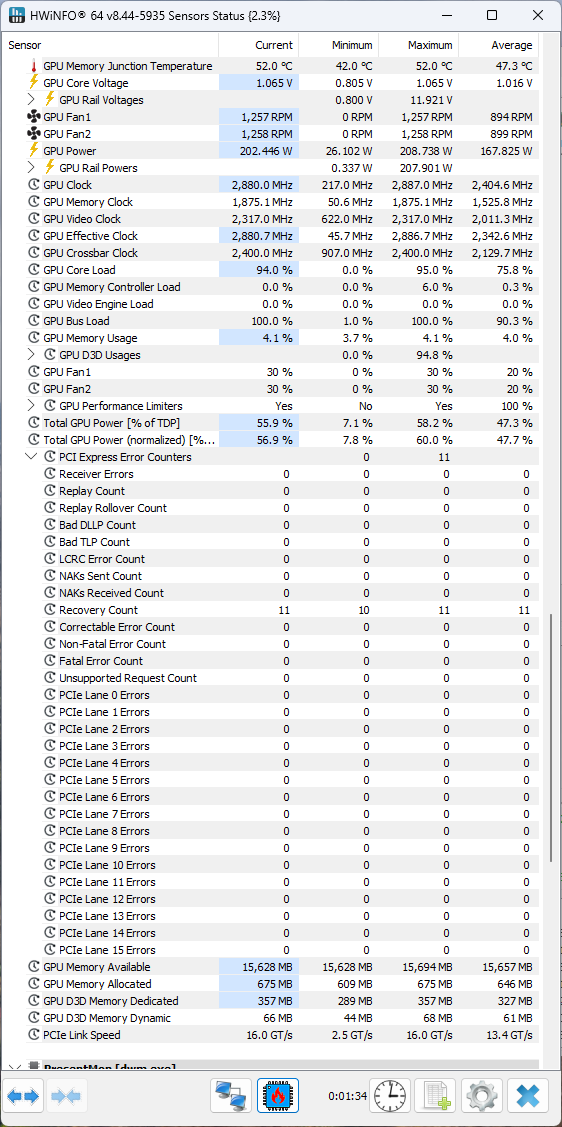
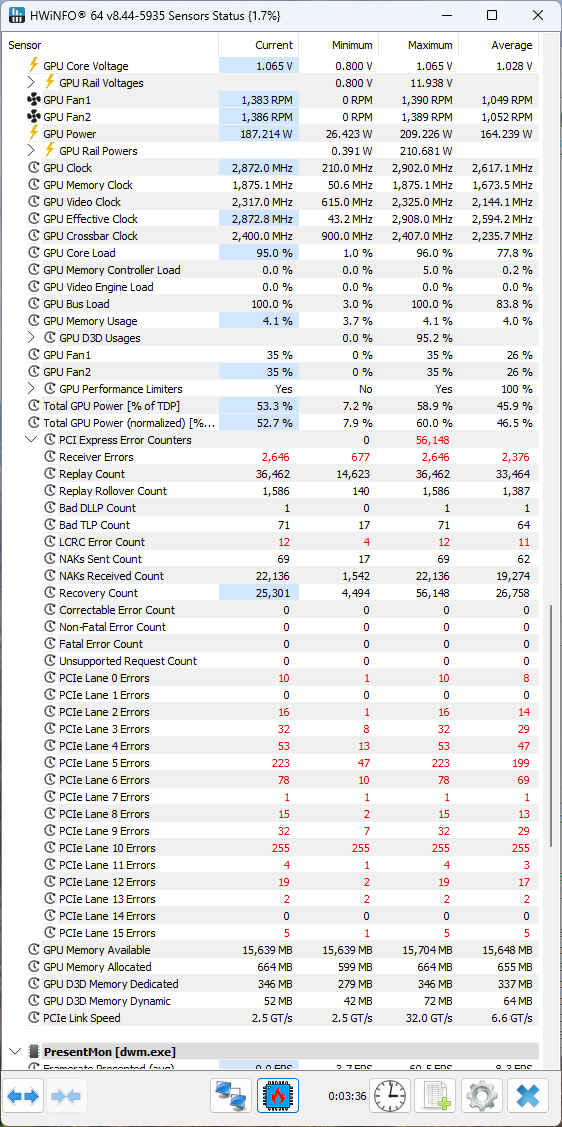
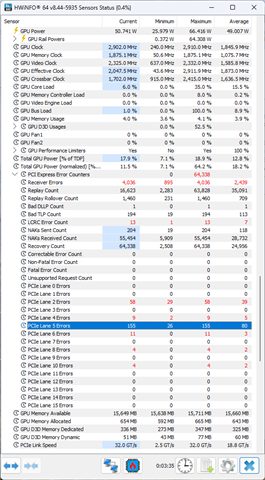
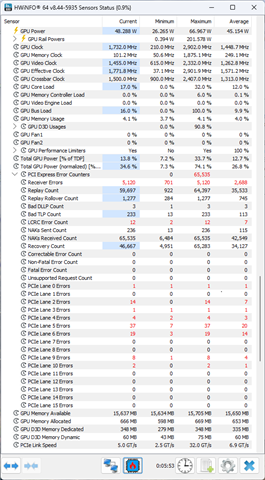
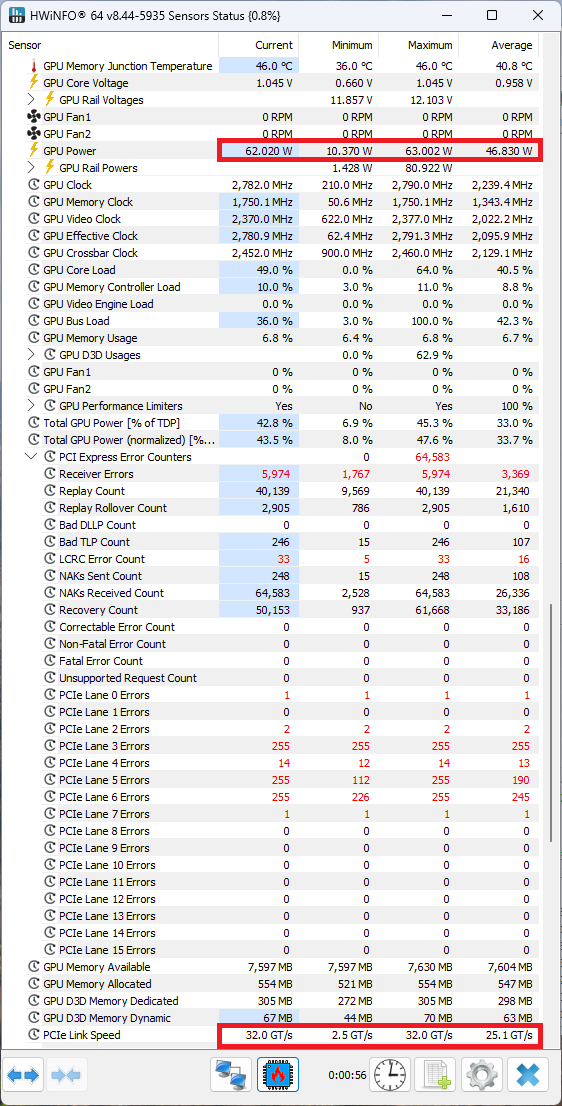
    These images are latest result of PCIE GEN5 measurement:

    We modified the EQ Index, use 5,8,13,18. And 18 had the fewest errors.  The errors were concentrated in Lane5/6.

    If we changed the flat gain to -2dB/ +2dB or others, the monitor could not output the videos. It can't even boot up properly.

    This is our latest issues.

    Best.

    Liu

  • Hi Liu,

    I have not used HWiNFO tool before to tune redriver EQ boost. In general, we that root complex will have tools to perform eye margin testing at an electrical level. AMD CPUs have XIO tool and Intel CPUs us IOMT. It will be hard to debug link-up issues with only lane error counters from HWINFO. Do you have a way of measuring an eye diagram at CPU or endpoint? 

    Are the screenshots in order of EQ? In your screenshots, EQ18 has lowest lane errors but PCIe link speed is Gen2. HWINFO should have a way to see PCIe link width and link speed. When testing EQ, please find the function and find the EQ settings that result in Gen5 linkup.

    Do you have an estimate of pre-channel and post-channel loss in your system?  

    Best,

    Charles  

  • Hi Charle,

    We have no tool to measure the eye diagram of PCIE GEN5. If sending to external measure, the cost will be too high.

    So we hope to improve the signal quality by changing EQ setting.

    Do you have any ideas about this?

    Thanks!

  • Hi Liu,

    You can try increasing the EQ settings on the lanes that are failing. However, monitoring lane errors will not tell you if upstream or downstream channel needs more boost. 

    You can use DS320PR1601's built in Eye Scan tool to better inform the EQ tuning: https://www.ti.com/lit/an/snla435a/snla435a.pdf

    What is the estimated pre-channel and post-channel loss in your system? This will also help understand the EQ setting.

    Best,

    Charles