This thread has been locked.

If you have a related question, please click the "Ask a related question" button in the top right corner. The newly created question will be automatically linked to this question.

DLP670S: Dual PLM670s control

Part Number: DLP670S

Hello,

I have 2 separate p67 PLM DLPM670NIREVM. I want to operate them from the same computer to display 2 separate video outputs. They are both connected to the PC with separate HDMI and usb cables.
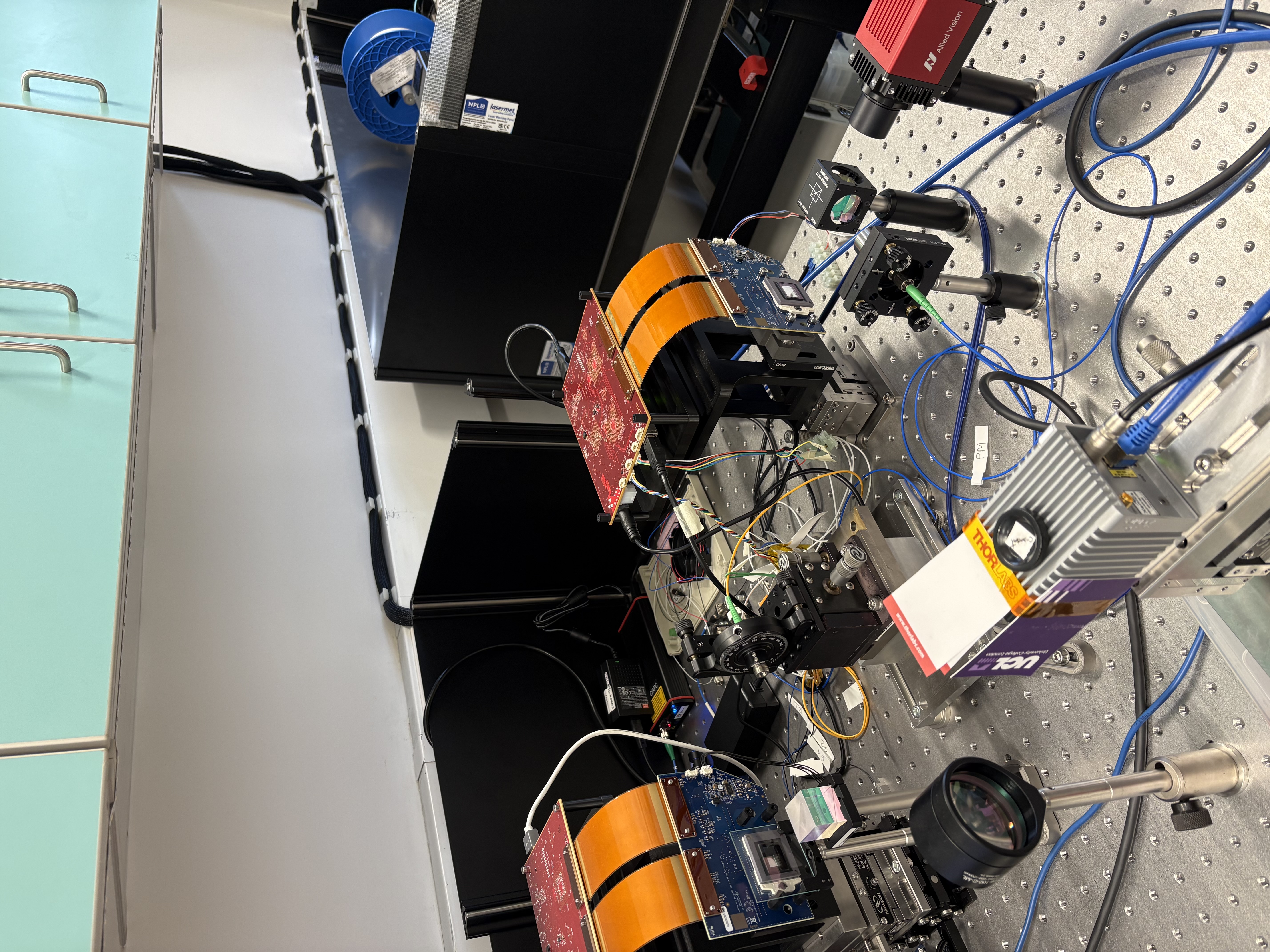
IMG_2247.jpeg

 I have 2 versions of lightcrafter 5.1 and 5.3 which I then use hidhide configuration client to hide one PLM from the other version of lightcrafter to connect both lightcrafters to the PLMs.

Screenshot 2026-05-06 114514.png

Both lightcrafter GUIs are then connected to the PLMs and it turns green. I set a sequence in pattern mode and run it which shows my display out on PLM1. I then set the sequence for the other lightcrafter and when I run it it shows the display on PLM2 but kills the video out on PLM1. 

Is there a way to run both PLMs at the same time ? 

Thanks

Jakub


  • Hello Jakub,

    Thank you for coming to E2E with your question!

    This is very interesting, but we do not support multiple instances of the LightCrafter GUI unfortunately.

    When you say the video is killed, is the source not outputting from the computer or the image on the PLM just doesn't change?

    I do not understand enough where this is breaking? Does your video source recognize both as external displays?

    Best,

    Aaron

  • Hi Aaron,

    When I press start sequence in video pattern mode in lightcrafter 1 shows me my wallpaper on PLM1. When I press start sequence in video pattern mode in lightcrafter 2 the display is shown on PLM 2 but PLM 1 then reverts to being blank.

    Both PLMs are recognised as displays.

    There is probably still some underlying shared resource even though it shows that both are connected.

    Thanks

    Jakub

  • Hello Jakub,

    I apologize, this sounds correct. We unfortunately don't support multiple instances of the GUI and it has to be doing something with the switching of the USB commands from one instance to another.

    This hidhide client is probably cutting communication with the GUI / EVM while it is still displayed as 'connected' in the GUI.

    I would investigate that first, but please advise if you have any findings here, this is very interesting work you are doing!

    Best,

    Aaron