AM6442: Ospi flash through UART uniflash

Part Number: AM6442
Other Parts Discussed in Thread: UNIFLASH, AM62P

Hi TI Team,

We are working on a custom AM6442 board using Processor SDK Linux 9.x and would like to boot completely from OSPI flash without using an SD card.

We plan to flash the following images using UART UniFlash:

* tiboot3.bin
* tispl.bin
* u-boot.img
* k3-am642-evm.dtb
* am6-sdk-tiny-fs.ubi 

We would like clarification on the following points:

1. Does UART UniFlash support directly flashing a UBIFS image (root.ubifs) to a UBI volume, or does it only support flashing a UBI image (root.ubi)?
2. If root.ubifs is supported, how are the UBI volume creation and UBI attach operations handled during flashing?
3. Is it recommended to generate and flash a root.ubi image instead of root.ubifs for production programming?
4. Could you provide an example UART UniFlash configuration file for flashing the above images to OSPI flash?
5. After flashing, what are the required bootargs and partition settings to ensure the kernel automatically attaches the UBI partition and mounts the UBIFS root filesystem?

Any guidance or reference documentation would be appreciated.

Thanks,

Ganesh D

  • Hi Ganesh,

    The UniFlash tool for AM64x devices is meant for flashing MCU+ SDK RTOS applications, it is not designed for flashing Linux.

    Does your board provide USB interface in device mode? if so, you can use Snagfactory tool to flash Linux.

    https://software-dl.ti.com/processor-sdk-linux/esd/AM64X/12_00_00_07_04/exports/docs/linux/Foundational_Components/Tools/Flash_via_Fastboot.html

  • Hi Bin Liu,

    Yes my board support USB interface in device mode, But in the link you provided snagfactory tool  doesn't have example for AM6442 board.

    For my OSPI flash memory, Can you guide me how to flash UbIfs (root.ubi) on the snagfactor tool.

    The Below is respect to am62p soc-model and I need for am6442 soc model.


    boards: 0451:6165: am62p soc-models: am62p-firmware: tiboot3: path: "<path_to_boot_binaries>/tiboot3.bin" tispl: path: "<path_to_boot_binaries>/tispl.bin" u-boot: path: "<path_to_boot_binaries>/u-boot.img" am62p-tasks: - eraseblk-size: 0x40000 fb-buffer-addr: 0x82000000 fb-buffer-size: 0x7000000 target-device: nor0 - task: run args: - "oem_run:mtd list" - "oem_run:setenv mtdids nor0=nor0" - task: mtd-parts args: - name: ospi.tiboot3 size: 0x80000 - name: ospi.tispl size: 0x200000 - name: ospi.u-boot size: 0x400000 - task: flash args: - image: "<path_to_flash_binaries>/tiboot3.bin" part: ospi.tiboot3 - image: "<path_to_flash_binaries>/tispl.bin" part: ospi.tispl - image: "<path_to_flash_binaries>/u-boot.img" part: ospi.u-boot


  • Hi Ganesh,

    You can use the am62xx-lp platform ospi-nand.yaml in the link below as an example, just ensure the flash partition information matches that you defined in your board devicetree file.

    https://software-dl.ti.com/processor-sdk-linux/esd/AM64X/12_00_00_07_04/exports/docs/linux/Foundational_Components/Tools/Flash_via_Fastboot.html

    For creating root.ubi image. please follow the instruction linked below.

    https://software-dl.ti.com/processor-sdk-linux/esd/AM64X/12_00_00_07_04/exports/docs/linux/Foundational_Components/Kernel/Kernel_Drivers/UBIFS.html

  • Hi Bin Liu,

    opsi-nor.yaml file,

    boards:
      0451:6165: am6442

    soc-models:
      am6442-firmware:
        tiboot3:
          path: "/home/asmgen2/ti-processor-sdk-linux-rt-am64xx-evm-12.00.00.07.04/u-boot_build_custom/tiboot3.bin"
        tispl:
          path: "/home/asmgen2/ti-processor-sdk-linux-rt-am64xx-evm-12.00.00.07.04/uboot_build_custom/tispl.bin"
        u-boot:
          path: "/home/asmgen2/ti-processor-sdk-linux-rt-am64xx-evm-12.00.00.07.04/uboot_build_custom/u-boot.img"

      am6442-tasks:
      - eraseblk-size: 0x40000
        fb-buffer-addr: 0x82000000
        fb-buffer-size: 0x7000000
        target-device: nor0

      - task: run
        args:
          - "oem_run:mtd list"
          - "oem_run:setenv mtdids nor0=nor0"

      - task: mtd-parts
        args:
          - name: ospi.tiboot3         # 0x00000000, 1MB
            size: 0x00100000
          - name: ospi.tispl           # 0x00100000, 2MB
            size: 0x00200000
          - name: ospi.u-boot          # 0x00300000, 4MB
            size: 0x00400000
          - name: ospi.env             # 0x00700000, 256KB
            size: 0x00040000
          - name: ospi.env.backup      # 0x00740000, 256KB
            size: 0x00040000
          - name: ospi.dtb             # 0x00780000, 512KB
            size: 0x00080000
          - name: ospi.kernel          # 0x00800000, 20MB
            size: 0x01400000
          - name: ospi.rootfs          # 0x01c00000, ~35.75MB
            size: 0x023c0000
          - name: ospi.phypattern      # 0x03fc0000, 256KB
            size: 0x00040000

      - task: flash
        args:
          - image: "/home/asmgen2/ti-processor-sdk-linux-rt-am64xx-evm-12.00.00.07.04/asm_images/tiboot3.bin"
            part: ospi.tiboot3
          - image: "/home/asmgen2/ti-processor-sdk-linux-rt-am64xx-evm-12.00.00.07.04/asm_images/tispl.bin"
            part: ospi.tispl
          - image: "/home/asmgen2/ti-processor-sdk-linux-rt-am64xx-evm-12.00.00.07.04/asm_images/u-boot.img"
            part: ospi.u-boot
          - image: "/home/asmgen2/ti-processor-sdk-linux-rt-am64xx-evm-12.00.00.07.04/asm_images/k3-am642-evm.dtb"
            part: ospi.dtb
          - image: "/home/asmgen2/ti-processor-sdk-linux-rt-am64xx-evm-12.00.00.07.04/asm_images/Image"
            part: ospi.kernel
          - image: "/home/asmgen2/ti-processor-sdk-linux-rt-am64xx-evm-12.00.00.07.04/asm_images/am6-sdk-tiny-fs.ubi"
            part: ospi.rootfs
         
      Recover cmd, 

    sudo /home/.local/bin/snagrecover -s am6442   -F "{'tiboot3': {'path': '/home/ti-processor-sdk-linux-rt-am64xx-evm-12.00.00.07.04/u-boot_build_custom/tiboot3.bin'}}"   -F "{'tispl': {'path': '/home/ti-processor-sdk-linux-rt-am64xx-evm-12.00.00.07.04/u-boot_build_custom/tispl.bin'}}"   -F "{'u-boot': {'path': '/home/ti-processor-sdk-linux-rt-am64xx-evm-12.00.00.07.04/u-boot_build_custom/u-boot.img'}}"
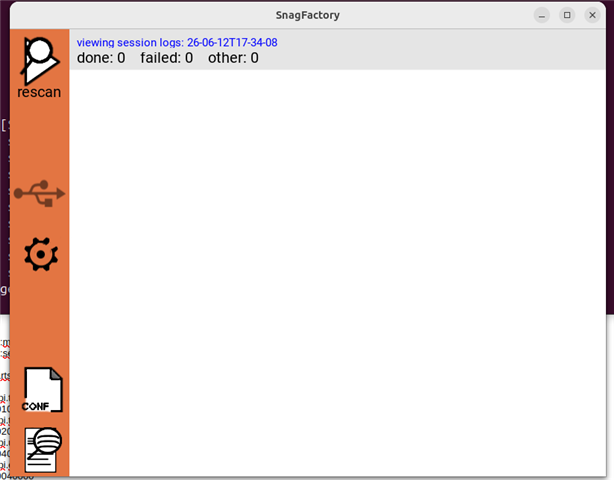
    2026-06-12 17:32:56,841 [ERROR] Device access error: failed to access USB device 0451:6165, please check its presence and access rights

    I am getting below error,

    I am not able to detect my am6442 board.

    I used snagfactory.config and generated tiboot3.bin,u-boot.img, tispl.bin  and used for below portion

    soc-models:
      am6442-firmware:
        tiboot3:
          path: "/home/asmgen2/ti-processor-sdk-linux-rt-am64xx-evm-12.00.00.07.04/u-boot_build_custom/tiboot3.bin"
        tispl:
          path: "/home/asmgen2/ti-processor-sdk-linux-rt-am64xx-evm-12.00.00.07.04/uboot_build_custom/tispl.bin"
        u-boot:
          path: "/home/asmgen2/ti-processor-sdk-linux-rt-am64xx-evm-12.00.00.07.04/uboot_build_custom/u-boot.img"

    And actual working files build for ospi is used in below portion:

    - task: flash
        args:
          - image: "/home/asmgen2/ti-processor-sdk-linux-rt-am64xx-evm-12.00.00.07.04/asm_images/tiboot3.bin"
            part: ospi.tiboot3
          - image: "/home/asmgen2/ti-processor-sdk-linux-rt-am64xx-evm-12.00.00.07.04/asm_images/tispl.bin"
            part: ospi.tispl
          - image: "/home/asmgen2/ti-processor-sdk-linux-rt-am64xx-evm-12.00.00.07.04/asm_images/u-boot.img"
            part: ospi.u-boot
          - image: "/home/asmgen2/ti-processor-sdk-linux-rt-am64xx-evm-12.00.00.07.04/asm_images/k3-am642-evm.dtb"
            part: ospi.dtb
          - image: "/home/asmgen2/ti-processor-sdk-linux-rt-am64xx-evm-12.00.00.07.04/asm_images/Image"
            part: ospi.kernel
          - image: "/home/asmgen2/ti-processor-sdk-linux-rt-am64xx-evm-12.00.00.07.04/asm_images/am6-sdk-tiny-fs.ubi"
            part: ospi.rootfs

  • Hi Ganesh,

    I will review this later next week and get back to you.