This thread has been locked.

If you have a related question, please click the "Ask a related question" button in the top right corner. The newly created question will be automatically linked to this question.

TLK106 RMII connection/MDIO problem

Other Parts Discussed in Thread: TLK106, TLK105

Hello,

we have got a Texas Instruments Evaluation (EVM) Kit [TLK106CUSEVM] and tried to connect that board with one of our products instead of our standard PHY [micrel_KSZ8031RNL]. 

We are currently using the RMI Interface and modified the board according to the following steps:

Modification of the TLK 106 PCB for usage with the RMII

Change J1 to PD (RMII)


Connect J10 (RMII PU)


 ✓

Disconnect R71 and R72


 ✓

Populate R73 (0Ohm)


 ✓

Remove XTAL1


 ✓

Populate a 50MHZ oscillator at U5

 ✓


Problem:

There is no data transmission via Ethernet between test device and PC.

We can’t even ping to the device.


Solution approaches:

We connected two of our Controllers, one with the usually used PHY and one with the TLK106.

According to the terminal output of the standard controller the Ethernet Signal is interrupted a long time which causes the connection to disconnect continuously.
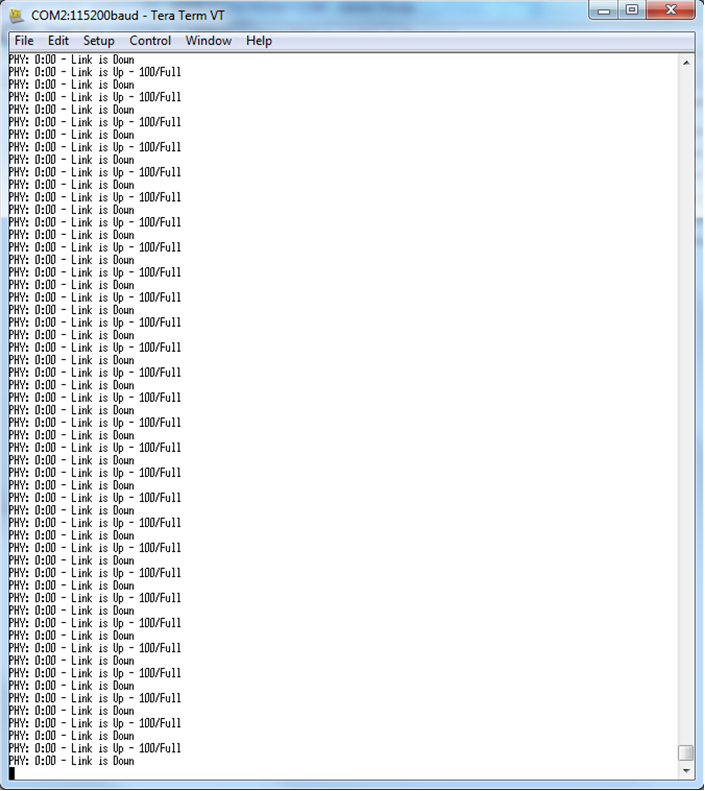
 

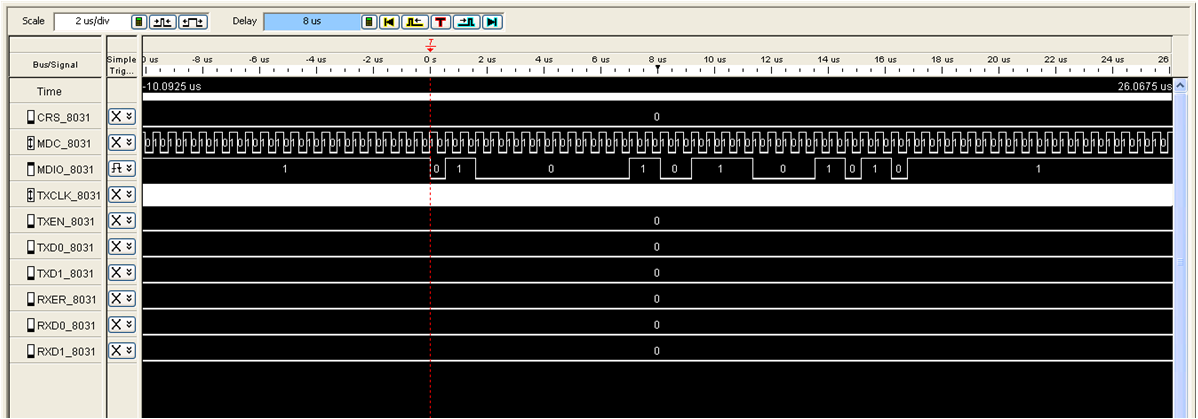
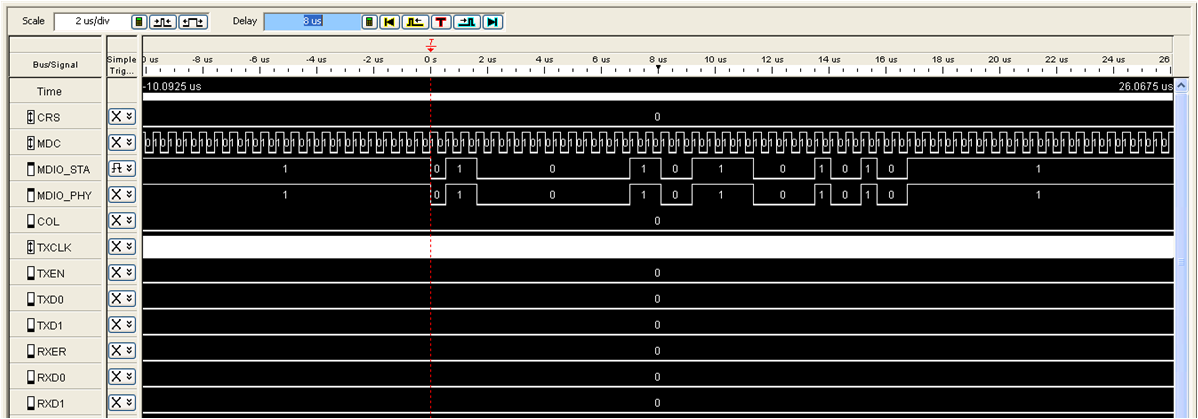
I also used a logic analyzer to record the MDIO signal. There is one significant difference between the signal of the usually used PHY and the TLK 106. The PHY Adress and the Register Adress are identical but the Register Data differs in two bits.

What information do these two bits contain? 

Usually used PHY:
TLK 106:
Do we need to do any software changes?

Is there any possibility to get the TLK 106 to work with our device?

Best Regards

Daniel

  • In RMII mode, the 50MHz reference clock must be provided to both the PHY and the MAC.  How is the clock provided to the MAC?

    Is it possible for the device under test to link to itself?  This can be accomplished using a loopback plug.  Below is some information on how to create the necessary cabling:

      1. Cut a cable with about 1 foot of cable and the RJ45 connector
      2. Strip off about 3~4 inches of the outside plastic shield to expose the 4 pairs of twisted pair cable
      3. Bend back pairs 4/5 and 7/8 (these will not be used)
      4. Solder pair 1/2 to pair 3/6
            1. Solder wire 1 to wire 3
            2. Solder wire 2 to wire 6
      5. Now you have a loopback cable.
    Plug the cable into any operating 10/100 Ethernet port and link will be established (assuming Auto-Neg is enabled).  You can also force 100BASE-T or 10BASE-T full duplex to test those modes explicitly.

    Patrick

  • Hi Daniel,

    Can you please approve the 50MHz oscillator at U5 is shared to the MAC?
    Can you take a scope picture of the Clock provided to the MAC, somewhere near the MAC clock in?

    The CUSEVM user guide states on page 4:
    "Note: In RMII mode, the PHY shares a 50MHz clock with the MAC. Install a 50MHz OSC on the
    TLK105/6CUSEVM at U5, and remove the crystal. The MAC receives the shared CLK on the TX_CLK pin
    on the MII Connector (this pin is not used when working in RMII)."

    Thanks,
    Noam