This thread has been locked.

If you have a related question, please click the "Ask a related question" button in the top right corner. The newly created question will be automatically linked to this question.

TUSB3410 Hardware Problem

Other Parts Discussed in Thread: TUSB3410

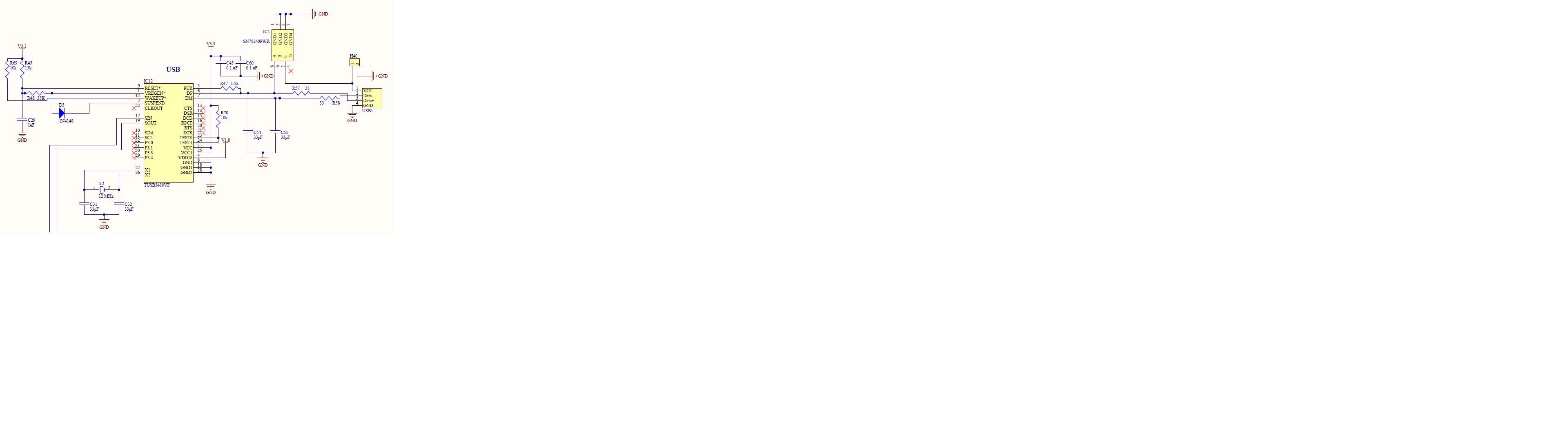
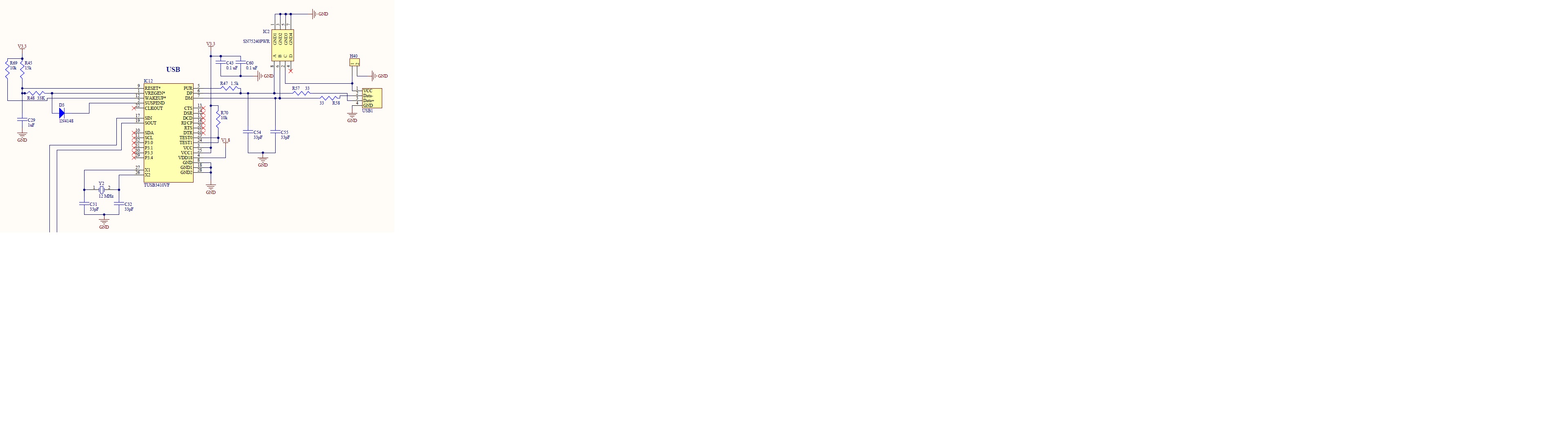
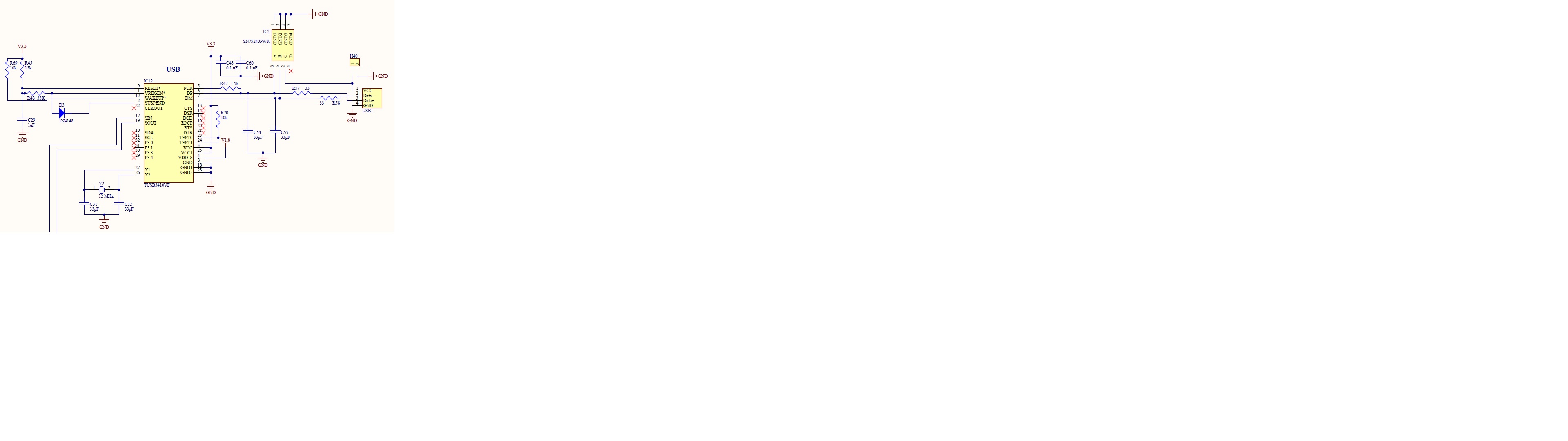
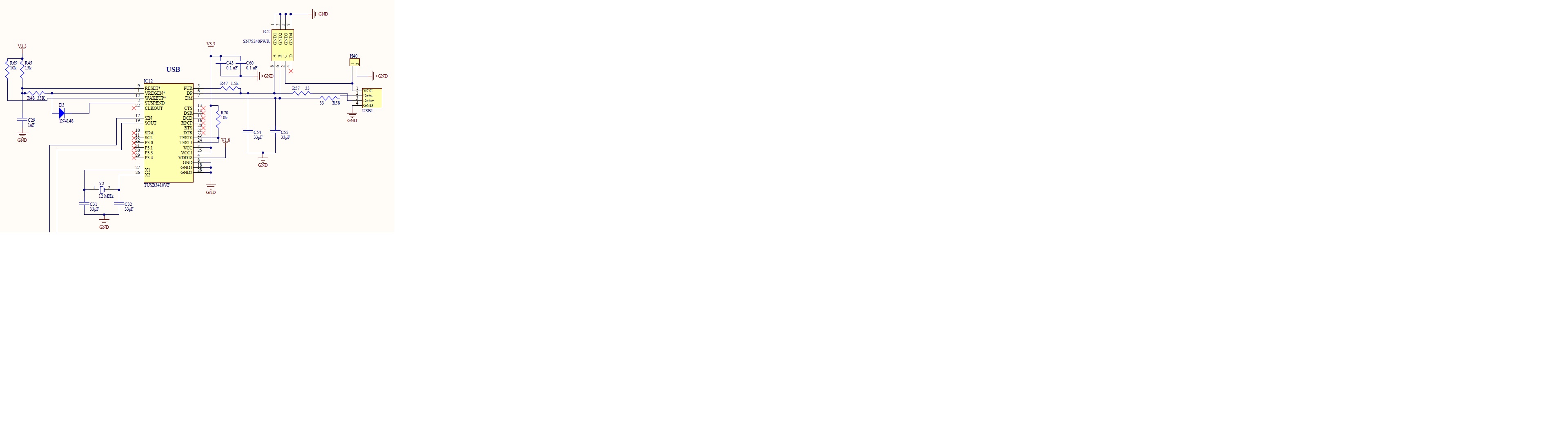
we used TUSB3410 to design our serial RS232 to USB communication. But the hardware is not working. When we plug the USB cable, the computer can't recognize the USB device. We downloaded the driver and installed it. No any response from this chip. Please see attached the schematic. Please tell me what our problem is and how to correct it. I appreciate it!
  • Hi Fred,

    Are you using 1.8-V external supply?
    An internal voltage regulator generates this supply voltage when terminal VREGEN is
    low. When VREGEN is high, 1.8 V must be supplied externally.
    Please indicate if external 1.8V is being used.

    Regards
    JC
  • Hi JC,

    Yes, we provide 1.8v external power on the board.

    Thanks,

    Fred
  • Hi Fred,

    Have you previously installed the EEPROM burner in the same computer where testing the device?
    If so, there might be some issues since EEPROM burner VID & PID are the same as TUSB3410.
    Can you try in a different computer?

    Regards
    JC
  • Jose,

    No, I don't have any EEPROM burner on my laptop. I think the problem may be due to the fact that CTS, DSR, DCD, RI/CP, RTS, DTR are not grounded. But I am NOT sure.

    Thanks,

    Fred
  • Hello Fred, 

    As I understand the device is not enumerating on windows (I mean you can’t see the device on the Device Manger even without the driver), right? If yes, the problem should not be the  CTS, DSR, DCD, RI/CP, RTS, DTR signals since they are the serial control/data signal.

    Please try the following recommendation. 

    1. After connecting the USB cable please perform a reset on the TUSB3410,


    1. Could you please change the C54 and C55 to 22pF, as well please verify the connection on DP and DM, for test porpoise could you please disconnect the SN75240PWR and verify that the USB lines are correct.

     Regards,

    Roberto

  • Roberto,

    I did...still NOT working.

    Thanks,

    Fred
  • Is there anyone/TI engineers who can help me solve this hardware problem? I appreciate it!
  • Double check your physical connections.
    Is the crystal oscillating?
    The SUSPEND and VREGEN# connection is aim for bus power applications that require to shut down the internal regulator, since you are providing the 1.8V externally you could leave SUSPEN floating and VREGEN# tied high, can you try that?
    Regards
  • Thanks, Elias. You are right. When terminal VREGEN is low, we should use internal voltage regulator. I tried what you suggested but the USB still can't be recognized. Just thinking should we pull SUSPEND pin low instead of floating?
  • Hello,
    No, SUSPNED should be left floating if not used, is SUSPEND high when you connect the device to the USB host?
    The USB implementation is pretty straight forward, is the crystal oscillating?
    Even when you have the wrong firmware or an issue with the EEPROM you should see the TUSB3410 yellow-banged, if you can't see anything on the device manager then it's got to be a hardware problem.

    Please double check:
    Crystal is oscillating.
    DP and DM are not swapped.
    Voltage rails are valid.
    VREGEN# is high when providing external 1.8V.
    Reset de-assertion at power-up meets the specification on datasheet.

    Other than the above, if the device don't respond then it is probably damaged.
    Regards