This thread has been locked.

If you have a related question, please click the "Ask a related question" button in the top right corner. The newly created question will be automatically linked to this question.

DP83849IFVS-EVK: Urgently needed help

Part Number: DP83849IFVS-EVK

First of all, I'm a Chinese, but the Chinese reply is too slow. I'm a little anxious, so I'm asking questions here.
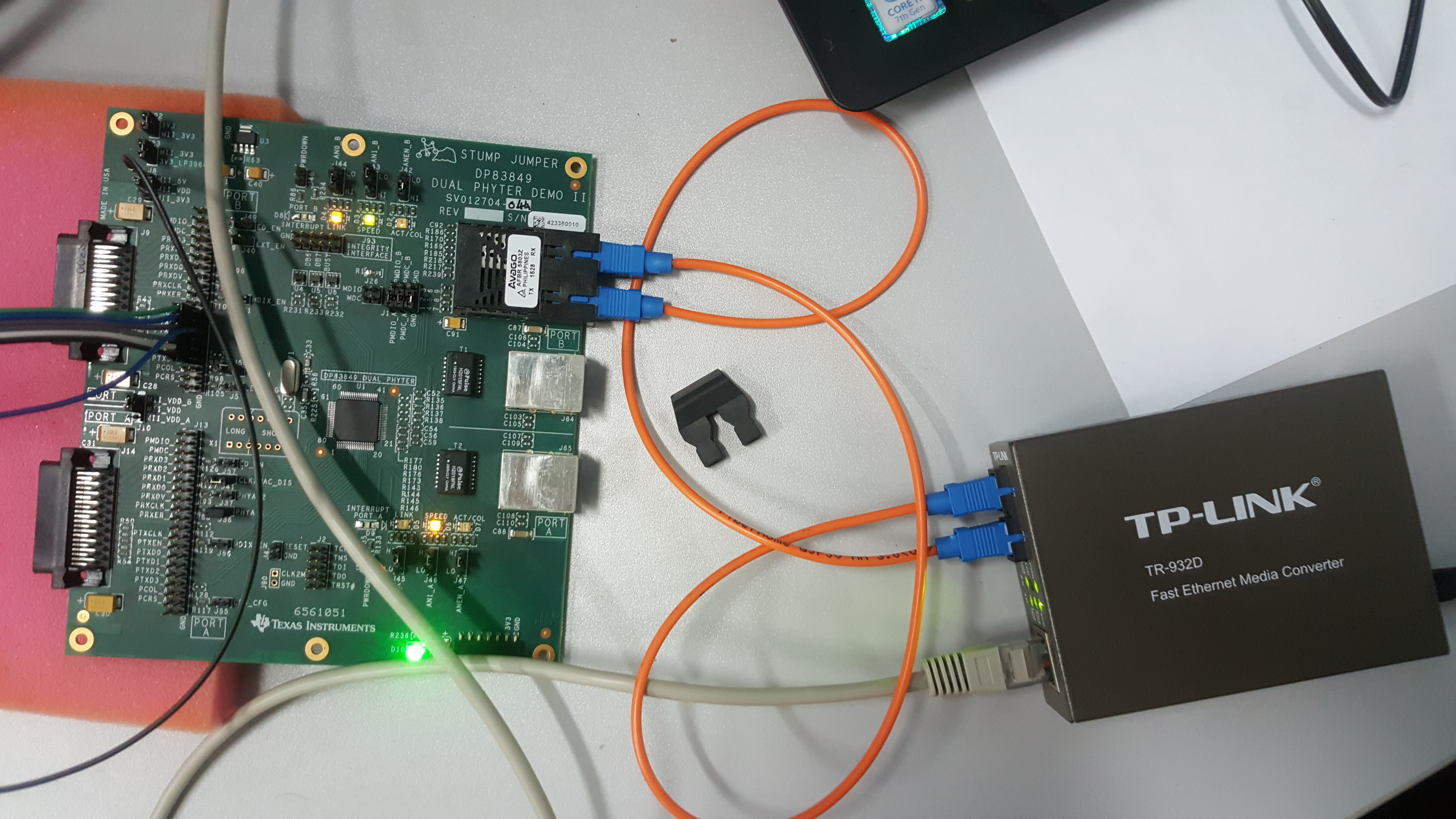
1. I only want to use the PORT B fiber output now. I don't need Fiber to copper Media Conversion. I have enabled FX-EN. AN0, AN1, ANEN_B are configured by default, but my SPEED lamp is off, not my configured 100M-FX. When I do not enable FX-EN, the electrical port of PORT B can not be used (I have successfully used PORT A of MII port), how can I achieve B optical output and electrical output?
(The above is translated by Google. My English is limited. I am sorry, I am still a student)

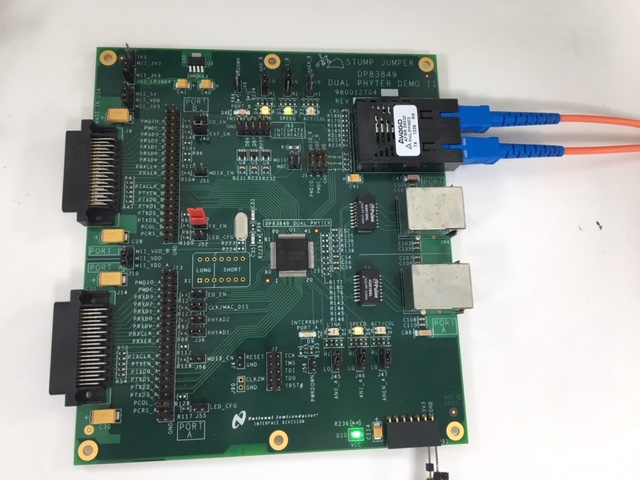
  • I already know that because R177 R180 R176 R173 has no device, it can't use the RJ45 of PORT B, but the fiber-optic PORT can not be used still do not know why? Is it related to my TP-LINK? My LED-SPEED light is always out. I did not change the program when using the optical fiber mode, and only converted from A to B interface.
  • Hi,

    Let me just iterate my understanding from your mail.

    1. PORTA on EVM connected to TP-LINK works well.
    2. PORTB on EVM which has Fiber Optic configured connected to TP-Link does not show link-up.

    Questions:
    1. What you using for Fiber Link-Partner ? What speed it is configured ?
    1. Have you checked the LED jumpers on the board are inline with User Guide.


    Regards,
    Geet
  • First of all thank you for your reply
    1.10/100M Multimode Fiber Transceiver (TR-932D Fast Ethernet Media Converter)
    2. My jumper settings are:
    FX_EN jumped
    AN0_B, AN1_B, ANEN_B jumped
    B other jumpers are not connected, the configuration should be 100M-FX mode, LED mode 1, and SPEED light on and off status has nothing to do with the LED mode, only with the mode speed, its state should be consistent with PORT A, but My LED A_SPEED is always on while B LED_SPEED is off. This is not normal.
    (I did not change any jumpers and devices, all keep the default state)

    I explain what I said before, I completed the PORT A network cable communication, my host computer can receive my data packets through the network cable.
    With my understanding of the DP83849IFVS, there is no need to modify the program of PORT A. Just change the interface to the MII interface of B. I will use the fiber mode of PORT B. is it?

    What should I do if there is a problem with my test board?

    If you can privately talk to my email address, I am very grateful. I am a bit anxious now. 532583759@qq.com


  • First of all thank you for your reply

    1.10/100M Multimode Fiber Transceiver (TR-932D Fast Ethernet Media Converter)

    2. My jumper settings are:

    FX_EN jumped

    AN0_B, AN1_B, ANEN_B jumped

    B other jumpers are not connected, the configuration should be 100M-FX mode, LED mode 1, and SPEED light on and off status has nothing to do with the LED mode, only with the mode speed, its state should be consistent with PORT A, but My LED A_SPEED is always on while B LED_SPEED is off. This is not normal.

    (I did not change any jumpers and devices, all keep the default state)

    I explained what I said before, I completed the PORT A network cable communication, my host computer can receive my data packets through the network cable.

    With my understanding of the DP83849IFVS, there is no need to modify the program of PORT A. Just change the interface to the MII interface of B. I will use the fiber mode of PORT B. is it?

    What should I do if there is a problem with my test board?

    If you can privately talk to my email address, I am very grateful. I am a bit anxious now. 532583759@qq.com

    首先感谢您的回复

    1.10/100M多模光纤收发器(TR-932D Fast Ethernet Media Converter)

    2.我的跳线设置为:

    FX_EN  jumped

    AN0_B,AN1_B,ANEN_B   jumped

    B口其他跳线都没有连接,配置应该是100M-FX模式,LED模式1,而且SPEED灯的亮灭状态与LED的模式无关,只与模式速度有关,它的状态应该跟PORT A一致,但是我的A LED_SPEED常亮的同时B LED_SPEED长灭,这不正常。

    (我没有更改任何跳线和器件,全部保持默认状态)

    我说明一下之前说的,我完成了PORT A的网线通信,我的上位机能够通过网线收到我发出的数据包。

    以我对于DP83849IFVS的理解,不需要修改PORT A的程序,只需要更改接口到B的MII接口,我就使用PORT B的光纤模式。是吗?

    如果我的测试板有问题,我该怎么办

    如果您能私聊我的邮箱,我万分感谢,我现在有点焦急,532583759@qq.com

  • Hi,

    I tried it on my board.  I have following jumpers for port B:

    1. FX_EN

    2. AN0_B : pin 1-2

    3. AN1_B: pin 2-3

    I am able to see Link LED ON. 

    Suggest following:

    1.  try linking your TP-Link fiber port with some known fiber link partner first ?

    2. Ensure the Fiber cables Tx and Rx are correctly inserted.

    Regards,

    Geet

  • Hello there
    Sincerely thank you for solving the problem for me
    When I looked at your board, I was more convinced that my board was a faulty board. My SPEED light is always off (The Link light is on and the ACT light is blinking when I establish a connection with TP-Link.). This indicates that this board has already had a problem somewhere. You have changed AN1, but this is actually not a useful operation. It only changes the color of the light. See the table below for details:
    FX_EN AN_EN AN1 AN0 Forced Mode
    1 X X 0 100BASE-FX, Half-Duplex
    1 X X 1 100BASE-FX, Full-Duplex
    This table shows that AN1_B/ AN_EN_B has nothing to do with the mode configuration (see 1.7 STRAP OPTIONS) but my SPEED lamp is off and this pin is also connected to the AFBR-5803, so I can't send out data and something should go wrong.

    I have already sent a fault picture to your Chinese colleague Mickey Zhang. Can you show me a failure statement and I want to change a good board. If you can send me an email, I can send you more detailed breakdown pictures. 532583759@qq.com.

    I look forward to your reply
  • I'm really sorry. I changed AN1_B just a bit. It really turned on, but I still haven't received the data. Can I use the network cable program directly on the fiber? Or that my TP-Link does not support my fiber output, can you tell me the photoelectric conversion board you use, I will buy it.

  • Hi Zhang,

    It does not look like your RX pins on the xMII are connected.
    Are you trying to receive data from the fiber module?
  • Hi
    I use this board to send Ethernet data and not receive it. Just send it. So I used the FPGA to connect the TX _CLK /TXD[3:0],/TX_EN 6 pins as the MII mode data interface. My program uses PORT A to send out packets. Can't this program be used on the PORT B fiber interface?
  • Fiber interface does not any implication on MAC interface. If you program on MAC side works with Copper port A, then it shall work in similar way on MAC of Fiber port.

    Also, you can try sending data from Copper interface of TP-Link Media Convertor, you shall see some activitty on MII RX_EN and Data lines.

    Regards,
    Geet

  • Thank you my teacher

    What you said is consistent with what I understand. I swear I really used PORT A to send out the data and successfully received it in my upper computer, but my PORT B is not. Can you send me the model of the photoelectric converter and fiber you used? I think if there is no problem with the board, it is only possible that my photoelectric conversion board is not compatible with the DP83849IFVS. I purchased a photoelectric conversion board that you have successfully debugged so that I can eliminate a fault option.

    I tried to send you my debugging video.

    I'm really sorry for taking up a lot of your precious time
  • hi,Modi
    Thank you for your attention during this time, I found my mistake:
    1. I used a 10cm line connected to the FPGA pin, the line is too long, resulting in data instability
    2. My CRC data calculation problems
    I have already found the problem. Due to the powerfulness of wireshark, the data packet received by my host computer caused me to mistakenly believe that the CRC calculated was correct. It was not. I corrected the CRC and changed the cable. The fiber can be communicated via TP-Link.

    This time takes up a lot of your time. I apologize to you, my friend.

    Wish you all the best

    Zhang