This thread has been locked.

If you have a related question, please click the "Ask a related question" button in the top right corner. The newly created question will be automatically linked to this question.

TUSB8041: How to programme I2C EEPROM by TUSB8041A

Part Number: TUSB8041

Hi Guys

Our customer want to use the Suspend mode when device sleep because of low power requirement.

I can see the F0h bit4  stsOutputEn=1 control suspend status. But we need I2C EEPROM to set it.  
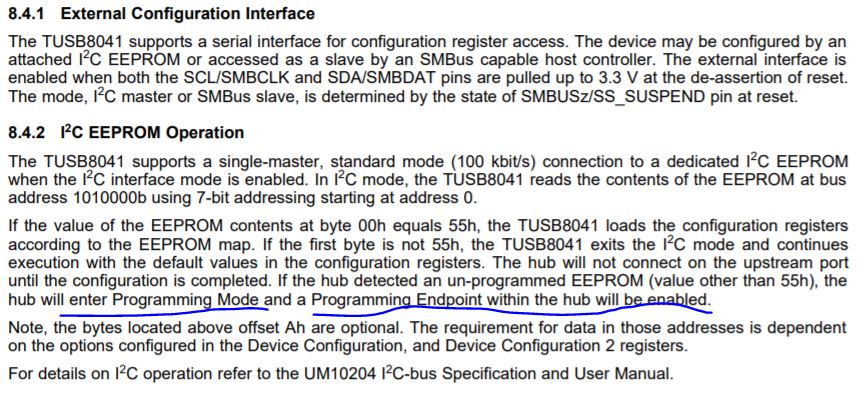
So my question: how to programming the EEPROM by following our method to set the TUSB8041 to Suspend mode?

Another one point here, 8.4.1 says "The external interface is enabled when both the SCL/SMBCLK and SDA/SMBDAT pins are pulled up to 3.3 V at the de-assertion of reset." so how to reset the device actively?  I only find the reset by datasheet: But we need to control the reset signal actively. So how to realize it?

Thanks

-Pengfei

  • Hi Pengfei,

    • stsOutputEn does not enable suspend mode. This register only enables the drivers to indicate HS, HS_SUSPEND, SS, and SS_SUSPEND on the various outputs. Suspend mode is only entered when TUSB8041 is forced into U3 mode by USB Host.

    • Could you clarify your question, are you asking if active resets with GRST are allowed or reset if the I2C interface? Active resets are allowed with GRST and can be tied to most GPIO's without any issues. The I2C interface only operates after a global reset this is why SCL and SDA need to be pulled up when reset is de-asserted.
      • Could you give a better explanation of what teh customer is trying to do?
  • Hi,

    Is there any more support needed for this issue? If so please reply with any relevant details so that I can further assist you. For now I will be marking this thread as "TI Thinks Resolved". If you have resolved your issue, please post the solution to the original problem/post for others with similar issues.