This thread has been locked.

If you have a related question, please click the "Ask a related question" button in the top right corner. The newly created question will be automatically linked to this question.

DS90UB954-Q1: DS90UB954-Q1

Part Number: DS90UB954-Q1
Other Parts Discussed in Thread: TEST2, ALP

Hi ,

I'm writing a number of python scripts to evaluate my 954 based design using Analog Launchpad.

I'm not an experienced Python coder, but my scripts, many of which include functions which I access using the import command, usually run well.

However, when I include a board.WriteI2C command within a  function I get the following error

"NameError: global name 'board' is not defined".

What do I need to do to get the I2C commands  to operate within a function?

Thanks

Paul

  • Hello Paul,

    Could you post a segment of your code for which you see this issue? That way we can try it and see the behavior on our end. 

    Best Regards,
    Casey 

  • Paul,

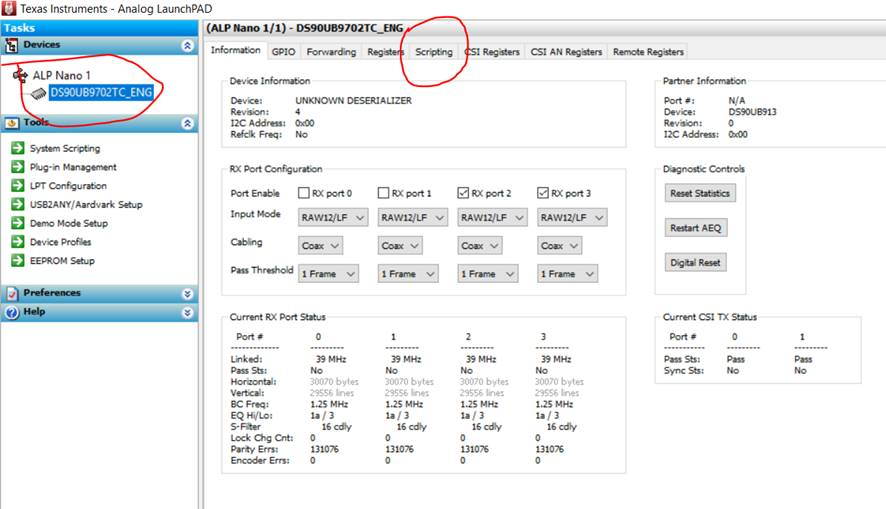
    Are you using “System Scripting” under Tools? System scripting doesn’t know any idea of the profile and so board object will be unknow..

    Please select the profile and use the “Scripting” tab. 

    See example picture below

    Thanks,

    Vishy

  • Hi, 

    I am using the scripting tab and have the correct board profile.

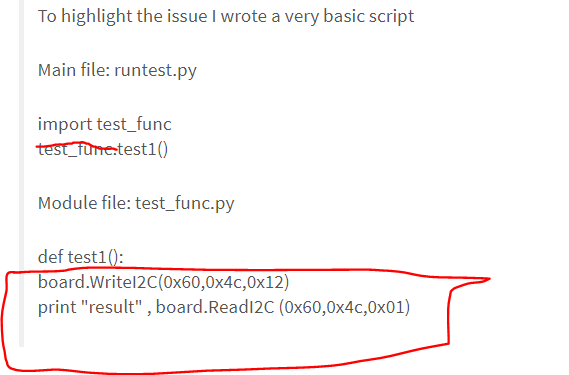
    To highlight the issue I wrote a very basic script

    Main file: runtest.py

    import test_func
    test_func.test1()

    Module file: test_func.py

    def test1():
    board.WriteI2C(0x60,0x4c,0x12)
    print "result" , board.ReadI2C (0x60,0x4c,0x01)

    Running runtest returns as error in line 2 of test_func stating:

    NameError: global name 'board' is not defined

    However, when I run the commands from the scripting command line there are no issues

    >board.WriteI2C(0x60,0x4c,0x12)
    >board.ReadI2C (0x60,0x4c,0x01)
    18

    Thanks

    Paul

  • Hi,

    You can keep all the board.WriteI2C and board.ReadI2C in a file of their own and use

    execfile("test_func.py")

    Thanks,

    Vishy

  • Hi Vishy,

    Don't fully understand what to do here.

    I tried the following change - but received the same error

    Main file: runtest.py

    execfile("test_func.py")
    test_func.test1()

    Module file: test_func.py

    def test1():
    board.WriteI2C(0x60,0x4c,0x12)
    print "result" , board.ReadI2C (0x60,0x4c,0x01)

    Could you please modify the original scripts as needed?

    Thanks

    Paul

  • Paul,

    Please see change highlighted. Don't need to call test1. Execfile command executes the program in given file.

    Main file: runtest.py

    execfile("test_func.py")
    test_func.test1()

    Module file: test_func.py

    def test1():
    board.WriteI2C(0x60,0x4c,0x12)
    print "result" , board.ReadI2C (0x60,0x4c,0x01)

    Thanks,

    Vishy

  • Hi Vishy,

    Now runs without error - but no result printed.  So looks like not actually running the test1 function.

    The modified script appears to simply attempt to run the module file - albeit unsuccessfully.

    Doesn't seem to provide a way to pass parameters to or to select a specific function (e.g. test2, test3...) from a number of that might be defined within the module file.

    Can you please confirm that there is not some ALP related limitation which is causing the apparent problem?

    If problem is simply my lack of Python expertise then I need to do some more research.

    Thanks

    Paul

  • Paul,

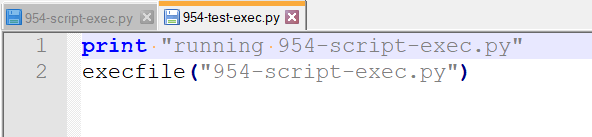
    I tested a small example like yours:

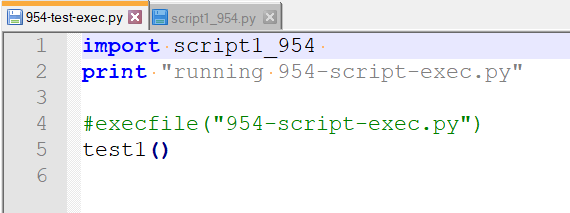
    a) "954-test-exec.py" 

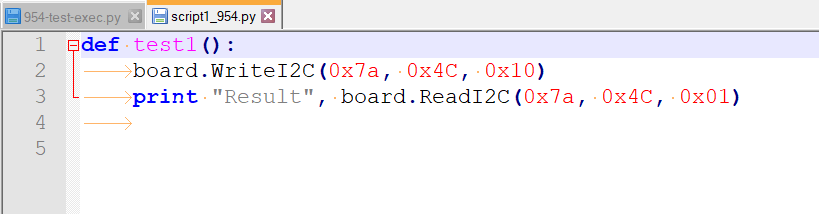
    b) "954-script-exec.py" with the print "Result" like yours

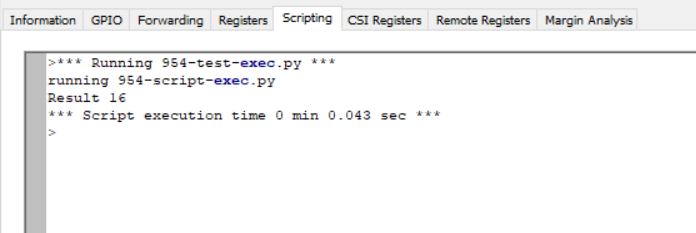
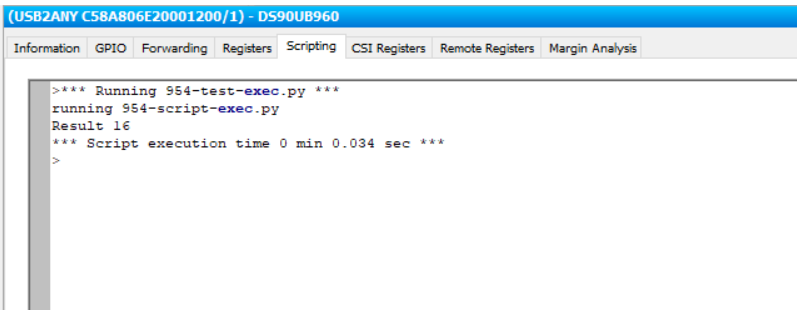
    When I run this under ALP, I see "Result" printed out as below

    Thanks,

    Vishy

  • Paul,

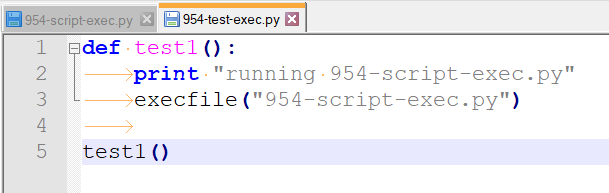
    I think in your code, you have defined the function test1() but not called it. That might be the reason the exec is not outputting anything.

    So it should be something like this:

    Then I do see the result.

    Thanks,

    Vishy

  • I realized you have the test1() function defined on the print result file as below

    I do see the result printed even when defined as a function (without additional function call).

    Thanks,

    Vishy

  • Paul,

    In the example below, I have used import instead of execfile and show how the function test1() in "script1_954" is called to print the result. 

    Thanks,

    Vishy

  • Paul,

    You need two changes to your basic script

    a) no need to specify module name. 

    b) the two statements should have a tab before them

    By the way there are a number of example scripts under the following ALP install folder

    C:\Program Files (x86)\Texas Instruments\Analog LaunchPAD v1.57.0010\PreDefScripts\DS90UB954

    Thanks,

    Vishy

  • Hi Vishy,

    Been working on other things recently and just getting back to this now.  Still not seeing how this is supposed to work.

    To clarify.  I have been trying to write one script which defines a number of modules.  Then write a second script which imports the module file and then runs one or more of the modules. If the global name 'board' is included in the module my second script fails.  If the commands within the module are run as a separate script rather than as a module I get the expected result.

    I have included a picture below which shows the two files, the results when running the main script file (runtest) and the results when running the module commands separately on the command line.

    Is there a setting within ALP or a modification to the scripts which will allow my script to run successfully?

    Thanks

    Paul

  • Paul,

    I am checking with a few people on this. I also get "board not defined" error if I import functions from a different file. Only way I could execute is by the execfile() method. Looks to me it might be a limitation of the builtin Python shell inside the ALP tool. I will let you know of anything I find. 

    Thanks,

    Vishy 

  • Paul,

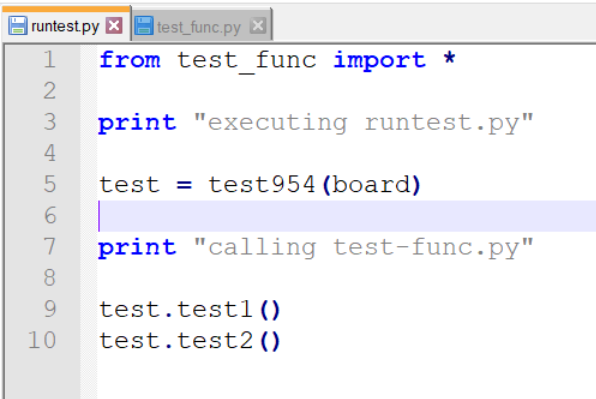
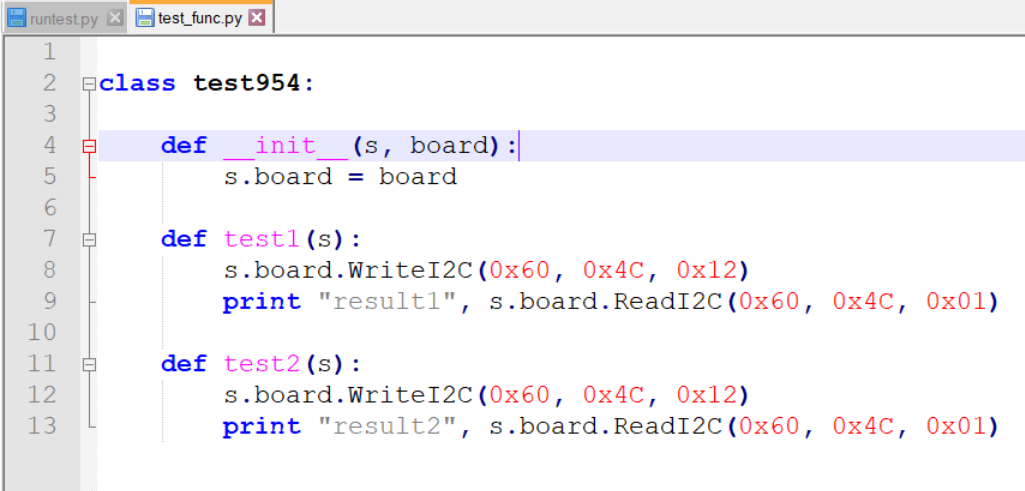
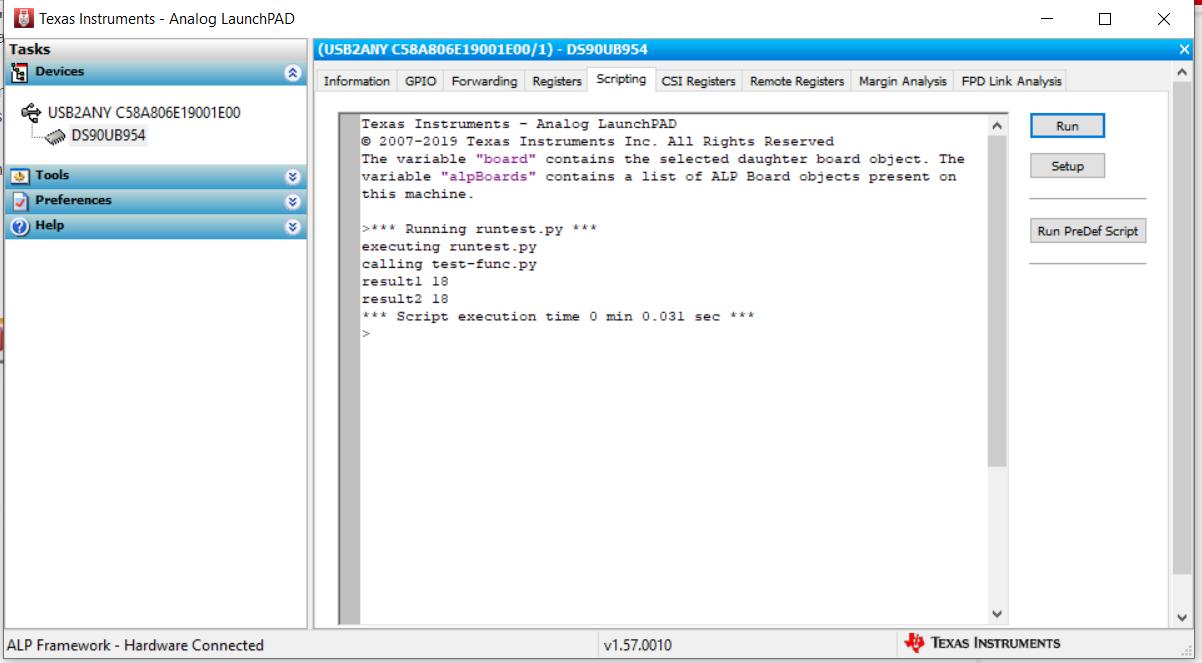
    I modified your examples "runtest.py" and "testfunc.py" and was able to get it to work. Basically, I had to create a class and pass the "board" global to it. See screen shots below. 

    Sometimes I found you have to quit and restart ALP for it to recognize changes inside class definition (on the second file). The ALP shell somehow doesn't recognize the changes and restarting only helps. 

    Thanks,

    Vishy

  • Hi Vishy,

    Looks like I need to improve my python knowledge to persist with this issue.

    Many thanks for your help with this.

    Best regards

    Paul