This thread has been locked.

If you have a related question, please click the "Ask a related question" button in the top right corner. The newly created question will be automatically linked to this question.

TUSB9261: Cannot flash firmware

Part Number: TUSB9261
Other Parts Discussed in Thread: TUSB8020B

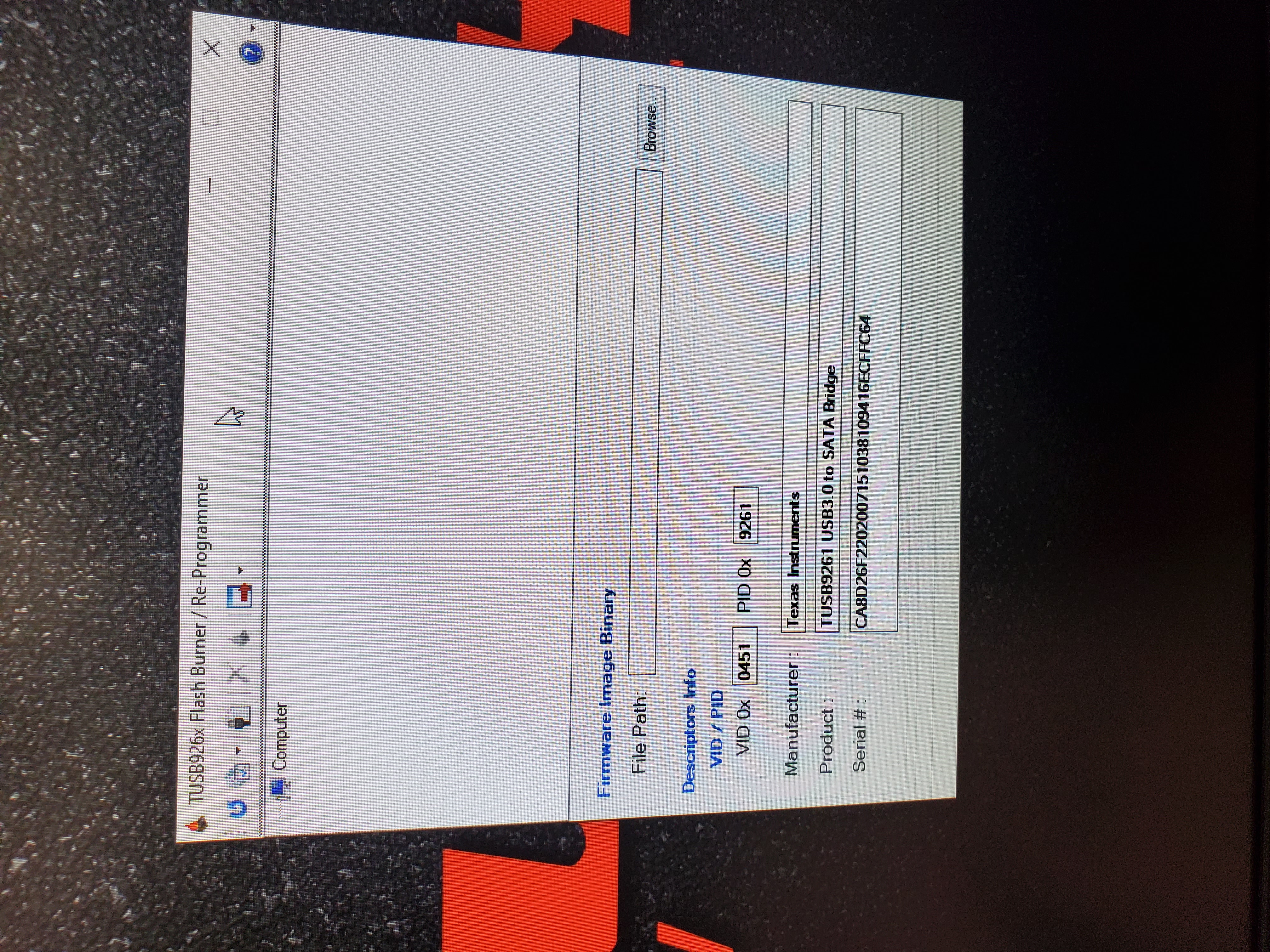
Hello, I am having trouble flashing the firmware to my TUSB9261 using the flash burner utility on Windows 10. the device seems to enumerate in device manager however the program and erase buttons are greyed out. Any idea why this is?

Thanks
  • Hi Anthony,

    Are you using a TUB9261 EVM? The flashburner program is probably not recognizing the VID/PID written in the EEPROM programmed device. I recommend disconnecting the EEPROM and you should see a TUSB9261 Boot device instance. Reinstalling or reenablng the EEPROM should allow you to write to the EEPROM. Also you can try to run the flashburner as an administrator. 

  • Thanks Malik,

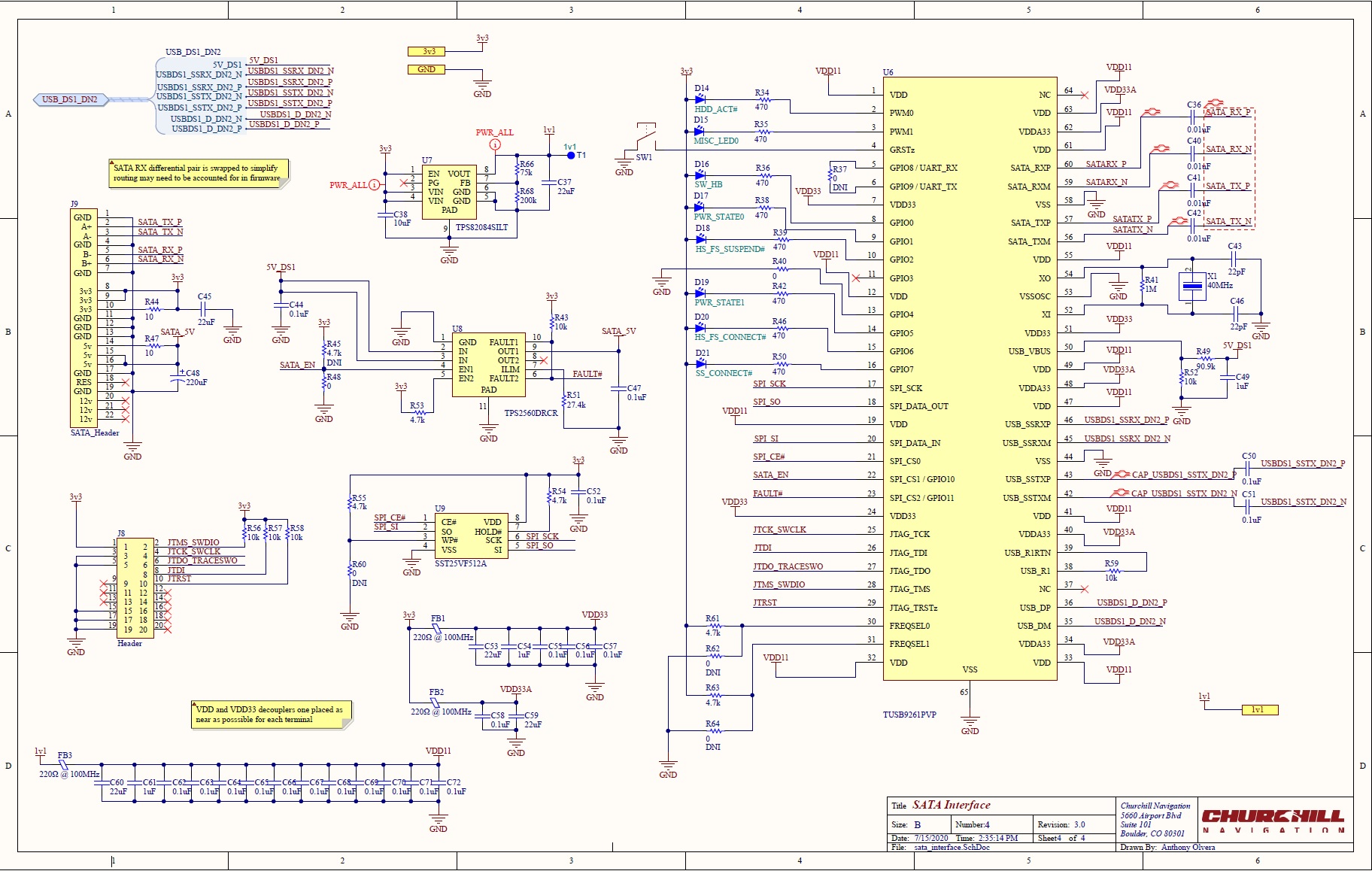
    This is a custom board, see attached schematic. I've tried removing the spi flash and reconnecting however I'm not seeing the TUSB9261 boot device instance, I've also ran the flasher program as admin with the same result. Probably worth noting that I'm using the IC with a hub, could this be causing any issues? 

    Thanks, Anthony    

  • Hi Anthony,

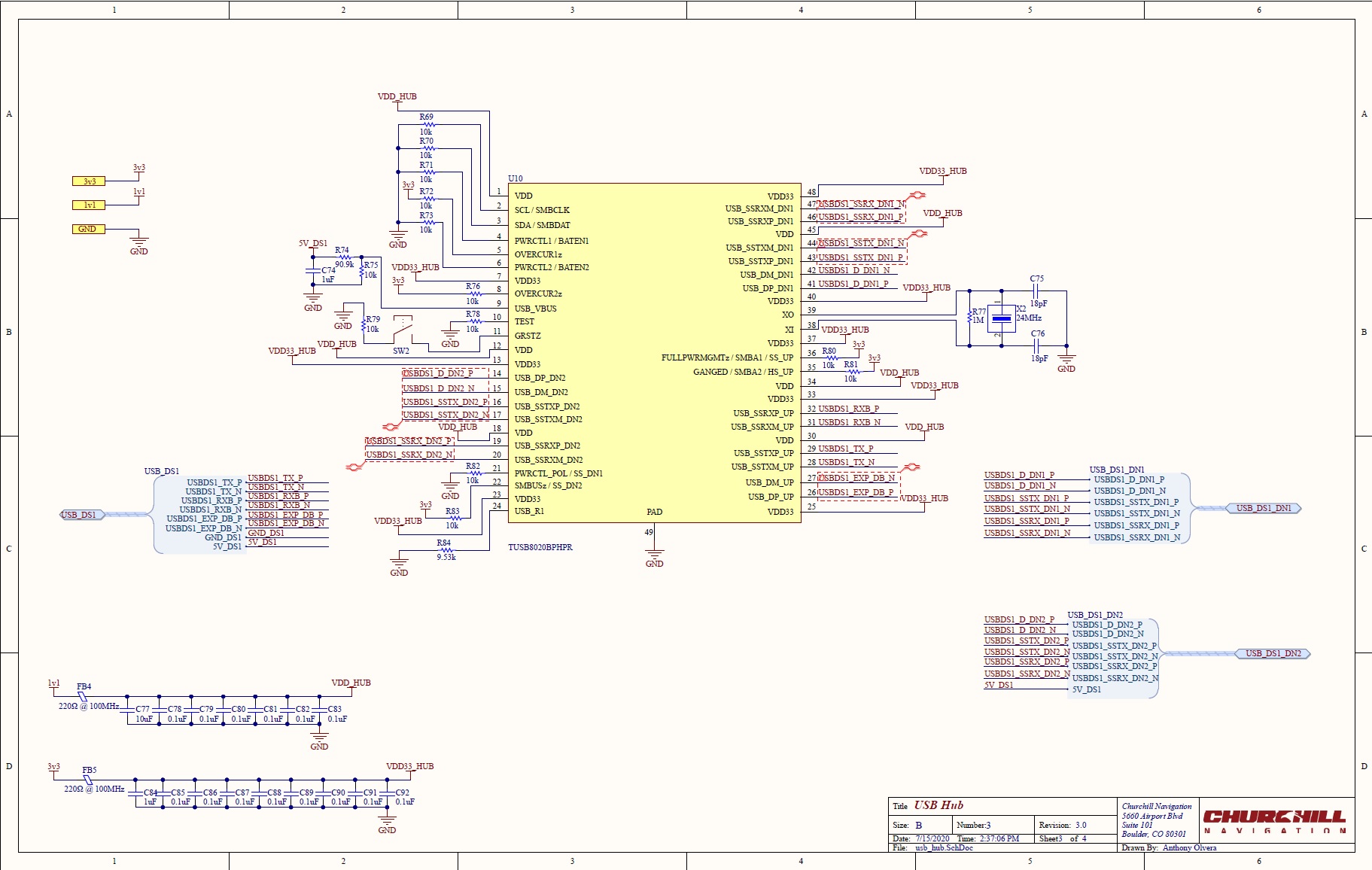
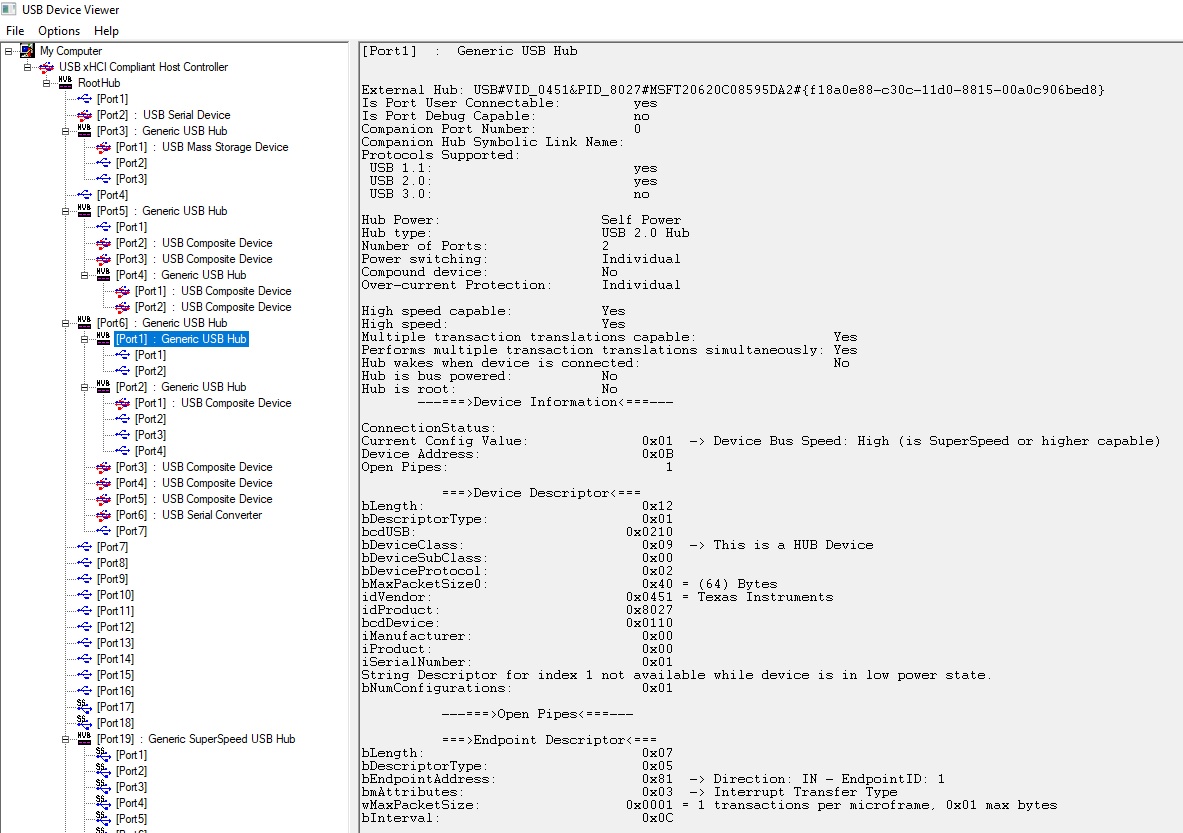
    There are some issues with your schematic below. Incorrect connection of some pins seems to be the main issue here. Do you see the TUSB8020BI enumerate correctly? You can use programs like USBView to confirm this.

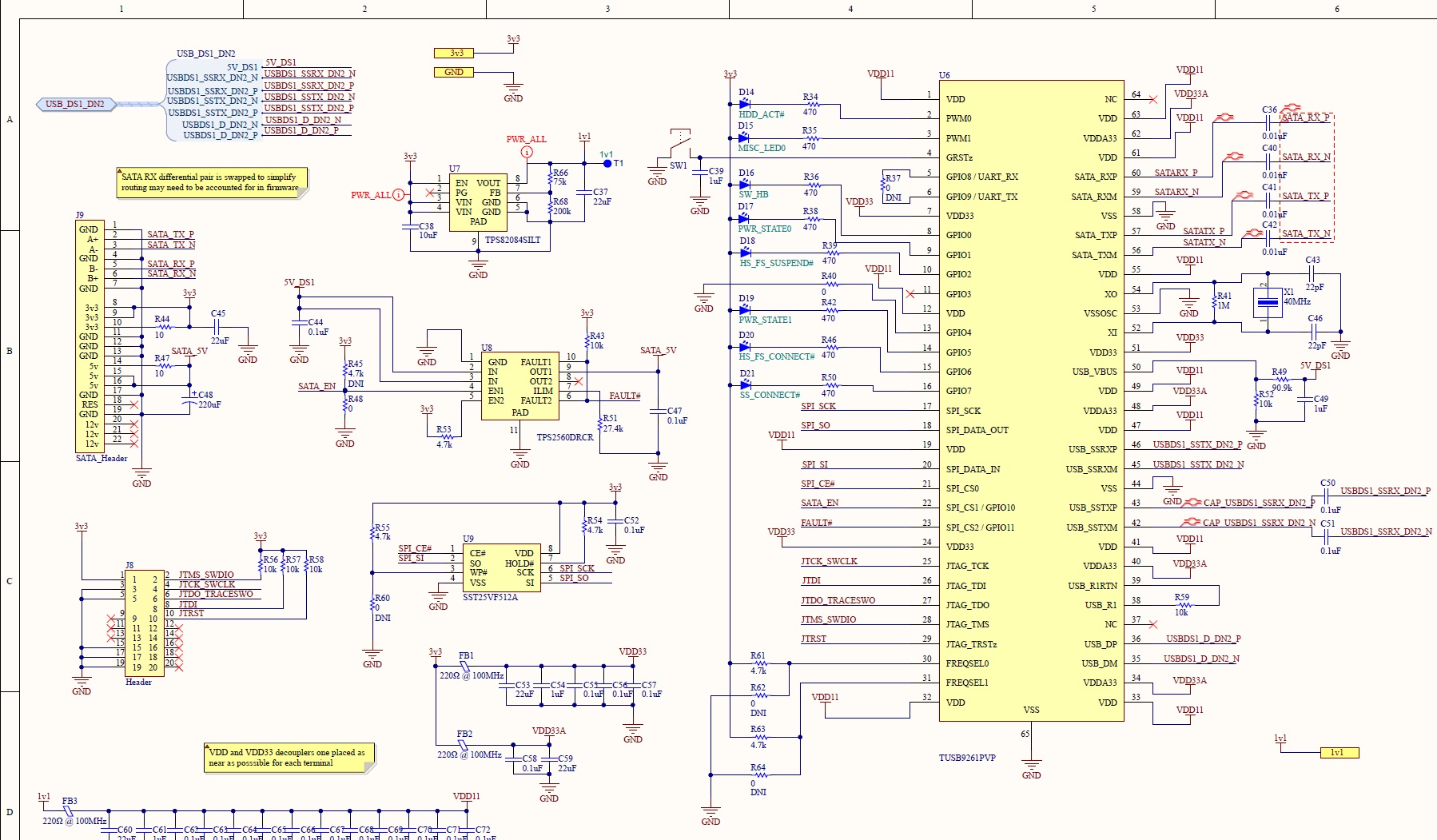
    • GRST should have a 1 uF cap for passive reset.
    • SSTX DN of TUSB8020BI should be connected to SSRX and SSTX of TUSB9261 should be connected to SSRX DN of TUSB8020BI
      • This would also apply to the upstream port of TUSB8020BI as well.
    • Missing 100 nF AC coupling caps in between SSTX DN2 and SSRX of TUSB9261.
  • It doesn't seem to be enumerating properly. Whats strange is that both keyboard and mouse work properly on the first downstream port of the TUSB8020 despite the signals being swapped. Could you please see attached schematics and verify these issues are resolved?

    Thanks, Anthony     

  • HI,

    What kind of device are you using? I will review the schematics and get back to you by tomorrow afternoon. keyboard and mouse use USB 2 interface not USB 3 (SSTX and SSRX) which is why they are functional.

  • From the hub one downstream port goes to a standard usb receptacle while the next to the TUSB9261. It is intended to be used with a SATA 2.5" solid state drive.   

  • Hi Anthony,

    Sorry for the late reply. Is the TUSB8020B upstream port going to a USB connector or directly to the USB host? 

    Are the AC coupling caps for DN1 and Upstream port on a different page?

    From the image you provided I do not see the USB3 side of TUSB8020B enumerate, can you confirm? Does a USB 3 flash drive work on the DN1 port?

  • Hi Malik,

    The TUSB8020B upstream port goes directly to the USB host. 

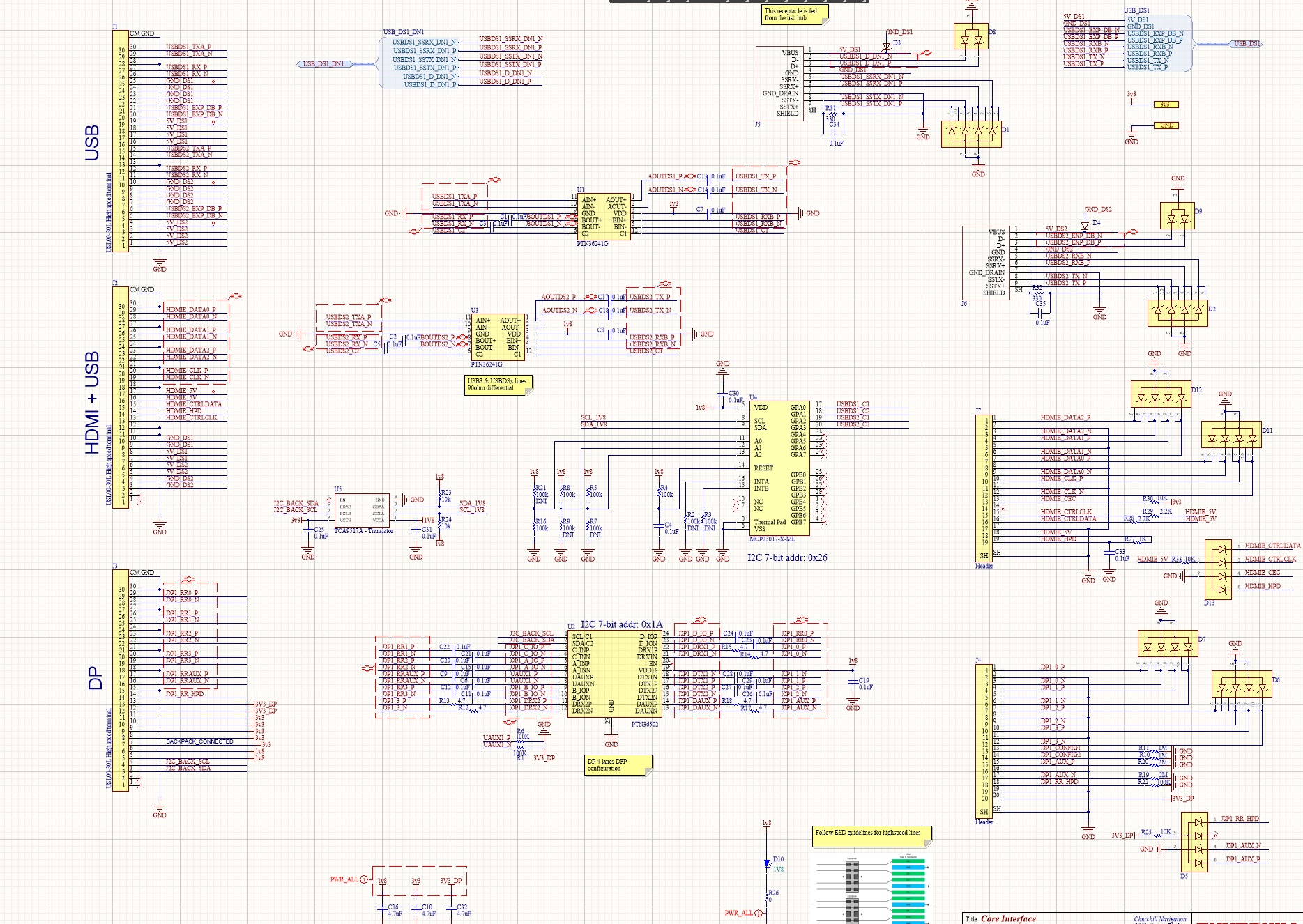
    The AC coupling caps for the upstream port are on a different schematic sheet. See attached. For DN1 It looks like they are missing. Would caps on USBDS1_SSTX_DN1 J5 and USBDS1_SSRX_DN1 U10 be the solution?

    Correct, the TUSB8020B does not enumerate, a USB3 flash drive does not work on the DN1 port.

    Thanks   

  • Hi Anthony,

    Could you share your schematic file (PDF is okay) with me through E2E DM? This will make it easier to review. When you say the TUSB8020B does not enumerate is that just the USB 3 side or the USB 2 side as well? USB 3 and USB2 enumerate separately in TUSB8020B.

  • Hi Malik

    I've attached the schematic here as a PDF, or is there another way I should share the file?  

    The device does appear to enumerate as USB 2, but not USB 3 see attached.

    Thanks, Anthonybackpack_commercial.pdf

  • Hi Anthony,

    WE should first focus on getting TUSB8020BI to enumerate properly on the upstream port. I see that your upstream port is connected to a USB 3 redriver. Is this redriver functioning correctly? Do you have a high speed scope to probe the USB connector?

  • I'm confident the re-driver is functional, this is a revision to a previously working design and that circuitry has not changed. Is the reason for incorrect enumeration, as you mentioned

    • SSTX DN of TUSB8020BI should be connected to SSRX and SSTX of TUSB9261 should be connected to SSRX DN of TUSB8020BI
      • This would also apply to the upstream port of TUSB8020BI as well.

     I've fixed the schematics but the signals are still currently swapped. I do have a differential probe for troubleshooting.  

  • Hi Anthony,

    Seems my post did not make it to you last week, sorry about that. In the schematic Ii seems that TUSB8020BI TX is connected to the AOUT as opposed to AIN. AOUT should be connected to the USB connector. You can also probe the SSTX to see if LFPS is being sent to/from the PC. This would indicate that the physical connection between the USB Hub, redriver, and PC is good.