This thread has been locked.

If you have a related question, please click the "Ask a related question" button in the top right corner. The newly created question will be automatically linked to this question.

TPLD2001-RJY-EVM: EVM not working

Part Number: TPLD2001-RJY-EVM
Other Parts Discussed in Thread: TPLD2001-DGS-EVM, SYSCONFIG, TPLD2001, TPLD1202

I followed the EVM setup guide in terms of connecting the programmer to the EVM and swithcing on SW0. I have also installed the necessary drivers and am now able to configure the EVM to the point where InterConnect Studios indicates that I 'Configured Successfully'. No matter what different file i upload to the EVM nothing outputs even though my simulations showcase what I want. 

I am trying to get PWM to work. I had a file and configured it and it didn't work. To check if it was the file and not the setup, I simply connected VCC to one of the output pins to turn on the LED on the EVM. The simulation obviously showcased a logic high on the pin. However, the EVM LED did not turn on. I am not sure why it states configured successfully if there is never an ouput. 

Can you provide a very simple InterConnect Studio file where you know what the output looks like on the EVM. Therefore, if I do not achieve that output, I know there is something wrong with the setup or device. 

Attached below is a picture of the simple turn on LED program that doesn't work. (I tried this with all of the LEDs to see if this was a one LED issue, no luck)
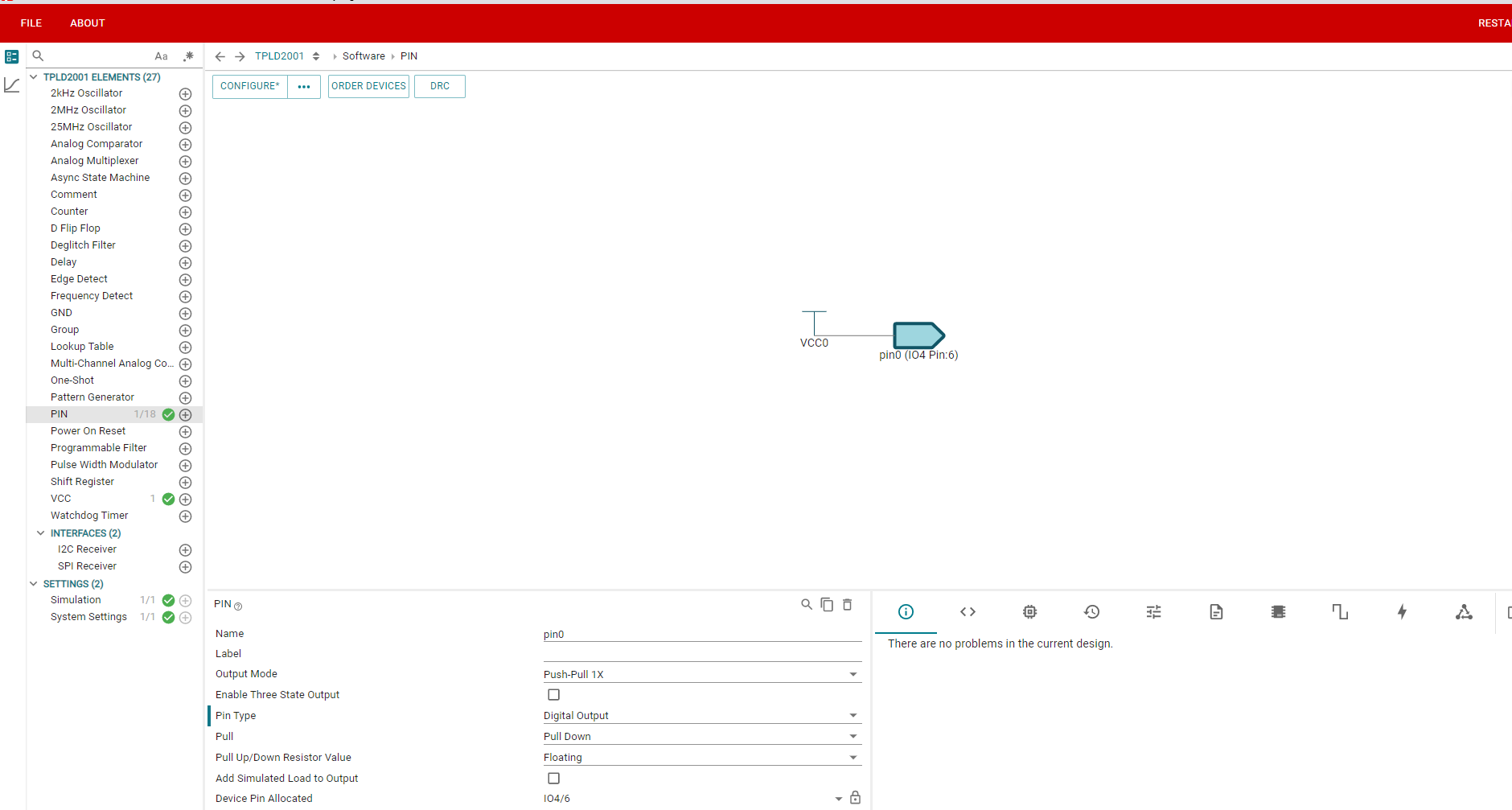
image.png

  • Edit: the part number is TPLD2001-DGS-EVM instead, apologies. 

    Another issue I see is when I fully disconnect the EVM from the programmer (P1 is unplugged) and click configure it still says programmed successfully which i know is obviously wrong as nothing is plugged in. Does this mean that configuration is only validated from the PC to the programmer and not from the EVM to the PC?

  • Hi Vinesh,

    To start troubleshooting, can you tell me what version of InterConnect Studio are you using? This information can be found by clicking the About button in the upper left corner of InterConnect Studio.

    Regards,

    Nikki

  • Hi Nikki, 

    I am using InterConnect Studio 1.5.0+1044

    © Copyright Texas Instruments 2026. All rights reserved.

    Based on SysConfig version 1.24.0+4110

  • Just as a note:

    I have done all the firmware updates for the programmer in device manager. I have tried using a different TPLD2001 IC. I ensured the SPI jumper is connected when connecting to the programmer. The VCC_EXT is not connected and SW0 is on. 

    When connecting to the programmer (and being powered by the programmer) LED 6 and 7 are both on but when powered externally they are not. I am not sure if this is indicative of an error.

  • Hi Vinesh,

    ICS should wait to receive feedback saying that the device has been successfully program before reporting success to the user. Of course, this is clearly not happening in your case.

    Please update your InterConnect Studio software to 1.7.3. New versions of ICS can be found at TPLD-ICS. Version 1.7.3 is our most recent version. Version 1.5.0 is known to have some issues, including programming issues. 

    Regards,

    Nikki

  • Hi Nikki, 

    I was able to get it to work with the new version. Thank you. 

    Do you know if it is possible to OTP over I2C? I know how to do it via the programmer but over I2C not sure?

  • Hi Vinesh,

    I'm glad it's working now!

    TPLD2001 and TPLD1202 can both be programmed via I2C. The details can be found in the datasheet and in the Application Note Programming in Production with TPLD.

    Regards,

    Nikki