This thread has been locked.

If you have a related question, please click the "Ask a related question" button in the top right corner. The newly created question will be automatically linked to this question.

AM2634: Use CCS to debug via QSPI boot

Part Number: AM2634

Hi Champs,

I ask this for our customer.

Customer need to directly use CCS to debug the application code via QSPI mode. And I found we have a FAQ to guide as below how to realize it. But while operating, I have some questions.

https://e2e.ti.com/support/microcontrollers/arm-based-microcontrollers-group/arm-based-microcontrollers/f/arm-based-microcontrollers-forum/1119575/faq-mcu-plus-sdk-am243x-how-to-debug-sbl_qspi-for-am263-and-am273-or-sbl_ospi-for-am243-or-an-application-which-is-booted-via-ospi-qspi-boot?tisearch=e2e-sitesearch&keymatch=debug%2520AND%2520QSPI

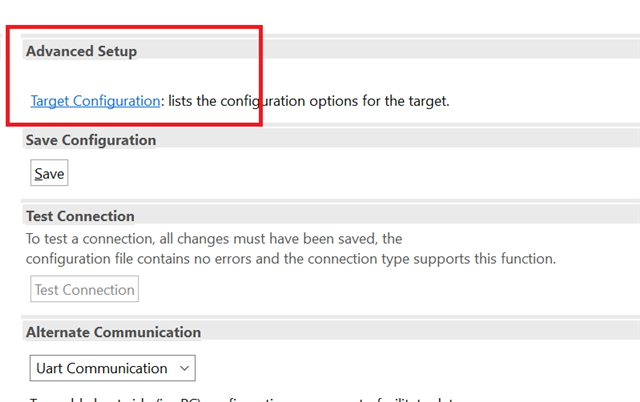
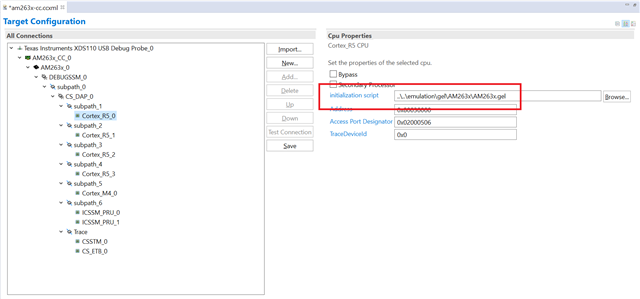
This link said that we need to "Launch the target configuration without loading any GEL files", but I must enter the DEBUG simulation then I can open the interface set by GEL(As shown in Figure 1 below, this is the content in the FAQ link). But if it is set to QSPI boot, it will not enter the DEBUG emulation interface. I can't find how to set GEL when I click view(As shown in Figure 2 below). So how should I set up GEL? Or wuold you have other method to use CCS to debug via QSPI boot? Thanks!

Figure 1

Figure 2

Best Regards,

Julia

  • Hi Julia,

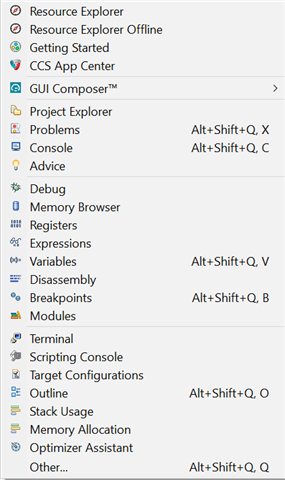
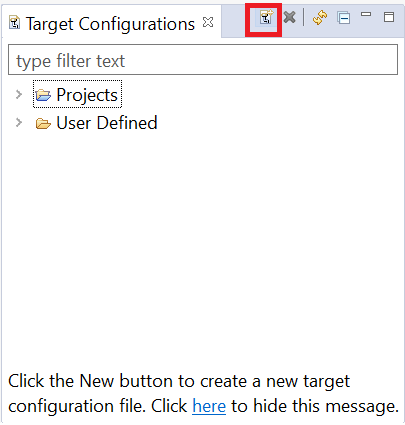
    1. Go to view and select target configurations.

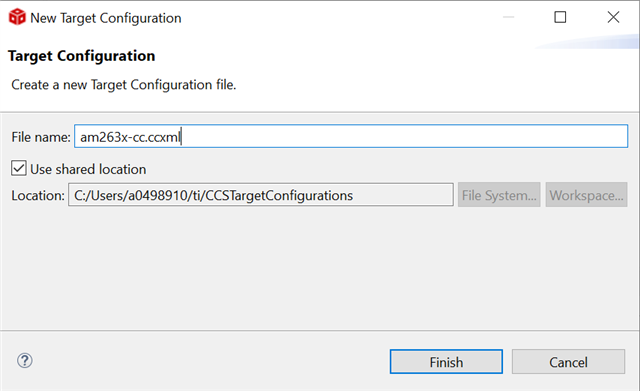
    2. Add a new target configuration -

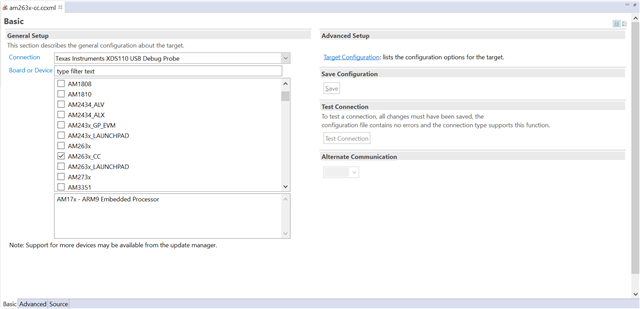
    3. Select the appropriate board or device -

    4. Go to Target Configuration

    5. Remove the mentioned *.gel file for given core.

    6. Make sure to save the configuration.

    7. Test the connection and use the configuration for the debug.

    Hope that helps.

    Best Regards,
    Aakash