Part Number: TMS570LS0914
Other Parts Discussed in Thread: HALCOGEN,
Hi Everyone!
First of all, I want to say that this is my first post on the forum, so if it isn't the right place to post it, please advise me and I will correct it. I'm not an expert so I thank you in advance for your time and help.
Some context:
I'm working with a specific device application based on TMS570LS0914. The application uses a custom bootloader, and a FREETOS externally added (HalCoGen hasn't FRETOS option for this microprocessor). Also, the application uses FEE libraries to access EEPROM memory and save some data. These functionalities are the possible critical parts of the code.
The problem I'm experimenting is that microprocessor hangs during more or less 1h of normal operation. The failure doesn't occur always at exactly the same time, but in most cases, it happens around this time. The thing here is I need some help to debug with more detail which could be the exact reason for the failure.
I have been debugging and trying to stop the debugger when I detect the system failure. During the first tests, I loaded the bootloader on the microprocessor, and later configure CSS to not delete it and load the application image. Thanks to these tests, I suspect the failure is related to the FEE driver. Sometimes when failed, the system jumps to data abort handlers, and later to abort. asm. When I checked the register R14 and subtract 8 units to find the cause, I have seen that there are some FEE functions operating at the moment of the break. Regarding the configuration of the FEE driver, I have been working with it in other projects and I use the same configuration (2 Virtual blocks of the same size, and 1 or 2 data blocks; I write the data on the EEPROM when there is an update, and I call TI_Fee_MainFunction repetitively with a task of the OS). This functionality works as it should, I can save information on the memory, turn off the device and recover it without any problem. If I modified the configuration of Virtual Sector and Blocks, the application seems to hang sooner in some cases.
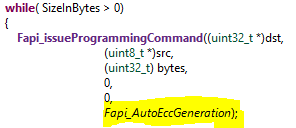
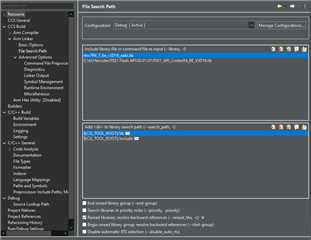
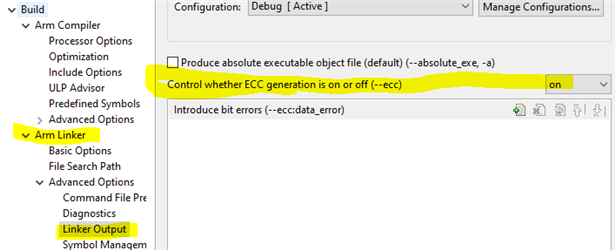
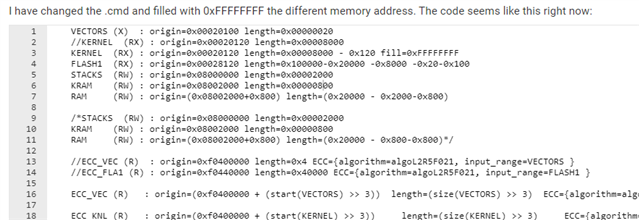
On the other hand, sometimes the debugger jumps outside of the application code (0x14C98 addr) and hangs there. This address is not part of the application code, so I began to suspect the bootloader and some ECC self-test functions. I have read a lot of information in forums and checked possibles incoherences between ECC test configuration for the bootloader code and the application one. Also, I read that a possible reason for the abort could be a bad addressing of the intvects of the bootloader (doesn't point to the correct address of the application code when data abort happend). However, today I tested the code starting on address 0x0 and the code also hangs, so I think it has to be something related to FEE driver or stack size. However, Every test implies at least 1 h of operation only for triggering the failure, so this method is not really optimized...
The last important thing to highlight is that when I turn off the power of the microprocessor, it works again perfectly well. So, in the case that I enabled the Watchdog, the system is capable of resetting and continuing to operate. However, I need to understand which is the reason for the problem and fix it.
Below I attached a lot of files that could be useful to understand the error (sys_intvects, sys_link, systartup.c, ti_fee_cfg..) for the bootloader and application. I could share more information if needed. I want to highlight that I have a really similar structural code (both bootloader and application) on the same microprocessor in another device with different functionality and it works perfectly fine. It uses the same critical parts that I named before, so I think that I'm suffering from some overflow, stack problem that I'm not seeing, but I need an advanced level of debugging to really catch it and fix it.
Thank you for your time, I hope you can help me to move forward with this problem.
Best regards,
JP