Part Number: AM2432
Tool/software:
When I use CCS to debug the AM2432 chip in a Windows environment, I am unable to view global variables. Why is this happening?
This thread has been locked.
If you have a related question, please click the "Ask a related question" button in the top right corner. The newly created question will be automatically linked to this question.
Part Number: AM2432
Tool/software:
When I use CCS to debug the AM2432 chip in a Windows environment, I am unable to view global variables. Why is this happening?
Hello Wenjun,
Thanks for your query.
Can you please specify which version of CCS are you using?
What is the exact version of MCU+SDK used?
Please provide a screenshot of the error?
Also can you please provide a sample code to replicate the issue at our end?
Regards,
Tushar


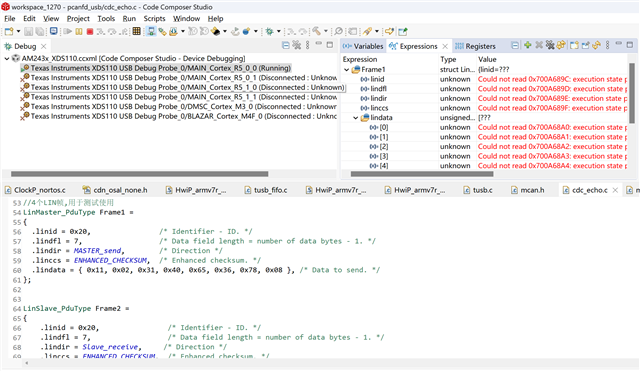
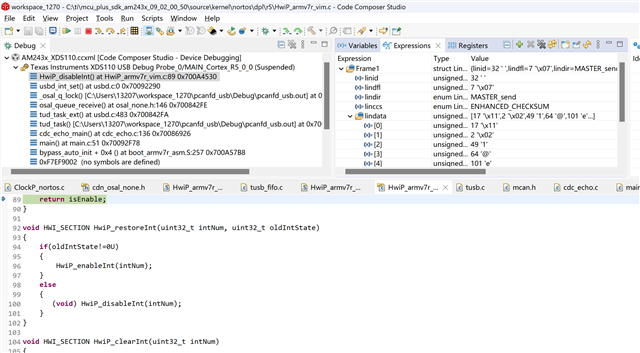
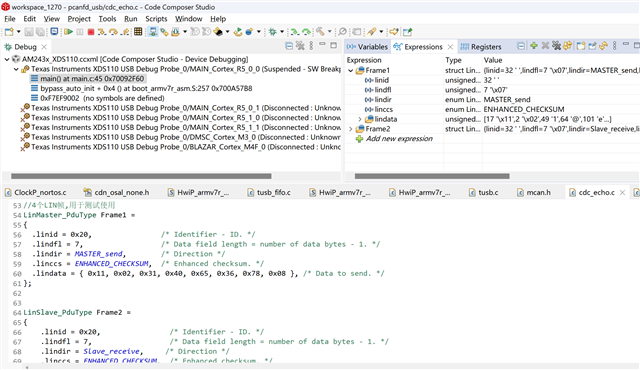
Please look at the picture, I have defined global variables Frame1 and Frame2, but when I run the program, I cannot view them. I can only see the global variables when I pause the program
Hello Wenjun,
Thanks for your reply.
The above is the expected beahvior.
You will not be able to see value inside variable while the program is running. To see the values of variables you need to halt the program.
Hope the above information helps.
Regards,
Tushar
But I want to see the changes in global variables while the program is running without pausing to check. I have debugged C2000 series chips, and the global variables can be seen while the program is running
Hello Wenjun,
But I want to see the changes in global variables while the program is running without pausing to check. I have debugged C2000 series chips, and the global variables can be seen while the program is running
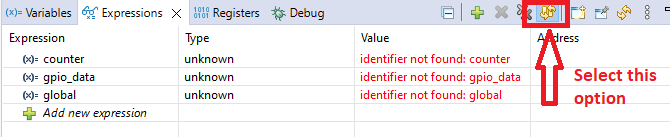
Can you please try once watching the variable keeping the continuous refresh option enable?
Please see the below screenshot.

Please let us know the result.
Regards,
Tushar

the continuous refresh option is enable.I am using CCS version 12.7 to debug the AM243 chip, but I am unable to view global variables
Hello Wenjun,
Thanks for your response.
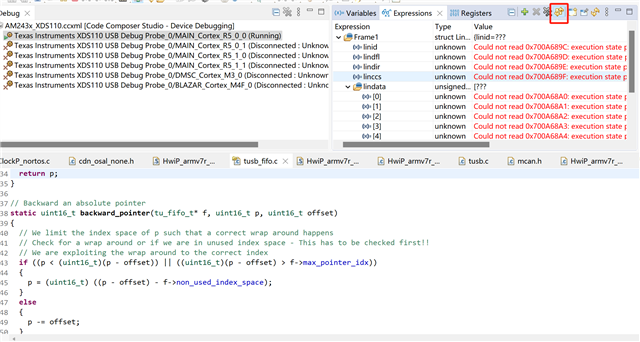
I am able to see the value of global variable for M4F core application when program is in execution but not for R5F core.
Please refer below screenshot.

I am checking this internally and will update you regarding the same. Please allow some time to revert back.
Regards,
Tushar
Okay, please get back to me as soon as possible. My program is running on the R5F core. Thank you
Hello Wenjun,
Can you please try connecting to DAP core once and check whether are you able to see the run time status of variable or not?
To connect to DAP please follow below steps;
Please see below video for reference.
After following the above mentioned steps, you should be able to see the run time state of global variable.
Regards,
Tushar