Tool/software:
Hi all,
I tried a new XDS debug probe for my target (the old one is working correctly)
With the same configuration, target and connector, the new probe give me an error
as depicted in the picture attached
Any suggestion?
Thanks
Fabio

This thread has been locked.
If you have a related question, please click the "Ask a related question" button in the top right corner. The newly created question will be automatically linked to this question.
Tool/software:
Hi all,
I tried a new XDS debug probe for my target (the old one is working correctly)
With the same configuration, target and connector, the new probe give me an error
as depicted in the picture attached
Any suggestion?
Thanks
Fabio
Hi Fabio,
Can you find out the firmware version present on both the debug probes.
Try below steps to find out the xds firmwares:
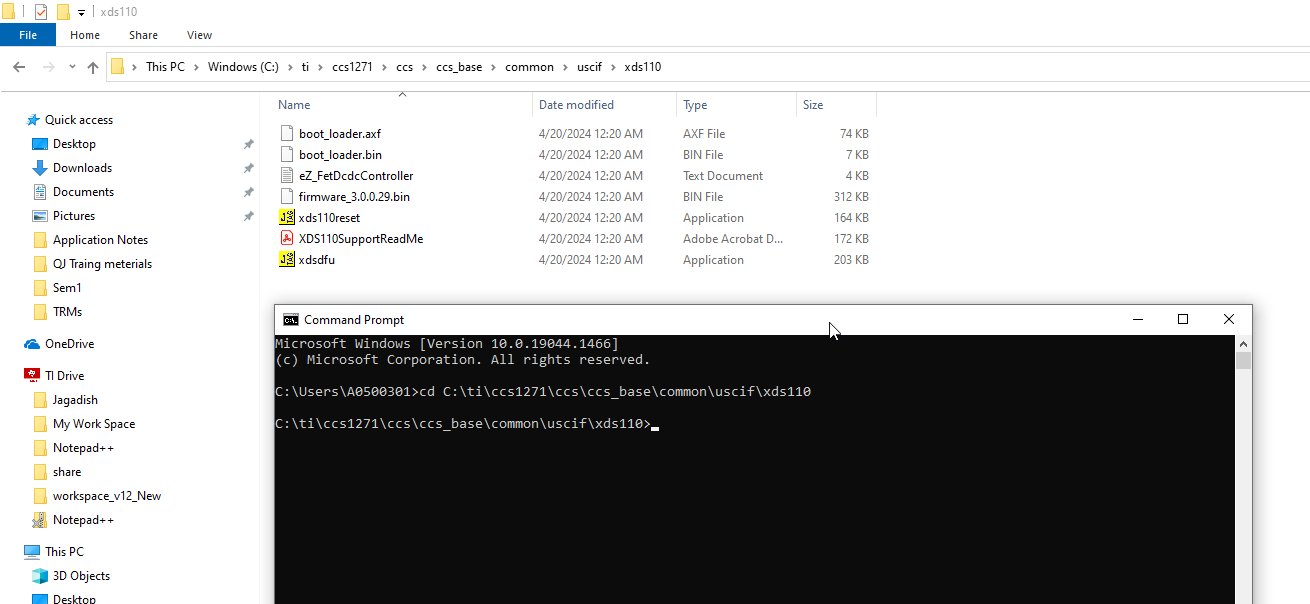
1. First install latest CCS in your system (for example in my PC i installed 12.7.1).
2. Now connect the board to the PC and open the cmd window in PC.
3. Now execute the below command based on the CCS installed path:
cd C:\ti\ccs1271\ccs\ccs_base\common\uscif\xds110

4. Now execute below command to find out the xds110 firmware version
xdsdfu -e

In this way find out the firmware versions for both the debug probes and share the details with me.
--
Thanks & regards,
Jagadish.
Hi Jagadish,
the XDS110 working well show this information

Unfortunately the other one show 0 device found with no XDS110 Class Debug Ptrobe and Data Port
and also the D1 led remain switched off :-(
Could it be broken?
Thanks
Fabio
Hi Fabio,
Then the issue must be with the debugger itself, and it might not be issue with controller.
Are you using this debug probe only?
TMDSEMU110-U Debug probe | TI.com
Our BU can only help with controller related issues, if the issue is related to debug probe then it would be better to raise a new ticket with the debug probe part number like below:
Then issue might be moved to corresponding BU, and they can help with this issue.
--
Thanks & regards,
Jagadish.