Part Number: MSPM0G1505
Other Parts Discussed in Thread: UNIFLASH
Tool/software:
Hi Ti team,
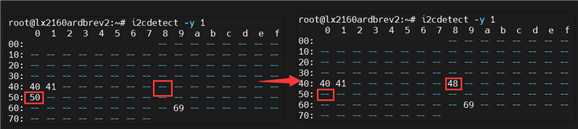
Under app mode, this MCU is on our I2C bus at address 0x50. After performing the following sequence, we see 0x50 disappear and 0x48 appear, indicating it has entered BSL mode.

We then follow the reference code to perform "get device_ID" "load password" and other firmware upgrade operations. No errors occur, and when completed, the GPIO states remain NRST high, BSL invoke low.
At this point, if we try to detect again, neither 0x50 nor 0x48 is found.

After a power cycle, we also can no longer detect the MCU address. it seems upgrade failed
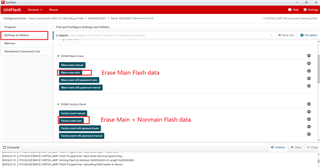
Attempting to use the unifalsh tool to re-burn the image triggers the error message that color mentioned earlier. The “verify image” step produces the following error:
[ERROR] CORTEX_M0P: File Loader: Verification failed: Values at address 0x00000000 do not match (expected: 0x20204000, actual: 0x34203030) Please verify target memory and memory map.
However, when we toggle the BSL GPIO sequence again, we can still detect 0x48, and the subsequent steps are the same as before, with no error messages,
Because it appears that we can still enter BSL mode but cannot re-flash the image through unifalsh, we want to know how to restore this MCU, or if there’s anything wrong with our I2C upgrade process. Thank you!
Thanks