This thread has been locked.
If you have a related question, please click the "Ask a related question" button in the top right corner. The newly created question will be automatically linked to this question.
Hi Liang,
In addition to what Sal mentioned, please also make sure the I2C bus is idle before each data transfer. You can use the statement as below to check the state of the bus.
/* Wait for I2C to be Idle */
while (!(DL_I2C_getControllerStatus(I2C_INST) & DL_I2C_CONTROLLER_STATUS_IDLE));
Best Regards,
Peter
Hi Sal,
Can you also use a logic analyzer to check what its value showed in the bus?
Please refer to below waveform:

By the way, what is your pull up resistor?
The pull up resistor is 10Kohm;
In addition to what Sal mentioned, please also make sure the I2C bus is idle before each data transfer. You can use the statement as below to check the state of the bus.
We have use the below to check the IDLE state of the bus:

Hi Liang,
According to the waveform, the pull-up resistor you use may be too large, which increases the time constant of the RC charge-discharge loop, resulting in a slow rise of each rising edge of SDA and SCL, this may lead to abnormal data. Maybe you could try reducing the pull-up resistors on SCL and SDA, for example use 4.7K for a testing to see whether the issue still exist.
Best Regards,
Peter
Hi Peter,
We has below issue for the MSPM0G3506:
Hi Liang,
I think we have provided related projects which may match your needs.
“Your SDK download folder\mspm0_sdk_xxxx\examples\nortos\LP_MSPM0G3507\driverlib\gpio_input_capture”.
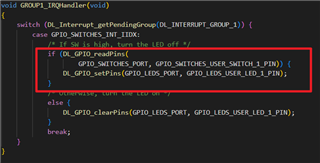
The GPIO Interrupt can be configured to be triggered by rising, falling or both edges, however, if need to determine which edge triggers the interrupt, you should read the corresponding pin level after entering the interrupt like the figure as shown below.


Best Regards,
Peter
Hi Peter,
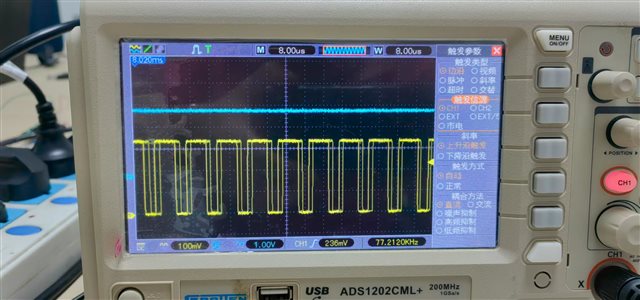
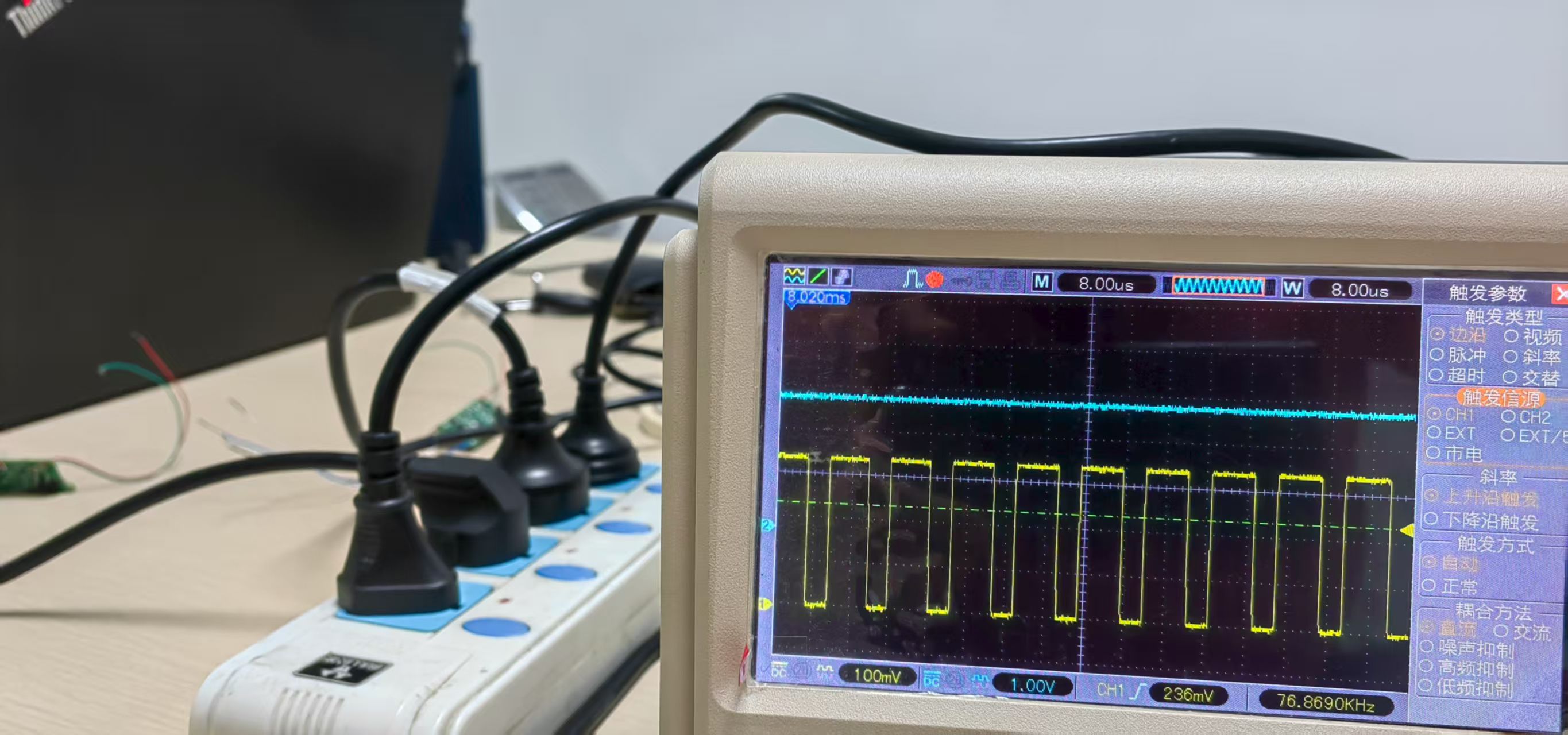
We found during high temperature testing that noise began to appear in the comparator output of the CPU from 120 ℃,
and became extremely dense at 125 ℃, forming a periodic output of 70K~80 K, basically losing the function of the comparator.
Excuse me, is this a feature of this CPU itself? Is there any way to avoid it?
Because our communication uses the output of a comparator, if we cannot avoid this noise, our product can only work below 120 ℃,
even though the CPU core itself is still running normally. But this working temperature does not meet the requirements of our customers.


Hi Liang,
Could you please provide more information as below?
1. Could you please provide more details about the Comparator configuration(Sysconfig configuration screenshot is better), what is the reference source they use? They can also test the reference voltage to see if the waveform is abnormal at this temperature.
2. What else peripherals did they use in addition to the Comparator during their testing, did they also perform abnormally?
3. Have you ruled out some measurements errors? For example, maybe can put another reference circuit or some in that high-temperature testing environment to see whether the oscilloscope can also detect a similar noise?
Best Regards,
Peter