This thread has been locked.

If you have a related question, please click the "Ask a related question" button in the top right corner. The newly created question will be automatically linked to this question.

TM4C1294NCPDT: TIVA

Part Number: TM4C1294NCPDT


Tool/software:

Hello,

I'm working with a TIVA EVB purchased years ago. 

Attached it's picture. 
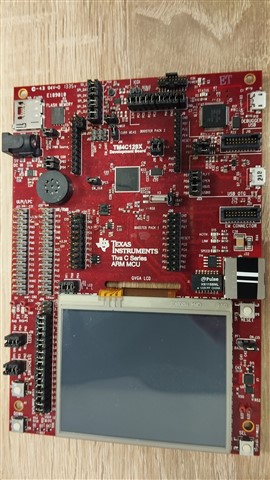
 

I managed to debug via the USB connector in the right upper corner. 

Upon connecting this USB, a new COM is created in the PC. 

Can I use this COM for printf from the TIVA ?

Thank you,

Zvi Vered

  • Hi,

    I managed to debug via the USB connector in the right upper corner. 

    Upon connecting this USB, a new COM is created in the PC. 

    Can I use this COM for printf from the TIVA ?

    Yes, you can use the Debug USB port for virtual COM port. When you connect to your PC, go to the Windows Device Manager to find out the COM port number. You can try out an example like C:\ti\TivaWare_C_Series-2.2.0.295\examples\boards\dk-tm4c129x\crc32 where the status of the example will be output to the COM port. 

  • Hi Charles,

    Highly appreciate your fast reply. 

    It works !

    Best regards,

    Zvi