This thread has been locked.

If you have a related question, please click the "Ask a related question" button in the top right corner. The newly created question will be automatically linked to this question.

MSPM0G3107: Issue adding new source files to project in CCS v20.3.1.5__1.9.1

Part Number: MSPM0G3107

Adding new soruce files to my project results in unresolved symbol errors.

I'm trying to break out groups of functions - like my UART routines - into modular source files to keep from having one massive file

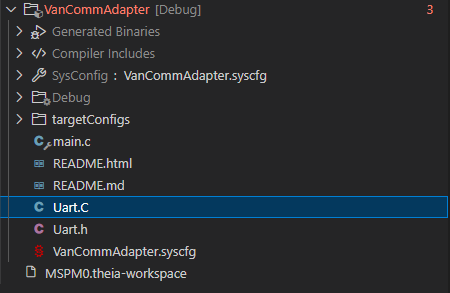
I created a new file by right clicking on my project in the explorer window and selecting "New File... " I then moved all the functions - that compile without issue when located inside main.c -  to my new Uart.C file. It shows up in my project file window as expected (first image below) I created a Uart.H header file to declare them and included that in main.c. When I hover over the include statement in main.c it shows the functions I have located in Uart.C (2nd image below).

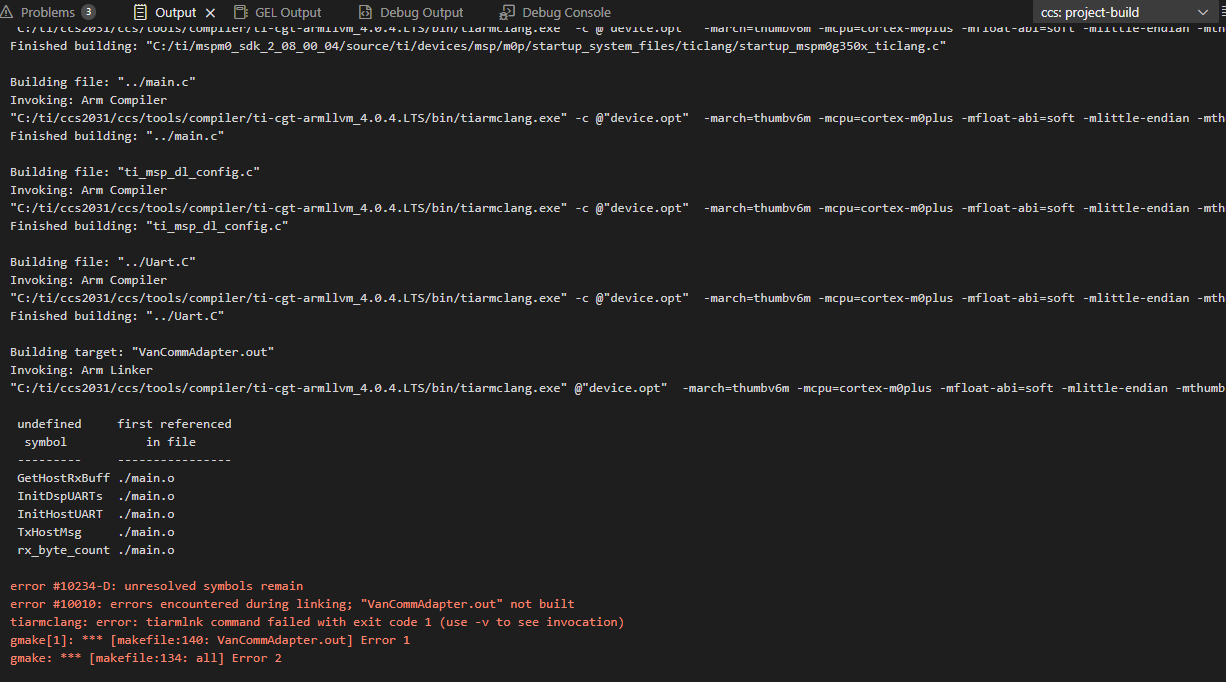
But when I compile, I get "error 10234-D unresolved symbols remain" showing that all the functions in Uart.C are unresolved in main.o (3rd image).  I know it compiles Uart.C as I can introduce errors and the get flagged. I also see Uart.o in the debug folder right next to main.o.

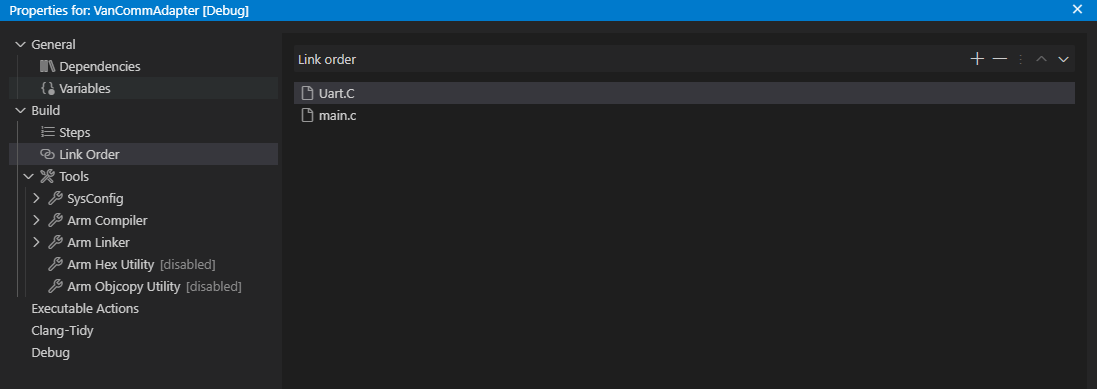
I tried defining the link order to have Uart.C link first (4th image), be even that fails to help - And I would hope this also doesn't matter as I expect to add more modules and I've never had to control their link order in the past with older versions of CCS.

I assume there is some setting somewhere that I am missing, but I can't figure what it is.

Also, I have tried removing Uart.C from the project and moving it elsewhere, then trying the "Add Files/Folders" option with the same results. 

Please help
TI CCS issue4.png

TI CCS issue.png


TI CCS issue3.png

TI CCS issue1.png


TI CCS issue5.png

  • Hi Dan,
    I would recommend to upgrade your CCS to version 20.4. This version of CCS tends to fix these kinds of issues.

    Best Regards,

    Diego Abad

  • Hi Dan,

    I would also suggest checking your Project Properties to see if the Include Options are able to find your files:

    Best,

    Owen

  • Since the compiler does find the files and generates a .o file in the debug folder, wouldn't that indicate that it can indeed find said files?  Also, the file lives in the same (root) directory as main.c which code composer clearly does find.  And yes I verified that ${PROJECT_ROOT} is in the include list.

    This is what is so baffling.  The compiler compilers the file, but the linker seems to be unaware of it.  Note that I don't get a file not found error which I would expect from the linker if it looked for the file and did not find it.  Instead, it appears that the linker is just clueless about the file's existence or any need to look for it.

  • Hi Dan,

    It's possible that it's a linker issue.

    I notice that your file is Uart.C, with a capital C. Can you try fixing this to Uart.c?

    If possible, could you use readelf tool to see what symbols are exposed?

    Best,

    Owen

  • This resolved the issue.

    Wow. So, while the Windows files system and the compiler are not case sensitive, somehow the linker is?  Did not see that coming.

    Thanks for the help. It was driving me nuts.