This thread has been locked.

If you have a related question, please click the "Ask a related question" button in the top right corner. The newly created question will be automatically linked to this question.

SYSCONFIG: SysConfig 1.26.0 standalone vs CCS context fields

Part Number: SYSCONFIG

Hello,

I am using CCS to develop firmware for TI SoCs and i use SysConfig 1.26.0. I am collaborating with engineers that use the standalone SysConfig 1.26.0 application, and we share these sysconfig file in order to determine the pinout and software drivers to be used.

I have the following view with all 3 processors, populating all 3 sysconfig files, with the reserved peripherals and software view:
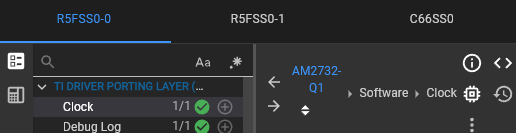

image.png
image.png

When someone uses the standalone version, only one sysconfig file can be impoted at a time, so dependencies that are created from one context (eg: r50 using the flash) to another (eg: r51 also using the flash will create a conflict) are not visible.
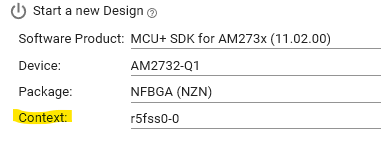
image.png

Thus, when using the standalone version, it is very difficult to work across multiple processors, which makes then standalone tool not usable for SoC development.

Is there any way from the standalone tool to have the full context view like the CCS, in order to collaborate efficiently with the team, without everyone installing the whole CCS suite (for example importing 3 sysconfig files)?

Thanks in advance,
Konstantinos

  • Hello,

    I'm not sure if this is supported in the standalone version. I will follow up with engineering to confirm.

    Thanks

    ki

  • Hi Konstantinos, 

    There is not such feature built in today. We are looking at making changes later this year that should enable this type of usage. 


    There are some workarounds that are not ideal, but maybe they will be workable for your scenario. 

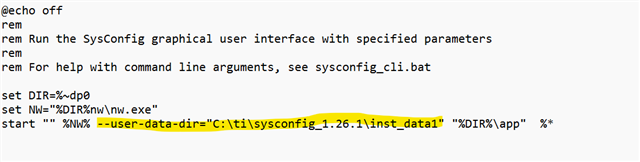
    1) I have duplicated sysconfig_gui.bat 3 times and adjusted its command line to look like below 

    where each bat file has a unique directory for user-data. It will allow you to start multiple instances by using different .bat files, but you have to remember to use different .bat files. There is also warning about unrecognized option that you need to click through. 

    2) similar approach, but you could create 3 instances of "app" folder and adjust "name" property in package.json file file and then still have different bat files where %DIR%/app argument is adjusted to point to 3 different directories. I think this second option would avoid the warning about unrecognized parameter. 

    Options 1 & 2 are technically the same just a slightly different approach, they rely on end user using different "app start" scripts. 

    Martin