This thread has been locked.

If you have a related question, please click the "Ask a related question" button in the top right corner. The newly created question will be automatically linked to this question.

AM263P4-Q1: Ultra Librarian symbol/footprint options?

Part Number: AM263P4-Q1
Other Parts Discussed in Thread: AM263P4

Hi Team,

I'm trying to download the Altium symbol, footprint, and model files for several AM263P4 variants for my customer: 

AM263P4AFONFZCZRQ1 (integrated flash package)

AM263P4ASOKFZCZRQ1 (sensor package)

AM263P4ACOKFZCZRQ1 (AM261 compatible package)


When looking at the ultra librarian download options, I see the following:
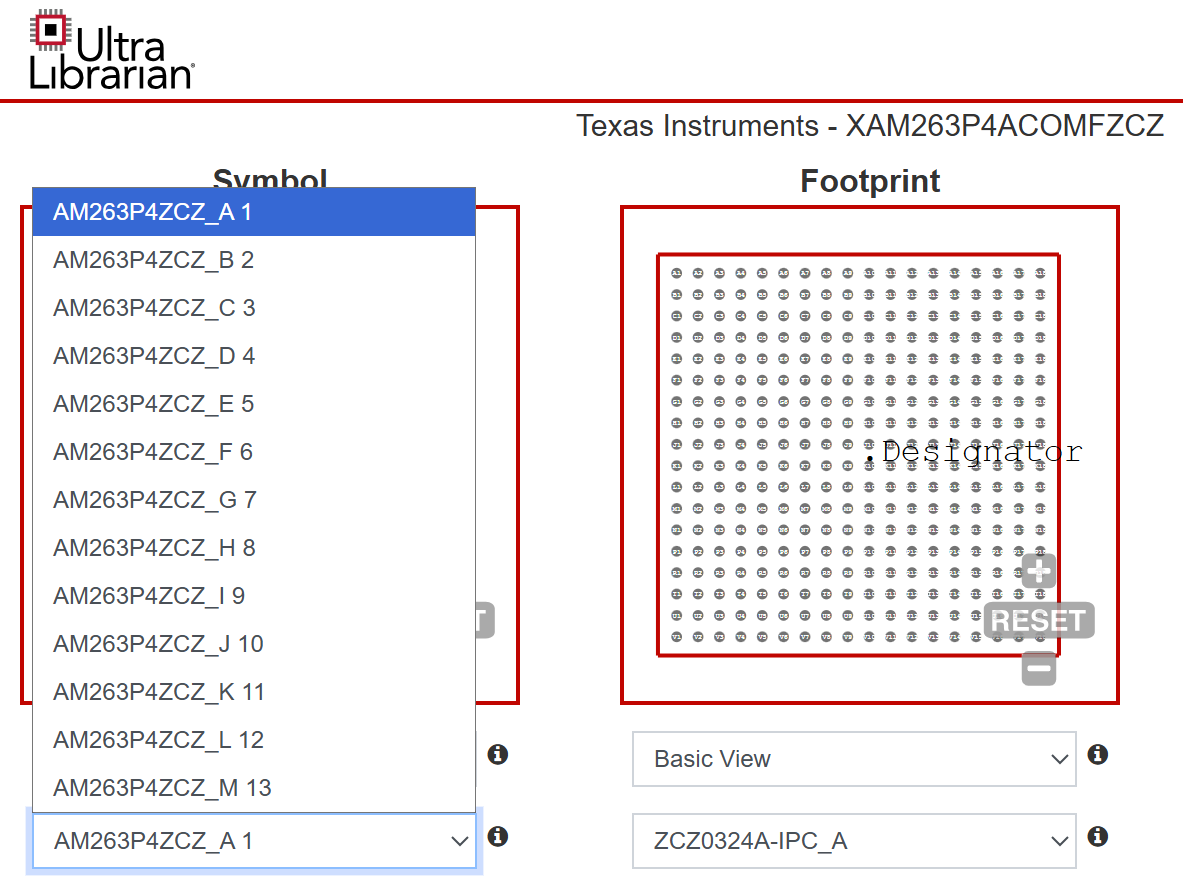
image.png


These do not appear to cleanly map on to the device nomenclature in the datasheet. The footprint options are similarly confusing. How do the symbols/footprints provided map to the devices my customer is interested in? Which options should I select to have the correct symbol/footprint for the above OPNs?


Thanks,

Sam

  • Hi Sam,

    The issues has been assigned to our expert, please expect a response later today.

  • Sam,

    It looks like the UltraLibrarian symbol is just for the AM263P4x(compatible package) device. 

    I will have the additional packages created by the internal CAD team.

    Regards,

    Brennan

  • Thanks, Brennan!

    A couple follow up questions:

    • Why are there so many symbol options for the C variant?
      • Clicking through the options, it seems like each one has different peripheral sets (A has ADCs, B has JTAG, C is clocking and RSTs, etc). However, no option seems to include all pins on the device. Is this typical for devices over a given number of pins? I see Jacinto does something similar w/ their 1000+ pins, but MSPM0 fits ~100 pins on one symbol

    • What would the timeframe be for adding the symbols for other variants?

    Best,

    Sam

  • Why are there so many symbol options for the C variant?
    • Clicking through the options, it seems like each one has different peripheral sets (A has ADCs, B has JTAG, C is clocking and RSTs, etc). However, no option seems to include all pins on the device. Is this typical for devices over a given number of pins? I see Jacinto does something similar w/ their 1000+ pins, but MSPM0 fits ~100 pins on one symbol

    For larger packages/BGA packages the TI CAD team will almost always split up the component into different symbols (unless specified otherwise). This helps with organizing circuits and peripherals within the schematic. 

    • What would the timeframe be for adding the symbols for other variants?

    I would anticipate ~1 week for the CAD team to create the symbol and get approval from the product line.

    Regards,

    Brennan

  • Great, thank you! Will be in touch around then.

    I see the reasoning behind the symbol splitting. If that is the case, is there any way to make the dropdown menu have clearer options? The alphabetical A-M is pretty abstract, and having clear names for the variant + what peripherals/pins are included in a given symbol would be handy.

    [EDIT] disregard above, I was being stupid and didn't hover over the info pop-up that explicitly states they are split for the reason you stated and that all symbols are downloaded at once (and not piecemeal like I thought)

    Best,

    Sam

  • Hi Brennan, Tejas,

    Checking in on this - I see the JIRA tickets have been updated: sensor package is complete, and the flash package might already exist. What is the path to adding these to ultra librarian and sending to customer?

    Best,

    Sam

  • Hi Sam,

    Apologies for this. Somehow, I missed to monitor this and was not able to review and approve the symbol created. Will try to do this in the next couple of days.

    Thanks,
    Tejas Kulakarni

  • Hi Sam,

    This is created in Ultralibrarian, please refer to below link. It has ZCZ-C, ZCZ-S and ZCZ_F variants.

    https://app.ultralibrarian.com/Search?q=AM263P4

    Thanks,

    Tejas Kulakarni