This thread has been locked.

If you have a related question, please click the "Ask a related question" button in the top right corner. The newly created question will be automatically linked to this question.

MSPM0G3519: MSPM0G3519 - Jlink Debug option

Part Number: MSPM0G3519

Hi,

I want to use the external Jlink debugger to flash and debug my project without using on board TI XDS Debugger.

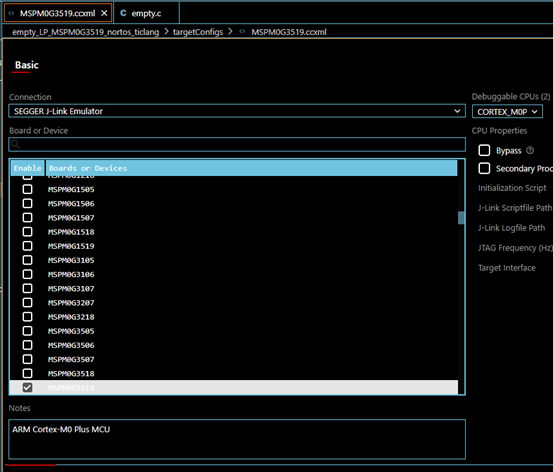
After creating my project, I have changed the debugger option, 

image.png

When I debug (F5) the project, I am getting the below error,

image.png


Regards,

Sakhan

  • Hi Sakhan,

    Which CCS version you are using? I tried in CCS 20.5 and it works well.

    I see you might miss below step:

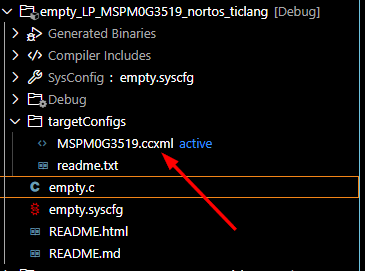
    Modify CCXML file to J-Link.

    B.R.

    Sal

  • Hi Sal,

    I modified the Debugger option in Project Properties and the same reflected in the CCXML file.


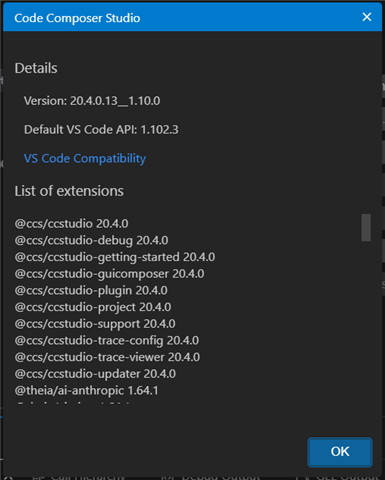
    I am using CCS version,

    I am getting the same error as mentioned above,

    image.png

    Regards,

    Sakhan

  • Hi Sakhan,

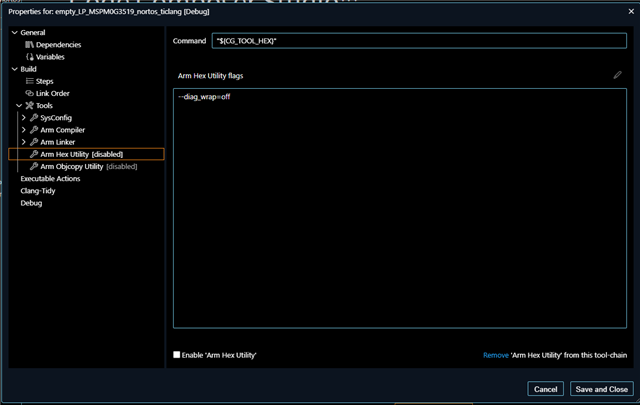
    Do you modify the HEX output? If so, there need additional alignment for the output.

    If you does not modify it, I recommend you install the latest CCS version and take a try, and please click on SEGGER JLINK support if there has an option. I remember it requires additional click on button in CCS12, not sure whether it is also required in CCS20.

    B.R.

    Sal