Part Number: MSPM0C1104
Other Parts Discussed in Thread: UNIFLASH
Seemingly at random my controller (MSPM0C1104 16pin) will fail a flash process, saying that it cannot connect to the target.
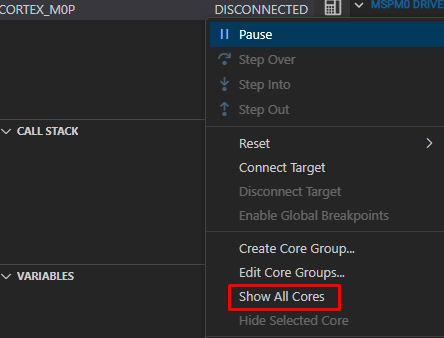
Texas Instruments XDS110 USB Debug Probe/CORTEX_M0P Error connecting to the target: Connection to MSPM0 core failed. Possible root causes: 1) Debug access within NONMAIN was disabled or enabled with password. 2) Peripheral mis-configuration (e.g improper watchdog or clock). To see a more detailed diagnostic of the issue, please press the 'Read boot diagnostic' button.
or
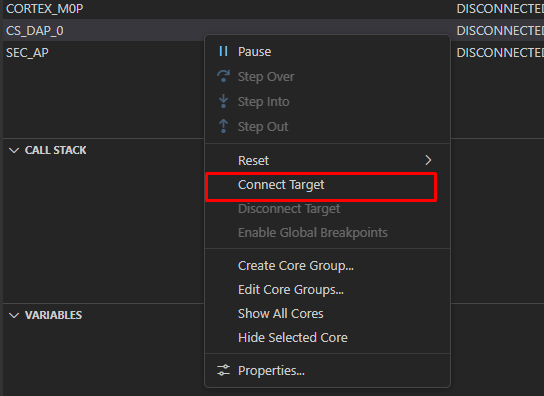
Texas Instruments XDS110 USB Debug Probe/CS_DAP_0 Error connecting to the target: DAP Connection Error. This could be caused by the device having gone to low power mode. Try forcing an external reset.If the error persists, try forcing BSL, a Mass erase or a Factory Reset. Check device FAQs for more information.
Usually any flash processes will succeed, dozens of times in a row. At max I will have to do a factory reset due to the reset line being disabled in the application. But once the issue occurs, it will persist for sometimes days, then suddenly disappear with a factory reset. Up to that point, any and all attempts to do a manual factory reset will fail, saying one of the following:
- DAP Connection error
- nothing at all but it will not succeed, instead saying to press the reset button
I do not access NONMAIN in any way. I do write to ROM, but there are no issues with that API as far as I can tell. For the factory reset I drain the board's capacitors, connect GND to NRST to ensure that the board will hold the reset before the initialisation, then connect my VDD, SWCLK, SWDIO lines to the debugger.
The strangest part is that this issue will persist across different targets, SW versions and even Launchpads that I am using for the flashing.
If I disconnect NRST from GND, I get the following log from the connection test:
Test Connections

-----[Print the board config pathname(s)]------------------------------------

C:\Users\USER\AppData\Local\TEXASI~1\
CCS\ccs2041\1\0\BrdDat\testBoard.dat

-----[Print the reset-command software log-file]-----------------------------

This utility has selected a 100/110/510 class product.
This utility will load the adapter 'jioxds110.dll'.
The library build date was 'Jan 9 2026'.
The library build time was '14:41:05'.
The library package version is '20.4.0.3835'.
The library component version is '35.35.0.0'.
The controller does not use a programmable FPGA.
The controller has a version number of '5' (0x00000005).
The controller has an insertion length of '0' (0x00000000).
This utility will attempt to reset the controller to enter SWD mode.

-----[Print the reset-command hardware log-file]-----------------------------

This emulator does not create a reset log-file.

-----[Perform the SWD Mode Integrity test]-----------------------------------

This test will read the IDCODE register 1 time.


-----[An error has occurred and this utility has aborted]--------------------

This error is generated by TI's USCIF driver or utilities.

The value is '-615' (0xfffffd99).
The title is 'SC_ERR_SWD_PROTOCOL'.

The explanation is:
The target failed to see a correctly formatted SWD header. The
connection to the target may be unreliable. Try lowering the
TCLK setting before trying again.