


Part Number: MSPM33C321A
Other Parts Discussed in Thread: SYSCONFIG
0. Before Modifying NONMAIN
If NONMAIN flash is erased unexpected, or not correctly programmed, it may lead to MCU lock and cannot be recovered forever. So please modify NONMAIN carefully.
1. Background
NONMAIN flash is a dedicated region of flash memory which stores the configuration data used by the boot configuration routine (BCR) configuration and bootstrap loader (BSL) configuration to boot the device.
2. How to configure NONMAIN
User can configure NONMAIN in sysconfig directly. For the NONMAIN configuration, please refer to MSPM33 NONMAIN Configuration Guide.

After enabling NONMAIN configuration in Sysconfig, there will be boot_config.c and boot_config.h generated by Sysconfig.

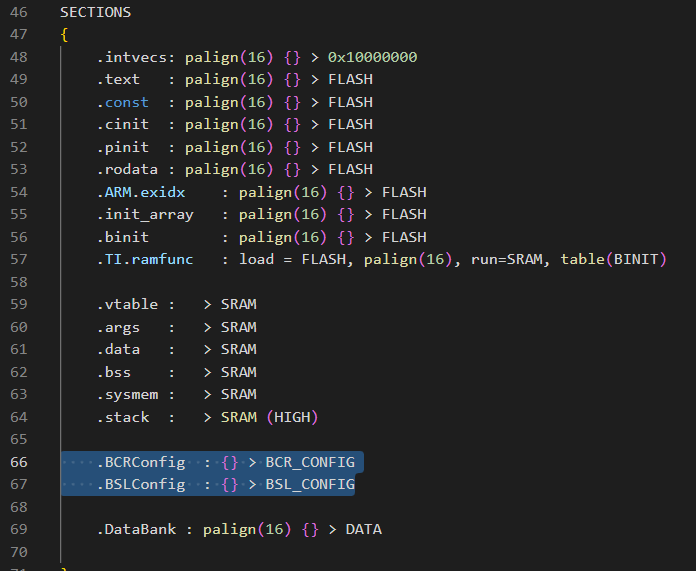
And please make sure BCR_CONFIG and BSL_CONFIG are correctly set in cmd file.

3. Steps to Program NONMAIN
Method 1 - Program NONMAIN and APP together
step 1 - Right click on ccxml file and start project-less debug

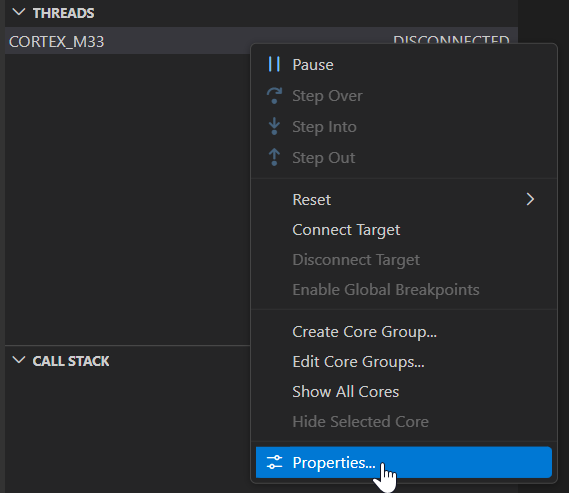
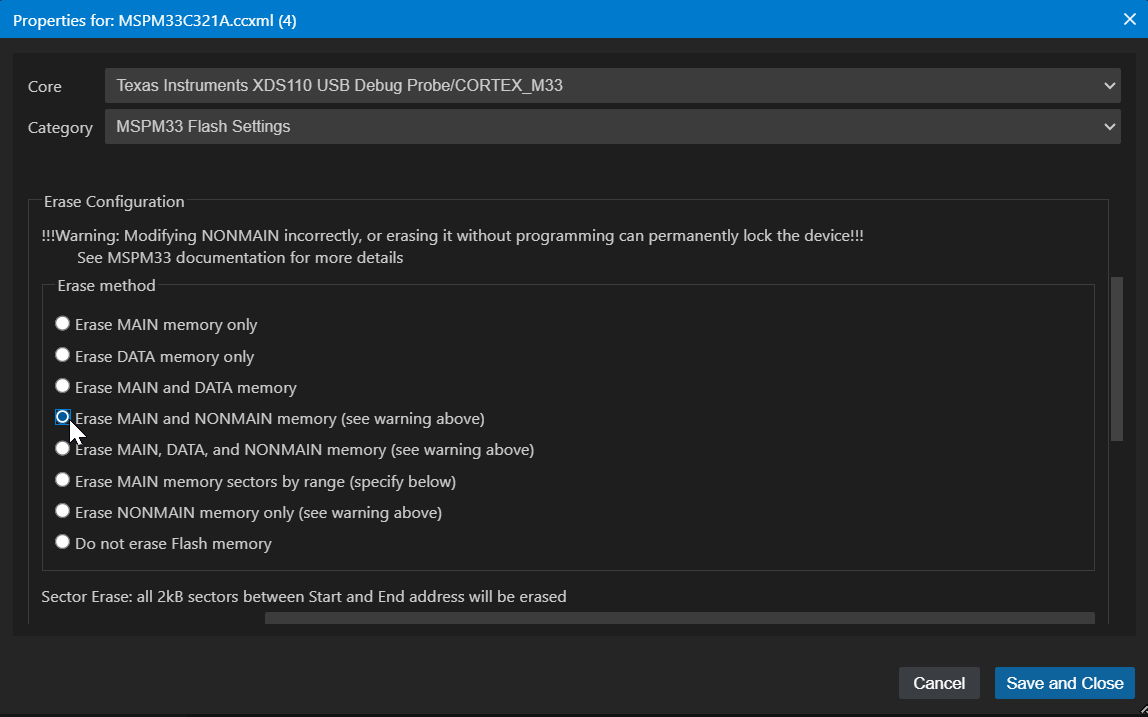
Step 2 - right click on 'CORTEX_M33' and set up Properties. Change Erase Method to 'Erase MAIN and NONMAIN memory'.
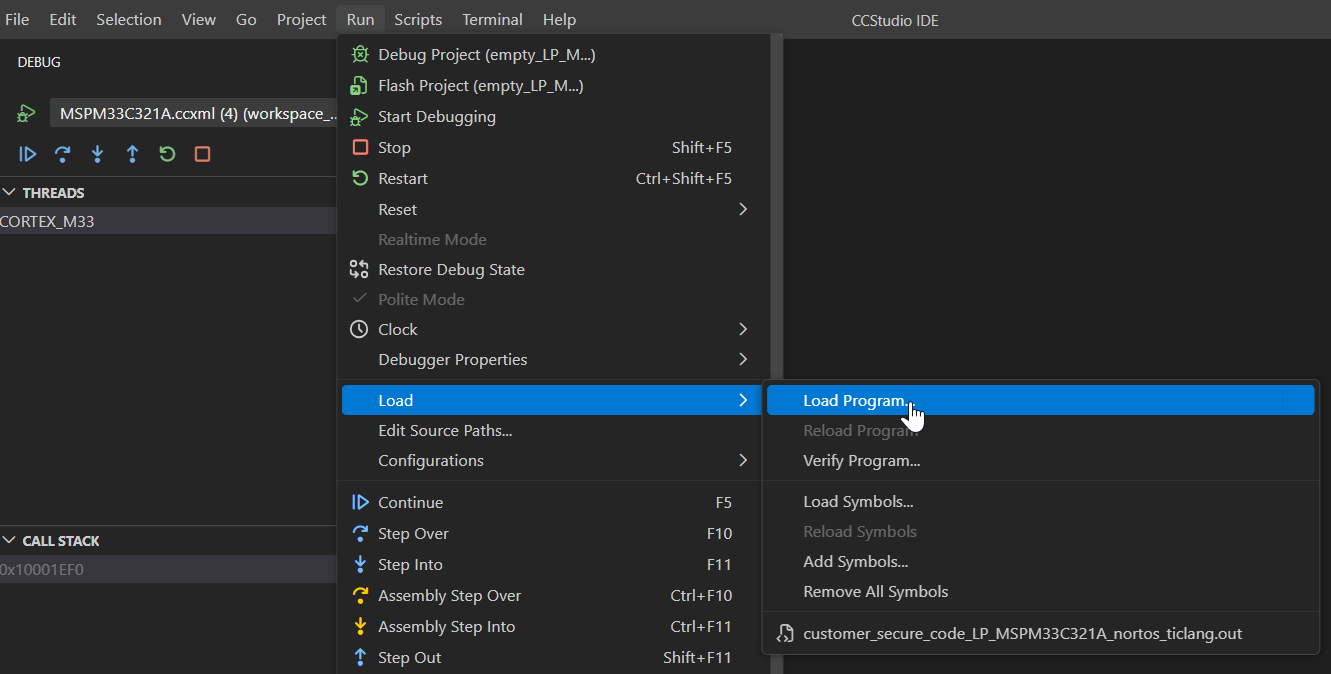
Step 3 - connect to the CORTEX_M33 and load Program by 'Run -Load - Load Program'

Step 4 - after successfully program, you can use 'Memory' in View to check the NONMAIN
BCR - 0x80101800

BSL - 0x80101C00

Step 5 - After NONMAIN correctly program, we suggest to change Erase Method back to 'Erase MAIN memory only'. As warning shown, Modifying NONMAIN incorrectly, or erasing it without programming can permanently lock the device!!!

4. FAQ
4.1 When does NONMAIN change take effect?
As NONMAIN is checked by ROM boot code, after programming to NONMAIN, a BOOTRST or higher level reset is needed to re-execute the ROM boot. Then the change on NONMAIN will take effect.
So if user erase NONMAIN unexpected, please keep debug mode and try to reprogram NONMAIN immediately. Before BOOTRST, the change on NONMAIN has not taken effect.
4.2 If NONMAIN is erased and BOOTRST or higher level reset is already triggerred, could the device be recovered?
If BOOTRST or higher level reset is already triggerred with blank NONMAIN, boot code will be stuck and SWD port will be unavailable. There is no method to recover the device.