This thread has been locked.

If you have a related question, please click the "Ask a related question" button in the top right corner. The newly created question will be automatically linked to this question.

Problem Accessing USB Device via Virtual COMM Port

Other Parts Discussed in Thread: TM4C123GH6PGE

I have a new design based on the Stellaris LM4F232H5QD/LX4F232H5QD (now Tiva TM4C123GH6PGE) that I'm using as a USB Device via the OTG port.

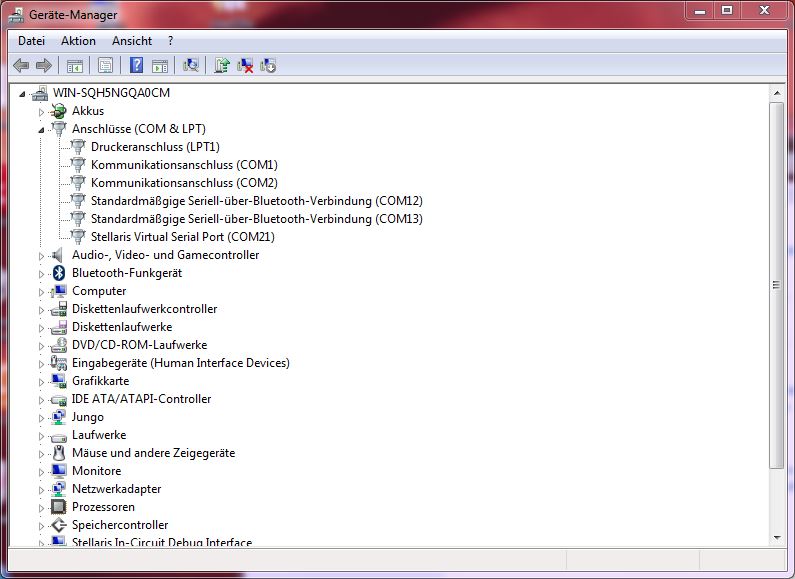
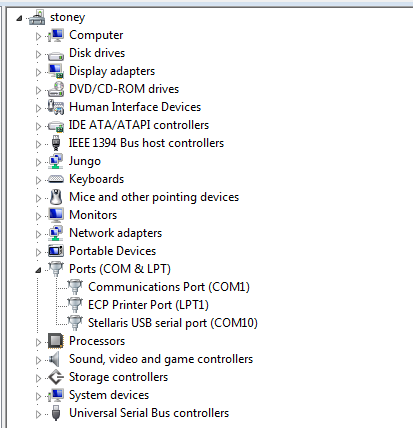
My Window 7 64-bit desktop sees the comm port just fine (device manager displays "Stellaris USB serial port (COMxx)), but I can't access the Virtual Com Port via Hyper Terminal or PuTTY ("Unable to open COMMxx.  Please check your port setting").

The odd thing is, I'm able to access this port just fine using a laptop running Windows XP 32-bit and I can access the Virtual Comm port on both a Stellaris EK-LM4F232 Evaluation Board and a Stellaris EK-LM4F120XL LaunchPad from either PC.

I'm using Driver Version 1.3.9453.0 on both.

Any insight as to why a Windows application would have trouble accessing a Virtual Com Port that Device Manager claims is working properly and that works on a different PC?

Thank you,

Kevin Taberski

  • Hi Kevin,

    did you try to assign a new COM-port number to your Virtual COM Port?

    aBUGSworstnightmare

  • I did not!

    I was (and still am) unaware that you can assign new COM-port number to your Virtual COM Port.

    Can you give me a hint?  Can you explain why this would help?

    Thank you,

    Kevin

  • Hi Kevin,

    well, I'm located in Germany and don't know if I get the translations right, but:

    - open your device manager 

    - right-click on the virtual (or any native) COM port (COM21 in my case) and click on PROPERTIES 

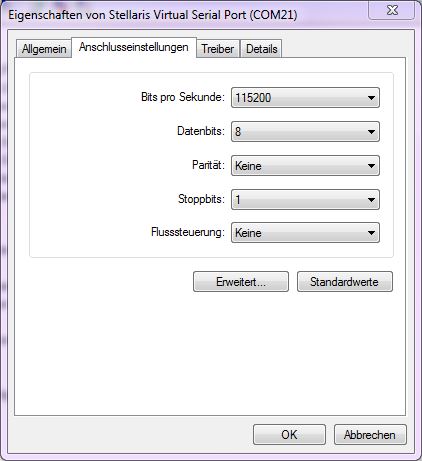
    - click on Settings (Anschlusseinstellungen)

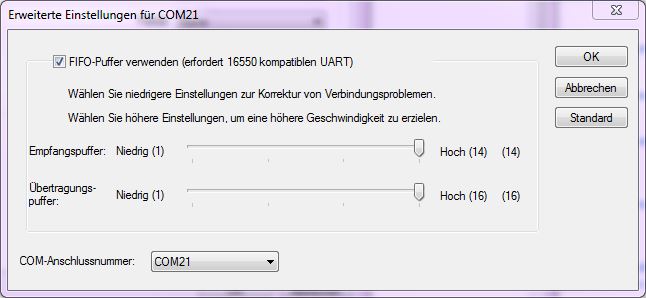
    - click on Advanced (Erweitert)

    - choose another COM-port No via the COM port number tab (COM21 in my case)

    Rgds
    aBUGSworstnightmare 

  • Thank you for such a detailed response.  I didn't realize that you could assign a different comm port number from Windows.

    Unfortunately, I am still unsuccessful - same error as before.

    Kevin

  • I was having some success for a while, when today I get the same "Unable to open COM10.  Please check your port settings".

    The odd thing is, I have the Stellaris USB serial port (COM10) showing up as "working properly" in device manager and my port settings are correct (the same as before and what I can use successfully on my PC Laptop running Windows XP).

    But if I try to access from Hyperterminal or PuTTY (for example), I now get an "Unable to open COM10.  Please check your port settings" message.

    I have all other USB devices unplugged except for my mouse and keyboard.  This PC is running Windows 7 Ultimate 64-bit .

    Any thoughts?

    Thank you,

    Kevin Taberski

  • Hi, i spend several hours today trying to solve this problem and i thought i should share my solution, the problem in my case was that i was missing the usbser.sys file in my pc, so i copied that file from another machine and put it in C:\windows\system32\drivers\ and finally i got it working.

    I hope this will help someone with the same problem.