This thread has been locked.

If you have a related question, please click the "Ask a related question" button in the top right corner. The newly created question will be automatically linked to this question.

DRV8301-LS31-KIT problem with Code Composer

Other Parts Discussed in Thread: TMS570LS3137, MOTORWARE

Hi,

I am using DRV8301-LS31-KIT for my master thesis and I'm having some problems with starting motor using Code Composer. I got this kit a week ago so I'm new to this. The only thing I have to do is to get the graph windows while the motor is running so I can put it in my thesis.

I followed the instructions carefully (from instaspin_bldc_570ls31.pdf that I got with the installation DVD; it's in the attachment) and I'm getting these errors.

3757.instaspin_bldc_570ls31.pdf

First, I went to Project->Import Existing CCS/CCE Eclipse Project and chose sw/solutions/instaspin_bldc/boards/drv8301kit_revD/Hercules/tms570ls3137/projects/ccs5/project01. Then, right click on the project name and selected “Clean Project” and then “Build Project”. After that I launched a debug session to load the code into the controller. I checked if the TMS570LS31x CortexR4 device is connected (Run->Connect Target) and loaded the program (Run->Load->Load Program).

At this point the first error occurs: "No source avaliable for 0x2500".
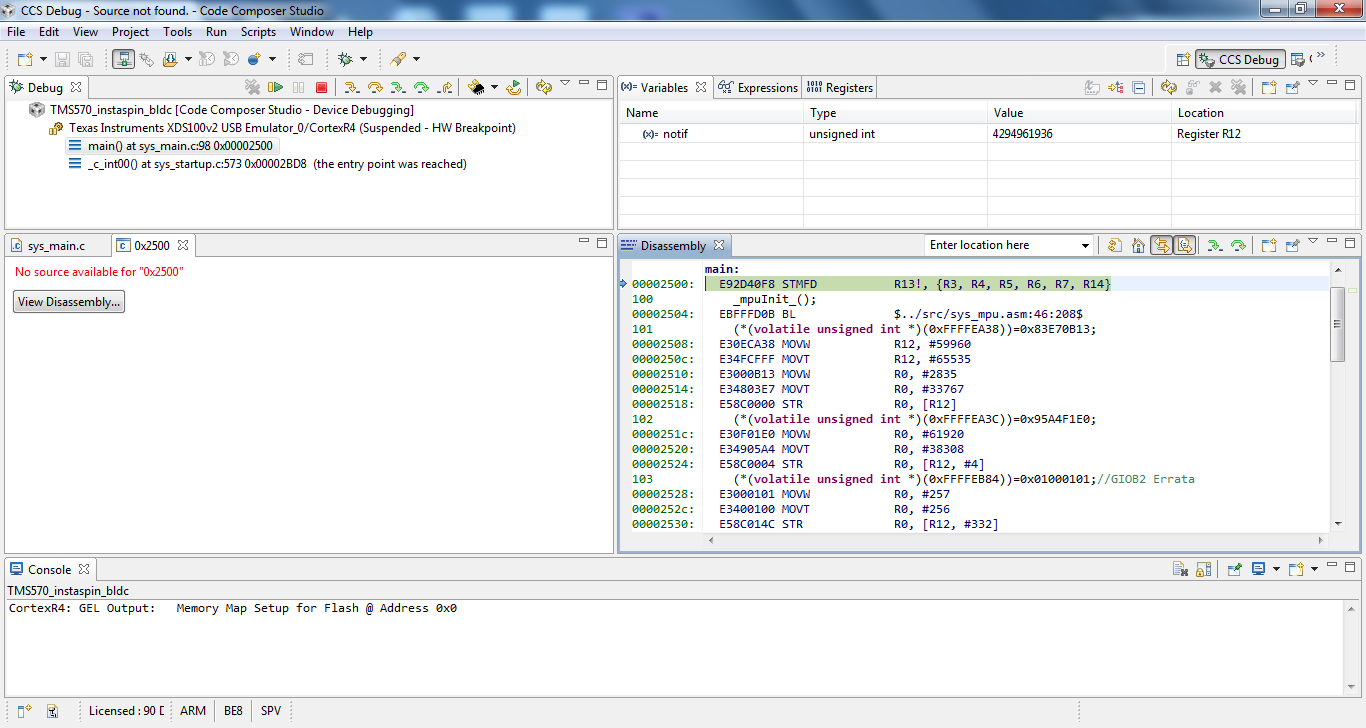
After that i did View->Scripting Console and chose InstaSPINWatch.js fromsw/solutions/instaspin_bldc/boards/drv8301kit_revD/Hercules/tms570ls3137/projects/ccs5/project01.

At this point, the second error occurs:
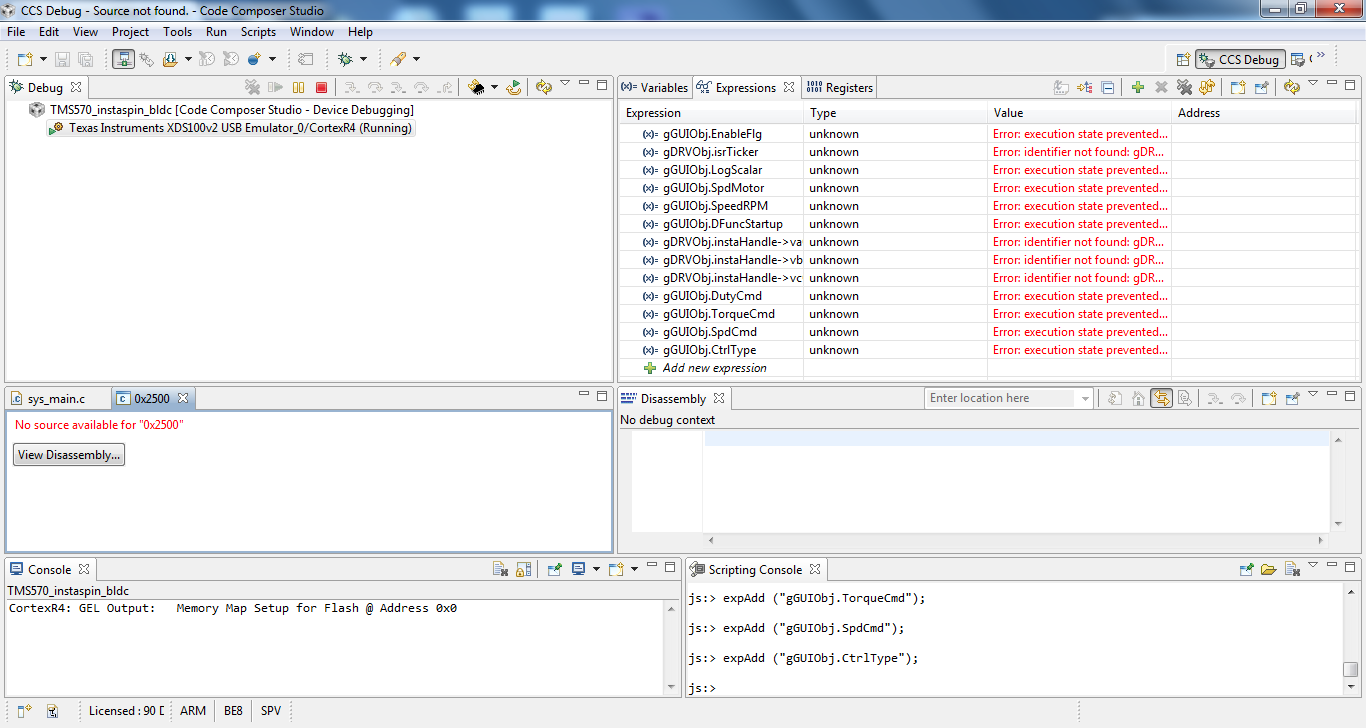
The I reloaded program and window now looks like this and eror says: "No source available for Application_0_Texas Instruments XDS100v2 USB Emulator_0/CortexR4_Texas Instruments XDS100v2 USB Emulator_0/CortexR4_stack_frame_0".
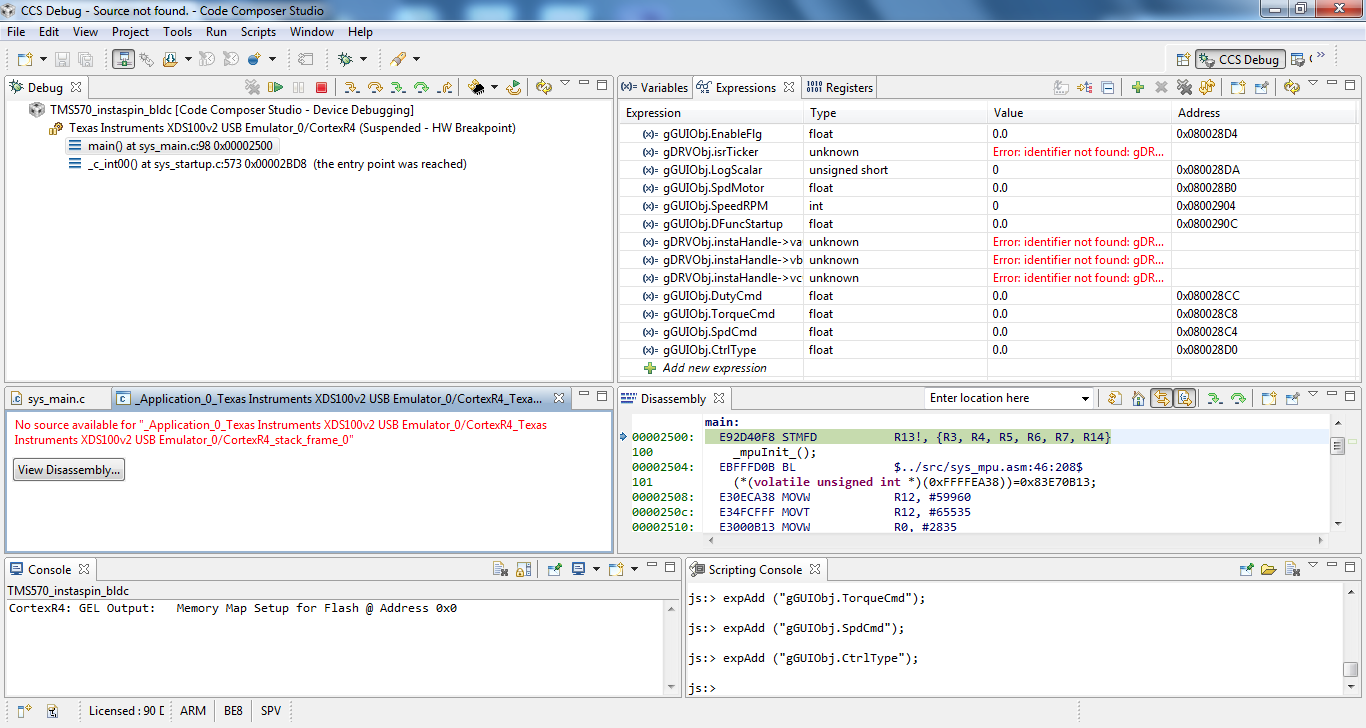
Can you please help me with this, I would really appreciate it. I'm struggling with it for a week now.

Best regards,

Vedad

  • Hello!

    1 You can try to fill check-box "Copy projects into workspace" when importing project at CCS (page 10 fig.7 of your manual).

    2 Sometimes these error messages appear when the some source code is not presented explicitly at project, for exampel some included static libraries. At these cases the debugger offers "disassembling" of code.

    Regards,

    Igor 

  • Hi Igor,

    thank you for your answer.

    1) I did this but, unfortunatelly, I'm still getting the same errors.

    2) How can I find out what what source code is missing? And why is it missing anyway? I mean, the kit costs 500$, it should work. My team spent a week trying to solve the problem, but we haven't managed to do so. We even installed it on three different computers - still nothing. It's really frustrating.

    3) My guess is that maybe some drivers are missing but I don't know how to find out which ones.

    Regards,

    Vedad

  • Can you show me the project view? (click the red circled area).

    Can you try run->load->load symbols? please make sure the .out file loaded into the device is the one that you just built.

    Regards,

    Haixiao

  • I clicked on the project view. Here's the sys_main.c.

    5488.sys_main.txt

    I tried to run->load->load symbols and the result is the same. How to know if the .out file is the one that I just built? Here's the path of the .out file that I'm loading: C:\ti\Hercules\MotorWare\v1.0.3.03\sw\solutions\instaspin_bldc\boards\drv8301kit_rev\hercules\tms570ls3137\projects\ccs5\project01\Debug\TMS570_instaspin_bldc.out

    Regards,

    Vedad

  • If you use "Browse" when loading Symbols, you can check the date of the .out file.

    Or you can choose the "browse project", this will limit your browse in the selected project.

    Once the .out is loaded, and go to sys_main.c, like the disassambly window in your case, you should see the selected CCS project BOLDed (in the attached picture, the RM46_fix.... is bolded).

    In your case, I can see those "symbols" in the disassamly window, but the CCS can not link the project source file to  "symbols". Do you have such a problem with other projects? for example, if you go to http://processors.wiki.ti.com/index.php/Category:TMS570#Training, and import/rebult those projects, do you have the same problem?

    (I try to understand whether it is CCS installation problem or project setting problem).

  • Is this issue resolved?

    Thanks,

    Haixiao