This thread has been locked.

If you have a related question, please click the "Ask a related question" button in the top right corner. The newly created question will be automatically linked to this question.

code composer studio fatal error #1965


I am lost. Lab 2 works fine. Lab 12 builds with a fatal error # 1965: cannot open source file "inc/hw_memmap.h". Both labs have the same project options (same Include Options and same File search Path). I am using Code Composer Studio Version: 5.5.0.00077, TI Stellaris LM4F120, LaunchPad Evaluation Kit, Stallaris LaunchPad Workbook, and installed all of the workshop files.

  • Did you import the project?

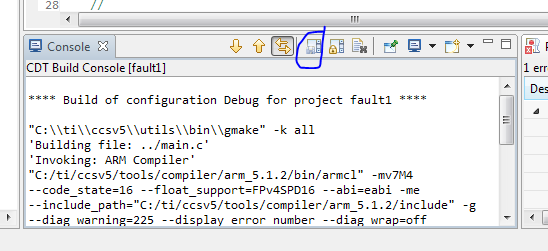
    Can you post the build log?

    Or you can compare the build log from the working project with the failing project

  • Thanks for the reply. I think I found my problem, but resolving it is going to be a pain. I have multiple driverlib and inc files with the same name Revision 10636 of the Stellaris Peripheral Driver Library at c:\StellarisWare\ and revision 1.1 of the Tiva Peripheral Driver Library at C:\ ti\TivaWare_C_Series-1.1\. I am not sure which ones are the correct ones to use nor which one ccs is using. The ARM Compiler Include Options search paths are: "${CG_TOOL_ROOT}/include" and "${PROJECT_ROOT}/../../../..". The ARM Linker File Search Paths are: "${CG_TOOL_ROOT}/lib" and "${CG_TOOL_ROOT}/include".

    I have been viewing the TI videos and running the TI Labs, but they seem buggy. One lab told me to add DEVICE_IS_BLIZZARD_RA1 to ARM Compiler Predefined Symbols for ROM calls but it did not work. I switched to TARGET_IS_TEMPEST_RC5, it worked but I do not know if it is right.

    Basically I need to know which are the correct files to use and how to ensure that ccs uses these correct files.


  • http://processors.wiki.ti.com/index.php/Getting_Started_with_the_TIVA™_C-Series_TM4C123G_LaunchPad

    Check the workbook pdf. It has a complete description of the build environment.

    Specifically you'll need to set the CCS/Eclipse variable TIVAWARE_INSTALL. The workshop defines this for the entire workspace. Check the vars.ini section. You can also define it for a single project in the project settings Resource -> Linked Resource

    I would set TIVAWARE_INSTALL to "C:\ ti\TivaWare_C_Series-1.1\" if that's the version of the workshop.