This thread has been locked.

If you have a related question, please click the "Ask a related question" button in the top right corner. The newly created question will be automatically linked to this question.

Connected Launchpad and Sensor Hub problem

Other Parts Discussed in Thread: TM4C123GH6PM

I cannot seem to get any of the sensor hub examples to run. They all hang waiting for the initialization to complete. I am compiling with CCS. I've compiled and run many of the samples from the CLP Workbook so it is not my setup (for example with the sensor-board installed, I can run any of the workbook examples without problems). I have the sensor hub installed in the BoosterPack 1 slot and there is a red LED illuminated (presumably power).

Any suggestions?

SIncerely,

Bob Welland

  • OK, so something is a bit different now. I clean built everything just as a precaution. Now I get the following kind of error for most of the Sensor Hub samples:

    SHT21 Example
    Error: 3, File: ../humidity_sht21.c, Line: 383
    See I2C status definitions in utils\i2cm_drv.h

    The I2C status definition for error 3 is I2CM_STATUS_ARB_LOST, which I presume means arbitration lost. According to this wiki http://processors.wiki.ti.com/index.php/I2C_Tips, This problem can be caused if:

    "In this scenario the external slave might be holding SDA low to transmit a 0 (or ACK)."

    I'm not sure I understand why this would be happening.

    Sincerely,

    Bob Welland

  • Hello Bob,

    Can you let us know which TIVAWare release and which SensorHub example code are you using?

    Regards

    Amit

  • I'm using:

    Code Composer Studio Version: 5.4.0.00091

    TivaWare series: TivaWare_C_Series-2.1.0.12573

    Example: TivaWare_C_Series-2.1.0.12573/examples/boards/ek-tm4c1294xl-boostxl-senshub/humidity_sht21

    I have tried most of the examples in the same directory without success.

    Sincerely, Bob Welland

  • Hello Robert

    Can you check that after the GPIO's are configured for I2C is the SCL and SDA lines held at logic 1 (3.3V)

    This will tell us if the problem is on the board?

    Regards

    Amit

  • Hello Amit,

    I will try that.

    I downloaded the CCS v6 beta (6.0.0.00156) and the same problem arises.

    SIncerely, Bob Welland

  • Hello Amit,

    I put in a breakpoint on the humidity_sht21 example directly after it sets the GPIO pins to I2C. I checked the voltages and they are both 3.3. Interestingly, the sample code us using ROM calls except in one place (line 340 in humidity_sht21.c) where it uses what appears to be a non-ROM call. Not sure if that is significant.

    Strangely, I put breakpoints on I2CMInit and in the polling loop and the sensor appears to be working. If I remove the breakpoint from the while (1) loop then the code appears to be operating properly.

    This seems like a race condition of some kind. I'll try the other sensor examples using breakpoints to see if I can get them to "work" this way as well.

    For these tests I am using the CCS V6 beta

    Sincerely, Bob Welland

  • I have tried the other examples and they seem to work with some quirks:

    1. Some examples block if I am in debugging mode at:

    ROM_SysCtlPeripheralSleepEnable(SYSCTL_PERIPH_UART0);

    2. The accelerometer/gyro/mag demo froze the first time I ran it.

    It is rather strange that I get such different behavior.

    Sincerely, Bob Welland

  • Hello Robert

    Can you check the DID0 register in System Control Space and send that along with the defines that is being used for compilation?

    Regards

    Amit

  • Im too having trouble getiing the sensor hub lab 14 to work using TIVA launchpad. I am using the Sensor hub booster pack. 

    Code Composer Studio

    Version: 6.0.0.00190

    TivaWare_C_Series-2.1.0.12573

    and the lab 14 of TM4C123G_LaunchPad_Workshop

    Is there a compatibility issue?

    #include "stdint.h"
    #include "stdbool.h"
    #include "inc/hw_memmap.h"
    #include "inc/hw_ints.h"
    #include "driverlib/debug.h"
    #include "driverlib/gpio.h"
    #include "driverlib/interrupt.h"
    #include "driverlib/pin_map.h"
    #include "driverlib/rom.h"
    #include "driverlib/sysctl.h"
    #include "sensorlib/hw_isl29023.h"
    #include "sensorlib/i2cm_drv.h"
    #include "sensorlib/isl29023.h"
    #define  DEBUG
    
    #define ISL29023_I2C_ADDRESS    0x44		// ISL29023 I2C address
    tI2CMInstance g_sI2CInst;			// I2C master driver structure
    tISL29023 g_sISL29023Inst;			// ISL29023 sensor driver structure
    volatile unsigned long g_vui8DataFlag;	// Data ready flag
    volatile unsigned long g_vui8ErrorFlag;	// Error flag
    
    //*************************************************************************
    void
    ISL29023AppCallback(void *pvCallbackData, uint_fast8_t ui8Status)
    {
    	if(ui8Status == I2CM_STATUS_SUCCESS)
    	{
    		g_vui8DataFlag = 1;
    	}
    	g_vui8ErrorFlag = ui8Status;
    }
    //*************************************************************************
    
    //*************************************************************************
    void
    ISL29023I2CIntHandler(void)
    {
    	I2CMIntHandler(&g_sI2CInst);
    }
    //*************************************************************************


    //*************************************************************************
    void
    ISL29023AppErrorHandler(char *pcFilename, uint_fast32_t ui32Line)
    {
    	while(1)
    	{
    	}
    }
    //*************************************************************************
    
    //*************************************************************************
    void
    ISL29023AppI2CWait(char *pcFilename, uint_fast32_t ui32Line)
    {
    	while((g_vui8DataFlag == 0) && (g_vui8ErrorFlag == 0))
    	{
    	}
    	if(g_vui8ErrorFlag)
    	{
    		ISL29023AppErrorHandler(pcFilename, ui32Line);
    	}
    	g_vui8DataFlag = 0;
    }
    //*************************************************************************
    
    //*************************************************************************
    int
    main(void)
    {
    	float fAmbient;
    	uint8_t ui8Mask;
    
    	ROM_SysCtlClockSet(SYSCTL_SYSDIV_5|SYSCTL_USE_PLL|SYSCTL_XTAL_16MHZ|SYSCTL_OSC_MAIN);
    
    	ROM_SysCtlPeripheralEnable(SYSCTL_PERIPH_GPIOD);
    	ROM_SysCtlPeripheralEnable(SYSCTL_PERIPH_I2C3);
    	ROM_GPIOPinConfigure(GPIO_PD0_I2C3SCL);
    	ROM_GPIOPinConfigure(GPIO_PD1_I2C3SDA);
    	GPIOPinTypeI2CSCL(GPIO_PORTD_BASE, GPIO_PIN_0);
    	ROM_GPIOPinTypeI2C(GPIO_PORTD_BASE, GPIO_PIN_1);
    
    	ROM_IntMasterEnable();
    
    	I2CMInit(&g_sI2CInst, I2C3_BASE, INT_I2C3, 0xFF, 0xFF, ROM_SysCtlClockGet());
    
    	SysCtlDelay(SysCtlClockGet() / 3);
    
    	ISL29023Init(&g_sISL29023Inst, &g_sI2CInst,
    			ISL29023_I2C_ADDRESS,ISL29023AppCallback, &g_sISL29023Inst);
    	ISL29023AppI2CWait(__FILE__, __LINE__);
    
    	ui8Mask = (ISL29023_CMD_I_OP_MODE_M );
    
    	ISL29023ReadModifyWrite(&g_sISL29023Inst, ISL29023_O_CMD_I, ~ui8Mask,
    			(ISL29023_CMD_I_OP_MODE_ALS_CONT),
    			ISL29023AppCallback, &g_sISL29023Inst);
    
    	ISL29023AppI2CWait(__FILE__, __LINE__);
    
    	while(1)
    	{
    		ISL29023DataRead(&g_sISL29023Inst, ISL29023AppCallback, &g_sISL29023Inst);
    		ISL29023AppI2CWait(__FILE__, __LINE__);
    
    		ISL29023DataLightVisibleGetFloat(&g_sISL29023Inst, &fAmbient);
    	}
    }


    please help  and thank you  for any answers

  • Hello Amalinda,

    There are two defines that you need to use

    Right Click on your project -> Show Build Settings -> Build -> ARM Compiler -> Advanced Options -> Predefined Symbols

    In the upper box add the following defines

    TARGET_IS_TM4C123_RB1

    PART_TM4C123GH6PMI

    Regards

    Amit

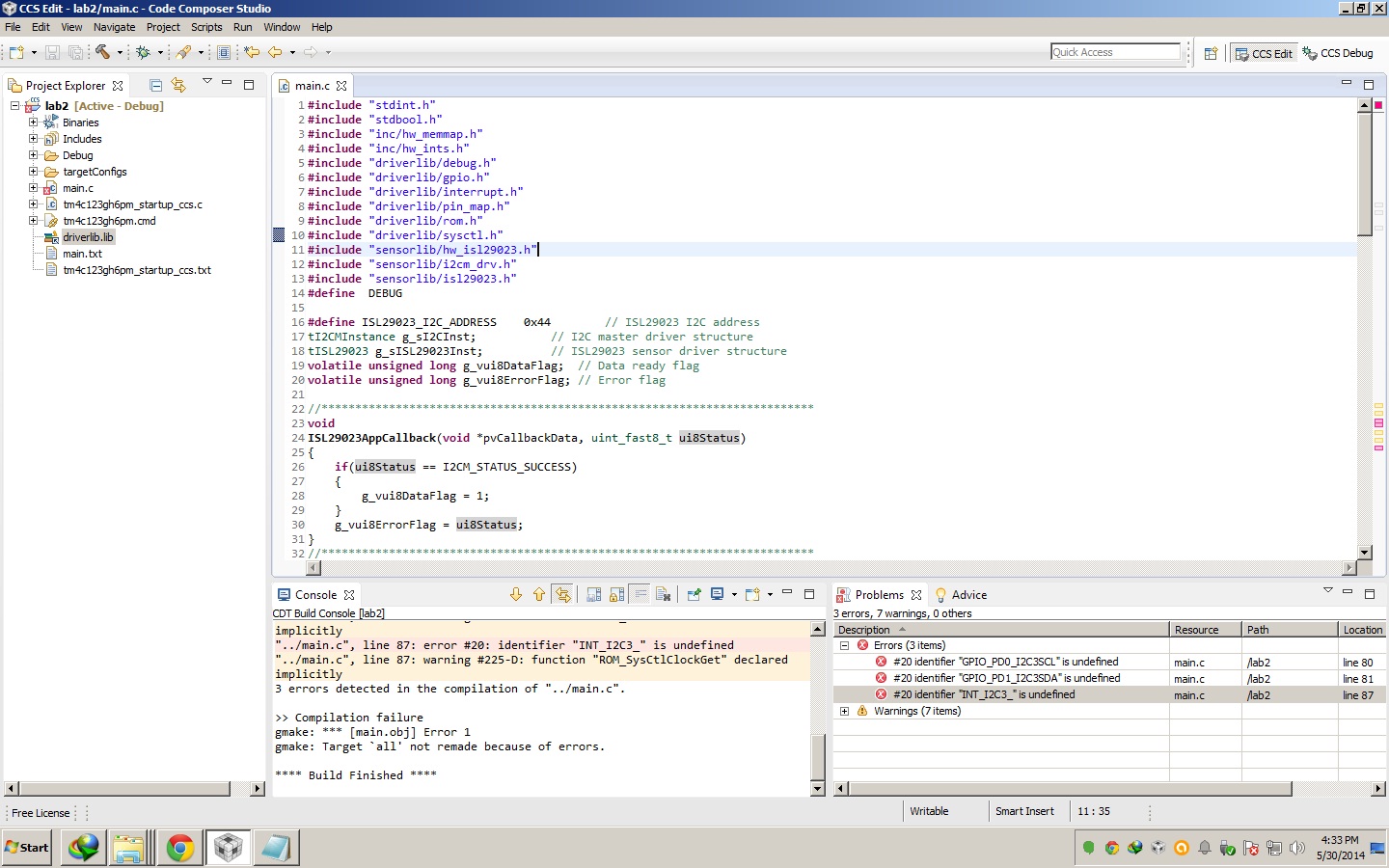
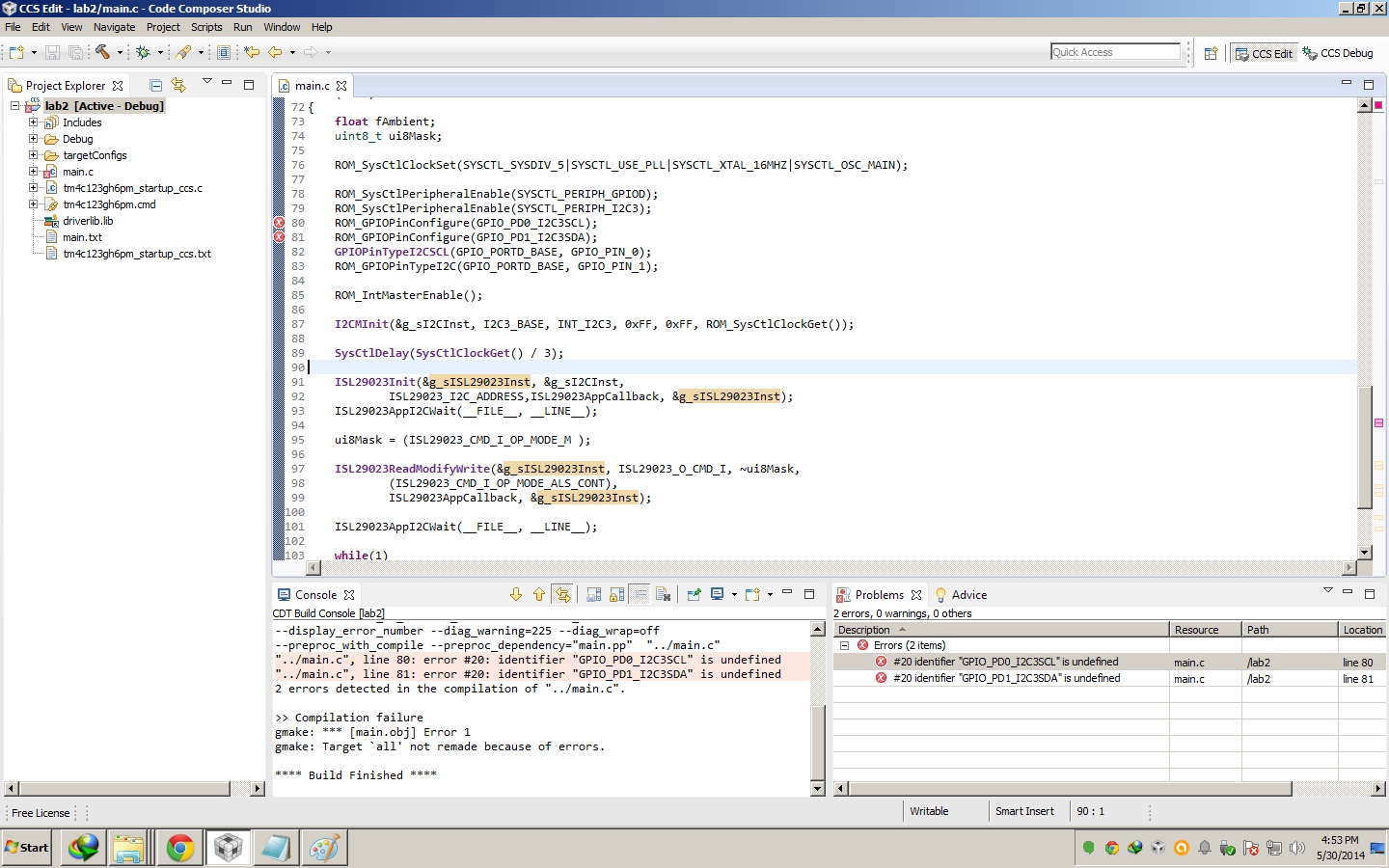
  • Thank you so much Amith. I was able to reduce one error but there still remains one more error. 

    it says in the error box,

    #20 identifier "GPIO_PD0_I2C3SCL" is undefined

    I've attachd an image below. is there anything else taht i have not added or linked? I did everything as requested by the lab 2 of the worksheet to add the driver lib and other includes.

  • Hello Amalinda,

    My mistake. The define is PART_TM4C123GH6PM instead of PART_TM4C123GH6PMI

    Regards

    Amit

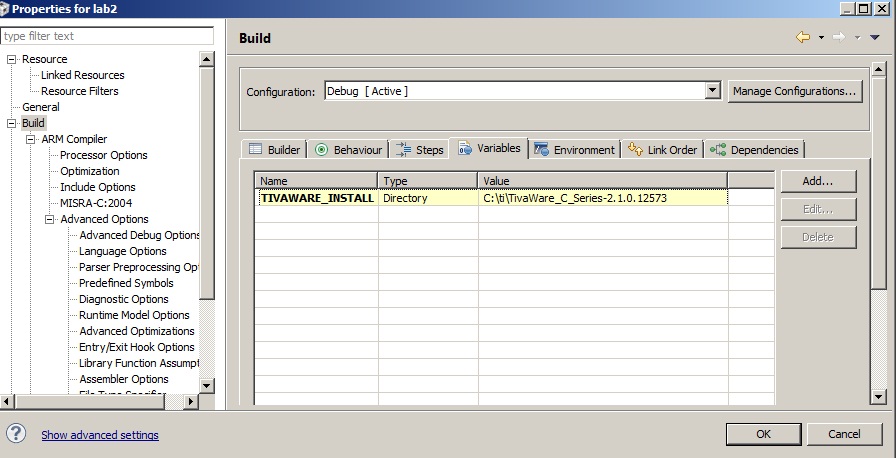
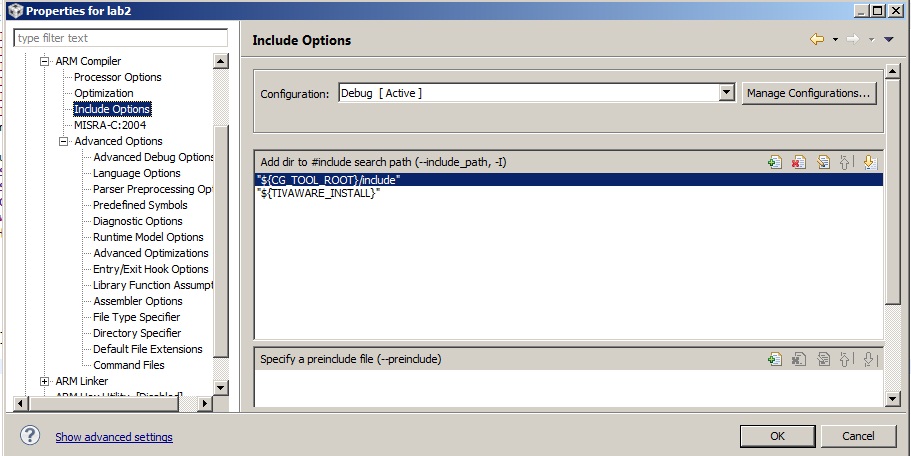
  • here are more details on the configurations

  • Amalinda said:
    #20 identifier "GPIO_PD0_I2C3SCL" is undefined

    PD0 alternates as I2C7SCL and PD1 alternates at I2C7SDA. Verify this at your device datasheet.

    -kel


  • Hello Kel,

    On TM4C123GH6PM the I2C3 are on PD pins.

    Regards

    Amit

  • Amit Ashara said:
    On TM4C123GH6PM the I2C3 are on PD pins.

    He is using Tiva Connected Launchpad. See, the title of this post.

    -kel

  • Hello Kel

    OK.

    Hello Amalinda,

    Since you mentioned the TM4C123 example on a connected launchpad (which is TM4C129), can you confirm the device. Is it TM4C129 you are using and porting the TM4C123 example to it? If yes, then there quite a few changes required to the code!!! Along with the defines I have already mentioned

    If not then my response stands.

    Regards

    Amit

  • Dear Amit,

    thank you for your response. But I decided to start new and follow the workshop at 

    http://processors.wiki.ti.com/index.php/Getting_Started_with_the_TIVA%E2%84%A2_C-Series_TM4C123G_LaunchPad?DCMP=tivac&HQS=TM4C123G-Launchpad-Workshop

    again. I believe I may have done something wrong. 

    NO, I am not using the connected launchpad. I do have one, but my objective is to learn how to use TIVA Ware. That is the reason Im trying to do these labs. I just want to call the TIVA ware APIs but when do, I get errors. I must mention I am totally new to using TIVAWare and CCS but I do have history with ARM M. I will give all labs a go once more. and If I fail, I will catch you again. 

    thanks for your help.

  • Hello Amalinda,

    OK. But it would be good to know if you are going to execute the lab on a TM4C123 or a TM4C129 device. The defines will change based on which device it is as will some of the API's.

    Regards

    Amit

  • Thank you Amit,

     Thats good to know. I understand that I will have to carefully read the taller than Everest API guide. Surely  the videos by Mr. Scott Bland and Mr. Anish make life way less easy.  Please pass our heartfelt thanks to them! 

    I'm in the process of changing configurations and getting an in depth understanding of CCS. I think these code errors I saw surely got nothing to do with erroneous syntax as they were nicely compiled during the video.

    I'm changing all sorts of settings in CCS and noticing the errors. I think its the best investment for future.

    Should make all the mistakes at home before going to the industry :-)

    regards.